
1. Ynlieding
This manual provides essential instructions for the safe and effective use of your Leica V-LUX 20 digital camera. Please read it thoroughly before operating the camera and keep it for future reference. The Leica V-LUX 20 is a 12.1-megapixel digital camera featuring a 12x optical zoom lens and a 3.0-inch LCD, designed for high-quality photography and HD video recording.
2. Safety Information
- Batterijfeiligens: Use only the specified Lithium-Ion battery and charger. Do not expose batteries to excessive heat, direct sunlight, or dispose of them in fire. Keep batteries out of reach of children.
- Wetter Resistance: Dizze kamera is net wetterbestindich. Foarkom bleatstelling oan wetter of hege fochtigens.
- Lenssoarch: Do not touch the lens surface directly. Clean with a soft, lint-free cloth designed for optical lenses.
- Bedriuwsomjouwing: Avoid using the camera in extreme temperatures, dusty environments, or near strong magnetic fields.
- Demontage: Besykje de kamera net útinoar te heljen of te feroarjen. Lit alle ûnderhâldswurk oer oan kwalifisearre personiel.
3. Begjinne en ynstelle
3.1. It opladen fan de batterij
Insert the Lithium-Ion battery into the supplied charger and connect the charger to a power outlet. The charging indicator will show the charging status. Ensure the battery is fully charged before first use.
3.2. Ynstekken fan it ûnthâld Card
The camera supports SD, SDHC, and SDXC memory cards. Open the battery/card compartment cover. Insert the memory card into the slot with the contacts facing the correct direction until it clicks into place. Close the cover securely.
Note: A memory card is not included with the camera and must be purchased separately.
3.3. Earste ynskeakeling en ynstellings
Slide the ON/OFF switch to the ON position. Upon first power-on, you may be prompted to set the language, date, and time. Follow the on-screen instructions using the directional pad and MENU/SET button.

Byld: Top view of the Leica V-LUX 20 camera. This image displays the camera's top panel, highlighting the ON/OFF slide switch on the right, the shutter button, and the mode dial with various shooting options like P, A, S, M, SCN, MS1, MS2, and CUST. The zoom lever (W/T) is integrated around the shutter button.
4. De kamera betsjinje
4.1. Kamerakontrôles oerview
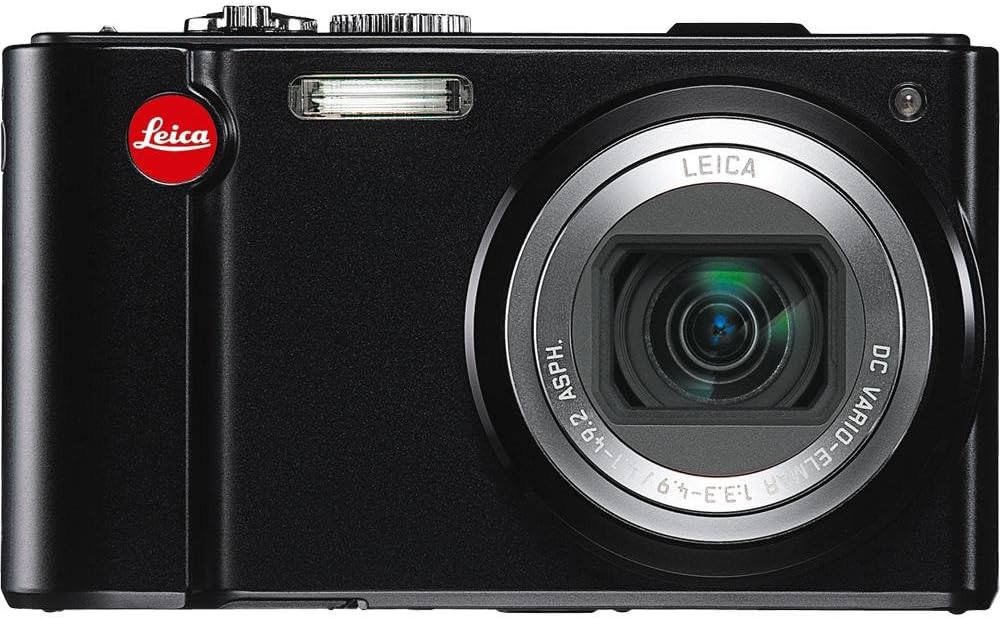
Byld: Rear view of the Leica V-LUX 20 camera. This image shows the 3.0-inch LCD screen, the exposure compensation button, the dedicated video record button, and the directional pad with MENU/SET, DISPLAY, and Q.MENU functions. The zoom controls are also visible on the right side of the screen.
Meitsje josels bekend mei de wichtichste kontrôles:
- ON/OFF Switch: Located on the top panel, used to power the camera on or off.
- Shutter knop: Druk healwei yn om te fokusjen, folslein yn om in foto te meitsjen.
- Zoomhendel (W/T): Surrounds the shutter button, used to adjust the 12x optical zoom (W for wide, T for telephoto).
- Mode Dial: Selects various shooting modes (Program, Aperture Priority, Shutter Priority, Manual, Scene, Custom).
- MENU/SET-knop: Accesses the camera's menu system and confirms selections.
- Directional Pad: Navigates through menus and settings. Also controls flash, self-timer, and exposure compensation in shooting mode.
- DISPLAY/Q.MENU Button: Toggles display information or accesses the Quick Menu for common settings.
- Video Record knop: Dedicated button for starting and stopping video recording.
4.2. Autofocus and Exposure
The camera features automatic exposure control and various autofocus modes including Multi, Center-weighted, and Spot metering. The autofocus system uses TTL (Through-The-Lens) detection with 11 autofocus points. For optimal focus, press the shutter button halfway until the focus indicator appears.
4.3. Flitsmodi
The built-in flash offers several modes, including Auto and scene-specific flash modes. Access flash settings via the directional pad or Quick Menu to select the appropriate mode for your lighting conditions.
5. Shooting Modes
The mode dial on the top of the camera allows you to select different shooting modes:
- Automatyske modus: The camera automatically sets all parameters for optimal results.
- Programma AE (P): The camera sets aperture and shutter speed, but you can adjust other settings.
- Diafragmaprioriteit AE (A): Jo stelle it diafragma yn, en de kamera stelt de slutertiid yn.
- Sluterprioriteit AE (S): Jo stelle de slutersnelheid yn, en de kamera stelt it diafragma yn.
- Manuele bleatstelling (M): Jo kontrolearje sawol it diafragma as de slutersnelheid.
- Sênemodi (SCN): Pre-set modes for specific situations (e.g., Portrait, Landscape, Sports) to optimize settings automatically.
- Custom Modes (CUST, MS1, MS2): Allows you to save and quickly recall your preferred camera settings.
The camera captures images at 12.1 megapixels and supports JPEG file format. Optical Image Stabilization helps reduce blur from camera shake.
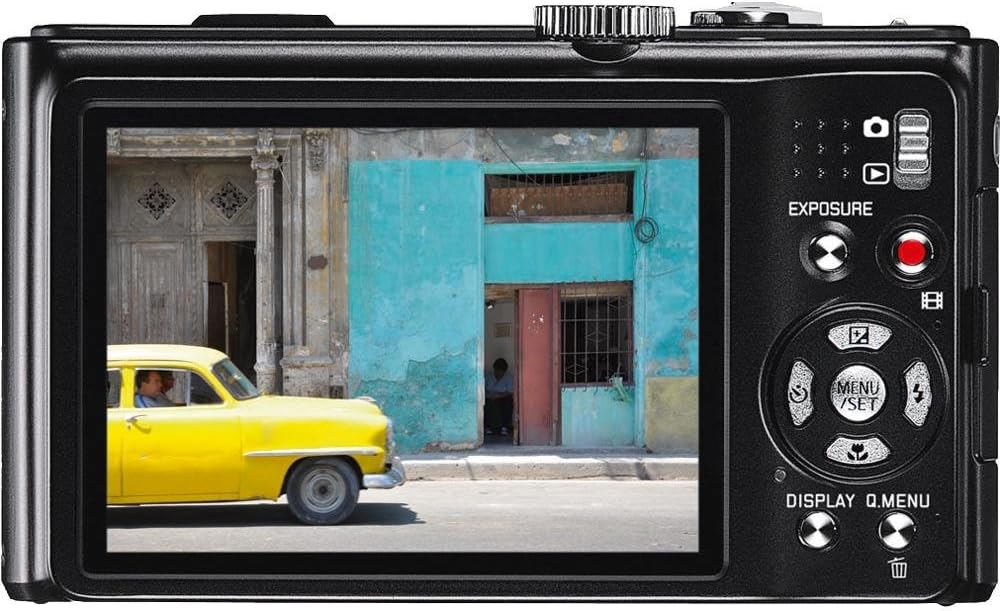
Byld: Front view of the Leica V-LUX 20 camera. This image showcases the camera's 12x Leica DC Vario-Elmar optical zoom lens, the built-in flash, and the Leica branding. The lens is shown in an extended position, indicating its zoom capability.
6. Fideo -opname
The Leica V-LUX 20 can record high-definition video. To start recording, press the dedicated red video record button on the back of the camera. Press it again to stop recording.
- Video resolúsje: Supports 720p HD video at 60 frames per second (1280 x 720), as well as lower resolutions like 848 x 480 (30 fps), 640 x 480 (30fps), and 320 x 240 (30 fps).
- Zoom during Video: The 12x optical zoom can be used while recording video.
- File Formaat: Videos are saved in MJPEG format.
7. Wiedergabe
Nei view your photos and videos, slide the power switch to the 'Play' position (or press the playback button if available, though the review mentions a slide switch for viewing stored pictures). Use the directional pad to navigate through your captured media. You can zoom in on photos or play videos using the controls.
8. Ferbine mei oare apparaten
8.1. USB Ferbining
Connect the camera to a computer using a USB cable (not included) to transfer photos and videos. The camera is compatible with USB 2.0 devices. Your computer will recognize the camera as a removable storage device.
8.2. HDMI Utfier
Use an HDMI cable (not included) to connect the camera to an HDTV or monitor for viewing your media on a larger screen. The camera features a built-in HDMI port.
9. Underhâld en soarch
- De kamerabody skjinmeitsje: Wipe the camera body with a soft, dry cloth. For stubborn dirt, use a slightly damp doek en dan droech goed.
- Reinigje de lens: Use a lens brush to remove dust, then gently wipe with a lens cleaning cloth. Avoid using abrasive materials.
- It LCD-skerm skjinmeitsje: Use a soft, dry cloth. For smudges, use a screen cleaner specifically designed for LCDs.
- Batterij opslach: As jo de kamera foar in langere perioade opslaan, ferwiderje dan de batterij. Bewarje batterijen op in koel, droech plak.
- Opslach: Bewarje de kamera op in droech, goed fentilearre plak, fuort fan direkt sinneljocht en ekstreme temperatueren.
10. Probleemoplossing
| Probleem | Mooglike oarsaak / oplossing |
|---|---|
| Kamera giet net oan. | Battery may be depleted. Recharge the battery. Ensure the battery is inserted correctly. |
| Kin gjin foto's meitsje. | Memory card may be full or not inserted correctly. Check card status or replace. Battery may be low. |
| Ofbyldings binne wazig. | Ensure optical image stabilization is active. Check focus. Use a faster shutter speed in low light. |
| De flits giet net ôf. | Flash mode may be set to 'Off' or 'Red-eye Reduction' (which delays firing). Check flash settings. |
| Kin net ferbine mei kompjûter. | Ensure USB cable is securely connected. Check computer's USB port. Try a different USB cable. |
11. Spesifikaasjes
- Model Namme: V-LUX 20
- Foto Sensor Resolúsje: 12.1 MP
- Sensor Type: CCD (1/2.33 inch)
- Optyske zoom: 12x
- Lins: Leica DC Vario-Elmar 1:3.3-4.9 / 4.1-49.2mm ASPH (25-300mm equivalent in 35mm format)
- Ofbylding stabilisaasje: Optical
- Skermgrutte: 3.0 inch LCD (460,800 punten)
- Stipe File Formaten: JPEG (Stills), MJPEG (Video)
- Video resolúsje: Up to 1280 x 720 (60 fps)
- Opslach media: SD/SDHC/SDXC cards
- Konnektivität: HDMI, USB 2.0
- Batterij Type: Lithium Ion
- Item Gewicht: 7.68 oz
- Spesjale eigenskippen: GPS module for geographical data registration.
12. Garânsje en stipe
For warranty information and technical support, please refer to the documentation provided at the time of purchase or visit the official Leica website. Contact Leica customer service for assistance with product issues or repairs.