
Ynlieding
This manual provides essential information for the safe and effective operation of your Laserliner SoundTest-Master 082.070A Noise Level Meter. Please read these instructions carefully before using the device and keep them for future reference. The SoundTest-Master 082.070A is designed for precise measurement of noise levels, featuring integrated long-term memory and PC connectivity for comprehensive documentation.
Safety Ynstruksjes
- Always operate the device within its specified environmental conditions.
- Bliuw it apparaat net oan ekstreme temperatueren, fochtigens of direkte sinneljocht.
- Foarkom it fallen fan it apparaat of it ûnderwurpen oan sterke ynfloeden.
- Besykje it apparaat net te iepenjen of te feroarjen. Reparaasjes moatte allinich útfierd wurde troch autorisearre personiel.
- Hâld it apparaat fuort fan sterke magnetyske fjilden.
- Ensure the microphone is clean and free from obstructions for accurate measurements.
Produkt oerview
The Laserliner SoundTest-Master 082.070A is a handheld noise level meter equipped with a sensitive electret condenser microphone and a clear, illuminated display. It features various controls for measurement settings and data management.

Ofbylding 1: Front view of the SoundTest-Master 082.070A, showing the display, microphone with windshield, and control buttons.
Key komponinten:
- Electret Condenser Microphone: For capturing sound. Includes a removable windshield.
- Ferljochte display: Shows measurement values, settings, and status.
- Kontrôle knoppen: Power, Setup, Max, Record, A/C weighting, Fast/Slow time weighting, Level adjustment, Data send.
- Analoge útgongen: DC and AC outputs for external connections.
- RS232 ynterface: Optoisolated port for PC connection and data transfer.
Opsette
1. Batterij Ynstallaasje
The device requires batteries for operation. Ensure correct polarity when inserting batteries into the compartment, typically located on the rear of the unit.
2. Earste ynskeakeling
Druk op de Krêft button to turn on the device. The display will illuminate and show initial readings.
3. Windshield Attachment
Attach the removable windshield to the microphone to minimize wind noise interference during outdoor measurements.
Operating Instructions
1. Basismjitting
- Skeakelje it apparaat yn mei de Krêft knop.
- Point the microphone towards the sound source.
- The current noise level will be displayed in decibels (dB).
2. Frequency Weighting (dB(A), dB(C))
Brûk de A/C button to switch between frequency weighting curves:
- dB (A): Simulearret de reaksje fan it minsklik ear op lûd, faak brûkt foar mjittingen fan miljeulûd.
- dB(C): Provides a flatter response, suitable for measuring peak sound pressure levels or low-frequency noise.
3. Time Weighting (Fast/Slow)
Druk op de FAST / SLOW button to select the desired time weighting:
- FAST (125 ms): For measuring rapidly changing noise levels.
- SLOW (1 sekonde): For measuring average noise levels over a longer period, suitable for stable noise sources.
4. Data Logging and PC Connection
The device features a long-term recording function with 16,000 memory points and real-time logging capabilities when connected to a PC.
- Ynterne gegevensregistraasje: Druk op de OPNIMME button to start/stop internal data recording. The device can store up to 16,000 measurement points.
- PC-ferbining: Connect the device to a computer using the provided RS232 cable.
- Software: Install the provided software on your PC. This software allows for real-time data display, analysis, and download of recorded data.
- Gegevens ferstjoere: Brûk de DATA ferstjoere button to initiate data transfer to the connected PC.
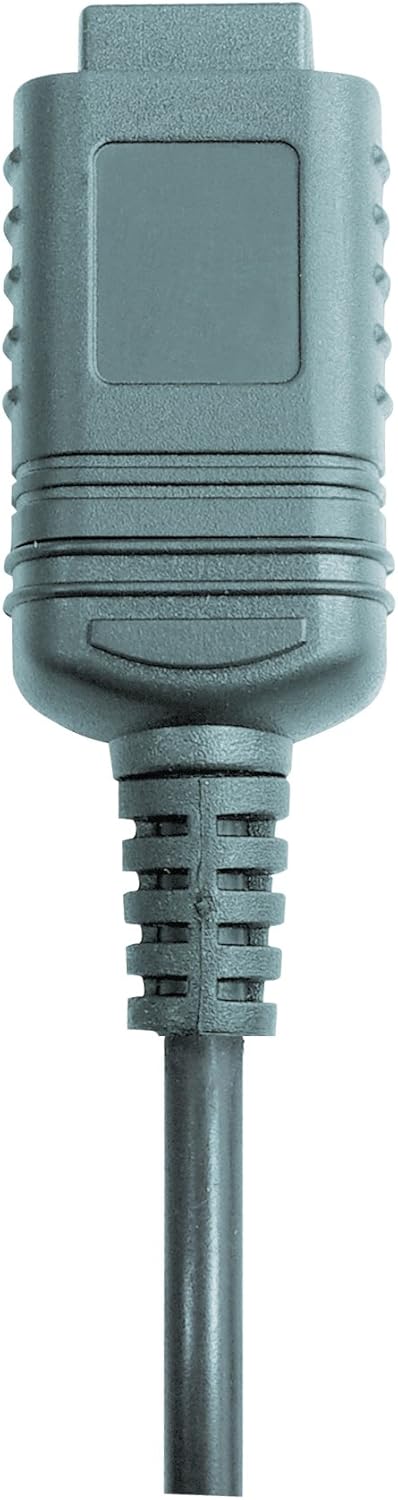

Ofbylding 2: RS232 cable connectors used for connecting the SoundTest-Master to a PC.
5. Kalibraasje
The device can be calibrated and adjusted using a standard noise level calibrator (94 dB / 1 kHz). Refer to the calibrator's instructions for the specific calibration procedure.
Ûnderhâld
1. Cleaning
- Wiskje it apparaat casing mei in sêfte, droege doek.
- Brûk gjin abrasive skjinmakkers of solvents.
- Ensure the microphone is kept clean and free of dust or debris.
2. Opslach
When not in use, store the SoundTest-Master in its protective case in a cool, dry place, away from direct sunlight and extreme temperatures. Remove batteries if storing for extended periods.
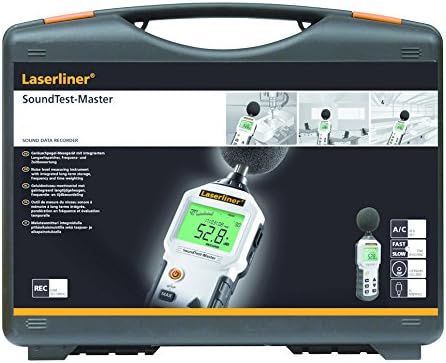
Ofbylding 3: The SoundTest-Master 082.070A stored in its protective carrying case.
Troubleshooting
| Probleem | Mooglike oarsaak | Oplossing |
|---|---|---|
| Apparaat giet net oan. | Deade of ferkeard ynstalleare batterijen. | Ferfange de batterijen, soargje derfoar dat de polariteit goed is. |
| Unkrekte lêzingen. | Microphone obstructed or dirty; device needs calibration. | Clean microphone; perform calibration with a standard calibrator. |
| No data transfer to PC. | Incorrect cable connection; software not installed or configured. | Check RS232 cable connection; ensure PC software is correctly installed and running. |
| It skerm is dof of net lêsber. | Low battery power; display backlight off. | Replace batteries; check device settings for backlight control. |
Spesifikaasjes
| Eigenskip | Detail |
|---|---|
| Model Namme | SoundTest-Master |
| Part Number | 082.070A |
| Fabrikant | Umarex |
| Merk | Laserliner |
| Frekwinsje weagje | dB(A), dB(C) |
| Tiid Weighting | FAST (125 ms), SLOW (1 second) |
| Gegevens ûnthâld | 16,000 mjitpunten |
| Ynterface | Optoisolated RS232 |
| Analoge útgongen | DC en AC |
| Kalibraasje | Adjustable with 94 dB / 1 kHz standard calibrator |
| Mikrofoan | Sensitive electret condenser with removable windshield |
| Skerm | Illuminated, clear display |
| Item Gewicht | 1.18 kilogram (2.6 pûn) |
| Produkt Ofmjittings | 10.33 x 5.51 x 13.78 inch |
| Materiaal | Metal (Frame, Barrel) |
| Kleur | Swart en Griis |
| Batterijen nedich | Yes (not included, type not specified in data) |
Garânsje en stipe
For warranty information and technical support, please refer to the documentation included with your purchase or visit the official Laserliner website.