
1. Ynlieding
This manual provides essential information for the safe and effective use of your Belkin BSV102af Surge Cube 1-Outlet Surge Protector. Please read these instructions carefully before use and retain them for future reference.
The Belkin BSV102af is designed to protect small electronic devices from damaging voltage fluctuations, surges, and spikes. Its compact design makes it suitable for use at home or while traveling.
2. Produktfunksjes
- Single AC Outlet: Provides power and surge protection for one electronic device.
- Surge beskerming: Capable of withstanding power surges up to 306 Joules, safeguarding connected equipment.
- Yndikator foar oerspanningsbeskerming: A colored indicator light confirms that your equipment is protected.
- Kompakt en draachber ûntwerp: Ideal for use with laptops and basic household devices, both at home and during travel.
- Duorsume húsfesting: Damage-resistant construction protects internal circuits from fire, impact, and rust, preventing dents and scratches.
- Materiaal: Makke fan duorsum plestik.
3. Opset en ynstallaasje
- It apparaat útpakke: Carefully remove the Belkin BSV102af Surge Cube from its packaging.
- Ynspektearje it apparaat: Before use, inspect the surge protector for any signs of damage. Do not use if damaged.
- Stek yn in stopkontakt: Insert the surge protector directly into a standard Type G wall outlet. Ensure it is firmly seated.
- Check the Protection Indicator: Once plugged in, the colored indicator light on the surge protector should illuminate, signifying active surge protection. If the light does not illuminate, the unit may not be providing surge protection.
- Ferbine jo apparaat: Plug your electronic device (e.g., laptop, small appliance) into the single AC outlet on the surge protector.
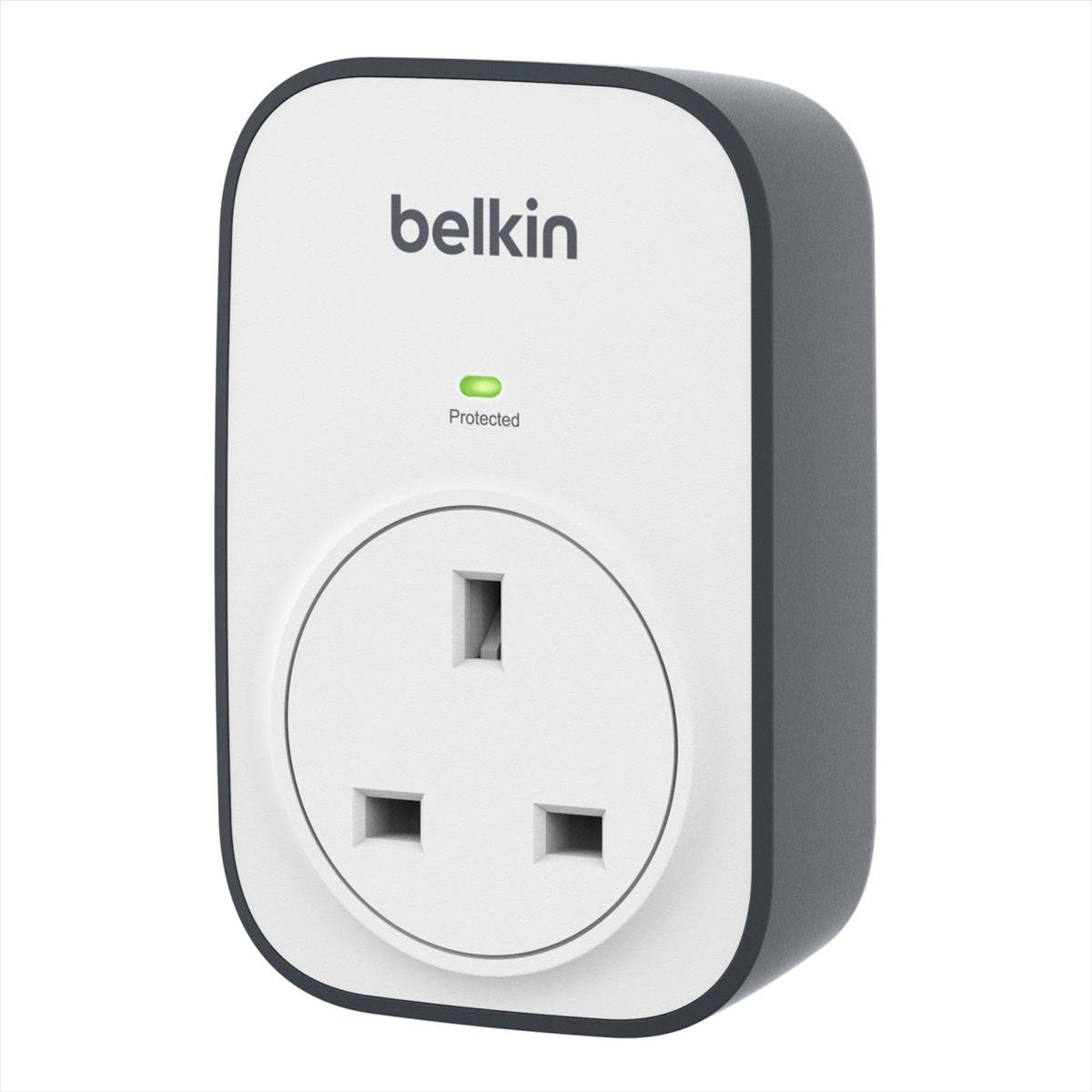
Image: The Belkin BSV102af Surge Cube with its Type G plug inserted into a wall socket.
4. Operaasje
The Belkin BSV102af Surge Cube operates automatically once plugged into a live wall outlet and its indicator light is on. It continuously monitors the incoming power supply for voltage fluktuaasjes en surges.
- Yndikator foar oerspanningsbeskerming: The indicator light provides visual confirmation that the surge protection circuitry is active and functioning. If this light goes out, the surge protector has absorbed a significant surge and needs to be replaced to ensure continued protection.
- Oandreaune apparaten: Simply plug your device into the surge protector's outlet. The surge protector does not have an on/off switch; power is supplied directly from the wall outlet through the protected circuit.
5. Safety Information
- Do not use this surge protector with aquariums or any equipment that requires continuous operation without supervision.
- Stek de iene oerspanningsbeskermer net yn 'e oare.
- Avoid using in wet environments or near water sources.
- Ensure the total power consumption of connected devices does not exceed the maximum rating of the surge protector (15 Amps, 230 Volt).
- Dit apparaat is ûntwurpen foar gebrûk binnen.
- Hâld bûten it berik fan bern.
- If the surge protection indicator light is off, the unit is no longer providing surge protection and should be replaced.
- Do not attempt to open or modify the surge protector. There are no user-serviceable parts inside.
6. Underhâld
- Reiniging: Disconnect the surge protector from the wall outlet before cleaning. Use a dry, soft cloth to wipe the exterior. Do not use liquid cleaners or aerosols.
- Ynspeksje: Periodically inspect the surge protector for any signs of wear, damage, or overheating. If any issues are observed, discontinue use and replace the unit.
- Ferfanging: The surge protection components have a finite lifespan. If the surge protection indicator light goes out, the unit has absorbed a surge and its protective capacity is diminished or exhausted. Replace the surge protector immediately to maintain protection for your devices.
7. Probleemoplossing
- Problem: The surge protection indicator light is off.
- Oplossing: This indicates that the surge protection circuitry has been compromised, likely due to absorbing a power surge. The unit is no longer providing surge protection. Replace the surge protector immediately.
- Problem: No power to the connected device.
- Oplossing:
- 1. Ensure the surge protector is firmly plugged into a working wall outlet.
- 2. Check if the wall outlet itself is functioning by plugging in another device directly.
- 3. Verify that the connected device's power cord is securely plugged into the surge protector.
- 4. If the surge protection indicator light is off, replace the surge protector.
8. Spesifikaasjes
| Eigenskip | Detail |
|---|---|
| Merk | Belkin |
| Model Number | BSV102af |
| Totaal Power Outlets | 1 AC Outlet |
| Voltage | 230 Volt |
| Amperage | 15 Amps |
| Surge Protection Rating | 306 Joule |
| Plug Type | Type G |
| Special Features | Colored indicator lights for protection status |
| Materiaal | Plestik |
| Item Gewicht | 180g wy |
| Produktôfmjittings (L x B) | 13.5L x 33W cm (Note: The listed width dimension appears unusually large for a 'Surge Cube' and may refer to packaging or an alternative measurement. Please refer to product images for visual scale.) |
| Kompatibele apparaten | Lytse elektroanyske apparaten |
9. Garânsje en stipe
This Belkin product comes with a Limited Warranty. For detailed information regarding warranty coverage, terms, and conditions, please refer to the warranty documentation included with your purchase or visit the official Belkin website.
For technical support or customer service, please contact Belkin customer support through their official channels.