
1. Ynlieding
Thank you for choosing the Retevis RT628 Kids Walkie Talkie. This device is designed for easy and reliable communication, perfect for children and families during various outdoor and indoor activities. It features PMR446 frequencies, VOX function, and a durable design to ensure a fun and safe communication experience.
The RT628 walkie talkie is ideal for activities such as cycling, hiking, family outings, shopping trips, and camping. Its lightweight and child-friendly design make it easy to handle for young users.

Figure 1: Retevis RT628 Walkie Talkies in use during various family activities.
2. Produkt Overview
The Retevis RT628 walkie talkie is designed with user-friendly controls and essential features for effective communication.
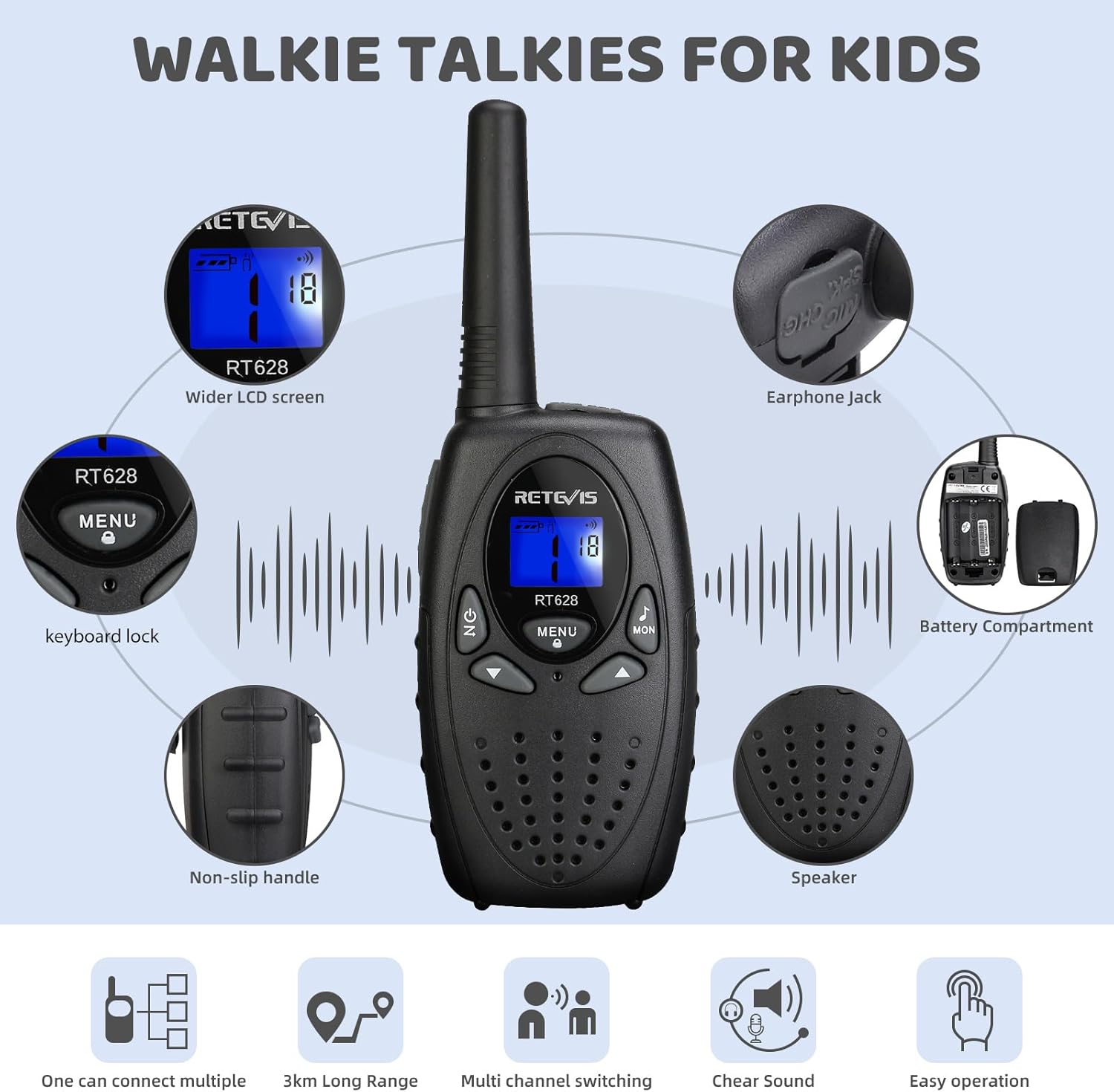
Figure 2: Key components of the Retevis RT628 Walkie Talkie.
Key Features:
- 8 Channels, 121 Sub-Codes: Provides multiple communication options and helps reduce interference.
- VOX Funksje: Allows hands-free communication without pressing the PTT button.
- Lange berik: Stable signal for communication over distances up to 3 kilometers in optimal conditions.
- Duorsum ûntwerp: Made from robust, environmentally friendly material, capable of withstanding drops from 1.2 meters.
- Lichtgewicht: Weighs only 90g, making it easy for children to carry.
- Keyboard Lock: Foarkomt tafallige feroarings oan ynstellings.

Figure 3: Child-friendly design features including easy grip, drop resistance, and belt clip.
3. Opsette
3.1. Ynbegrepen komponinten
Dyn Retevis RT628-pakket befettet:
- 2 x Retevis RT628 walkie-talkies
- 1 x User Manual
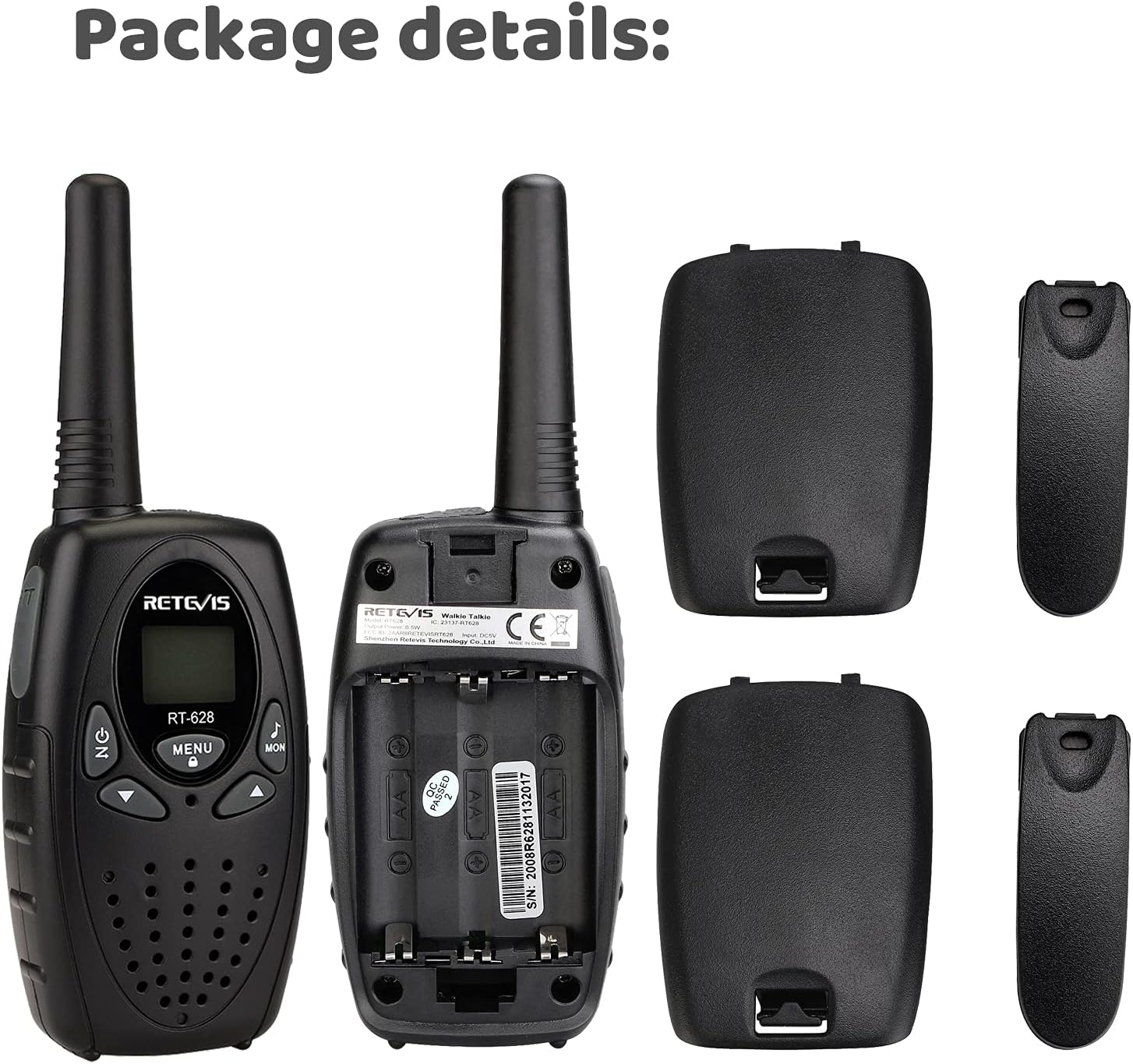
Figure 4: Package details and included components.
3.2. Batterij Ynstallaasje
The Retevis RT628 requires 3 AA batteries per unit (not included). Follow these steps to install the batteries:
- Sykje it deksel fan it batterijfak oan 'e efterkant fan' e walkie-talkie.
- Ferskow de fergrendeling of druk op de ûntslutingsknop om de deksel te iepenjen.
- Insert 3 AA batteries, ensuring correct polarity (+ and -).
- Replace the battery compartment cover and ensure it clicks securely into place.

Figure 5: Battery compartment and battery type.
4. Bedriuwsinstruksjes
4.1. Oan/út en folume-oanpassing
- Om oan te setten, draaie de POWER / VOLUME knob clockwise. You will hear a
Ask a question about this manual
Ask about setup, troubleshooting, compatibility, parts, safety, or missing instructions. Manuals+ will review the question and use this page’s manual context to help answer it.