
neXtime 3148
neXtime 3148 Stripe Square Radio Controlled Wall Clock User Manual
Ynlieding
Thank you for choosing the neXtime 3148 Stripe Square Radio Controlled Wall Clock. This manual provides essential information for the proper setup, operation, and maintenance of your new timepiece. Please read these instructions carefully before use and retain them for future reference.
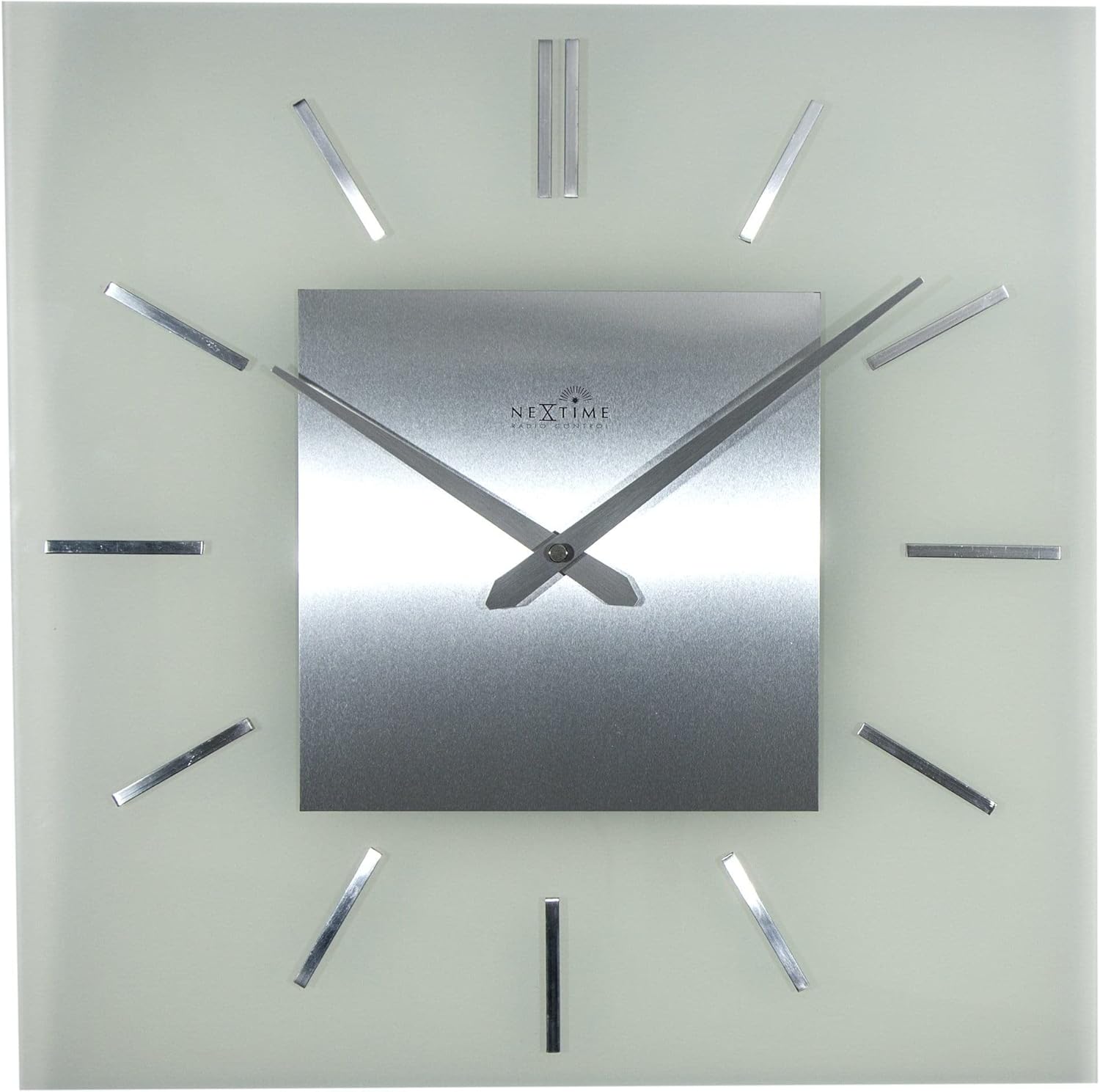
This clock features a classic and timeless design with frosted glass and metal elements, offering automatic time adjustment for precise timekeeping.
Produkt oerview
Key Features:
- Radio Controlled: Automatically adjusts time for accuracy.
- Ûntwerp: Classic and timeless aesthetic with frosted glass and metal.
- Ofmjittings: Approximately 40 x 40 cm (15.75 x 15.75 inches).
Komponinten:
The neXtime 3148 clock consists of a square glass face, a central metal dial with hour and minute hands, and twelve metallic stripe markers for hours. The back of the clock houses the movement mechanism and battery compartment.

Setup Ynstruksjes
1. Batterij ynstallaasje:
- Locate the battery compartment on the back of the clock movement.
- Insert one (1) AA battery, ensuring the polarity (+/-) matches the indicators inside the compartment.
- Slút it deksel fan it batterijfak feilich.

2. Initial Signal Reception:
After battery installation, the clock will automatically attempt to receive the radio signal (DCF77 in Europe or WWVB in North America, depending on region). This process may take several minutes to several hours, depending on your location and environmental conditions.
- Place the clock near a window for optimal signal reception.
- Avoid placing the clock near electronic devices that may cause interference.
- The hands will typically move to the 12 o'clock position and then begin searching for the signal. Once the signal is received, the clock will automatically set itself to the correct time.
3. Mounting the Clock:
The clock is designed for wall mounting. Use a suitable screw or hook (not included) in your desired location. Ensure the mounting point is secure enough to support the clock's weight (approximately 2.1 kg).
- Locate the hanging slot on the back of the clock movement.
- Hang the clock securely on the wall.
Operating Instructions
Automatyske tiidynstelling:
Your neXtime 3148 clock is radio-controlled, meaning it automatically synchronizes with an atomic clock signal. This ensures precise timekeeping and automatic adjustment for Daylight Saving Time (DST).
- The clock will periodically search for the radio signal to maintain accuracy.
- If the clock loses signal, it will attempt to re-synchronize. During this process, the hands may move to 12:00 and then reset to the correct time once the signal is re-established.
Manual Time Adjustment (if necessary):
While the clock is primarily radio-controlled, some models may offer a manual override or time zone adjustment. Refer to the specific buttons or switches on the back of your clock's movement. Typically, a small button might be present to initiate a signal search or manually advance the time if the signal is consistently weak or unavailable.

Ûnderhâld
Reiniging:
- To clean the clock, gently wipe the glass and metal surfaces with a soft, dry, lint-free cloth.
- Brûk gjin abrasive reinigingsmiddels, oplosmiddels of gemyske sprays, om't dizze de finish beskeadigje kinne.
Batterij ferfanging:
As de wizers fan 'e klok ophâlde mei bewegen of de tiid ûnkrekt wurdt, is it wierskynlik tiid om de batterij te ferfangen.
- Replace the AA battery as described in the "Battery Installation" section.
- Always use a fresh, high-quality AA alkaline battery for optimal performance.
- Ferwiderje brûkte batterijen ferantwurde neffens lokale regeljouwing.
Troubleshooting
| Probleem | Mooglike oarsaak | Oplossing |
|---|---|---|
| Clock not setting time automatically. | Weak or no radio signal. Incorrect battery installation. | Ensure the battery is correctly installed. Move the clock to a location with better signal reception (e.g., near a window, away from electronics). Allow several hours for signal acquisition. |
| De wizers fan 'e klok sitte fêst of bewege net. | Depleted battery. Obstruction to hands. | Replace the battery with a fresh AA alkaline battery. Check if anything is physically blocking the hands. |
| De tiid is net korrekt nei de earste ynstelling. | Incomplete signal reception. Incorrect time zone (if manual adjustment is available). | Allow more time for the clock to receive and process the radio signal. If your model has a time zone setting, ensure it is correctly configured. |
| Clock stops and restarts intermittently. | Low battery power. Intermittent signal interference. | Replace the battery. Try relocating the clock to a different position to avoid interference. |
Spesifikaasjes
- Merk: neXtime
- Model Oantal: 3148
- Ofmjittings (L x B x H): 40 x 3.81 x 40 sm (15.75 x 1.5 x 15.75 inch)
- Gewicht: Ungefear 2.1 kilogram (4.63 lbs)
- Materiaal: Glas, metaal
- Power Boarne: 1 x AA-batterij (net ynbegrepen)
- Spesjale funksje: Radio kontrolearre
- Display Type: Analog
- Foarm: Plein
- Kleur: Glês (Matt)

Garânsje en stipe
neXtime products are manufactured to high-quality standards. For specific warranty information, please refer to the warranty card included with your purchase or visit the official neXtime website. If you encounter any issues not covered in this troubleshooting guide, please contact neXtime customer support for assistance.
Fabrikant: neXtime
Ask a question about this manual
Ask about setup, troubleshooting, compatibility, parts, safety, or missing instructions. Manuals+ will review the question and use this page’s manual context to help answer it.