
1. Ynlieding
Tankewol foar de oankeapasing the Coby CSB04 Bluetooth Soundbar Speaker. This manual provides important information regarding the setup, operation, and maintenance of your new soundbar. Please read this manual thoroughly before using the device and retain it for future reference.
The Coby CSB04 is a sleek and compact soundbar designed to enhance your audio experience. It features wireless Bluetooth connectivity, an RCA line input, and comes with a remote control for convenient operation.
2. Safety Information
Nim de folgjende feilichheidsmaatregels yn acht om skea oan it apparaat of ferwûning oan josels te foarkommen:
- Stel de soundbar net bleat oan rein, focht of ekstreme temperatueren.
- Iepenje de c netasing. Lit alle ûnderhâldswurk oer oan kwalifisearre personiel.
- Soargje derfoar dat de stroomadapter kompatibel is mei jo lokale stroomfoarsjenning.
- Keep the soundbar away from heat sources and direct sunlight.
- Reinigje allinich mei in droege doek.
3. Package Ynhâld
Carefully unpack your Coby CSB04 Soundbar and check that all items are present and in good condition. If any items are missing or damaged, contact your retailer.
- Coby CSB04 Bluetooth Soundbar Speaker
- Stromadapter
- RCA kabel
- Remote Control
- User Manual (dit dokumint)

Image 3.1: Coby CSB04 Soundbar packaging. The box displays the Coby logo and "Slim 2.0 Sound Bar" text.
4. Produkt Overview
Familiarize yourself with the components and controls of your Coby CSB04 Soundbar.
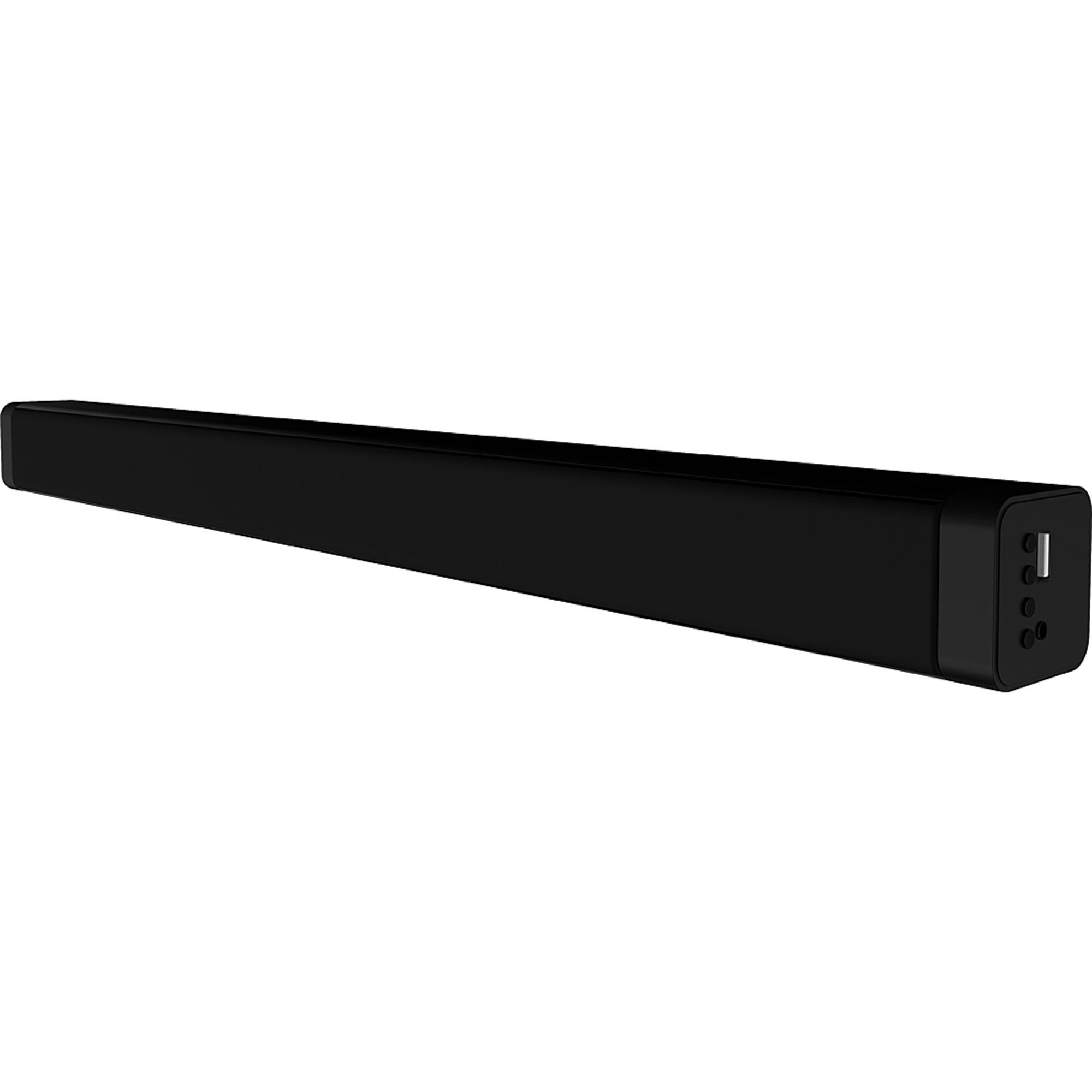
Ofbylding 4.1: Front view of the Coby CSB04 Bluetooth Soundbar. The soundbar is black and rectangular.

Ofbylding 4.2: Side view of the Coby CSB04 Soundbar, showing a USB port and other connection points.
4.1. Front Panel / Top Panel Controls
- Power knop: Skeakelt de lûdbalke oan of út.
- Volume omheech / omleech: Past it folumenivo oan.
- Mode knop: Switches between input modes (Bluetooth, RCA).
- LED-yndikator: Shows current status (e.g., Bluetooth pairing, input mode).
4.2. Rear Panel Ferbinings
- DC IN: Ferbine de AC -adapter hjir.
- RCA L/R-ynfier: Connect external audio devices using the RCA cable.
- USB-poarte: For potential firmware updates or specific media playback (functionality may vary).
4.3. Remote Control
The included remote control allows for convenient operation of the soundbar from a distance. Functions typically include Power, Volume Up/Down, Mode Selection, Mute, and Playback controls for Bluetooth mode.
5. Opsette
5.1. Power Connection
- Connect the AC power adapter to the DC IN port on the rear of the soundbar.
- Stek it oare ein fan 'e AC-stroomadapter yn in stopkontakt.
- The soundbar will enter standby mode.
5.2. Audio Ferbining
You can connect audio sources to the soundbar via Bluetooth or RCA cable.
5.2.1. Bluetooth-ferbining
- Power on the soundbar using the Power button on the unit or remote control.
- Druk op de Wize button repeatedly until the LED indicator shows Bluetooth mode (usually a blinking blue light).
- Skeakelje Bluetooth yn op jo smartphone of oar apparaat mei Bluetooth en sykje nei beskikbere apparaten.
- Select "CSB04" (or similar name) from the list of devices.
- Once paired, the LED indicator will turn solid blue, and you will hear a confirmation tone.
- Jo kinne no audio fan jo apparaat ôfspylje fia de soundbar.
5.2.2. RCA Ferbining
- Connect one end of the RCA cable to the RCA L / R ynfier poarten op 'e soundbar.
- Connect the other end of the RCA cable to the audio output ports (usually "Audio Out" or "L/R Out") of your TV, DVD player, or other audio source.
- Skeakelje de lûdbalke oan.
- Druk op de Wize button repeatedly until the LED indicator shows RCA mode (e.g., a green light).
- Spielje audio fan jo ferbûne apparaat.
6. Bedriuwsinstruksjes
6.1. Power On / Off
Druk op de Krêft knop op 'e soundbar of de ôfstânsbetsjinning om it apparaat oan of út te skeakeljen.
6.2. It oanpassen fan Volume
Brûk de Volume omheech (+) en Folume omleech (-) knoppen op 'e soundbar of ôfstânsbetsjinning om it audionivo oan te passen.
6.3. Changing Input Mode
Druk op de Wize button on the soundbar or remote control to cycle through available input sources: Bluetooth, RCA.
6.4. Bluetooth-ôfspieljen
Once paired, your Bluetooth device will automatically connect to the soundbar when both are powered on and within range. Use your device's controls or the soundbar's remote control (if applicable) for playback functions like Play/Pause, Next Track, and Previous Track.
7. Underhâld
Goed ûnderhâld soarget foar de lange libbensdoer en optimale prestaasjes fan jo soundbar.
- Reiniging: Use a soft, dry cloth to wipe the exterior of the soundbar. Do not use liquid cleaners or aerosols.
- Opslach: As jo de soundbar foar in langere perioade opslaan, koppel him dan los fan 'e stroom en bewarje him op in koel, droech plak.
- Ventilaasje: Ensure the soundbar has adequate ventilation and is not covered, to prevent overheating.
8. Probleemoplossing
If you encounter issues with your Coby CSB04 Soundbar, refer to the following common problems and solutions:
| Probleem | Mooglike oarsaak | Oplossing |
|---|---|---|
| Gjin macht | Stroomadapter net oansletten of defekt stopkontakt. | Ensure the power adapter is securely connected to the soundbar and a working power outlet. Try a different outlet. |
| Gjin lûd | Incorrect input mode, low volume, or incorrect cable connection. |
|
| Bluetooth-kearing mislearre | Soundbar net yn koppelingsmodus, apparaat te fier fuort, of ynterferinsje. |
|
| Remote control wurket net | Lege batterijen of ferstopping. | Replace the batteries in the remote control. Ensure there is no obstruction between the remote and the soundbar's sensor. |
9. Spesifikaasjes
Here are the technical specifications for the Coby CSB04 Bluetooth Soundbar Speaker:
- Model: CSB04
- Speaker Type: Soundbar
- Konnektivität technology: Bluetooth
- Maks. sprekkerútfierkrêft: 10 watt
- Kompatibele apparaten: Smartphone (and other Bluetooth/RCA audio sources)
- Kontrôlemetoade: Remote Control
- Power Boarne: Elektryske kabel (AC-adapter)
- Kleur: Swart
- Ofmjittings: 85.09 x 14.22 x 38.35 sm (sawat 33.5 x 5.6 x 15.1 inch)
- Gewicht: 1.54 kg (sawat 3.4 lbs)
- Montage Type: Desktop Mount
10. Garânsje en stipe
For warranty information and technical support, please refer to the warranty card included with your product or visit the official Coby webside. Bewarje jo oankeapbewiis as bewiis fan oankeap.
For further assistance, you may contact Coby customer service through their official channels.