
1. Produkt Overview
The KWANWA KW715S is a versatile 2-in-1 device functioning as both a digital alarm clock and an indoor thermometer. Designed for portability and ease of use, it features a clear digital display, adjustable brightness, and long-lasting battery operation. Simply flip the device to switch between time and temperature display modes.

2. Opsette
2.1 Batterij Ynstallaasje
The KWANWA KW715S operates on 2x AA alkaline batterijen (not included). Ensure correct polarity when inserting the batteries into the compartment located on the back of the device.

2.2 Ynstellings foar de earste tiid
- Druk en hâld de TIID SET button (located on the back) for 2 seconds until the hour digits begin to flash.
- Brûk de OERE en MIN knoppen om de tiid oan te passen.
- Parse TIID SET nochris om te befêstigjen en de tiidynstellingsmodus te ferlitten.
2.3 Seleksje fan temperatuerienheid (°C/°F)
The device allows you to switch between Celsius (°C) and Fahrenheit (°F) display modes. This can be done by flipping the clock over to display temperature, then using the dedicated °C/°F button if available, or by following specific instructions in the operating section.
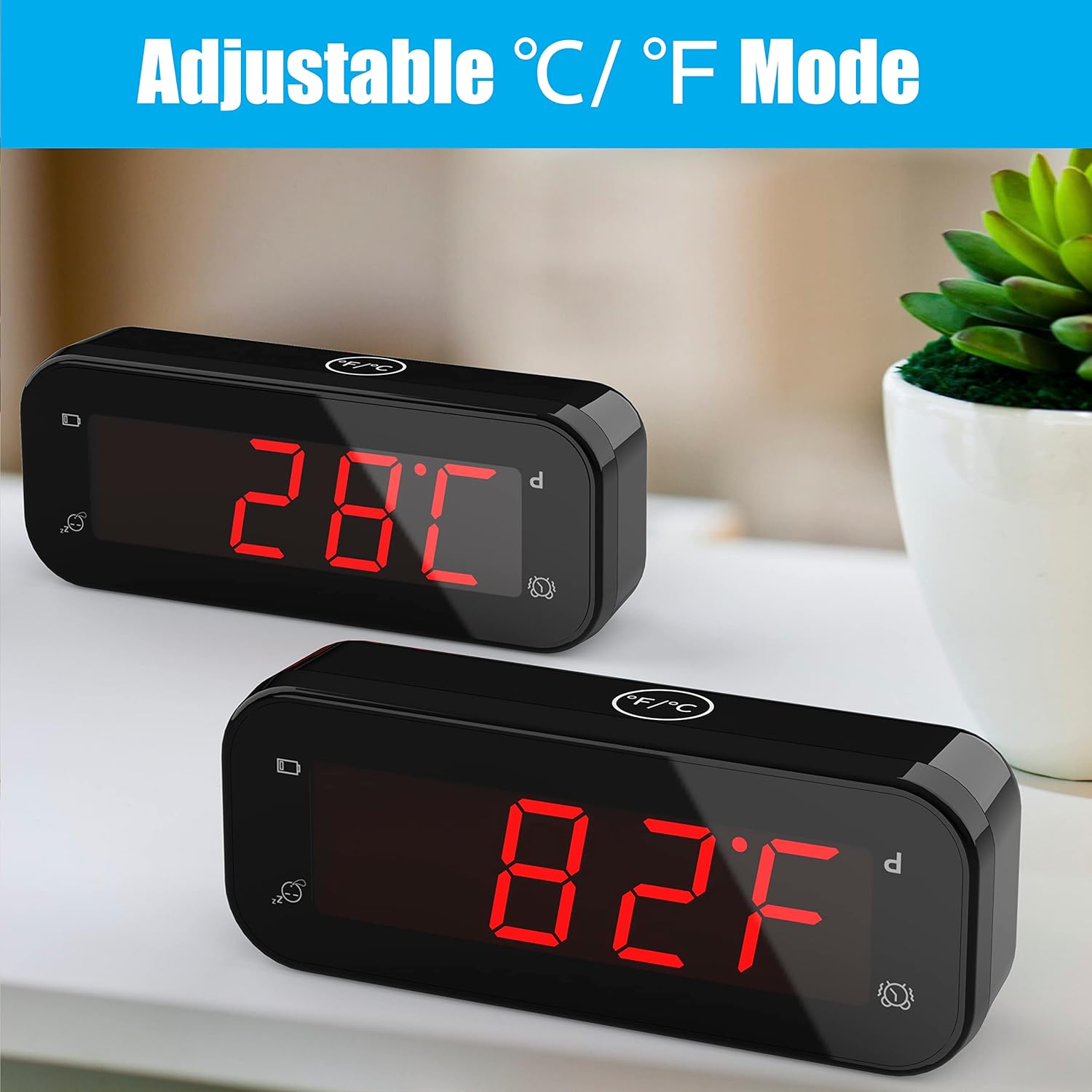
3. Bedriuwsinstruksjes
3.1 It alarm ynstelle
- Druk en hâld de AL SET button (on the back) for 2 seconds until the alarm hour digits flash.
- Brûk de OERE en MIN knoppen om de winske alarmtiid yn te stellen.
- Parse AL SET nochris om te befêstigjen en de ynstellingsmodus foar it alarm te ferlitten.
3.2 Alarm oan/út
Brûk de AL ON/OFF switch (on the back) to activate or deactivate the alarm. When the alarm is active, an alarm icon will appear on the display.
3.3 Snooze -funksje
When the alarm sounds, gently touch the large SNOOZE button on the top of the clock. This will temporarily silence the alarm for 7 minutes. The snooze function can be repeated up to 3 times.

3.4 Adjustable Brightness
Druk op de TIID SET button for 2 seconds to cycle through 3 levels of brightness: low, middle, and high. The clock also features an automatic night mode, which dims the display between 8:00 PM and 6:00 AM to create a peaceful sleeping environment.

3.5 Switching Between Time and Temperature
To switch between displaying the time and the indoor temperature, simply flip the alarm clock upside down. The display will automatically change to show the current indoor temperature.

3.6 12-Hour / 24-Hour Mode
The clock supports both 12-hour and 24-hour time formats. Refer to the buttons on the back for the specific button to toggle between these modes (e.g., a dedicated 12/24 oere knop).
4. Underhâld
4.1 Batterijferfanging
The device features a low battery indicator. When this indicator appears, it is time to replace the 2x AA alkaline batteries to ensure continuous operation and accurate readings. The improved design allows batteries to last over 1 year.
4.2 Cleaning
To clean the clock, use a soft, dry cloth. Avoid using abrasive cleaners or solvents, as these may damage the display or casing.
5. Probleemoplossing
- Display flikkerjen: If you observe flickering in videos of the product, please note that this is often an artifact of video recording and not indicative of actual product performance. The display is stable in real-life use.
- Alarm klinkt net: Fersekerje de AL ON/OFF switch is in the 'ON' position. Verify that the alarm time is correctly set. Check the battery level and replace batteries if the low battery indicator is active.
- Ferkearde tiid/temperatuer: Re-set the time following the instructions in Section 2.2. For temperature, ensure the device is placed in a stable indoor environment away from direct heat sources or drafts for accurate readings.
- Low Battery Indicator: This icon signals that the batteries are running low and should be replaced soon.
6. Spesifikaasjes
| Eigenskip | Detail |
|---|---|
| Merk | KWANWA |
| Model Number | KW715S |
| Display Type | Digitaal |
| Kleur | Swart |
| Produkt Ofmjittings | 4.7"B x 1.9"H |
| Item Gewicht | 3.17 ounces (0.09 kilogram) |
| Power Boarne | Batterij oandreaun (2 AA-batterijen fereaske, net ynbegrepen) |
| Special Feature | Battery Indicator, Indoor Thermometer, Adjustable Brightness, Snooze |
| Temperatuer Accuracy | ± 0.1°C (Sensor made in USA, updates every 20s) |
| Tiid Accuracy | ± 30 sekonden per moanne |
| Keamertype | Bedroom, Kid's Room, Schoolroom, Dining Room, Living Room, Guest room, Bathroom, Kitchen, RV, Holiday House, Home Office |
7. Garânsje en stipe
For warranty information or product support, please contact KWANWA customer service at: stipe@odokeeshop.com.