
1. Ynlieding
The Aligator T100 is a GSM mobile phone designed in a classic desk phone style, offering convenient operation with large buttons and essential mobile phone functions. It serves as an excellent replacement for a fixed-line phone, providing the independence and flexibility of a mobile device. Its high-performance antenna ensures reliable reception even in areas with weak GSM signals.
2. Safety Information
- Batterij warskôging: Use only the original battery provided with the device. Using non-original batteries may cause damage to the phone or lead to battery explosion.
- Hâld it apparaat fuort fan wetter en focht.
- Do not attempt to disassemble or repair the phone yourself. Refer to qualified service personnel for any repairs.
- Foarkom it bleatstellen fan 'e tillefoan oan ekstreme temperatueren.
3. Package Ynhâld
Kontrolearje oft alle items yn it pakket oanwêzich binne:
- Aligator T100 GSM Mobile Phone unit
- Hânset mei oprolde snoer
- High-performance external antenna
- Netlader
- Li-ion 800 mAh battery
- User manual (English, German, Czech, Slovak)

Figure 3.1: Contents of the Aligator T100 package.
4. Produkt Overview
The Aligator T100 features a robust design with a clear monochrome graphic display and a user-friendly keypad. Key components include the main unit, handset, and an external antenna for enhanced signal reception.

figuer 4.1: Front view of the Aligator T100.
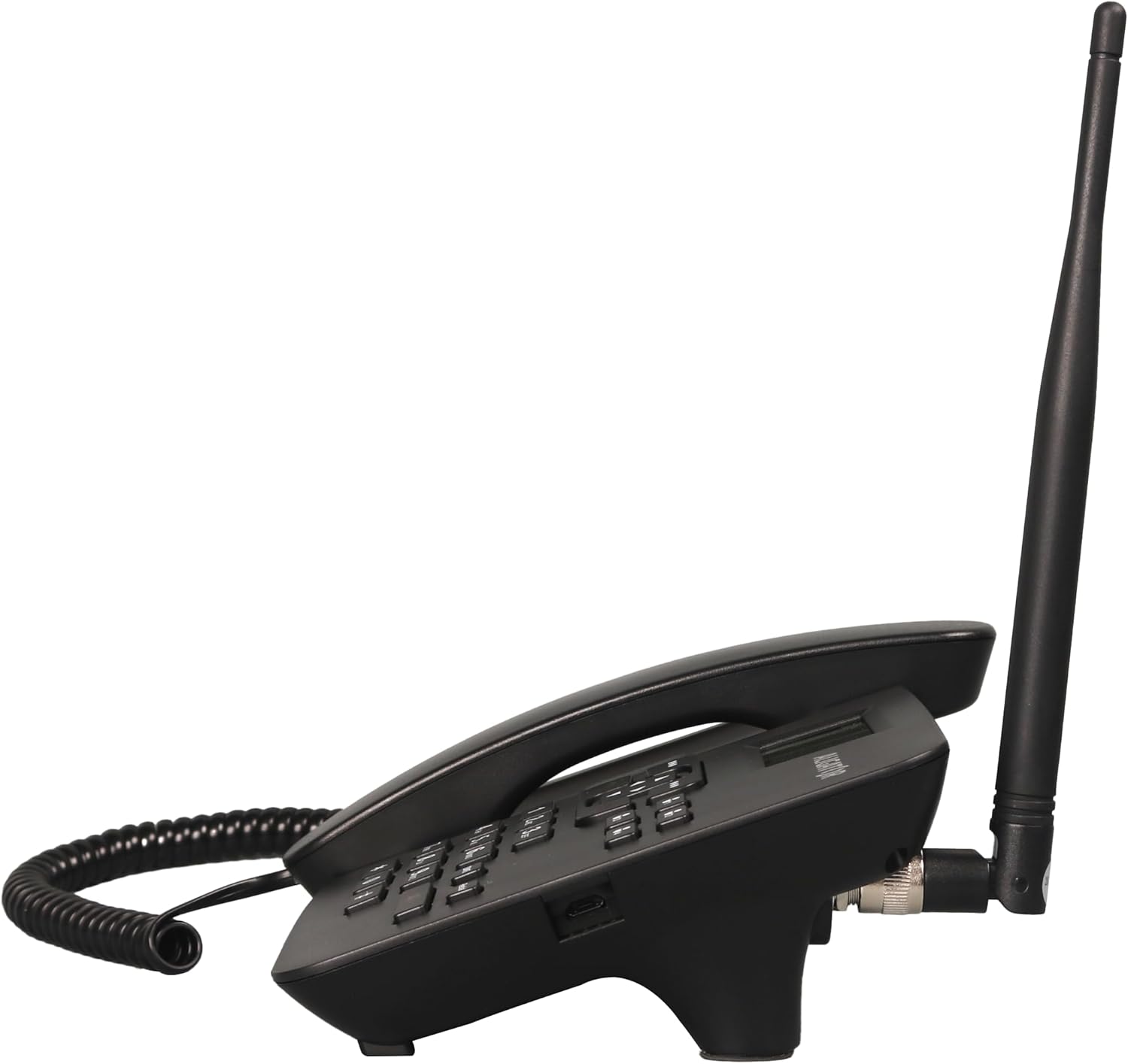
figuer 4.2: Side view showing the antenna connection.

figuer 4.3: Efterkant view of the Aligator T100.
4.1 Toetseboerd en display
The keypad features large, easy-to-read buttons. The monochrome graphic display (128 x 64 points, 53 x 25 mm) has a green background illumination for clear visibility.

Figure 4.4: Close-up of the display and keypad.
5. Opsette
5.1 Batterij Ynstallaasje
- Remove the battery compartment cover on the back of the phone.
- Insert the provided Li-ion 800 mAh battery, ensuring the contacts align correctly.
- Ferfange de batterij compartment cover.
5.2 Ynstallaasje fan SIM -kaarten
- With the battery removed, locate the SIM card slot.
- Insert your GSM SIM card into the designated slot, ensuring proper orientation as indicated by the diagram near the slot.
- Set de batterij en it batterijdeksel wer yn.
5.3 Antennebefestiging
- Locate the TNC-Female connector on the side/back of the phone unit.
- Screw the high-performance external antenna onto this connector until it is securely fastened.
5.4 Earste opladen en ynskeakelje
- Connect the mains charger to the phone's charging port and plug it into a power outlet.
- Allow the phone to charge fully before first use. The display will indicate charging status.
- To power on, press and hold the power button (if available) or simply ensure the battery is inserted and the phone is connected to power.
6. Bedriuwsinstruksjes
6.1 Oproppen meitsje en ûntfange
- In oprop meitsje: Lift the handset. You will hear a classic dial tone. Dial the phone number using the keypad. The call will be initiated automatically after a short delay or upon pressing the call button.
- In oprop ûntfange: As de tillefoan rinkelt, til gewoan de handset op om de oprop te beantwurdzjen.
- In oprop beëinigje: Place the handset back onto the cradle to end the call.
6.2 Using the Keypad and Navigation
The keypad includes standard numeric keys (0-9, *, #) and dedicated function buttons. Use the navigation buttons (up, down, left, right) to navigate through menus on the display.

Figure 6.1: Display and navigation controls.
6.3 Speed Dial / Quick Dial
The Aligator T100 features four quick dial buttons (labeled 1-4) for frequently called numbers. You can program these buttons to dial a contact directly.
- Programming Quick Dial: Refer to the phone's menu for
Ask a question about this manual
Ask about setup, troubleshooting, compatibility, parts, safety, or missing instructions. Manuals+ will review the question and use this page’s manual context to help answer it.