
1. Ynlieding
Thank you for choosing the KWANWA Digital Alarm Clock, Model KW616-3N. This manual provides detailed instructions for setting up, operating, and maintaining your new clock. Designed for clear visibility and convenience, this battery-operated clock features an 8-inch extra-large LED display with 3-inch digits, adjustable brightness, and versatile placement options.

Figure 1: KWANWA Digital Alarm Clock (Model KW616-3N) with large red LED display.
2. Produktfunksjes
- Maklik te lêzen Display: 3-inch huge LED time display against a large black backlit screen for excellent visibility.
- Batterij eksploitearre: Operates on 2 D-cell batteries (not included), eliminating messy cords and allowing flexible placement.
- Mearsidige pleatsing: Features two unfoldable stand legs for table-top use and three wall-mounting hang holes for wall installation.
- Ferstelbere helderheid: Offers 3-level manual brightness adjustment and an automatic night mode (8 PM - 6 AM) to dim the display.
- Hege krektens: Maintains time accuracy within ±30 seconds per month.
- Deistich alarm: Includes a daily alarm with a gradually increasing volume for up to 2 minutes.
3. Package Ynhâld
- KWANWA Digital Alarm Clock (Model KW616-3N)
- User Manual
4. Opsette
4.1. Batterij Ynstallaasje
- Sykje it batterijfak op 'e efterkant fan' e klok.
- Iepenje de batterij compartment cover.
- Insert two (2) D-cell alkaline batteries (not included), ensuring correct polarity (+/-).
- Slút it deksel fan it batterijfak feilich.
4.2. Pleatsing
De klok biedt twa handige pleatsingsopsjes:
- Tafelblêd: Unfold the two stand legs located on the back of the clock to place it on a desk, table, bedside, or nightstand.
- Muorre monteare: Use the three wall-mounting hang holes on the back of the clock to securely hang it on a wall.
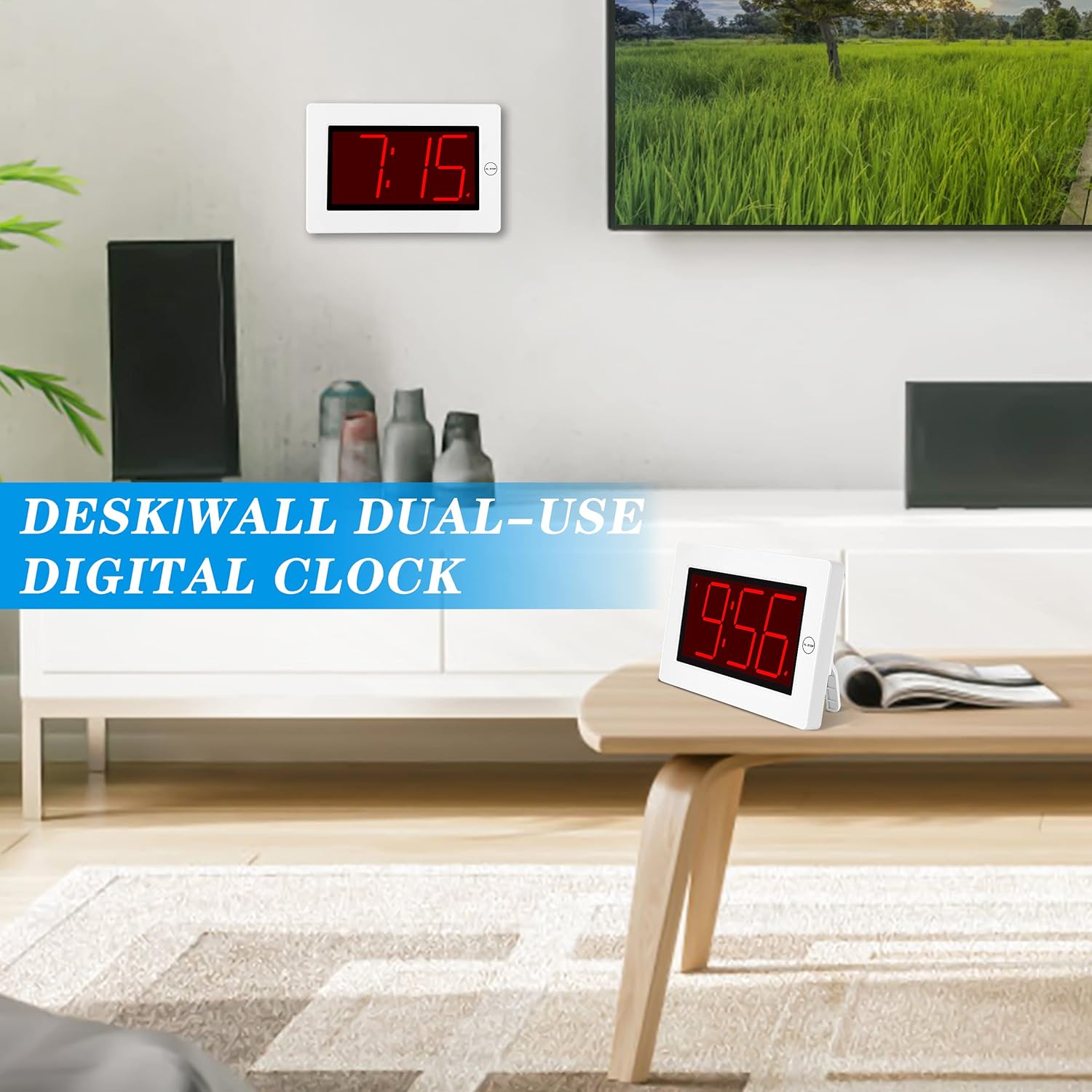
Figure 2: The clock can be used as a table-top or wall-mounted device.
5. Bedriuwsinstruksjes
All control buttons are located on the back of the clock for easy access.

figuer 3: Rear view of the clock with labeled control buttons.
5.1. Tiidynstelling
- Druk en hâld de TIID SET knop 2 sekonden yndrukt om de tiidynstellingsmodus yn te gean. De oere sifers sille knipperje.
- Druk op de OERE knop om it oere oan te passen.
- Druk op de MIN knop om de minuten oan te passen.
- Parse TIID SET wer om te befêstigjen en út te gean.
5.2. Alarmynstelling
- Druk en hâld de ALARM SET knop 2 sekonden yndrukt om de ynstellingsmodus foar it alarm yn te gean. De sifers foar de oeren fan it alarm sille knipperje.
- Druk op de OERE knop om it alaarm oere oan te passen.
- Druk op de MIN knop om de alarmminuten oan te passen.
- Parse ALARM SET wer om te befêstigjen en út te gean.
5.3. Alarm On/Off & Snooze
- Alarm oan/út: Druk op de ALARM AAN / UIT button on the back to activate or deactivate the alarm. An alarm icon will appear/disappear on the display.
- snooze: As it alarm ôfgiet, druk dan op de grutte knop AL STOP button on the top of the clock to activate snooze. The alarm will pause for a short period and sound again later.
- Stop alarm: To stop the alarm for the day, press any button on the back of the clock.

Figure 4: Interacting with the alarm and snooze button.
5.4. Helderheidsoanpassing
The clock offers both manual and automatic brightness control:
- Manuele dimmer: Druk op de MANUAL DIMMER button on the back to cycle through 3 brightness levels (High, Medium, Low) or turn the display OFF.
- Automatyske dimmer: The clock automatically dims the LED display between 8 PM and 6 AM to protect your eyes and save energy. This feature can be toggled ON/OFF using the AUTO DIMMER ON/OFF knop op 'e rêch.

Figure 5: Visual representation of the three brightness levels.
5.5. Simmertiid (DST)
Druk op de DST button on the back to adjust the time for Daylight Saving Time. This will advance or set back the time by one hour.
5.6. Volume Oanpassing
Brûk de FOLUME button on the back to adjust the alarm volume to your preference.
6. Underhâld
- Clean the clock's exterior with a soft, dry cloth. Avoid using abrasive cleaners or solvents.
- If the clock will not be used for an extended period, remove the batteries to prevent leakage.
7. Probleemoplossing
- It skerm is dim of út: Check battery levels and replace if necessary. Ensure the manual dimmer is not set to 'OFF' or the lowest setting.
- Alarm klinkt net: Verify that the alarm is activated (alarm icon visible on display). Check the alarm volume setting.
- Ferkearde tiid: Re-set the time following the instructions in section 5.1. Ensure DST setting is correct for your region.
8. Spesifikaasjes
| Eigenskip | Detail |
|---|---|
| Merk | KWANWA |
| Model Number | KW616-3N |
| Display Type | Digitale LED |
| Display Grutte | 8 inches (3-inch digits) |
| Produkt Ofmjittings | 8.7"B x 5.6"H |
| Power Boarne | Battery Powered (2 D batteries required) |
| Mounting Type | Table-top/Wall-mounted |
| Materiaal | Plestik |
| Item Gewicht | 11.7 oz |
| Special Feature | Cordless, Adjustable Brightness, Alarm |
9. Garânsje en stipe
This product comes with a limited warranty. For warranty claims, technical support, or any inquiries regarding your KWANWA Digital Alarm Clock, please contact KWANWA customer service at sales@us-myhome.com.