
1. Ynlieding
This manual provides detailed instructions for the setup, operation, and maintenance of your FLYDIGI Wasp 2 Elite One-Handed Mobile Gaming Controller. Designed for Android devices, this controller enhances your mobile gaming experience, particularly for First-Person Shooter (FPS) games, by offering precise control and customizable button mapping. Please read this manual thoroughly before using the product to ensure optimal performance and longevity.
2. Produkt Overview
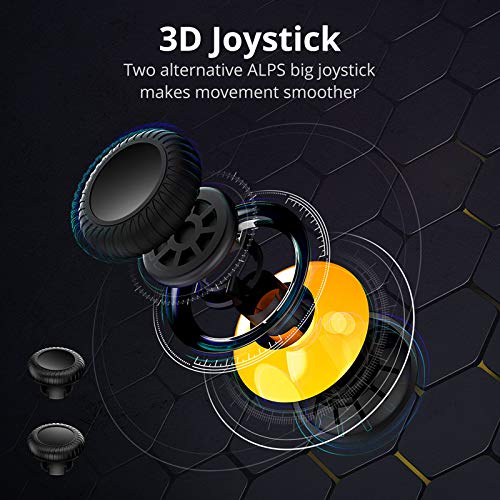
The FLYDIGI Wasp 2 Elite is a compact, ergonomic one-handed controller designed to attach to the left side of your smartphone. It features a high-precision 3D joystick, multiple action buttons, and a customizable metal back trigger for quick reactions in games.
2.1. Key komponinten
- 3D-joystick: For precise movement control.
- Aksjeknoppen: Configurable buttons for in-game actions.
- Removable Metal Back Trigger (M Button): Provides an additional customizable input.
- Telefoan Clamp: Securely holds your Android smartphone.
- USB-C-poarte: For charging and potential wired connections.
2.2. Produktôfbyldings



3. Opsette
3.1. De controller opladen
Before first use, fully charge the controller using the provided USB-C cable. Connect the cable to the controller's USB-C port and a compatible power source. The LED indicator will show charging status.
3.2. Installing the Flydigi Game Center App
For full functionality and customization, download the Flydigi Game Center app from the Google Play Store on your Android device. This app is essential for button mapping and firmware updates.
3.3. Bluetooth Pairing (Android)
- Ensure your Android device's Bluetooth is turned on.
- Power on the FLYDIGI Wasp 2 Elite controller. The LED indicator will flash, indicating it's in pairing mode.
- Gean op jo Android-apparaat nei Bluetooth-ynstellingen en sykje nei beskikbere apparaten.
- Select "Flydigi Wasp 2 Elite" (or similar name) from the list to pair. The LED will become solid once connected.
3.4. Jo smartphone oanslute
Gently extend the phone clamp on the controller and insert your Android smartphone. The controller supports devices with a width of up to 86mm. Ensure the phone is securely seated without obstructing the screen or buttons.
4. Bedriuwsinstruksjes
4.1. Basiskontrôles
- 3D-joystick: Use for character movement or camera control, depending on game configuration.
- Aksjeknoppen: Perform in-game actions such as shooting, jumping, or interacting.
- M Button (Back Trigger): This removable metal button can be assigned to critical actions for quick access.
4.2. Custom Button Mapping with Flydigi Game Center App
The Flydigi Game Center app allows you to customize button functions for various games. This feature is crucial for optimizing your gameplay, especially in FPS titles.
- Open the Flydigi Game Center app on your paired Android device.
- Select the game you wish to configure.
- Use the app's interface to drag and drop virtual buttons onto the screen and assign them to physical buttons on your Wasp 2 Elite controller.
- Save your custom profile for the game. You can create multiple profiles for different games or play styles.
Refer to the in-app tutorials for detailed guidance on advanced mapping features, including macro creation and sensitivity adjustments.
5. Underhâld
5.1. Cleaning
Wipe the controller with a soft, dry cloth. Avoid using harsh chemicals or abrasive materials, as these can damage the surface. For stubborn dirt, a slightly damp doek kin brûkt wurde, folge troch direkt droegjen.
5.2. Batterij Soarch
- Foarkom it faak folslein ûntladen fan 'e batterij.
- Bewarje de controller op in koel, droech plak as er foar langere perioaden net brûkt wurdt.
- Charge the controller periodically if stored for a long time to maintain battery health.
5.3. Opslach
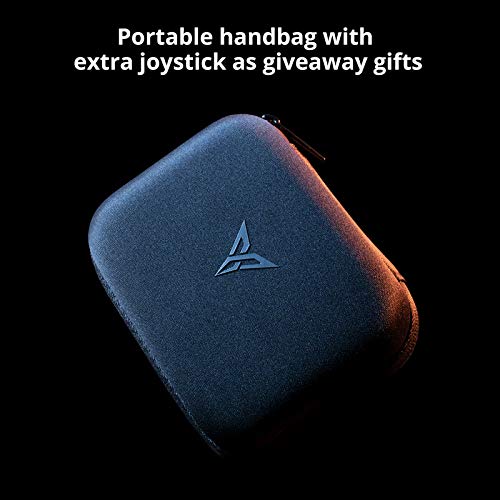
When not in use, store the controller in its portable carrying case to protect it from dust, scratches, and accidental damage.
6. Probleemoplossing
6.1. Controller Not Connecting/Pairing
- Ensure the controller is charged and powered on.
- Verify Bluetooth is enabled on your Android device.
- Try unpairing and re-pairing the controller from your device's Bluetooth settings.
- Restart both your smartphone and the controller.
6.2. Buttons/Joystick Unresponsive
- Check your custom button mapping in the Flydigi Game Center app. Ensure the profile for the current game is active and correctly configured.
- Ensure the controller's firmware is up to date via the Flydigi Game Center app.
- Test the controller with another game or device to isolate the issue.
6.3. App-Related Issues
- Ensure the Flydigi Game Center app is updated to the latest version.
- Clear the app's cache or reinstall it if persistent issues occur.
7. Spesifikaasjes
| Eigenskip | Detail |
|---|---|
| Model | Wasp 2 Elite |
| ASIN | B07TGTHTHH |
| Kompatibiliteit | Android devices (up to 86mm width) |
| Konnektivität | Bluetooth |
| Batterij | 1 Lithium Polymer batterij (ynbegrepen) |
| Item Gewicht | 6.7 oz |
| Package Ofmjittings | 7.3 x 5.3 x 3.7 inch |
| Datum Earste Beskikber | 21 juny 2019 |
8. Garânsje & Support
The FLYDIGI Wasp 2 Elite controller comes with a manufacturer's warranty. Please refer to the warranty card included with your product or visit the official FLYDIGI webside foar detaillearre garânsjebetingsten en -kondysjes.
For technical support, troubleshooting assistance, or inquiries regarding your product, please contact FLYDIGI customer service through their official website or the contact information provided in the product packaging. Ensure you have your product model and purchase details ready when seeking support.