
1. Ynlieding
Thank you for choosing the CREATE NETBOT S15 Robot Vacuum Cleaner. This manual provides essential information for the safe operation, maintenance, and troubleshooting of your device. Please read it thoroughly before first use and retain it for future reference.
Produkt oerview

The image above displays the CREATE NETBOT S15 Robot Vacuum Cleaner, its dedicated remote control, and a smartphone screen showing the companion application interface. The robot is black with a textured top surface and a central green power button. The remote control features a digital display and various control buttons. The app shows a map of a cleaned area.
The NETBOT S15 is designed to simplify your cleaning routine, offering multiple cleaning modes and smart features for efficient floor maintenance.
2. Safety Ynstruksjes
Om feilige wurking te garandearjen en skea te foarkommen, nim dan de folgjende feilichheidsmaatregels yn acht:
- Lês alle ynstruksjes foardat jo it apparaat brûke.
- Lit bern de robotstofzuiger net betsjinje. Hâld tafersjoch op bern en húsdieren as de robot yn wurking is.
- Soargje derfoar dat de oplaadbasis tsjin in muorre op in hurd, flak oerflak pleatst wurdt, mei genôch frije romte deromhinne.
- Hâld hier, losse klean, fingers, en alle dielen fan it lichem fuort fan iepeningen en bewegende dielen.
- Til gjin grutte objekten, skerpe objekten, floeistoffen of baarnende/smokende materialen op.
- Brûk de robot net yn wiete omjouwings of op wiete oerflakken.
- Ferwiderje stroomkabels, lytse objekten en kwetsbere items fan 'e flier foardat jo begjinne te brûken om ferstrikking of skea te foarkommen.
- Brûk allinnich de orizjinele lader en batterij dy't troch de fabrikant levere binne.
- Do not modify or attempt to repair the robot vacuum yourself. Contact qualified service personnel for repairs.
3. Package Ynhâld
Kontrolearje oft alle ûnderdielen yn it pakket oanwêzich binne:

The image shows the retail box for the CREATE NETBOT S15 Robot Vacuum Cleaner, indicating the product and its key features.
- CREATE NETBOT S15 Robot Vacuum Cleaner
- Oplaadbasis
- Stromadapter
- Remote Control
- Dustbin (600 ml capacity)
- Water Tank (400 ml capacity)
- Side Brushes (2 + 2 replacements)
- HEPA Filter (1 + 1 replacement)
- Cleaning Mop (1 + 1 replacement)
- Reinigingsborstel
- Magnetyske strip
- User Manual
4. Opsette
4.1 Pleatsing fan it oplaadstasjon

The image shows the CREATE NETBOT S15 Robot Vacuum Cleaner correctly docked on its charging station, indicating proper placement for recharging.
- Plak de oplaadbasis tsjin in muorre yn in iepen gebiet.
- Ensure there is at least 1 meter (3 feet) of clear space on both sides of the charging base and 2 meters (6 feet) in front of it.
- Ferbine de stroomadapter mei de oplaadbasis en stek him yn in stopkontakt.
- Ensure the power indicator light on the charging base is illuminated.
4.2 Initial Charging

This image depicts the CREATE NETBOT S15 Robot Vacuum Cleaner positioned near its charging dock in a room, ready for or undergoing charging.
Before first use, fully charge the robot vacuum. Place the robot onto the charging base, ensuring the charging contacts align. The indicator light on the robot will show charging status. A full charge typically takes 4-5 hours.
4.3 App-ynstallaasje en ferbining
The CREATE NETBOT S15 can be controlled via a smartphone application, compatible with Alexa and Google Home.
- Download the official CREATE app from your smartphone's app store.
- Registrearje in akkount en oanmelde.
- Follow the in-app instructions to add your NETBOT S15 device. This typically involves putting the robot into pairing mode and connecting it to your home Wi-Fi network.
- Once connected, you can program cleaning schedules, select cleaning modes, and monitor the robot's status from your phone.
- For voice control, link the CREATE app with your Alexa or Google Home account through their respective applications.
5. Bedriuwsinstruksjes
5.1 Cleaning Modes
The NETBOT S15 offers four cleaning functions:
- Feegje: Uses side brushes to gather debris.
- Vacuum: Utilizes suction power to collect dust and dirt. Features up to 1500 Pa suction power with adjustable levels.
- Mop: Wipes floors with a damp cloth from the water tank.
- Waskje: Combines sweeping, vacuuming, and mopping for comprehensive cleaning.

This image illustrates the CREATE NETBOT S15 Robot Vacuum Cleaner actively cleaning under a sofa, demonstrating its ability to reach confined spaces. Two dogs are visible in the foreground, suggesting a pet-friendly environment.
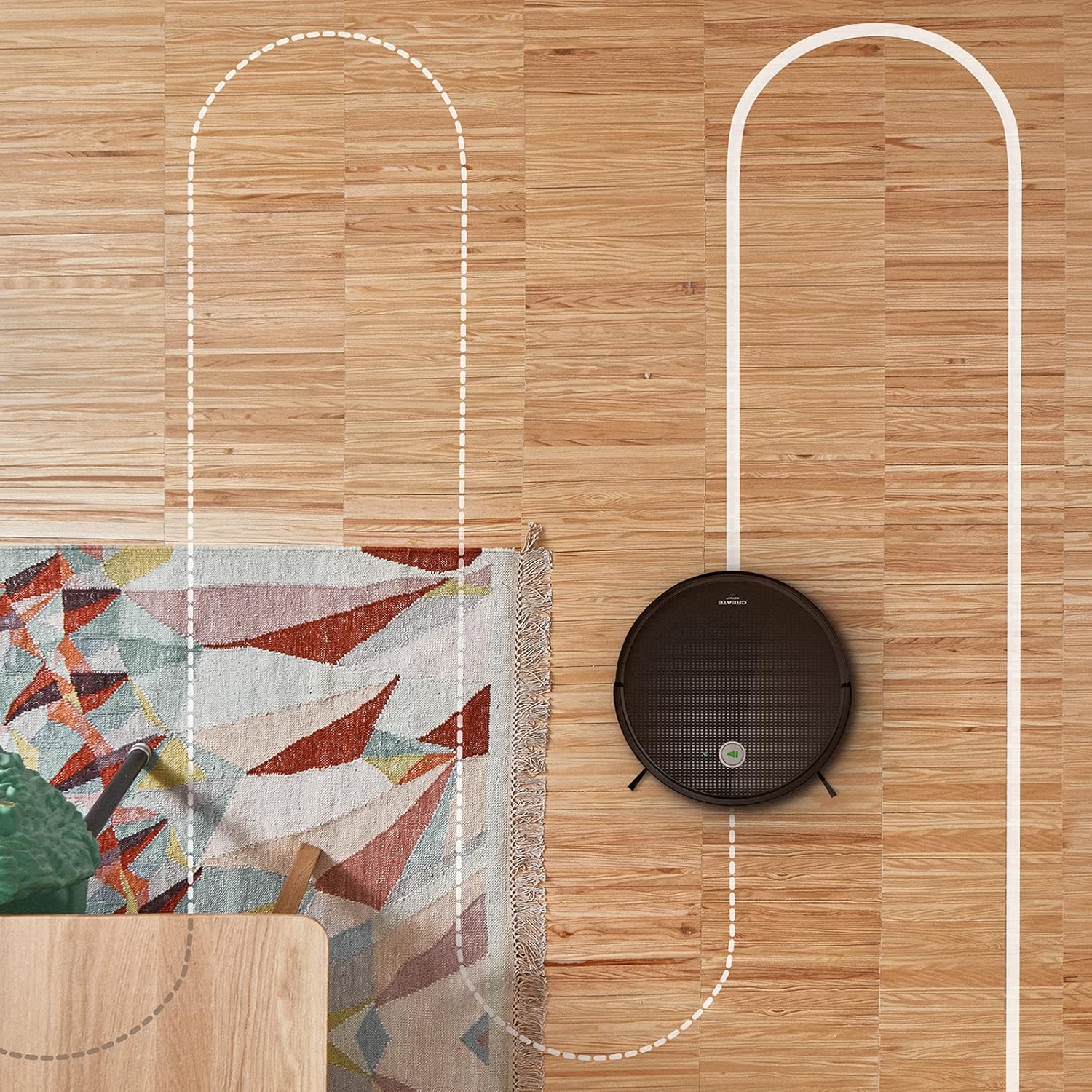
In loftfoto view shows the CREATE NETBOT S15 Robot Vacuum Cleaner moving across a wooden floor, with a dotted line indicating its systematic cleaning path, highlighting its gyroscopic navigation.
5.2 Mei help fan de ôfstânsbetsjinning
The included remote control allows for direct operation of the robot vacuum. Refer to the remote control diagram in your quick start guide for button functions. Common functions include:
- Reiniging begjinne / pauze
- Gean werom nei Laadbasis
- Directional Control (manual steering)
- Spot Cleaning
- Edge Cleaning
- Skema ynstelle
5.3 Gebrûk fan magnetyske strip
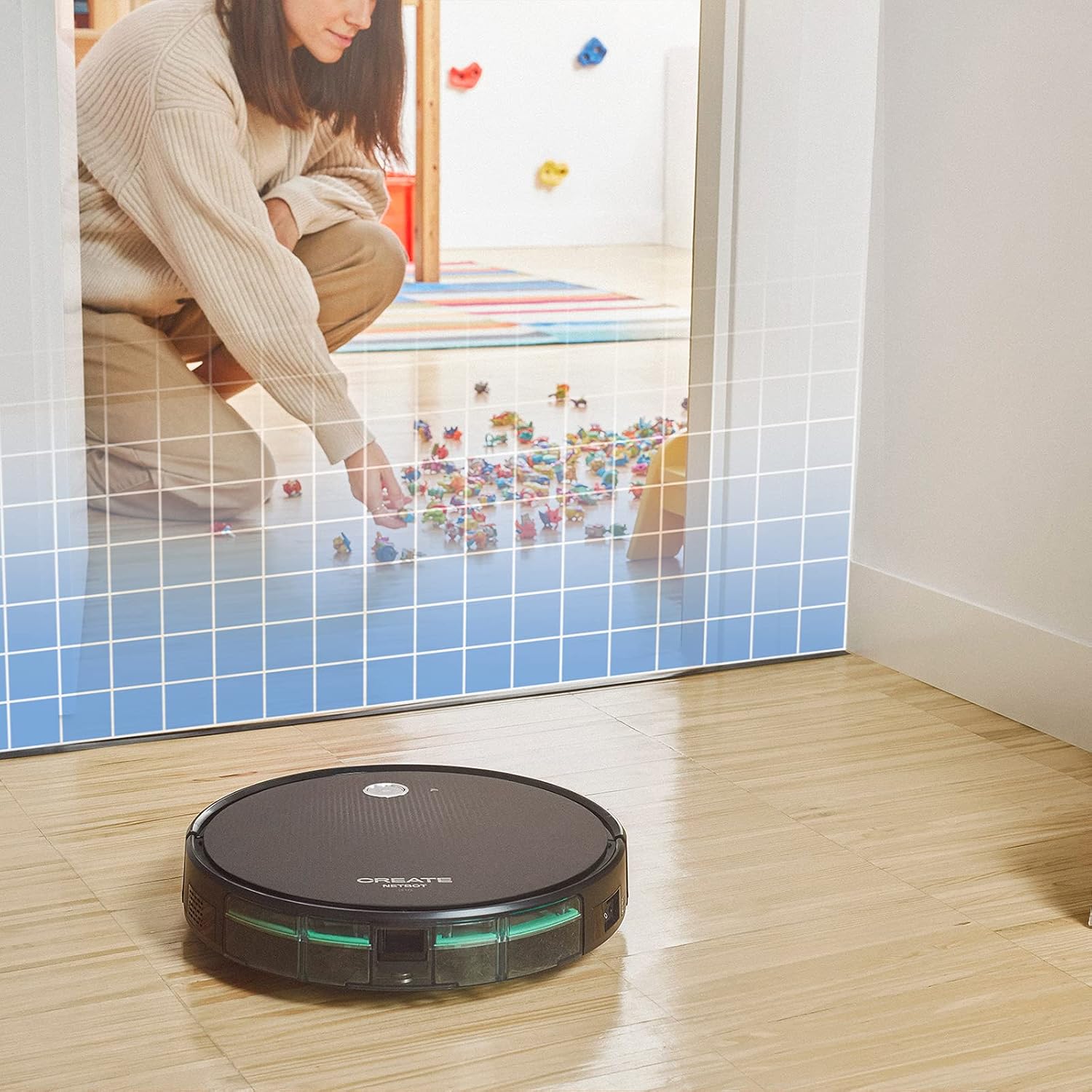
This illustration demonstrates the CREATE NETBOT S15 Robot Vacuum Cleaner approaching a virtual boundary, represented by a grid, which prevents it from entering a specific area, such as where toys are located.
Use the provided magnetic strip to create virtual boundaries that the robot will not cross. Place the strip on the floor to delimit areas where the robot should not enter, such as pet feeding zones or areas with delicate items.
5.4 Batterijlibben
The NETBOT S15 is equipped with a long-lasting LG Lithium battery, providing up to 120 minutes of cleaning autonomy on a single charge, depending on the selected power mode.
6. Underhâld
Regelmjittich ûnderhâld soarget foar optimale prestaasjes en ferlingt de libbensdoer fan jo robotstofzuiger.
6.1 Dustbin and Water Tank Cleaning
Empty the dustbin after each use. The 600 ml dustbin is easily removable. If using the mopping function, empty and rinse the 400 ml water tank after each use to prevent mold or odors.
6.2 Boarstelreiniging

In close-up view of the CREATE NETBOT S15 Robot Vacuum Cleaner's side brush, showing its design for sweeping debris into the main suction path.
- Sydboarstels: Regularly check for hair or debris entanglement. Remove and clean as needed. Replace worn brushes with the provided spares.
- Haadboarstel: Remove the main brush cover and lift out the brush. Use the cleaning tool to remove tangled hair and debris.
6.3 Filter skjinmeitsje/ferfange
The robot uses a double filter system: a sponge filter and a HEPA filter. Tap the filters to remove loose dirt. Do not wash HEPA filters with water. Replace filters every 3-6 months, or more frequently with heavy use, to maintain suction performance.
6.4 Sensor Cleaning
Wipe the cliff sensors (located on the bottom of the robot) and the bumper sensors (on the front) with a clean, dry cloth to ensure proper navigation and obstacle detection.
7. Probleemoplossing
If you encounter issues with your NETBOT S15, refer to the following common problems and solutions:
| Probleem | Mooglike oarsaak | Oplossing |
|---|---|---|
| De robot start net of reagearret net. | Lege batterij; Stroom útskeakele; Robot fêst. | Laad de robot op; Soargje derfoar dat de oan/út-skeakel oan is; Ferwiderje alle obstakels. |
| Minne skjinmeitsprestaasjes. | Full dustbin; Clogged brushes/filters; Worn brushes. | Empty dustbin; Clean brushes and filters; Replace brushes/filters. |
| Robot cannot find charging base. | Charging base obstructed; Robot too far from base; Base not powered. | Ensure clear space around base; Manually place robot closer; Check power connection to base. |
| De robot sit faak fêst. | Cables/small objects on floor; Uneven surfaces; Dark colored carpets. | Clear floor of obstacles; Use magnetic strips for problem areas; Robot may struggle on very dark surfaces. |
| Problemen mei Wi-Fi-ferbining. | Ferkeard Wi-Fi-wachtwurd; Router te fier fuort; 5GHz-netwurk. | Verify password; Move robot closer to router; Ensure connection to a 2.4GHz Wi-Fi network. |
8. Spesifikaasjes
Key technical specifications for the CREATE NETBOT S15 Robot Vacuum Cleaner:
- Merk: MEITSJE
- Model Oantal: Netbot S15
- Kleur: Black - Turquoise
- Ofmjittings (L x B x H): 33 x 33 x 7.5 sm
- Gewicht: 3 kilogram
- Krêft: 25 watt
- Suction Power: Oant 1500 Pa
- Noise Level: 62 dB
- Batterij Type: Lithium-ion
- Batterij libben: Oant 120 minuten
- Kapasiteit fan jiskefet: 600 ml
- Water Tank Kapasiteit: 400 ml
- Filtersysteem: Double sponge Clean + HEPA filter
- Konnektivität: Wi-Fi, App Control
- Kompatibiliteit fan Voice Assistant: Google Thús, Alexa
- Spesjale eigenskippen: Gyroscopic navigation, Magnetic strip boundary, 4 cleaning modes (sweep, vacuum, mop, wash)
9. Garânsje en stipe
For warranty information, technical support, or service inquiries, please refer to the warranty card included with your product or visit the official CREATE webside. Bewarje jo oankeapbewiis as bewiis fan oankeap.