
UNICOO KT1001
UNICOO Electric Height Adjustable Standing Desk
Model: KT1001
Brand: UNICOO
Ynlieding
This manual provides comprehensive instructions for the assembly, operation, maintenance, and troubleshooting of your UNICOO Electric Height Adjustable Standing Desk, Model KT1001. Please read this manual thoroughly before use to ensure safe and efficient operation.
Safety Information
- Hâld bûten it berik fan bern.
- Do not touch the moving parts while the desk is in operation.
- To avoid accidents, ensure the desk is at least 2 degrees from horizontal when loading.
- Overheat protection will activate if the motor runs continuously for more than 2 minutes.
- Always unplug the desk when not in use or during cleaning.
Opset en gearkomste
The UNICOO Electric Height Adjustable Standing Desk is designed for easy assembly, with most parts pre-assembled. Most users can complete installation in under 30 minutes. All necessary assembly tools are included.
Gearstallingstappen oerview:
- Insert the motor bar into the column.
- Attach the crossbar to the columns using the provided screws (M6*12). Ensure screws are loose initially to facilitate alignment.
- Insert the drive rod into the column without the motor, ensuring the O-rings are fully inserted into the gearbox.
- Connect the drive rod to the motor, ensuring the hexagonal rod is properly inserted. Tighten the plastic cap on both sides.
- Mount the control box to the underside of the desktop using M4*12 screws.
- Connect the control panel cable to the control box.
- Secure the power cable and other wires using cable ties (ST4*16), being careful to avoid the transmission rod.
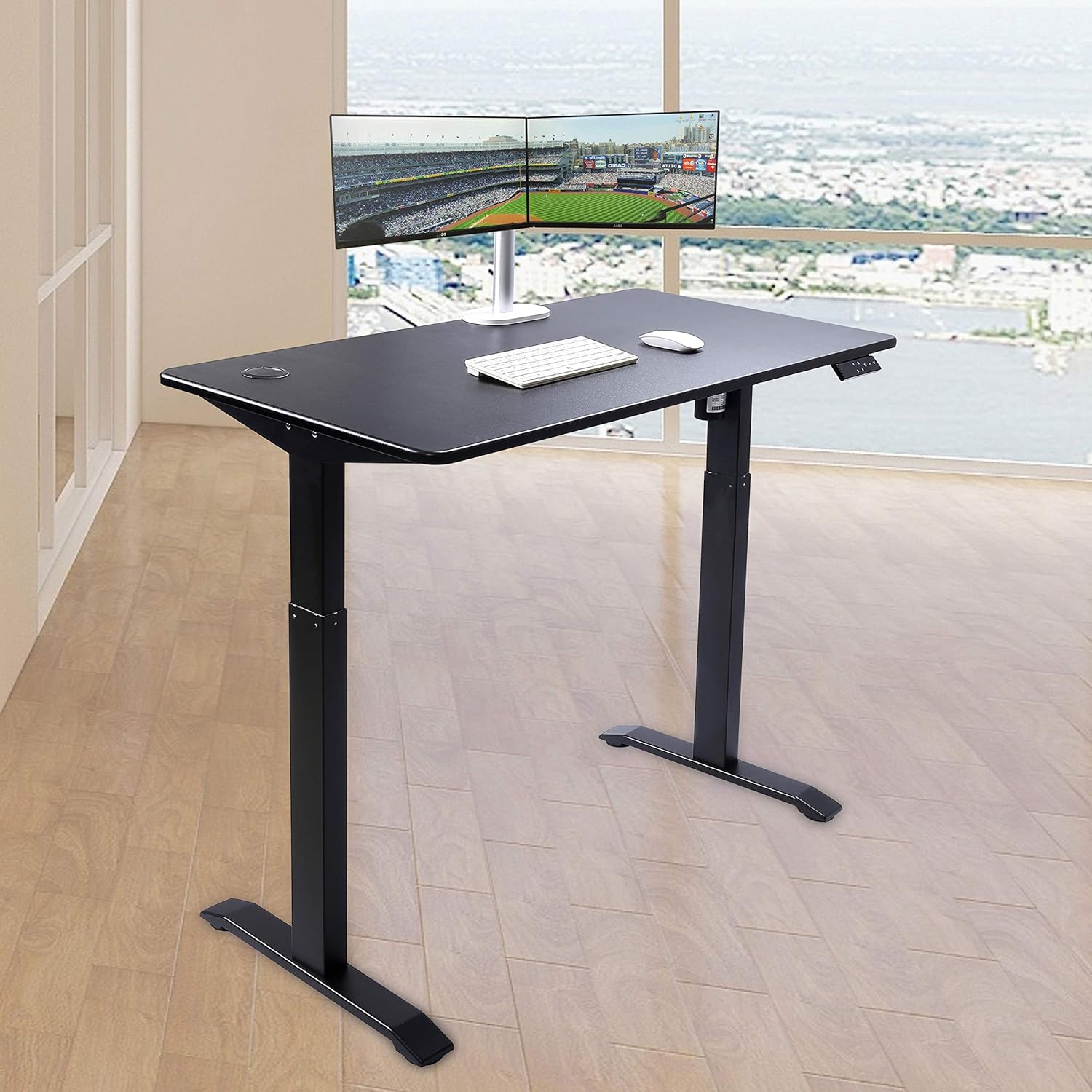
Operating Instructions
The desk features an elegant 7-button programmable controller for easy height adjustment and memory settings.
Hichte oanpassing:
- Brûk de Omheech (^) en Omleech (v) arrow buttons to manually adjust the desk height. The current height is displayed on the LED screen.
- The desk can be adjusted between a minimum height of 30 inches and a maximum height of 48 inches.
Memory Presets:
The controller has four customizable presets (1, 2, 3, 4) to save your preferred sitting and standing heights.
- Pas it buro oan jo winske hichte oan mei de pylken omheech/omleech.
- Druk op de 'S' knop (Ynstelle).
- Druk fuortendaliks op ien fan 'e nûmerknoppen (1, 2, 3 of 4) om de hjoeddeiske hichte op te slaan yn dy foarôf ynstelde wearde.
- To recall a saved height, simply press the corresponding number button. The desk will automatically move to the stored position.

Ûnderhâld
Regelmjittich ûnderhâld soarget foar de lange libbensdoer en optimale prestaasjes fan jo steande buro.
Reiniging:
- The desktop is made of MDF with a scratch-resistant laminate finish. Wipe the surface with a soft, damp doek. Foarkom skuurmiddels of agressive gemikaliën.
- For the metal legs, use a mild cleaner and a soft cloth.
Algemiene soarch:
- Always unplug the desk from the power outlet when not in use or before performing any cleaning or maintenance.
- Ensure cables are neatly managed to prevent entanglement with moving parts.
Troubleshooting
If you encounter any issues with your UNICOO standing desk, refer to the following common solutions:
Desk weromsette:
- If the desk is not responding or displays an error code, press the Omleech (v) button to bring the table to its lowest height.
- Then, hold the Omleech (v) button for 5 seconds until the display shows 'RST' or a similar reset indicator. The desk will then reset to its lowest position.
Unlocking the Desk:
- If the desk is locked, press the 'S' knop en de Omleech (v) knop tagelyk foar 5 sekonden.
Motor Overheat Protection:
- If the motor runs continuously for more than 2 minutes, the overheat protection will activate, and the desk will temporarily stop operating. Allow the motor to cool down for a few minutes before resuming use.
For persistent issues not covered here, please refer to the warranty and support section.
Spesifikaasjes
| Eigenskip | Detail |
|---|---|
| Merk | UNICOO |
| Model Number | KT1001 |
| Produkt Ofmjittings | 23.6" D x 46.5" W x 30.5" H |
| Tabletop Ofmjittings | 23.6" x 46.5" |
| Tabletop Dikte | 0.75 ynms |
| Minimum hichte | 30 ynms |
| Maksimum hichte | 48 ynms |
| Maksimum Weight Oanrikkemedaasje | 225 pûn sterling |
| Top Materiaal Type | Engineered Wood (MDF with scratch-resistant laminate) |
| Basis Materiaal | Alloy Staal |
| Special Feature | Adjustable Height, Electric |
| Oantal hichte posysjes | 4 (programmable presets) |
| Required Assembly | Ja |
| Omfettet alle assemblage-ark | Ja |

Garânsje en stipe
The UNICOO Electric Height Adjustable Standing Desk is covered by a 1-year limited warranty.
For warranty claims, technical support, or any questions regarding your product, please contact UNICOO customer service through the retailer's platform or the official UNICOO website. Please have your model number (KT1001) and purchase information ready when contacting support.
Ask a question about this manual
Ask about setup, troubleshooting, compatibility, parts, safety, or missing instructions. Manuals+ will review the question and use this page’s manual context to help answer it.