
Ynlieding
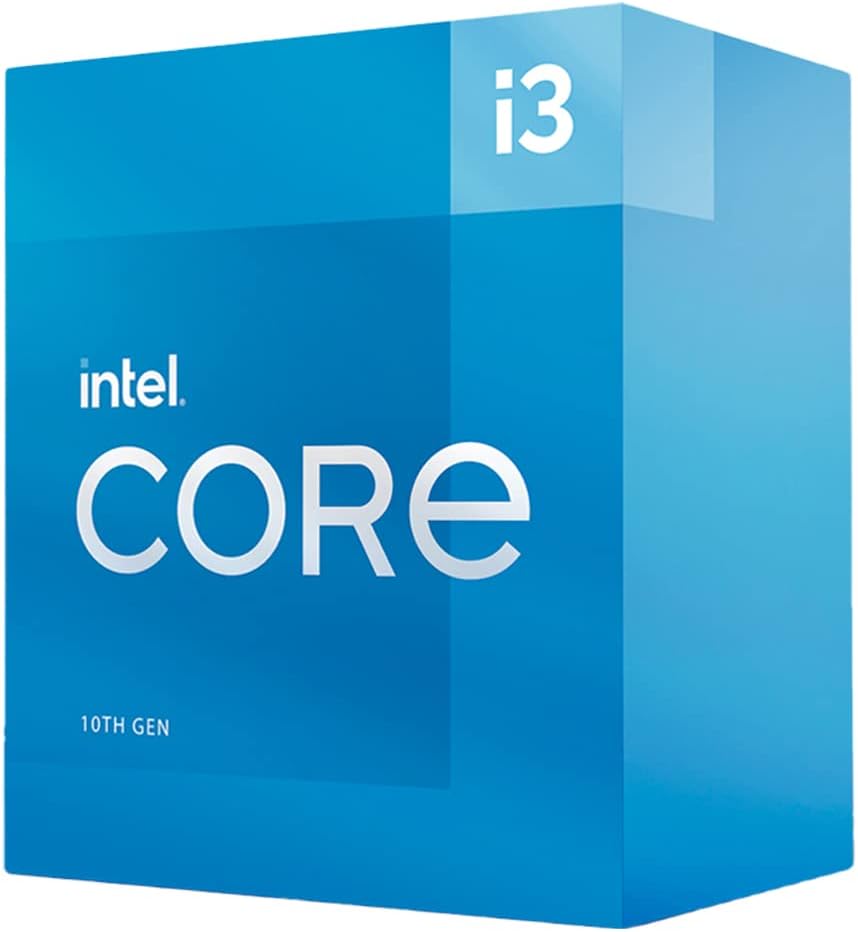
This manual provides essential information for the installation, operation, and maintenance of your Intel Core i3-10100 Desktop Processor. The Intel Core i3-10100 is a 10th Generation desktop processor designed for everyday computing, offering a balance of performance and efficiency. It features 4 Cores and 8 Threads, with a maximum clock speed of up to 4.3 GHz. This processor is compatible with Intel 400 series chipset based motherboards and includes a cooler in the box.
Opset en ynstallaasje
Proper installation is crucial for the optimal performance and longevity of your processor. Please follow these general guidelines. Refer to your motherboard's specific manual for detailed, step-by-step instructions.
- Motherboard kompatibiliteit: Ensure your motherboard uses an LGA 1200 socket and is based on an Intel 400 series chipset. This processor is not compatible with other socket types or chipsets.
- Tarieding: Before handling the processor, ensure your system is powered off and unplugged. Discharge any static electricity by touching a grounded metal object.
- Socket tarieding: Open the CPU retention lever on the motherboard's LGA 1200 socket.
- Processor Placement: Carefully align the processor with the socket, matching the gold triangle on the CPU with the corresponding mark on the socket. Gently lower the processor into the socket without forcing it.
- Feilige prosessor: Slút de behâldhendel om de prosessor op syn plak fêst te meitsjen.
- Koeler ynstallaasje: The Intel Core i3-10100 includes a stock cooler. Apply thermal paste (if not pre-applied) and install the cooler according to the instructions provided with the cooler. Ensure it is securely mounted and the fan cable is connected to the CPU_FAN header on the motherboard.
- System Assembly: Reassemble your computer components, ensuring all necessary power cables and data cables are connected.
Foar in fisuele oersjochview of the Intel Core processor family, including installation context, please refer to the video below:
Operating the Processor
Once installed, the Intel Core i3-10100 processor operates automatically within your system. Its features are designed to enhance your computing experience:
- 4 Kearnen / 8 Triedden: This configuration allows the processor to handle multiple tasks simultaneously, improving responsiveness for everyday applications, web browsing, and light multitasking.
- Up to 4.3 GHz Clock Speed: The processor can dynamically increase its clock speed to 4.3 GHz when needed, providing a performance boost for demanding tasks.
- Intel Optane Memory Support: This technology can accelerate system responsiveness by acting as a fast cache for your hard drive, reducing boot times and improving application loading.
- Yntegreare grafiken: The processor includes integrated graphics, eliminating the need for a separate graphics card for basic display output and light multimedia tasks.
For optimal performance, ensure your operating system and drivers are up to date.
Ûnderhâld
Maintaining your processor primarily involves ensuring the cooling system functions correctly and keeping software updated.
- Koelsysteem: Regularly check that the CPU cooler fan is free from dust and debris. Dust accumulation can impede airflow and lead to overheating. Clean the fan and heatsink periodically using compressed air.
- Termyske pasta: Over time, thermal paste can degrade. If you notice consistently high temperatures, consider reapplying fresh thermal paste to ensure efficient heat transfer between the CPU and its cooler.
- Driver Updates: Keep your motherboard chipset drivers and integrated graphics drivers updated. Visit the official Intel website or your motherboard manufacturer's webside foar de nijste ferzjes fan stjoerprogramma's.
- BIOS/UEFI-updates: Periodically check for BIOS/UEFI updates for your motherboard. These updates can improve compatibility, stability, and sometimes performance. Follow your motherboard manufacturer's instructions carefully when updating the BIOS/UEFI.
Troubleshooting
If you encounter issues with your Intel Core i3-10100 processor, consider the following troubleshooting steps:
- Gjin werjefte/Systeem start net op:
- Verify all power connections to the motherboard and components are secure.
- Ensure the CPU is correctly seated in its socket and the cooler is properly installed.
- Check RAM modules are correctly seated. Try booting with only one RAM stick.
- If using integrated graphics, ensure your monitor is connected to the motherboard's video output.
- Oververhitting:
- Confirm the CPU cooler fan is spinning.
- Clean any dust from the heatsink and fan.
- Soargje derfoar dat der genôch luchtstream is yn 'e PC-kast.
- Check thermal paste application.
- Systeemynstabiliteit/crashes:
- Update motherboard BIOS/UEFI to the latest version.
- Soargje derfoar dat alle stjoerprogramma's (chipset, grafyske kaart) by de tiid binne.
- Fier ûnthâlddiagnostyske ark út om te kontrolearjen op RAM-problemen.
For more advanced troubleshooting, consult your motherboard manual or Intel's official support resources.
Spesifikaasjes
| Eigenskip | Detail |
|---|---|
| Prozessor Model | Intel Core i3-10100 |
| Model Number | BX8070110100 |
| Kearnen / Threads | 4 Kearnen / 8 Triedden |
| Basiskloksnelheid | 3.6 GHz |
| Max Turbo Frequency | Oant 4.3 GHz |
| Socket type | LGA 1200 |
| Kompatible chipsets | Intel 400 rige chipset |
| TDP | 65W |
| Yntegrearre Grafiken | Intel UHD Graphics 630 |
| Intel Optane Memory Support | Ja |
| Cooler Included | Ja |
| Item Gewicht | 3.5 oz |
| Produkt Ofmjittings (LxWxH) | 2.8 x 4.21 x 4.41 inch |
Garânsje en stipe
For detailed warranty information regarding your Intel Core i3-10100 processor, please refer to the official Intel website or the documentation included with your product. Warranty terms and conditions may vary by region and retailer.
For technical support, driver downloads, and additional resources, visit the official Intel Support website: