
1. Ynlieding
The COMPUTHERM T-32 room thermostat is designed for controlling most boilers and air conditioners available in the EU. It can be easily connected to any gas boiler with a two-wire thermostatic connection point, and to all air conditioning systems or electrical appliances, whether they have a 24V or 230V control circuit.
This digital thermostat allows for more precise temperature measurement and adjustment compared to traditional thermostats. It helps reduce energy costs while maintaining comfort by regulating the connected appliance (e.g., a gas boiler or pump) based on the measured and set temperatures.
Key Features:
- Krekte temperatuerkontrôle: Easily set desired temperature between 5°C and 30°C in 0.5°C increments.
- Constant Indoor Temperature: Switching sensitivity of ±0.2°C or 0.1°C ensures a uniform and stable room temperature.
- Alsidige kompatibiliteit: Suitable for boilers with a two-wire connection and various HVAC systems (24V or 230V).
- Ferwaarming en koeling Modes: Supports both heating and cooling functions.
- Digital werjefte: Provides clear and accurate temperature readings.
2. Opset en ynstallaasje
Belangryk: It apparaat moat wurde ynstallearre troch in foechhawwende persoan.
2.1 Pakketynhâld
Kontrolearje oft alle ûnderdielen oanwêzich binne:
- 1x COMPUTHERM T-32 Digital Room Thermostat
- 2x AAA-batterijen
- Mounting hardware (screws and wall plugs)

Figure 1: Package contents including the thermostat, batteries, and mounting hardware.
2.2 Batterij Ynstallaasje
- Carefully remove the back cover of the thermostat.
- Insert the two AAA batteries into the battery compartment, ensuring correct polarity (+/-).
- Ferfang de efterklep.
2.3 Montage en wiring
The thermostat is designed for wall mounting in a room. Choose a location away from direct sunlight, drafts, or heat sources that could affect temperature readings.
- Separate the front panel from the back plate.
- Markearje de winske montageposysje oan 'e muorre.
- Boarje gatten en set de muorrepluggen yn.
- Befestigje de efterplaat oan 'e muorre mei de levere skroeven.
- Connect the two-wire control circuit from your boiler or HVAC system to the terminals on the back plate. Refer to the wiring diagram on the back of the thermostat for correct connections.
- Carefully reattach the front panel to the back plate.

figuer 2: Rear view of the thermostat with wiring terminals and battery compartment details.
3. Operaasje
3.1 Display oerview
The digital display shows the current room temperature and the set desired temperature. The thermostat features three control buttons below the display.

figuer 3: Front view of the COMPUTHERM T-32 thermostat with its digital display and three control buttons.
3.2 De winske temperatuer ynstelle
Use the temperature control buttons (typically marked with up and down arrows or similar symbols) to adjust the desired temperature. Each press changes the temperature by 0.5°C within a range of 5°C to 30°C.
- Druk op de Pylkje omheech knop om de winske temperatuer te ferheegjen.
- Druk op de Pylk del knop om de winske temperatuer te ferminderjen.
The thermostat will automatically regulate the connected heating or cooling appliance to maintain the set temperature within its switching sensitivity of ±0.2°C.
3.3 Heating Mode Operation
In heating mode, if the measured room temperature falls below the set temperature minus the switching sensitivity (e.g., 22°C - 0.2°C = 21.8°C), the thermostat will activate the heating appliance. It will deactivate the heating when the room temperature rises above the set temperature plus the switching sensitivity (e.g., 22°C + 0.2°C = 22.2°C).
3.4 Cooling Mode Operation
In cooling mode, the operation is reversed. If the measured room temperature rises above the set temperature plus the switching sensitivity, the thermostat will activate the cooling appliance. It will deactivate cooling when the room temperature falls below the set temperature minus the switching sensitivity.
Note: After a temperature change using the thermostat's adjustment buttons, the switching sensitivity is temporarily not considered, allowing the thermostat to react to a difference of ±0.1°C for immediate response.
4. Underhâld
- Reiniging: Feie de termostaat ôf mei in sêfte, droege doek. Brûk gjin abrasive reinigingsmiddels of oplosmiddels.
- Batterij ferfanging: Replace batteries when the low battery indicator appears on the display. Always use new AAA alkaline batteries.
- Foarkom obstruksjes: Ensure no objects block the thermostat's ventilation slots or sensor, as this can affect temperature accuracy.
5. Probleemoplossing
| Probleem | Mooglike oarsaak | Oplossing |
|---|---|---|
| Termostaat werjefte is leech. | Deade of ferkeard ynstalleare batterijen. | Ferfange de batterijen, soargje derfoar dat de polariteit goed is. |
| Ferwaarmings-/koelsysteem reagearret net. | Ferkearde bedrading; systeem útskeakele; termostaat yn ferkearde modus. | Check wiring connections (consult a professional); ensure system power is on; verify thermostat is set to appropriate mode (heating/cooling). |
| Unjildich temperatuerlêzing. | Termostaat leit tichtby waarmteboarne/tocht; sensor ferstoppe. | Relocate thermostat if possible; ensure no obstructions around the sensor. |
| Temperature fluctuates too much. | High switching sensitivity setting (not applicable for T-32 as it's fixed). | The T-32 has a fixed sensitivity of ±0.2°C. Ensure proper placement and insulation of the room. |
6. Spesifikaasjes
- Model: T32
- Power Boarne: 2x AAA 1.5V Alkaline Batteries (included)
- Control Voltage: 24V AC of 230V AC
- Laadkapasiteit: 8 Amperes
- Temperatuer mjitbereik: 5 °C oant 30 °C
- Temperatuer ynstellingsberik: 5 °C oant 30 °C
- Temperature Setting Increment: 0.5°C
- Switching gefoelichheid: ±0.2°C (or ±0.1°C after manual adjustment)
- Ofmjittings (L x B x H): 8.5 x 8.5 x 2.8 sm
- Gewicht: 160 gram
- Konnektivität: Wired
- Kleur: Wyt


Figure 4: Dimensions of the COMPUTHERM T-32 thermostat.
7. Garânsje
The COMPUTHERM T-32 Digital Room Thermostat comes with a 5 jier fabryksgarânsjeBewarje jo oankeapbewiis foar garânsjeclaims. De garânsje dekt defekten yn materialen en fakmanskip by normaal gebrûk.
8. Stipe
For further assistance or if you encounter issues not covered in this manual, please refer to the official COMPUTHERM website or contact your retailer. Always ensure that any electrical work is performed by a qualified professional.
For more information, you may visit the manufacturer's website: www.calorsol.de
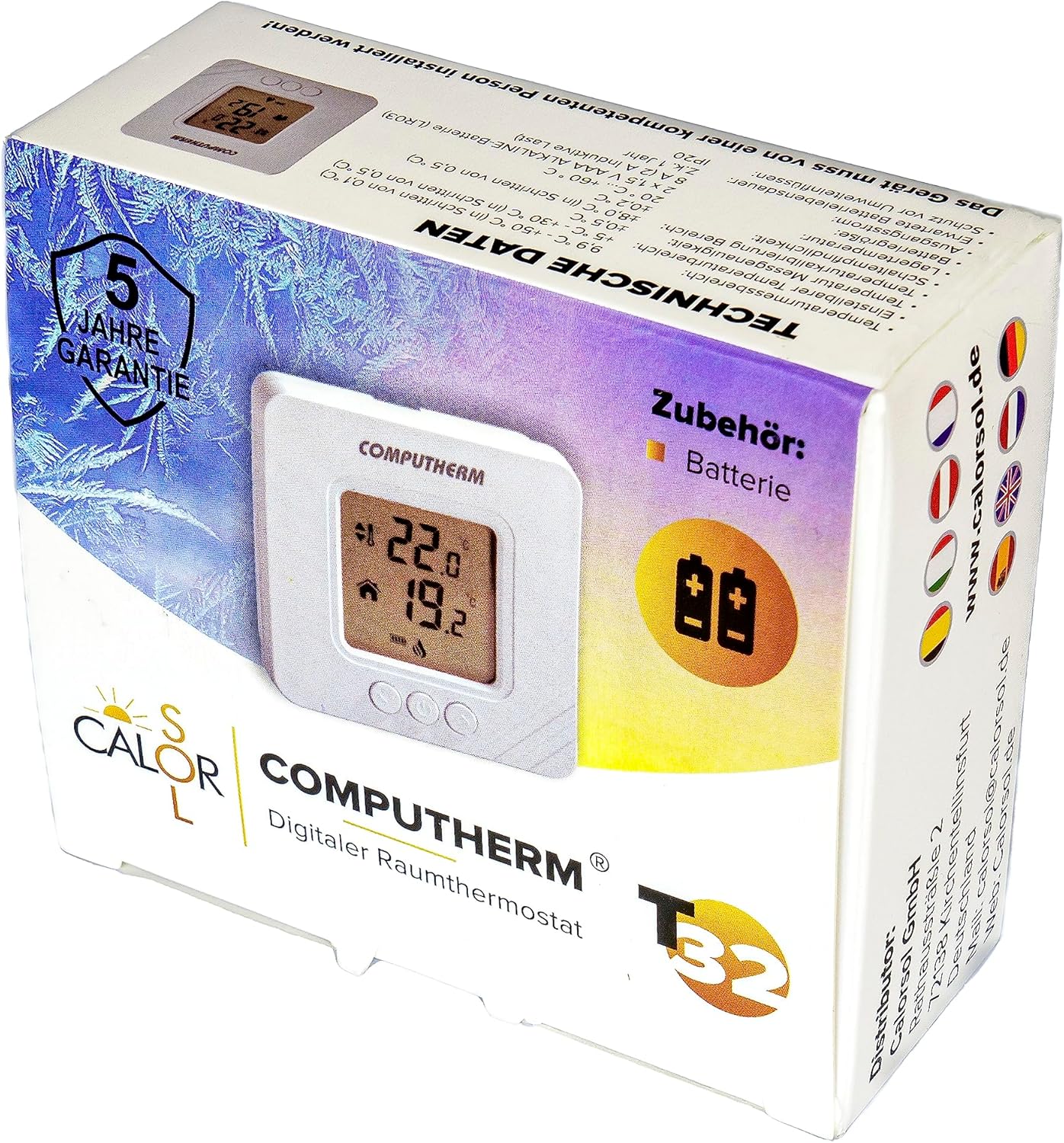
Figure 5: Product packaging displaying warranty information and technical data.