
1. Ynlieding
The CallToU Wireless Caregiver Pager System is designed to provide reliable and convenient assistance for caregivers and individuals requiring support. This system includes waterproof call buttons and dual receivers, offering both audible and vibratory alerts with an extended range of up to 500 feet. It ensures peace of mind and enhanced safety within the home and surrounding areas.

Figure 1: CallToU Wireless Caregiver Pager System components.
2. Package Ynhâld
Your CallToU Wireless Caregiver Pager System includes the following items:
- 1 x Plug-in ûntfanger
- 1 x Portable Vibration Pager (with belt clip)
- 3 x Waterproof Call Buttons
- 3 x lanyards
- Montagetape
- 1 x Small Screwdriver
- Batteries (1.5V AAA for portable receiver, 12V 23A for call buttons)
- User Manual

Figure 2: All included components of the CallToU Caregiver Pager System.
3. Setup Ynstruksjes
3.1 Call Button Battery Installation
- Using the provided small screwdriver, unscrew the back cover of the call button.
- Insert the 12V 23A battery, ensuring correct polarity.
- Ferfange de efterkant en befestigje it mei de skroeven.
Video 1: Instructions on how to change the battery of the call button.
3.2 It koord befestigje
- Remove the back cover of the call button.
- Thread the small loop of the lanyard through the designated hole on the call button's back cover.
- Pass the larger end of the lanyard through the small loop to secure it.
- Reattach the back cover to the call button.
Video 2: Guide on how to attach the lanyard to the call button.
3.3 Pleatsing fan ûntfanger
- Plug-in Receiver: Plug the receiver into a standard wall outlet in a central location where the caregiver can easily hear or see the alerts.
- Portable Vibration Pager: Insert 2 AAA batteries (provided) into the portable pager. This receiver can be carried by the caregiver or clipped to clothing for on-the-go monitoring.

Figure 3: The plug-in receiver provides uninterrupted power.
4. Bedriuwsinstruksjes
4.1 Oprop meitsje
To send an alert, simply press the large red 'CALL' button on the transmitter. The button will light up briefly to indicate the signal has been sent.
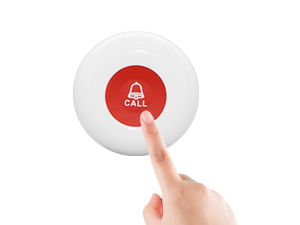
Figure 4: Pressing the call button to send an alert.
4.2 Warskôgings ûntfange
- Plug-in Receiver: Upon receiving a signal, the plug-in receiver will emit a chime and flash its LED lights.
- Portable Vibration Pager: The portable pager will vibrate, chime, and flash its LED light. This is ideal for caregivers who are hard of hearing or in noisy environments.
Video 3: Demonstration of the CallToU Wireless Caregiver Pager Alert System.
4.3 Adjusting Volume and Melody
The receivers offer multiple volume levels and melodies. Refer to the specific buttons on each receiver to cycle through options. The portable pager also features a stop switch to silence alerts.
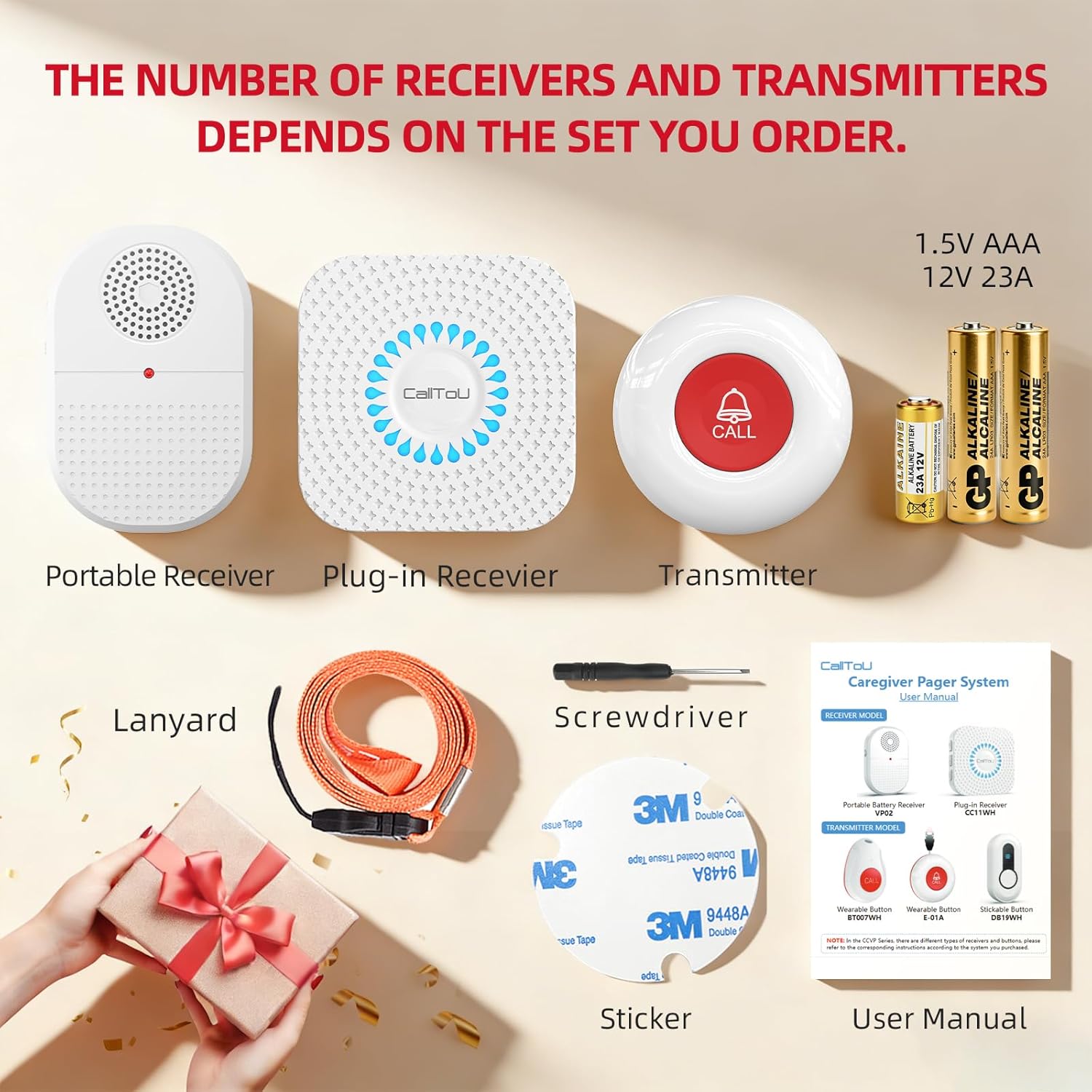
Figure 5: Portable receiver controls for volume and melody selection.
4.4 Pairing Additional Buttons/Receivers
The system is expandable. To pair additional call buttons or receivers, follow the instructions in the included user manual or refer to the manufacturer's website for detailed pairing procedures.
Video 4: Demonstration of pairing a CallToU panic call button with a plug-in receiver.
5. Features
- Utwreide berik: Enjoy a reliable signal up to 500 feet, ensuring coverage throughout your home and yard.
- Dûbel alarmsysteem: The plug-in receiver provides loud chimes and flashing lights, while the portable pager offers strong vibration, chimes, and flashing lights, catering to various needs including hearing impairment.
- Waterproof Call Buttons: With an IP55 rating, the call buttons are splash-proof and can be used in bathrooms or showers for critical safety.
- Simple & Reliable: No WiFi or complex apps required. The system is plug-and-play with no monthly fees. Memory function retains settings during power outages.
- Flexible Wearing Options: Call buttons can be worn as a lanyard, attached to a wall with mounting tape, or placed conveniently.

Figure 6: The system offers a 500ft long-range signal for comprehensive coverage.
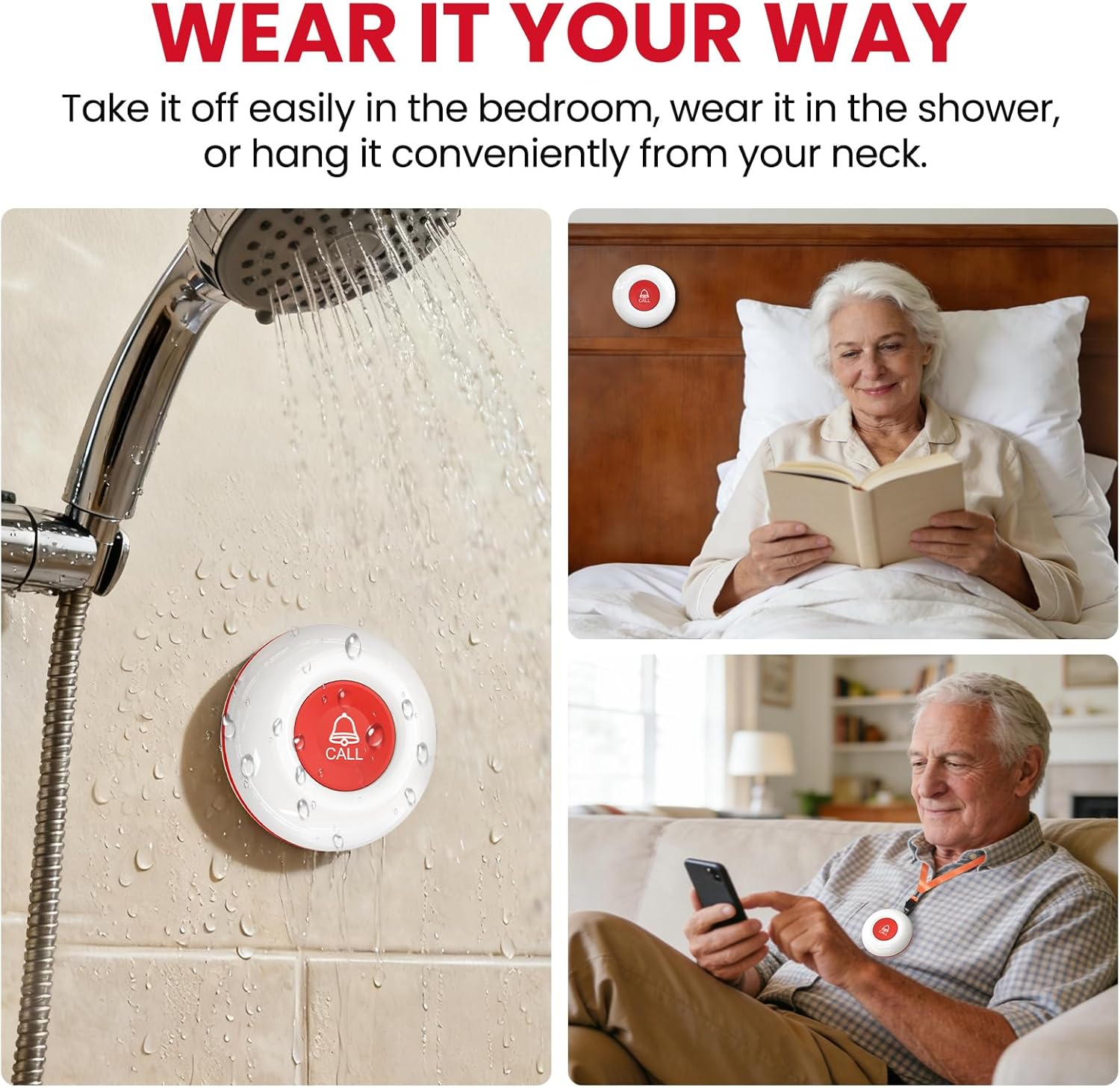
Figure 7: Call buttons can be worn or placed in various locations, including wet environments.
6. Underhâld
6.1 Batterijferfanging
- Opropknoppen: Replace the 12V 23A battery when the red indicator light no longer illuminates or the signal range decreases. Refer to Section 3.1 for detailed instructions.
- Portable Vibration Pager: Replace the 2 AAA batteries when the pager's performance diminishes.
6.2 Cleaning
Wipe the devices with a soft, dry cloth. Avoid using harsh chemicals or abrasive cleaners. Ensure call buttons are dry after exposure to water.
7. Probleemoplossing
- No Alert from Receiver:
- Check if the call button battery is depleted.
- Ensure the receiver is plugged in (for plug-in model) or has fresh batteries (for portable model).
- Verify the distance between the call button and receiver is within the 500ft range and free from major obstructions.
- Confirm the portable pager's stop switch is not engaged.
- Weak Signal or Intermittent Alerts:
- Replace call button batteries.
- Relocate receivers to a more central position.
- Minimalisearje ynterferinsje fan oare draadloze apparaten.
- Receiver Not Responding to a Specific Button:
- The button may need to be re-paired with the receiver. Refer to the pairing instructions in the full user manual.
8. Spesifikaasjes
| Eigenskip | Detail |
|---|---|
| Merk | CallToU |
| Model | B08YDBPLLF |
| Kleur | Wyt |
| Power Boarne | Battery Powered (Call Buttons, Portable Pager), Plug-in (Plug-in Receiver) |
| Control Metoade | Oanreitsje |
| Harkbere lûd | Up to 110 Decibels |
| Mounting Type | Tabletop Mount (Portable Pager), Wall Outlet (Plug-in Receiver) |
| Maksimum berik | 500 Foet |
| Sensortechnology | Kontakt Sensor |
| UPC | 779584902535 |
9. Safety Information
- Keep devices away from extreme temperatures and direct sunlight.
- Do not attempt to disassemble or repair the devices yourself. Contact support for assistance.
- Ferwiderje batterijen neffens lokale regeljouwing.
- Ensure the plug-in receiver is securely placed in an outlet and not obstructed.
10. Garânsje en stipe
For warranty information, technical support, or any inquiries, please contact CallToU directly:
- Website: www.calltou.com
- E-post: service01@calltou.com
- Facebook: Calltou Caregiver Pager
Bewarje asjebleaft jo oankeapbewiis foar garânsjeclaims.


