
Ynlieding
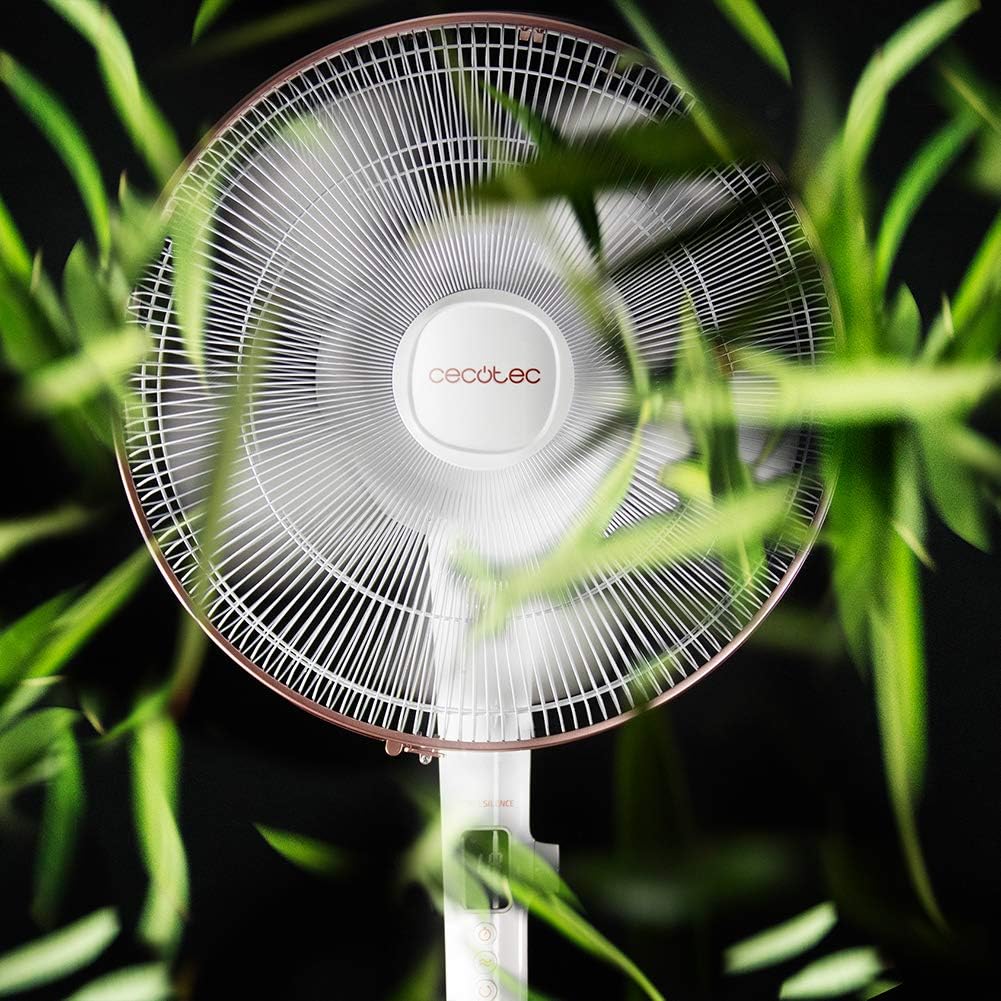
Thank you for choosing the Cecotec EnergySilence 1030 SmartExtreme Pedestal Fan. This fan is designed to provide powerful yet quiet air circulation with advanced features for enhanced comfort. It incorporates a highly efficient DC motor, offering 24 speed settings and 3 operational modes to suit various needs. Please read this manual carefully before use to ensure proper operation, maintenance, and safety.
Wat is yn 'e doaze
- Fan Body
- Remote Control
- User Manual
Safety Ynstruksjes
- Haal de stekker fan 'e fentilator altyd út it stopkontakt foardat jo skjinmeitsje of ûnderhâld útfiere.
- Stek gjin fingers of oare objekten yn it fentilatorrooster as it yn wurking is.
- Keep the fan away from water or other liquids. Do not use in damp omjouwings.
- Ensure the power cord is not damaged or pinched. Do not operate the fan with a damaged cord or plug.
- Dit apparaat is net bedoeld foar gebrûk troch persoanen (ynklusyf bern) mei fermindere fysike, sintúchlike of mentale kapasiteiten, of gebrek oan ûnderfining en kennis, útsein as se hawwe krigen tafersjoch of ynstruksje oangeande it brûken fan it apparaat troch in persoan ferantwurdlik foar harren feiligens.
- Plak de fentilator op in stabyl, flak oerflak om te foarkommen dat er omfalt.
- Dek de fentilator net ôf tidens operaasje.
Gearkomste en opset
The Cecotec EnergySilence 1030 SmartExtreme fan requires minimal assembly. Carefully unpack all components. The main fan body, including the motor and blades, will need to be securely attached to the pedestal and base. Ensure all parts click into place or are tightened as per the visual instructions provided in the included manual. The fan features an adjustable telescopic pole, allowing you to set the height between 115 cm and 135 cm for optimal air distribution.

Operating Instructions
Control Panel
The fan features an intuitive control panel with an LED screen displaying the current settings.

- Oan/út-knop (oan/út): Druk om de fan oan of út te skeakeljen.
- Faasje oanpassing: Use the dedicated buttons or dial to cycle through 24 speed settings. The current speed will be shown on the LED display.
- Mode knop: Press to switch between the three available modes: Eco, Sleep, and Turbo.
- Timer knop: Press to activate and set the timer for up to 18 hours.
- Oscillaasjeknop: Press to enable or disable the automatic oscillation function.
Remote Control
The fan can also be conveniently operated using the included remote control.

- Alle funksjes dy't beskikber binne op it kontrôlepaniel binne ek tagonklik fia de ôfstânsbetsjinning.
- Soargje derfoar dat de ôfstânsbetsjinning nei de ûntfanger fan 'e fan rjochte is foar in optimale reaksje.
- Fereasket AAA-batterijen (net ynbegrepen).
Modi en snelheden
The fan offers 24 speed settings and 3 distinct modes:
- Eko-modus: Operates at a lower power consumption, ideal for energy saving.
- Sliepmodus: Designed for quiet operation, gradually decreasing fan speed to provide a comfortable sleeping environment.
- Turbo modus: Provides maximum airflow for rapid cooling.
Timer Funksje
The programmable timer allows you to set the fan to operate for a specific duration, up to a maximum of 18 hours. Once the set time expires, the fan will automatically turn off.
Oscillaasje
Activate the automatic oscillation function to distribute fresh air more widely across the room. This feature ensures a broader coverage area, enhancing overall comfort.
Ûnderhâld
Regelmjittich skjinmeitsjen soarget foar optimale prestaasjes en ferlingt de libbensdoer fan jo fentilator.
- Before cleaning, always unplug the fan from the power supply.
- Brûk in sêft, damp doek om de bûtenste oerflakken ôf te feegjen. Brûk gjin abrasive reinigingsmiddels of oplosmiddels.
- Periodically clean the fan blades and protective grilles to remove dust and debris. This can be done using a soft brush or a vacuum cleaner with a brush attachment.
- Soargje derfoar dat de fentilator folslein droech is foardat jo him wer yn it stopkontakt stekke.
Troubleshooting
| Probleem | Mooglike oarsaak | Oplossing |
|---|---|---|
| Fan giet net oan | No power supply; Power cord not properly connected; Fan is off. | Check power outlet; Ensure power cord is securely plugged in; Press the power button. |
| Swakke luchtstream | Low speed setting; Dust accumulation on blades/grille. | Increase speed setting; Clean fan blades and grilles. |
| Ungewoan lûd | Loose parts; Obstruction in fan blades. | Check for loose components and tighten if necessary; Remove any obstructions. If noise persists, contact support. |
| Remote control wurket net | Dead batteries; Obstruction between remote and fan. | Replace batteries; Ensure clear line of sight to fan's receiver. |
Spesifikaasjes
| Eigenskip | Detail |
|---|---|
| Merk | Cecotec |
| Model Number | 05915 |
| Krêft | 28 watt |
| Voltage | 230V (AC) |
| Produkt Ofmjittings | 45D x 45W x 135H cm (adjustable height) |
| Item Gewicht | 5.4 kilogram |
| Fan Design | Pedestal Fan |
| Faasje ynstellings | 24 |
| Modes | Eco, Sleep, Turbo |
| Timer | Oant 18 oeren |
| Oscillaasje | Automatysk |
| Special Feature | Draachber |
Garânsje en stipe
Foar garânsje-ynformaasje en klantestipe, sjoch de garânsjekaart dy't by jo produkt heart of besykje de offisjele Cecotec website. If you encounter any issues not covered in this manual, please contact Cecotec customer service for assistance.