
Ynlieding
The Firefield Nightfall 4x50 Night Vision Monocular is designed to provide enhanced visibility in low-light conditions. This device features a powerful, built-in PULSE IR illuminator, delivering crisp, clear images for various observation needs. Its ergonomic design and lightweight frame ensure comfortable and reliable use.
Wat is yn 'e doaze
Upon unpacking your Firefield Nightfall 4x50 Night Vision Monocular, please ensure all items listed below are present:
- Firefield Nightfall 4x50 Night Vision Monocular
- Draachkoffer
- Cleaning Cloth
- Hânriem
- Linsekap
- 2.5 mm nei RCA kabel
- USB Kabel
- AAA-batterijen (3x)
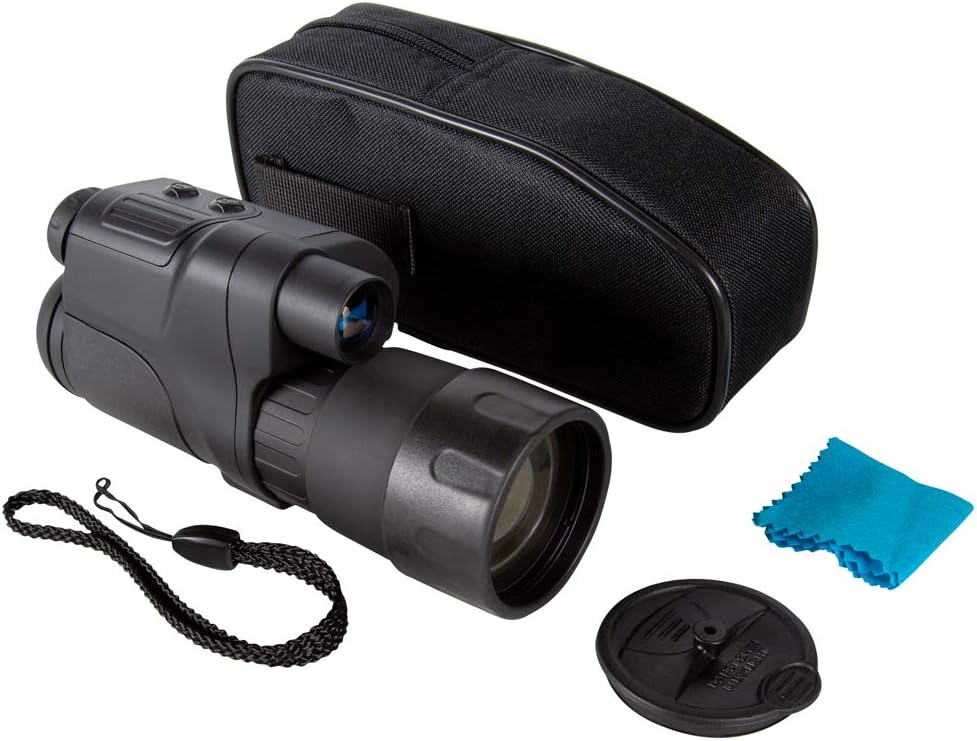
Image: The Firefield Nightfall 4x50 Night Vision Monocular shown with its carrying case, cleaning cloth, hand strap, lens cap, and cables.
Produkt oerview
Familiarize yourself with the key components and controls of your monocular:
- Objektive lens: Front lens for light collection.
- Oculair: Where you look through to view ôfbyldings.
- Front Focus Ring: Adjusts the focus for the objective lens.
- Display Focus Ring: Adjusts the focus for the internal display to match your eye.
- ON/OFF knop: Skeakelt it apparaat oan of út.
- Yn-/útzoomknoppen: Controls the digital magnification.
- Mode knop: Cycles through different operating modes (e.g., record, capture).
- Built-in IR Illuminator: Provides infrared light for enhanced night vision.
- Picatinny Rail: Foar mounting accessoires.
- Tripod Mount: 1/4'' socket for tripod attachment.
- USB-stroomferbining: For external power or data transfer.
- Video Out Port: Foar it ferbinen mei in ekstern skerm.
- Micro SD Card Slot: For storing recorded images and videos.
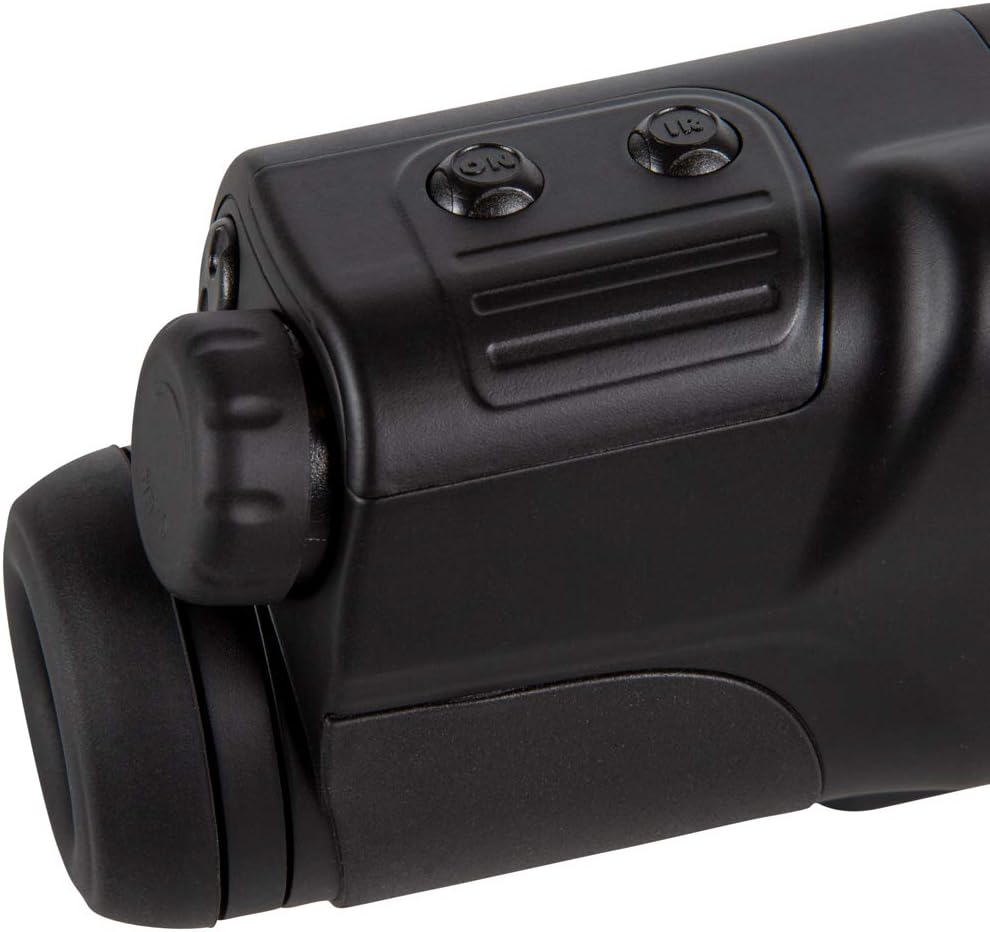
Ofbylding: Boppe view of the monocular showing the power, zoom, and mode buttons.
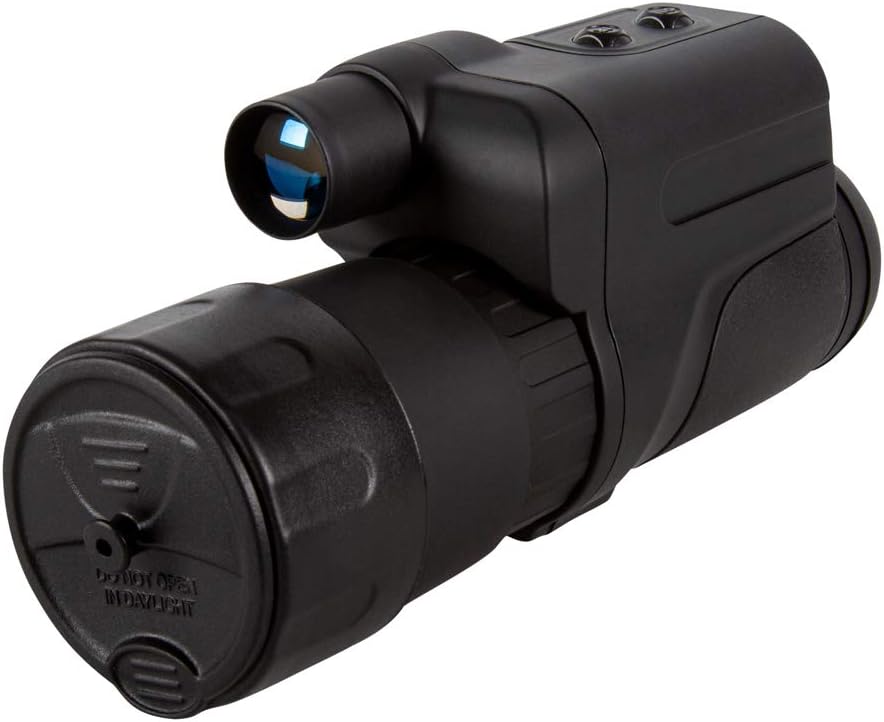
Ofbylding: Front view of the monocular with the protective day cap removed, revealing the objective lens and the built-in IR illuminator.
Opsette
- Batterij ynstallaasje: Locate the battery compartment. Insert three (3) AAA batteries, ensuring correct polarity. Close the compartment securely.
- Hânriem befestigje: Secure the provided hand strap to the designated attachment point on the monocular for comfortable and secure handling.
- Lens Cap Usage:
- Oerdei gebrûk: Keep the lens cap attached during daytime operation. The cap has a small pinhole that allows sufficient light for color viewing without damaging the intensifier tube.
- Nachtgebrûk: Remove the lens cap completely for optimal night vision performance.
- Micro SD-kaart: Insert the micro SD card into its dedicated slot for recording images and videos.
Operating
- Power On/Off: Press and hold the ON/OFF button to power the monocular on or off.
- Fokus oanpasse:
- Eyepiece Focus: Rotate the display focus ring on the eyepiece until the internal display text and icons appear sharp to your eye.
- Objective Focus: Rotate the front focus ring on the objective lens to bring distant objects into sharp focus.
- Digitale zoom: Use the Zoom In (+) and Zoom Out (-) buttons to adjust the digital magnification.
- IR Illuminator: Press the IR button to activate the infrared illuminator for enhanced visibility in complete darkness. Cycle through different IR intensity levels if available.
- Recording & Capturing: Use the Mode button to select between photo and video modes. Press the appropriate button (often the ON/OFF or a dedicated capture button) to take a photo or start/stop video recording.
- Ferbine mei eksterne apparaten: Use the provided USB cable to connect the monocular to a computer for data transfer or to an external power source. Use the 2.5mm to RCA cable to connect to compatible video displays.
Ûnderhâld
- Reiniging: Use the provided soft cleaning cloth to gently wipe the lenses. Avoid using abrasive materials or harsh chemicals.
- Opslach: Store the monocular in its carrying case in a cool, dry place when not in use. Ensure the lens cap is on to protect the objective lens.
- Batterij soarch: Ferwiderje batterijen as it apparaat foar in langere perioade net brûkt wurdt om lekkage en skea te foarkommen.
Troubleshooting
- Gjin macht: Kontrolearje de batterijynstallaasje en soargje derfoar dat de batterijen fris binne.
- Wazige ôfbylding: Adjust both the eyepiece focus and the objective lens focus until the image is clear.
- Poor Night Vision Performance: Ensure the IR illuminator is activated and the lens cap is removed. Check for ambient light sources that might interfere.
- No Color in Daytime: Ensure the day cap is properly installed on the objective lens.
Spesifikaasjes
| Merk | Fjoerfjild |
| Model Namme | Nightfall |
| Fergrutting | 4x |
| Objektive Lens Diameter | 50 mm |
| Item Gewicht | 1.5 pûn sterling |
| Materiaal | Aluminium |
| Nachtfisy | Ja |
| Mounting Type | Tripod Mount |
| Ynbegrepen komponinten | Carrying case, Cleaning cloth, Hand strap, Lens cap |
Garânsje en stipe
The Firefield Nightfall 4x50 Night Vision Monocular comes with a 3 Jier beheinde garânsje. For warranty information, additional details, or support, please refer to the official Firefield website of nim kontakt op mei harren klanteservice.
Juridyske disclaimer: Shipping is only available within the US. We do not ship to PO Boxes, APO/FPO, PR, RI, Alaska/Hawaii, US Protectorates.