
JCB 21-MS-210-C
JCB 210mm Ofkortzaag brûkershantlieding
Model: 21-MS-210-C | Brand: JCB
Produkt oerview
The JCB 210mm Mitre Saw is a powerful and versatile tool designed for precise cutting of various materials including steel, aluminum, wood (with embedded nails), and plastic. It features an 1100W motor, a 210mm 24T carbide tipped (TCT) blade, and a laser guide for enhanced accuracy and safety. The saw is equipped with 4 mitre cut settings and a dust collection feature for a cleaner working environment.

Ofbylding 1: Oerview of the JCB 210mm Mitre Saw, showing the main unit, blade guard, and dust collection bag.
Wichtige Safety Ynstruksjes
Always follow basic safety precautions when using this power tool to reduce the risk of fire, electric shock, and personal injury. Read all instructions before operating.
- Wurkgebiet feilichheid: Hâld it wurkgebiet skjin en goed ferljochte. Rommelige of tsjustere gebieten noegje út ta ûngemakken. Brûk gjin elektryske ark yn eksplosive atmosfearen, lykas yn 'e oanwêzigens fan brânbere floeistoffen, gassen of stof.
- Elektryske feiligens: Stekkers fan elektrysk ark moatte oerienkomme mei it stopkontakt. Wizigje de stekker noait op ien of oare manier. Stel elektrysk ark net bleat oan rein of wiete omstannichheden.
- Persoanlike feiligens: Always wear eye protection (safety glasses or goggles) and hearing protection. Use a dust mask if operations create dust. Dress properly; avoid loose clothing or jewelry.
- Gebrûk en soarch fan ark: Forsearje it elektryske ark net. Brûk it juste elektryske ark foar jo tapassing. Doch de stekker út it stopkontakt foardat jo oanpassingen meitsje, accessoires feroarje of elektryske ark opslaan.
- Laser feiligens: The laser wavelength is 650nm. Avoid direct eye exposure to the laser beam. Do not stare into the laser aperture.
Opset en gearkomste
Before first use, ensure all components are present and properly assembled. Refer to the diagram below for component identification.

Figure 2: Key features of the JCB Mitre Saw, including laser guide, maximum cutting depth, aluminum guard, bevel range, and blade diameter.
- Utpakke: Helje de ôfkortzaag en alle accessoires foarsichtich út 'e ferpakking. Ynspektearje op ferstjoerskea.
- Montage: Secure the mitre saw to a stable workbench using appropriate clamps or bolts through the base mounting holes. Ensure the saw is level and stable.
- Stofzakbefestiging: Attach the provided dust bag to the dust port located at the rear of the blade guard assembly. Ensure it is securely fastened to collect sawdust effectively.
- Ynstallearjen fan blêd (as net foarôf ynstalleare): Ensure the saw is unplugged. Follow the instructions in the blade replacement section to safely install the 210mm TCT blade.
- Power Connection: Connect the saw to a suitable 240V AC power outlet. Ensure the power switch is in the OFF position before plugging in.
Operating Instructions
Basis Operaasje
- Materiaal pleatsing: Place the workpiece firmly against the fence and the saw base. Use clamps to secure smaller pieces.
- Ynskeakelje: Depress the trigger switch on the handle to start the motor. Allow the blade to reach full speed before beginning the cut.
- In besuniging meitsje: Slowly lower the blade through the workpiece with a steady, controlled motion. Do not force the saw.
- Útskeakelje: Release the trigger switch to stop the motor. Wait for the blade to come to a complete stop before raising the blade or removing the workpiece.
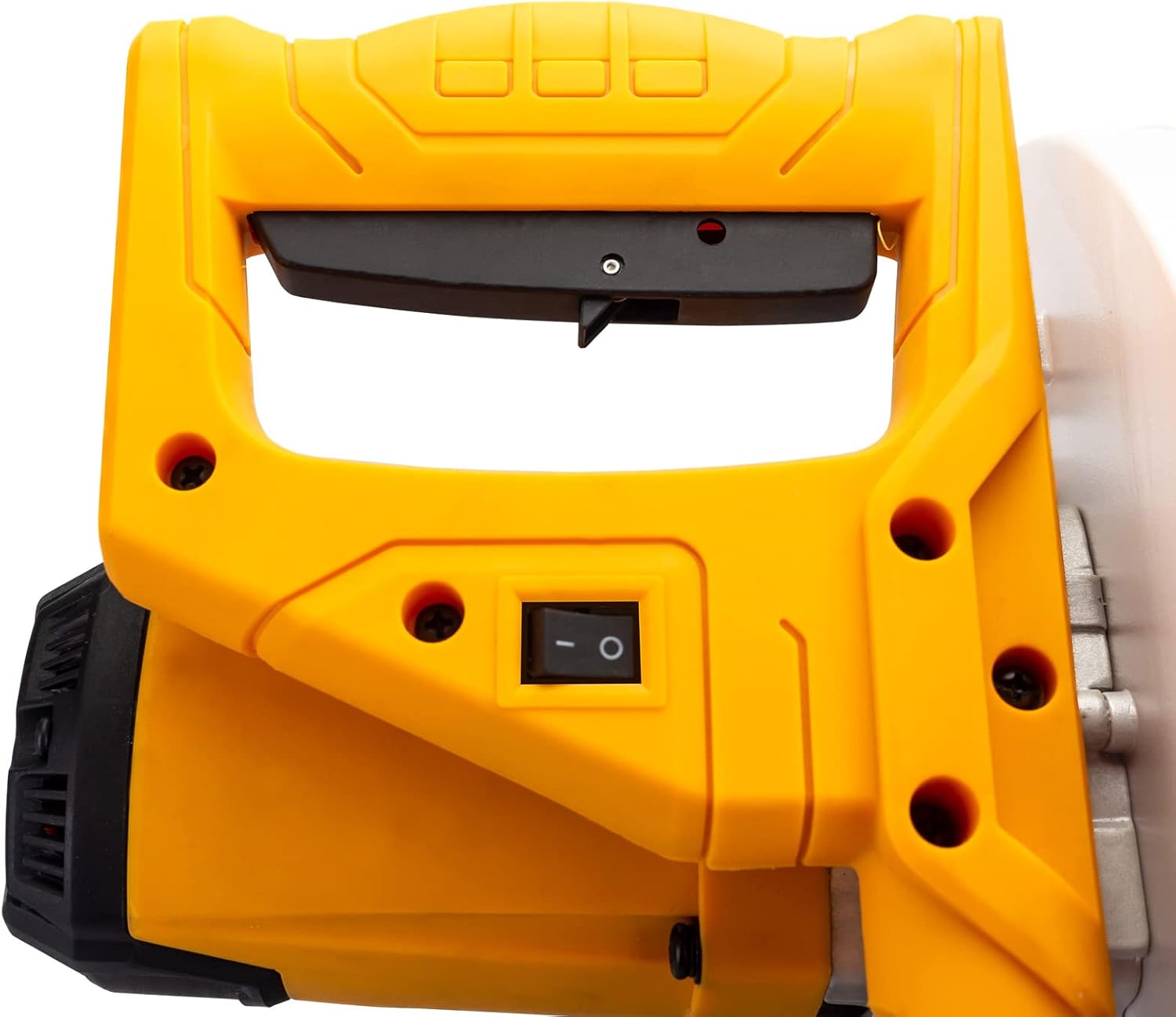
Figure 3: The ergonomic handle and power switch for operating the mitre saw.
Laser Guide Operation
The integrated laser guide projects a line onto the workpiece, indicating the exact cutting path of the blade. This enhances accuracy and allows for precise alignment before cutting.
- The laser guide is powered by the mains via a safety isolating transformer.
- To activate the laser, ensure the saw is plugged in and the laser switch (if separate) is turned on.
- Align the projected laser line with your desired cut mark on the workpiece.
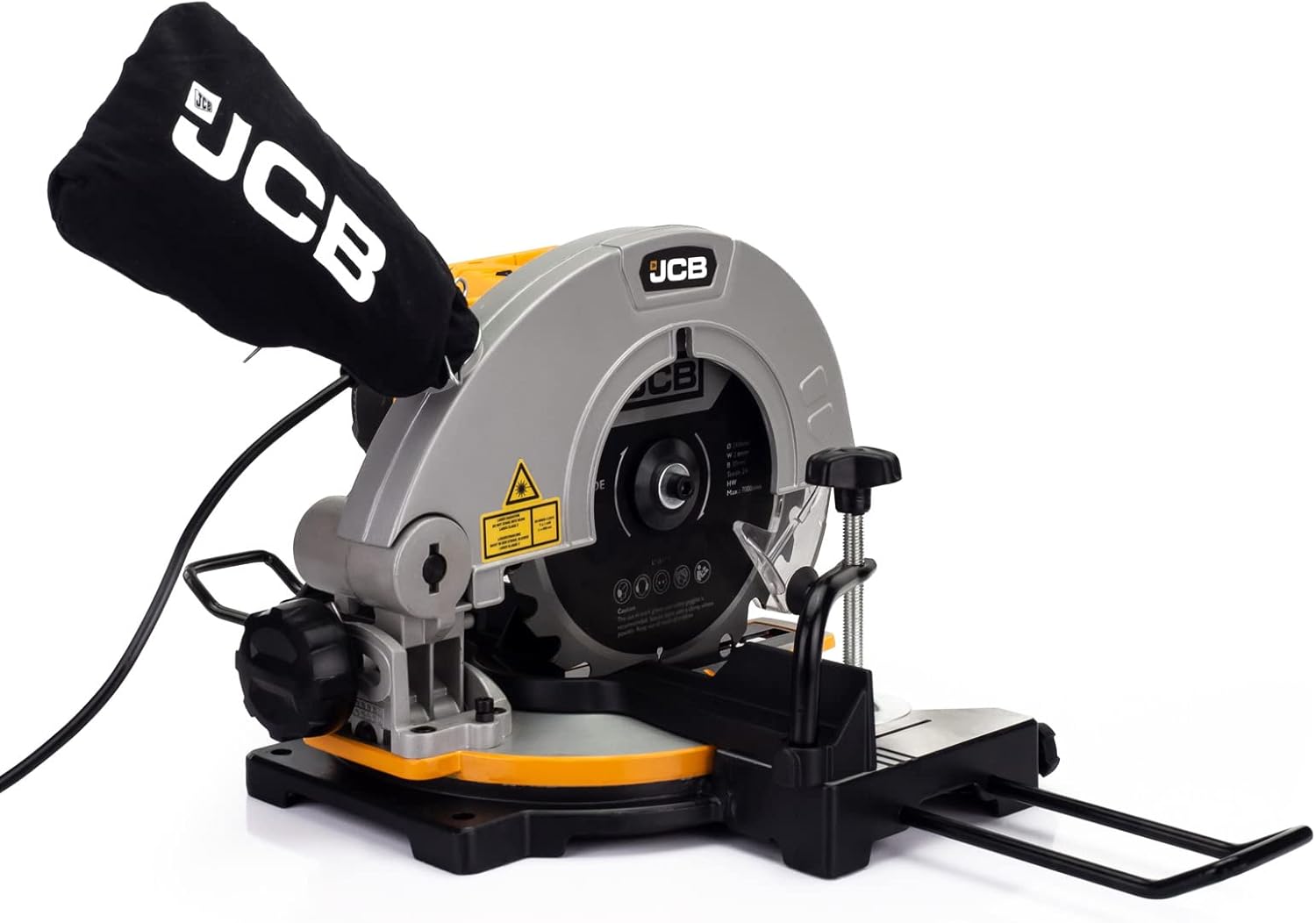
Figure 4: The laser guide mechanism, which projects a precise cutting line onto the workpiece.
It oanpassen fan Mitre Angles
The saw offers a cut range of -45° / 0° / +45° for various mitre cuts.
- Loosen the mitre lock knob located on the front of the saw base.
- Rotate the turntable to the desired angle indicated on the mitre scale.
- Tighten the mitre lock knob firmly to secure the turntable in position before making a cut.
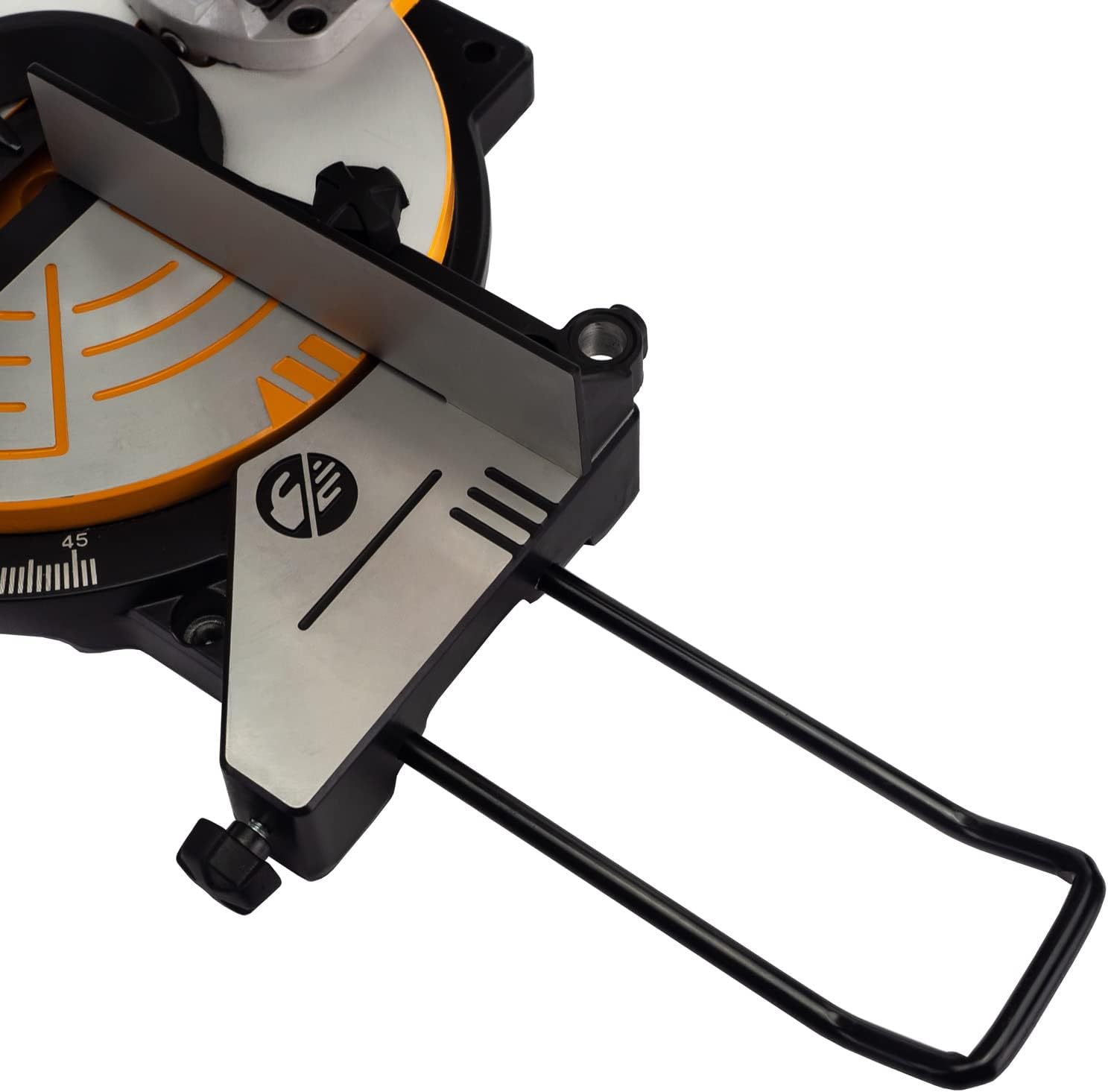
figuer 5: Detailed view of the saw base, showing the mitre angle scale and locking mechanism for precise adjustments.
Ûnderhâld
Regular maintenance ensures the longevity and optimal performance of your JCB Mitre Saw. Always unplug the saw before performing any maintenance.
- Reiniging: After each use, clean the saw thoroughly. Remove sawdust and debris from the blade guard, motor vents, and base. Use a soft brush or compressed air.
- Dust Bag: Empty the dust bag regularly to maintain effective dust collection. Clean the bag periodically to prevent clogging.
- Blade ynspeksje: Inspect the blade for sharpness, damage, or missing teeth before each use. A dull or damaged blade can cause kickback and poor cuts.
- Blade ferfanging: To replace the blade, ensure the saw is unplugged. Use the provided wrench to loosen the arbor nut while holding the blade lock button. Carefully remove the old blade and install the new 210mm blade, ensuring the teeth are oriented correctly. Tighten the arbor nut securely.
- Lubrication: Periodically apply a light coat of machine oil to moving parts and pivot points to ensure smooth operation.
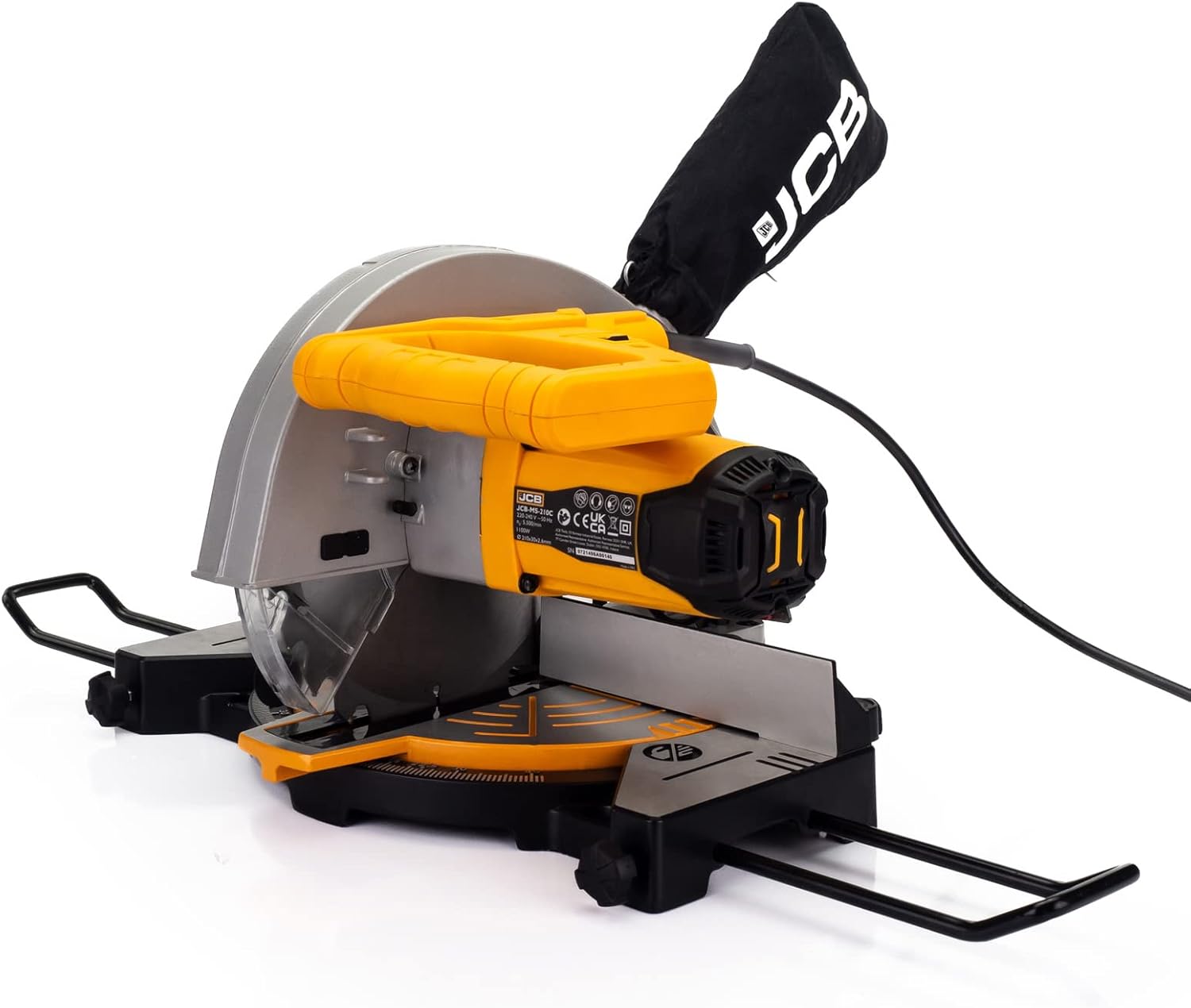
Figure 6: The dust collection bag attached to the mitre saw, essential for maintaining a clean work environment.
Troubleshooting
This section addresses common issues you might encounter with your JCB Mitre Saw.
| Probleem | Mooglike oarsaak | Oplossing |
|---|---|---|
| Saw begjint net | No power supply; Faulty switch; Motor overload. | Check power cord and outlet. Ensure switch is fully engaged. Allow motor to cool if overheated. |
| Blad snijt net skjin | Dull or damaged blade; Incorrect blade for material; Blade installed backward. | Replace blade. Ensure correct blade type for material. Check blade orientation. |
| Oermjittige trilling of lûd | Loose blade; Damaged blade; Unstable mounting. | Tighten blade arbor nut. Replace damaged blade. Securely mount saw to workbench. |
| Lasergids net sichtber | Laser switch off; Dirty laser lens; Bright ambient light. | Turn on laser switch. Clean laser lens. Reduce ambient light if possible. |
| Minne stofopfang | Dust bag full; Dust port clogged; Dust bag not properly attached. | Empty dust bag. Clear any clogs from dust port. Re-attach dust bag securely. |
Technyske spesifikaasjes
| Spesifikaasje | Detail |
|---|---|
| Model Number | 21-MS-210-C |
| Power Boarne | Corded elektryske |
| Voltage | 240 Volt |
| Wattage | 1100 watt |
| Blade Diameter | 210 mm |
| Blade Bore | 30 mm |
| Blade Dikte | 2.6 mm |
| Oantal tosken (blêd) | 24T (TCT) |
| No-load snelheid | 5500 RPM (max 7000/min) |
| Mitre Cut Range | -45° / 0° / +45° |
| Laser golflingte | 650 nm |
| Item Gewicht | 9 g |
| Package Ofmjittings | 48.4 x 32.2 x 29 sm |
Garânsje en stipe
This JCB Mitre Saw is backed by a JCB 3 Year Warranty. Dizze garânsje dekt defekten yn materialen en fakmanskip ûnder normaal gebrûk.
For warranty claims, technical assistance, or spare parts, please contact JCB customer support. UK support is available to assist with any queries or issues you may encounter.
Bewarje jo oankeapbewiis foar garânsjevalidaasje.