
1. Produkt Overview
The UNICOO L Shaped Desk is designed to provide a versatile and efficient workspace for home offices, gaming setups, and professional environments. Its L-shape maximizes corner space, offering ample surface area for multiple monitors, computers, and other essentials. This desk features a sturdy metal frame and a durable rustic brown finish, complemented by integrated storage options.
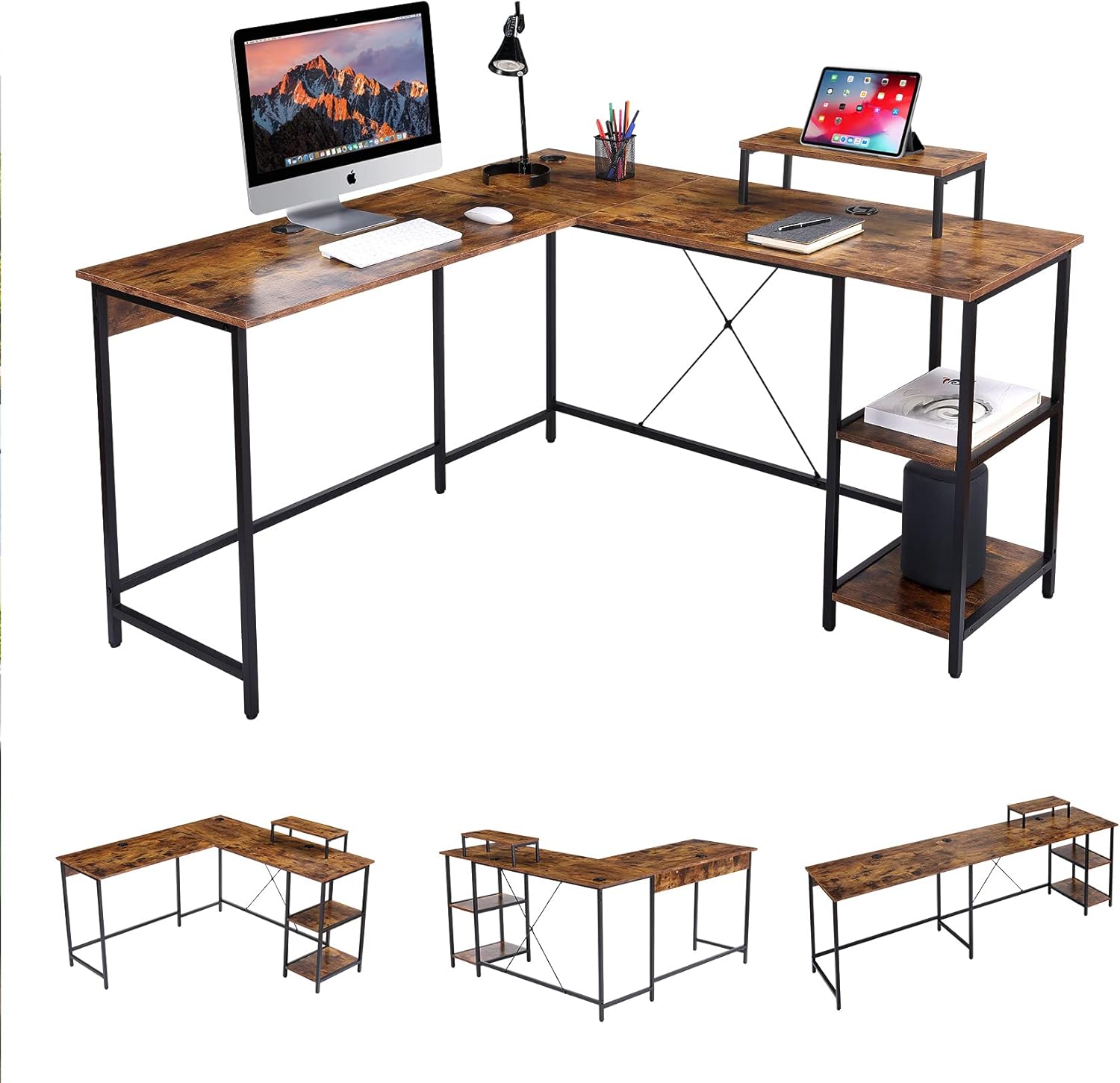
Ofbylding 1: oerview of the UNICOO L Shaped Desk in Rustic Brown.
2. Package Ynhâld
Before beginning assembly, please verify that all components listed below are present and undamaged. If any parts are missing or damaged, please contact UNICOO customer support.
- Desk Panels (L-shaped sections, monitor stand, shelf panels)
- Metalen frame-komponinten (poaten, stipebalken)
- Montagehardware (skroeven, bouten, moeren, ringen)
- Ferstelbere Foot Pads
- Ynstruksjehânlieding (dit dokumint)
Noat: Assembly tools are not included and must be provided by the user.
3. Opset en gearkomste
Follow these instructions carefully to assemble your UNICOO L Shaped Desk. It is recommended to have two people for assembly.
- Wurkromte tariede: Clear a spacious, stable, and level area for assembly. Lay out all components and hardware within easy reach.
- Frame gearstalle: Attach the metal legs to the main support bars using the provided hardware. Ensure all connections are secure but do not fully tighten screws until the entire frame is assembled.
- Befestigje buroblêdpanielen: Carefully place the desk panels onto the assembled frame. Secure them using the designated screws. The L-shape design is reversible, allowing you to configure the longer side to your left or right as needed.
- Install Shelves and Monitor Stand: Attach the two-tier adjustable shelves and the monitor stand to their respective positions on the desk.
- Finale tightening: Sadree't alle ûnderdielen op har plak binne en útrjochte binne, draaie jo alle skroeven en bouten folslein oan.
- Nivelleringsfuotten oanpasse: Pas de fuotpads oan 'e ûnderkant fan 'e buropoaten oan om derfoar te soargjen dat it buro stabyl en flak op jo flier stiet.

Image 2: Desk dimensions and L-shape configuration (55.1" x 19.7" & 55.1" x 29.9"H).

Image 3: Desk dimensions in straight configuration (90.6" x 19.7" x 29.9"H).

Image 4: The reversible design allows for left or right L-shape configuration.
4. Bedriuwsinstruksjes
The UNICOO L Shaped Desk is designed for optimal functionality and space utilization.
- Gebrûk fan wurkromte: Arrange your computer, monitors, and other office equipment on the spacious desk surface. The L-shape provides distinct areas for different tasks, enhancing productivity.
- Monitor Stand: Use the elevated monitor stand to position your screen at an ergonomic height, reducing neck and eye strain.
- Opslachplanken: Utilize the two-tier adjustable shelves for storing books, documents, a CPU tower, or other office supplies, keeping your workspace organized.
- Kabelbehear: The desk includes integrated cable grommets to help route and organize power cords and data cables, maintaining a tidy appearance.
Ofbylding 5: Detail view of the cable grommet for organization and adjustable foot pad for stability.
5. Underhâld
Proper maintenance ensures the longevity and appearance of your desk.
- Reiniging: Feie de buroblêdoerflakken ôf mei in sêfte, damp doek. Foarkom skuurmiddels of agressive gemikaliën dy't de finish beskeadigje kinne.
- Hardware kontrôle: Periodically inspect all screws and bolts to ensure they remain tight. Retighten if necessary to maintain stability.
- Gewicht ferdieling: Distribute weight evenly across the desk surface. Avoid placing excessively heavy items on one section.
6. Probleemoplossing
If you encounter any issues with your UNICOO L Shaped Desk, refer to the following common problems and solutions:
- Desk is Wobbly:
- Soargje derfoar dat alle gearstallingshardware folslein oandraaid is.
- Adjust the leveling foot pads on each leg to compensate for uneven floor surfaces.
- Verify that the desk is not overloaded beyond its maximum weight capacity.
- Dielen komme net oerien by it gearstallen:
- Loosen all screws slightly, realign the components, and then retighten.
- Double-check the instruction manual to ensure each part is oriented correctly.
If problems persist, please contact UNICOO customer support for assistance.
7. Spesifikaasjes
| Eigenskip | Detail |
|---|---|
| Merk | UNICOO |
| Model Number | B099DP5KC2 |
| Product Dimensions (L-shape) | 55.1"W x 19.7"D x 29.9"H (each side of L) |
| Product Dimensions (Straight) | 90.6"B x 19.7"D x 29.9"H |
| Kleur | Rustic Brown |
| Styl | Modern |
| Basis Materiaal | Alloy Staal |
| Top Materiaal Type | Metal (with wood-look finish) |
| Finish Type | Powder Coated (frame), Walnut (furniture finish) |
| Special Features | L Shaped Design, Reversible Configuration, 2-tier Adjustable Shelves, CPU Stand, Monitor Stand |
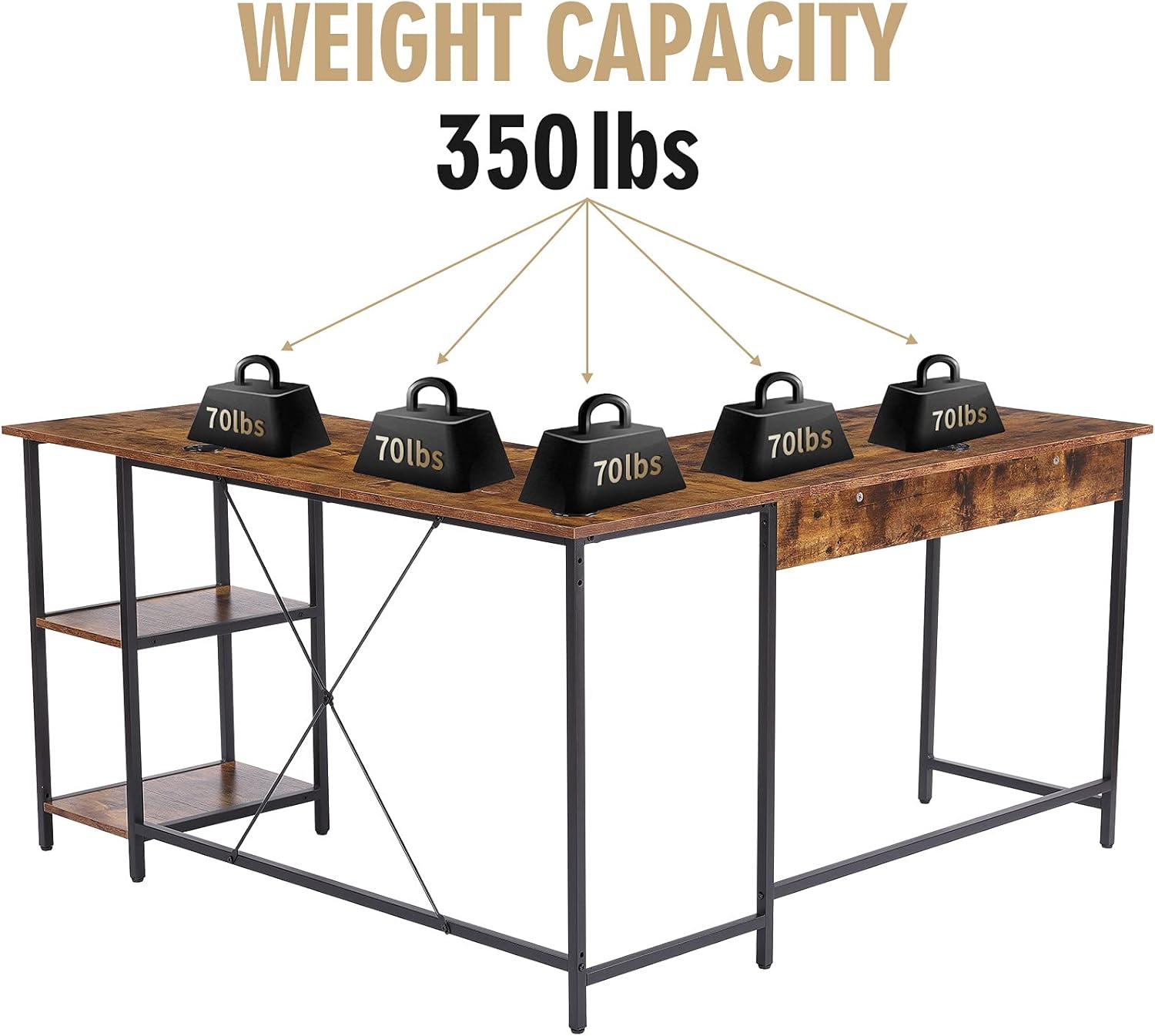
| Maksimum Weight Kapasiteit | 350 lbs |
| Gearstalling Required | Ja |
| Oantal planken | 2 |

Image 6: The desk has a maximum weight capacity of 350 lbs.
8. Warranty Information
The UNICOO L Shaped Desk comes with a Beheinde garânsje. For specific details regarding coverage, duration, and terms, please refer to the warranty documentation included with your purchase or visit the official UNICOO webside. Bewarje jo bewiis fan oankeap foar garânsjeclaims.
9. Klant Support
For any questions, assistance with assembly, troubleshooting, or warranty inquiries, please contact UNICOO customer support through the following channels:
- Online: Visit the official UNICOO webside foar stipeboarnen en kontaktformulieren.
- E-post: Sjoch yn jo oankeapdokumintaasje foar it e-mailadres fan 'e klanttsjinst.
- Amazon Store: Jo kinne ek besykje de UNICOO Store on Amazon foar ekstra produktynformaasje en stipeopsjes.