
Ynlieding
Tankewol foar de oankeapasing the Acctim Model 15789 Alarm Clock. This compact and versatile alarm clock features an LCD display showing time, calendar, and indoor temperature. It is designed for ease of use and portability, making it an ideal travel companion. Please read this manual carefully to ensure proper setup and operation.
Wichtige feiligens ynformaasje
- Stel de klok net bleat oan ekstreme temperatueren, direkt sinneljocht of hege fochtigens.
- Foarkom dat de klok falle lit of ûnderwurpen wurdt oan sterke stoten.
- Meitsje gjin âlde en nije batterijen, of ferskate soarten batterijen.
- Ferwiderje batterijen as de klok foar in langere perioade net brûkt wurdt om lekkage te foarkommen.
- Hâld bûten it berik fan bern.
Pakketynhâld
- Acctim Model 15789 Alarm Clock
- User Manual (dit dokumint)
Produkt Features
- Multi-function LCD display with time, calendar, and indoor temperature.
- Foldable travel case design for portability.
- Alarm mei snoozefunksje.
- Kompakte ôfmjittings: 71 x 63 x 63 mm.
Opsette
1. Batterij Ynstallaasje
The Acctim Model 15789 requires 2 x AAA batteries (not included).
- Iepenje de batterij compartment cover leit oan de efterkant fan 'e klok.
- Doch twa nije AAA-batterijen yn, en soargje derfoar dat de polariteit (+ en -) goed is lykas oanjûn yn it fak.
- Slút it deksel fan it batterijfak feilich.
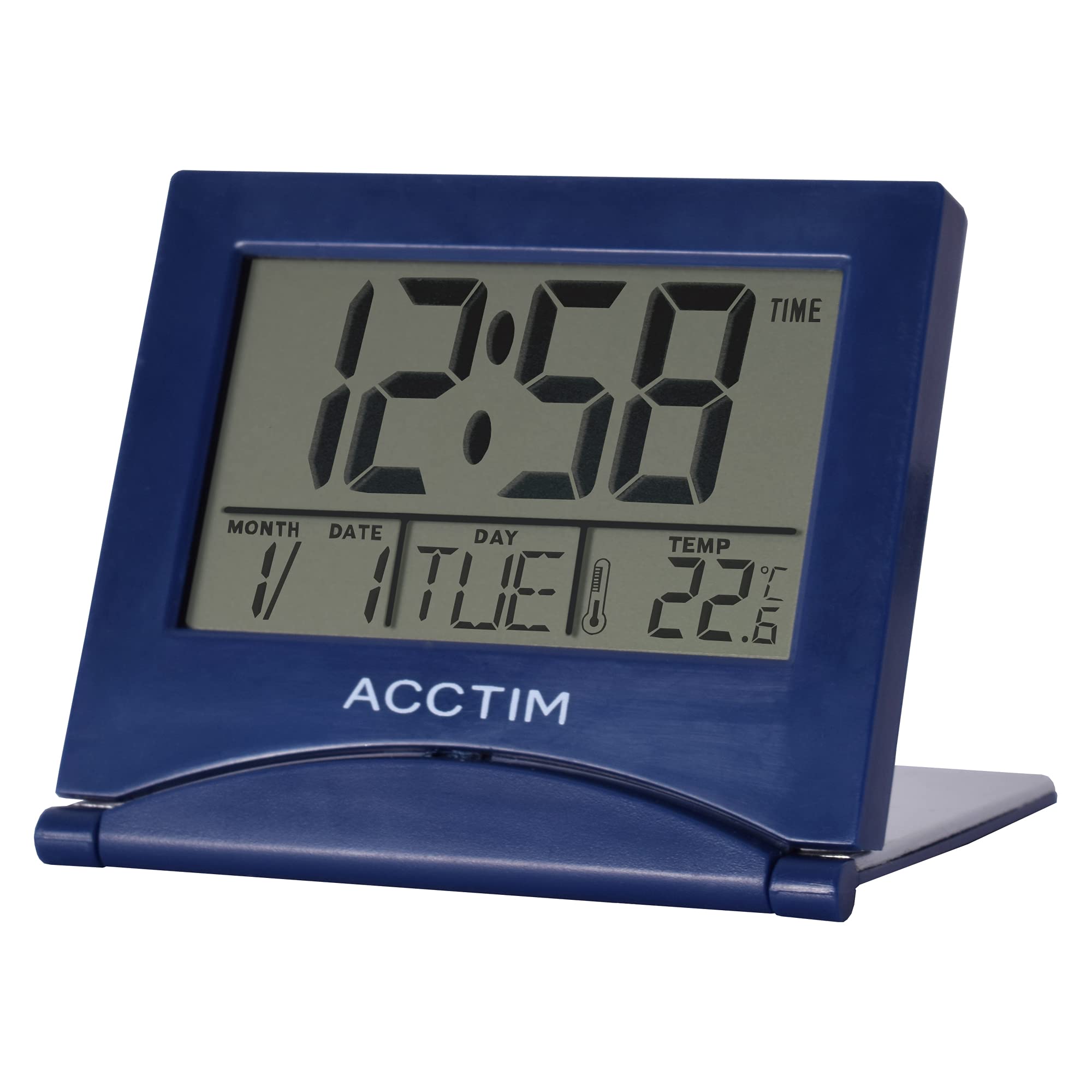
Ofbylding: Front view of the Acctim Model 15789 Alarm Clock, showing the LCD screen and compact design. This image illustrates the product's appearance for reference during setup and operation.
2. Earste ynskeakeling
Upon inserting the batteries, the clock will power on and display default time and date settings. You will need to set the current time and date.
Operating Instructions
Familiarize yourself with the buttons on your alarm clock. Typically, these include MODE, SET, UP, DOWN, and SNOOZE/LIGHT.
1. De tiid ynstelle
- Druk op de WIZE button repeatedly until the time display starts flashing or you enter time setting mode.
- Brûk de UP or OMLEECH knoppen om it oere oan te passen.
- Parse SET (of WIZE again) to confirm the hour and move to setting the minutes.
- Brûk de UP or OMLEECH knoppen om de minuten oan te passen.
- Parse SET (of WIZE again) to confirm the minutes and exit time setting mode.
2. It alarm ynstelle
- Druk op de WIZE knop oant de alarmtiid werjûn wurdt (faak oanjûn troch in alarmikoantsje).
- Druk en hâld de SET knop oant it alarmoere begjint te knipperjen.
- Brûk de UP or OMLEECH knoppen om de wekker oere oan te passen.
- Parse SET to confirm the alarm hour and move to setting the alarm minutes.
- Brûk de UP or OMLEECH knoppen om de alarmminuten oan te passen.
- Parse SET to confirm the alarm minutes.
- Om it alarm te aktivearjen of te deaktivearjen, druk op de UP or OMLEECH button while the alarm time is displayed. An alarm icon will appear or disappear on the screen.
3. Snooze-funksje
As it alarm klinkt, druk dan op de SNOOZE / LJOCHT button to temporarily silence the alarm. The alarm will sound again after a few minutes (typically 5-10 minutes, depending on the model). To turn off the alarm completely, press any other button.
4. Calendar and Temperature Display
The clock automatically displays the current date and indoor temperature. You can cycle through different display modes (e.g., time only, time and date, time and temperature) by pressing the WIZE button. To set the date, enter the time setting mode and continue pressing SET until the year, month, or day flashes, then adjust with UP/OMLEECH.
5. Backlight
Druk op de SNOOZE / LJOCHT button to activate the backlight for a few seconds, allowing you to read the display in low light conditions. Note that some models may emit a soft beep when this button is pressed.
Ûnderhâld
- Meitsje de klok skjin mei in sêfte, droege doek. Brûk gjin abrasive reinigingsmiddels of oplosmiddels.
- Replace batteries promptly when the display dims or functions become erratic.
Troubleshooting
| Probleem | Mooglike oplossing |
|---|---|
| It skerm is dim of leech. | Replace the batteries with new AAA batteries. Ensure correct polarity. |
| It alarm giet net ôf. | Ensure the alarm is activated (alarm icon visible). Check if the alarm volume is set (if applicable) or if batteries are low. |
| Ferkearde tiid of datum. | Follow the "Setting the Time" and "Calendar and Temperature Display" instructions to reset. |
| Knoppen reagearje net. | Ferwiderje en ynstallearje de batterijen opnij om in sêfte reset út te fieren. As it probleem oanhâldt, ferfange de batterijen. |
Spesifikaasjes
- Model Oantal: Acctim 15789
- Ofmjittings: 6.3 x 7.1 x 6.3 sm (H x B x D)
- Gewicht: 44 g
- Power Boarne: 2 x AAA-batterijen (net ynbegrepen)
- Display Type: LCD
- Spesjale eigenskippen: Alarm, Temperature Indicator, Calendar Display, Foldable Design
- Materiaal: Plestik
Garânsje en stipe
This Acctim product comes with a 2-jierrige garânsje from the date of purchase. This warranty covers manufacturing defects. It does not cover damage caused by misuse, accidents, unauthorized modifications, or normal wear and tear.
For technical support or warranty claims, please contact your retailer or visit the official Acctim webside foar ynformaasje oer klanttsjinst. Bewarje jo bewiis fan oankeap foar garânsjevalidaasje.