
Ansmann 1260-0006
ANSMANN AES4 Timer Switch User Manual
Model Oantal: 1260-0006
Brand: Ansmann
Produkt oerview
The ANSMANN AES4 Timer Switch is a digital weekly timer designed to automate the switching of electrical devices. It features a clear LCD display, 10 programmable switching times, a random function for simulating presence, and a summer time adjustment feature. This device helps in managing energy consumption and enhancing home security.

Ofbylding 1: Front view of the ANSMANN AES4 Timer Switch, showing the LCD display and control buttons.
Ynstelling en earste konfiguraasje
Before first use, ensure the timer switch is fully charged by plugging it into a live socket for at least 30 minutes. This will activate the internal battery for memory retention.
1. It apparaat weromsette
To clear all previous settings and ensure a fresh start, locate the small RESETTE button (usually recessed) and press it with a pointed object (e.g., a pen tip). The display will show all segments, then reset to 00:00.
2. Ynstelle fan aktuele tiid en dei
- Druk op de KLOK button once. The display will show the current time.
- Druk op de WIKE button repeatedly to set the current day (MO, TU, WE, TH, FR, SA, SU).
- Druk op de OERE knop ferskate kearen om it aktuele oere yn te stellen (0-23).
- Druk op de MINÚT knop ferskate kearen om de aktuele minút yn te stellen (0-59).
- To exit time setting mode, press any other button or wait approximately 30 seconds for the device to return to normal display.

Ofbylding 2: Close-up of the LCD display, illustrating the day and time setting interface. Note the "SUMMER" indicator for summer time function.
3. 12/24 Hour Display Selection
While in normal clock mode, press the KLOK knop en dan de TIMER button simultaneously to toggle between 12-hour (with AM/PM indicator) and 24-hour display formats.
4. Summer Time Function
To activate or deactivate the summer time (Daylight Saving Time) function, press the KLOK knop en dan de ON/AUTO/OFF button simultaneously. The display will show "SUMMER" when activated, and the time will advance by one hour.
Operating Instructions
The AES4 Timer Switch allows for up to 10 ON/OFF programs per day or week, along with manual control and a random function.
1. Programmearjen fan OAN/ÚT-tiden
- Druk op de TIMER button. The display will show "1 ON". This is the first ON program.
- Gebrûk WIKE, OERE, en MINÚT buttons to set the desired ON time and day(s) for this program. You can select specific days, weekdays, weekends, or all days.
- Druk op de TIMER button again. The display will show "1 OFF". This is the first OFF program.
- Gebrûk WIKE, OERE, en MINÚT buttons to set the desired OFF time and day(s) for this program.
- Repeat steps 1-4 for up to 10 ON/OFF programs. Pressing TIMER will cycle through P1 ON, P1 OFF, P2 ON, P2 OFF, ..., P10 ON, P10 OFF.
- Om de programmearring modus te ferlitten, druk op de KLOK knop of wachtsje 30 sekonden.

Ofbylding 3: Example of the timer switch being used to automate Christmas lighting, turning lights on from 17:00 to 08:00.
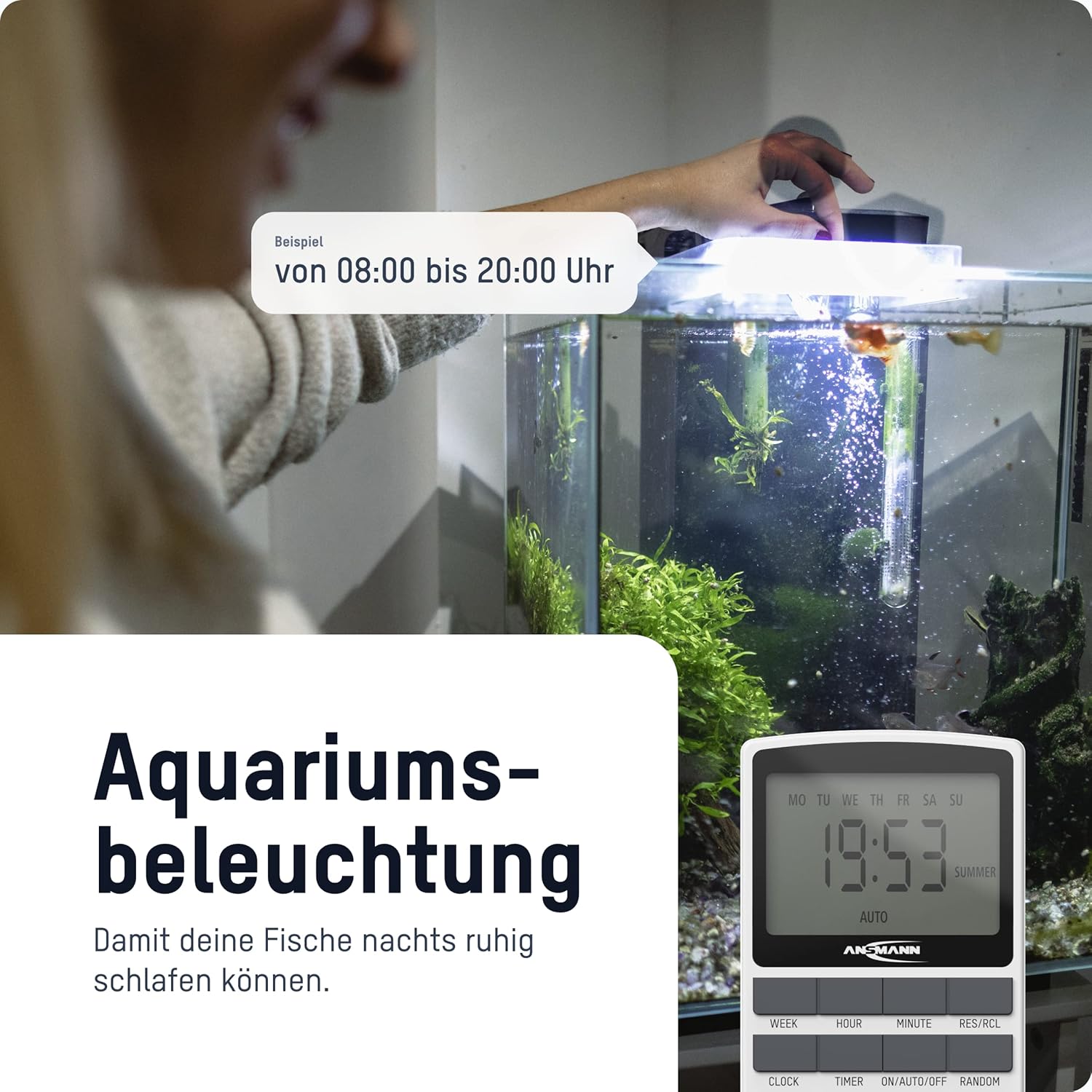
Ofbylding 4: The timer switch automating aquarium lighting, ensuring fish have a regular light cycle, for example, fan 08:00 oan 20:00.
2. Manual ON/AUTO/OFF Mode
Druk op de ON/AUTO/OFF knop om troch de wurkmodi te blêdzjen:
- OP: The connected device is continuously ON, overriding all programs.
- AUTO: The connected device operates according to the programmed ON/OFF times. This is the standard operating mode for automated control.
- ÚT: The connected device is continuously OFF, overriding all programs.
3. Random Funksje
The random function is designed to simulate presence in your home by randomly switching the connected device ON and OFF within a specific time window (e.g., 18:00 to 06:00). This can deter potential intruders.
To activate the random function, press the WILLEKEURICH button. "RANDOM" will appear on the display. Press it again to deactivate.
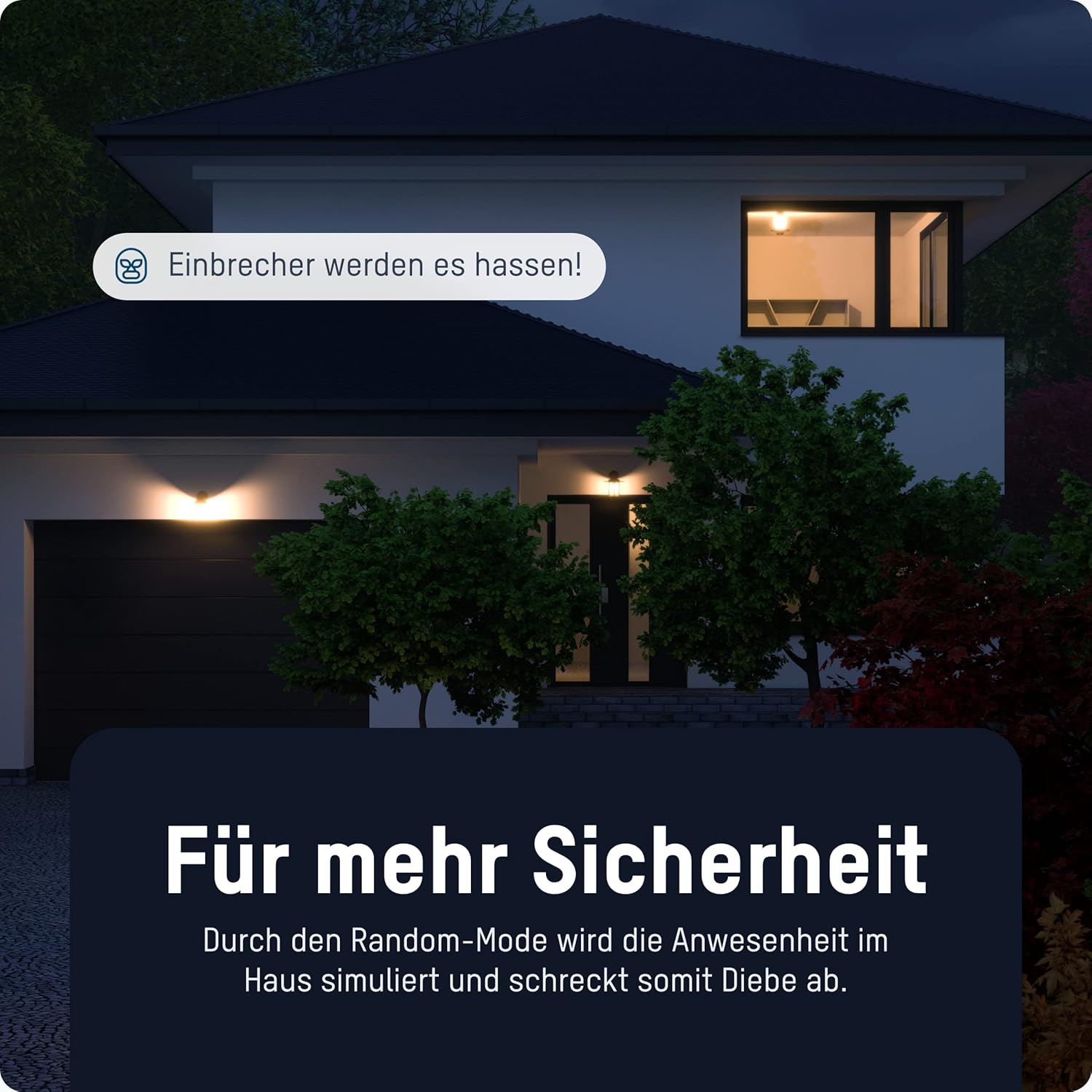
Ofbylding 5: The timer switch utilizing its random mode to simulate occupancy, enhancing home security by randomly turning lights on and off.
Ûnderhâld
The ANSMANN AES4 Timer Switch requires minimal maintenance.
- Reiniging: Feie it apparaat ôf mei in sêfte, droege doek. Brûk gjin skurende reinigingsmiddels of oplosmiddels. Soargje derfoar dat it apparaat útskeakele is foardat jo it skjinmeitsje.
- Opslach: If storing the device for an extended period, ensure it is unplugged and kept in a dry, cool place.
- Batterij: The internal battery is designed for memory retention during power outages. It is not user-replaceable.
Troubleshooting
If you encounter issues with your ANSMANN AES4 Timer Switch, try the following steps:
- It skerm is leech of reagearret net: Ensure the timer is plugged into a live power outlet. If it has been unplugged for a long time, the internal battery might be depleted. Plug it in for at least 30 minutes to charge.
- Programma's rinne net:
- Check if the timer is in "AUTO" mode. If it's in "ON" or "OFF" mode, programs will be overridden.
- Kontrolearje oft de hjoeddeiske tiid en dei goed ynsteld binne.
- Review your programmed ON/OFF times to ensure they are set as intended and do not conflict.
- Device connected to timer is not turning ON/OFF:
- Ensure the connected device is properly plugged into the timer switch.
- Check if the connected device itself is working by plugging it directly into a wall socket.
- Ensure the timer switch is receiving power.
- Willekeurige funksje wurket net: Ensure the "RANDOM" indicator is visible on the display.
- Algemiene defekt: Perform a full reset of the device by pressing the recessed RESETTE button. Note that this will erase all programmed settings.
Spesifikaasjes
| Eigenskip | Detail |
|---|---|
| Model Number | 1260-0006 |
| Produkt Ofmjittings | 2.36 x 2.35 x 5.31 inch |
| Item Gewicht | 5.4 ounces (153 gram) |
| Skermgrutte | 2.1 ynms |
| Max. Power Rating | 3680 W (as per product title/description) |
| Switching Times | Up to 10 ON/OFF programs per day/week |
| Funksjes | Digital Timer, Random Function, Summer Time, 12/24-hour display |
Garânsje en stipe
For detailed warranty information and technical support, please refer to the official Ansmann webside of nim direkt kontakt op mei harren klanttsjinst. Bewarje jo oankeapbewiis as bewiis fan oankeap.
Official Ansmann Website: www.ansmann.de
Ask a question about this manual
Ask about setup, troubleshooting, compatibility, parts, safety, or missing instructions. Manuals+ will review the question and use this page’s manual context to help answer it.