It ynstellen fan de tiid
Use the time setting knob located on the back of the clock to adjust the hour and minute hands. Rotate the knob clockwise or counter-clockwise until the correct time is displayed.

Model: B09JKWDFTT | Brand: ROTH
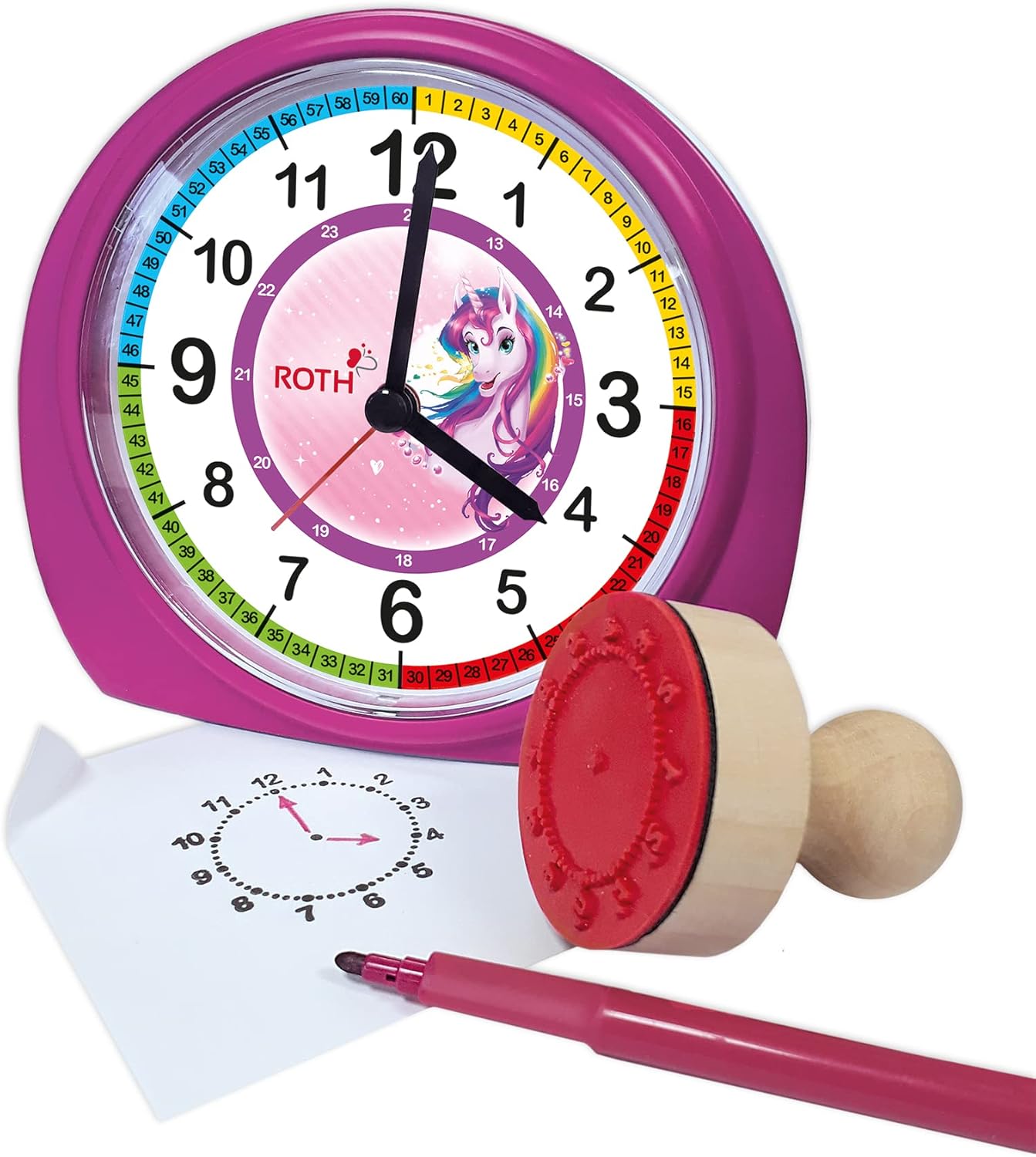
This manual provides comprehensive instructions for the ROTH Educational Alarm Clock and Stamp Set. Designed to assist children in learning to tell time, this set includes an alarm clock with various features and a complementary stamp set for practice. Please read this manual thoroughly before use to ensure proper operation and safety.

WARNING: CHOKING HAZARD – Small parts. Not suitable for children under 3 years.
Kontrolearje asjebleaft it pakket om der wis fan te wêzen dat alle items oanwêzich binne:

The alarm clock requires 1x AA battery (not included).

Use the time setting knob located on the back of the clock to adjust the hour and minute hands. Rotate the knob clockwise or counter-clockwise until the correct time is displayed.
Use the alarm setting knob, also on the back, to set the desired alarm time. The alarm will sound a beep when the set time is reached. To activate or deactivate the alarm, use the ON/OFF switch located on the side of the clock.

When the alarm sounds, press the large button on the top of the clock to activate the snooze function. The alarm will temporarily stop and sound again after a short interval.
The clock features a backlight for visibility in low-light conditions. Press the backlight button, typically located on the top or side, to illuminate the clock face.
The included wooden stamp and ink pad are designed to help children practice telling time. The stamp creates a clock face outline on paper, allowing children to draw in the hands for various times.

| Probleem | Mooglike oarsaak | Oplossing |
|---|---|---|
| Klok wurket net | Batterij is dea of ferkeard ynfoege. | Replace battery (1x AA) or check polarity. |
| Alarm klinkt net | It alarm is net aktivearre of ferkeard ynsteld. | Ensure alarm ON/OFF switch is in the 'ON' position and alarm time is set correctly. |
| Backlight wurket net | Battery low or backlight button not pressed. | Replace battery or press the backlight button firmly. |
| Stamp not making clear impression | Ink pad is dry or stamp not evenly inked. | Ensure ink pad is moist; re-ink stamp evenly. Replace ink pad if necessary. |
| Eigenskip | Detail |
|---|---|
| Produkt Ofmjittings (LxWxH) | 20 x 21.1 x 7.3 sm |
| Item Gewicht | 350g wy |
| Special Features | Snooze, Alarm, Backlight |
| Merk | ROTH |
| Age Range (Beskriuwing) | Bern |
| Materiaal | Wood (Stamp), Plastic (Clock) |
| Kleur | Rôze |
| Power Boarne | Batterij Powered |
| Batterij Type | 1x AA (net ynbegrepen) |
This product comes with a standard manufacturer's warranty. For specific warranty details, including duration and coverage, please refer to the product packaging or contact ROTH customer support directly. If you encounter any issues or have questions not covered in this manual, please reach out to the retailer or manufacturer for assistance.
For further support, please visit the official ROTH website of nim kontakt op mei harren klanteservice ôfdieling.
Ask about setup, troubleshooting, compatibility, parts, safety, or missing instructions. Manuals+ will review the question and use this page’s manual context to help answer it.