
1. Ynlieding
Tankewol foar de oankeapasing the Comix S360A Cross Cut Paper Shredder. This manual provides essential information for the safe and efficient operation, maintenance, and troubleshooting of your shredder. Please read these instructions carefully before use and retain them for future reference.
The Comix S360A is designed for secure disposal of sensitive documents, credit cards, and CDs. It features a cross-cut mechanism for enhanced security and includes a jam-proof system with reverse and forward functions to clear paper jams. An energy-saving mode ensures optimal efficiency during operation.
2. Wichtige Safety Ynstruksjes
WARSKÔGING: It net folgjen fan dizze feilichheidsynstruksjes kin liede ta brân, elektryske skok of ferwûnings.
- Hâld bern en húsdieren fuort fan 'e shredder.
- Keep loose clothing, jewelry, hair, and ties away from the paper entry slot.
- Do not insert fingers or other body parts into the paper entry slot.
- Do not spray any flammable products or lubricants into the shredder.
- Fersnipperje gjin metalen objekten, wiet papier of selslijmende etiketten.
- Doch altyd it stopkontakt fan 'e fersnipperaar út it stopkontakt as jo it net brûke of foardat jo it skjinmeitsje.
- Do not operate the shredder if the power cord is damaged. Contact customer support for assistance.
- Soargje derfoar dat de shredder op in stabyl, flak oerflak pleatst wurdt.
- Do not overload the shredder beyond its specified sheet capacity.
3. Package Ynhâld
Kontrolearje asjebleaft it pakket op de folgjende items:
- Comix S360A Shredder Head
- Waste Bin (13 Liter capacity)
- Ynstruksjehânlieding (dit dokumint)
4. Opsette
- Pak de fersnipperaar út: Ferwiderje alle komponinten foarsichtich út 'e ferpakking.
- Place the Waste Bin: Position the waste bin on a flat, stable surface.
- Mount the Shredder Head: Carefully place the shredder head onto the top of the waste bin, ensuring it is securely seated. The shredder will not operate if the head is not correctly positioned.
- Ferbine macht: Stek de macht cord yn in standert elektryske outlet.
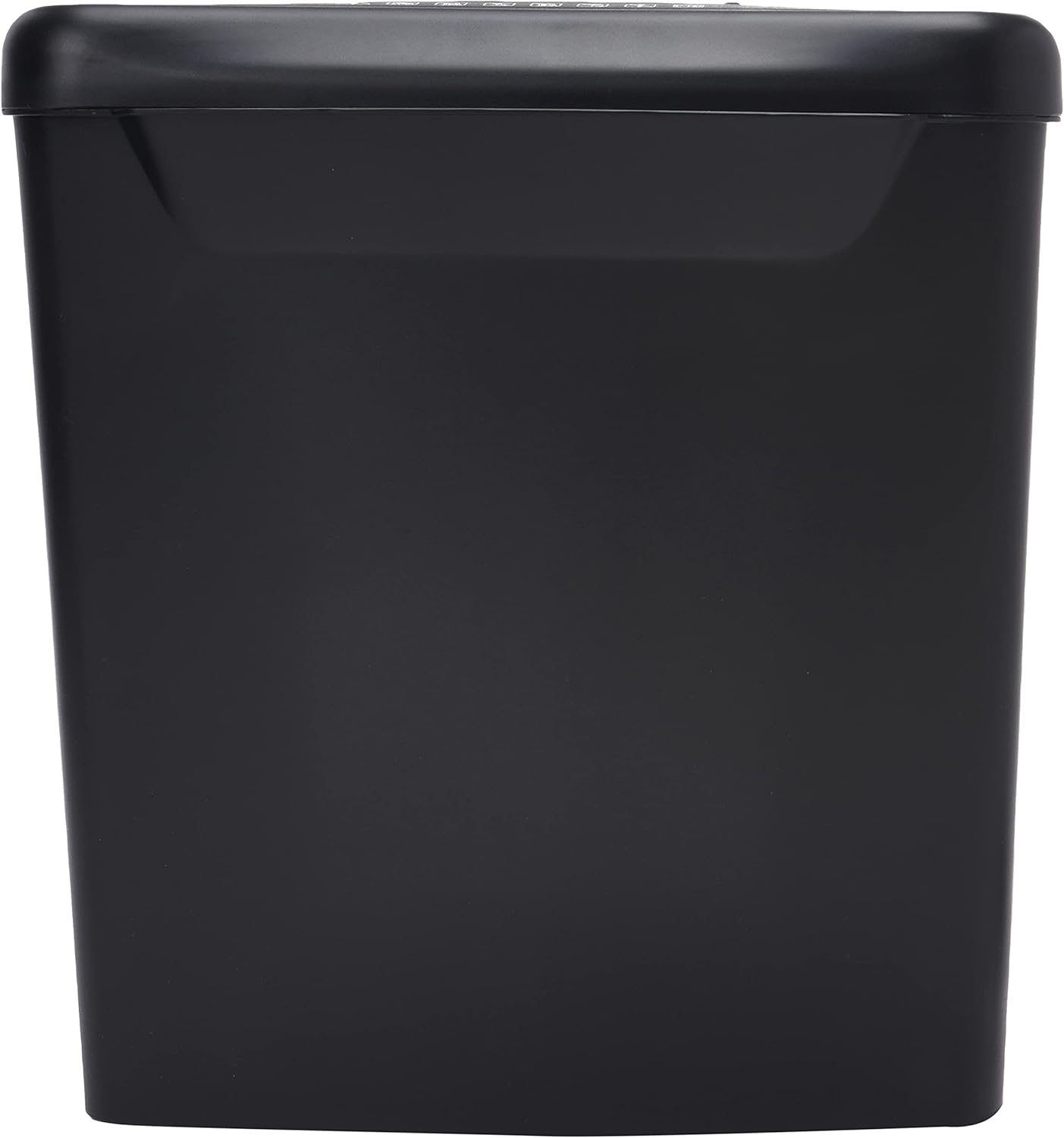
Ofbylding: Side view of the Comix S360A shredder bin, showing its black exterior and compact design. The shredder head is not visible in this image.
5. Bedriuwsinstruksjes
5.1 Control Switch
The shredder features a slide switch with three positions:
- AUTO: The shredder will automatically start when paper is inserted and stop when shredding is complete. This is the normal operating mode.
- ÚT: The shredder is powered off. Always set the switch to OFF when emptying the bin or when the shredder is not in use.
- REV (Omkearde): This position reverses the shredder blades to help clear paper jams.

Ofbylding: Boppe view of the shredder head, highlighting the paper entry slot, the three-position control switch (Rev, OFF, Auto), and various safety warning icons.
5.2 Dokuminten fersnipperje
- Ensure the shredder head is securely placed on the waste bin.
- Stek de macht cord yn in elektryske outlet.
- Stel de kontrôleskeakel yn op AUTO.
- Insert up to 8 sheets of 70gsm A4 paper into the paper entry slot. The shredder will start automatically.
- For credit cards or CDs, use the dedicated slot if available (refer to product specifications for capability).
- The shredder will stop automatically once the shredding process is complete.
5.3 Duty Cycle
The Comix S360A has a continuous run time of 2 minuten, followed by a rest time of 40 minuten. Exceeding the run time may cause the shredder to overheat and automatically shut off. Allow the shredder to cool down for the specified rest time before resuming operation.
6. Underhâld
6.1 De ôffalbak leegje
- Stel de kontrôleskeakel yn op ÚT.
- Doch de stekker fan 'e fersnipperaar út it stopkontakt.
- Lift the shredder head off the waste bin.
- Dispose of the shredded paper.
- Set de fersnipperkop feilich werom op 'e jiskefetbak.
- Plug the shredder back into the power outlet.
6.2 Oiling the Shredder Blades
Regular oiling of the shredder blades is recommended to maintain optimal performance and extend the life of your shredder. Use shredder oil specifically designed for paper shredders.
- Bring in tinne line fersnipperoalje oan oer de papierynfiersleuf.
- Stel de kontrôleskeakel yn op AUTO.
- Insert a sheet of paper to distribute the oil evenly across the blades.
- Repeat this process periodically, especially after emptying a full waste bin or if the shredder's performance decreases.
6.3 Cleaning
Feie de bûtenkant fan 'e fersnipperaar ôf mei in sêfte, droege doek. Brûk gjin abrasive reinigingsmiddels of oplosmiddels. Soargje derfoar dat de stekker fan 'e fersnipperaar út it stopkontakt is helle foardat jo it skjinmeitsje.
7. Probleemoplossing
| Probleem | Mooglike oarsaak | Oplossing |
|---|---|---|
| De shredder begjint net. |
|
|
| Papier jam. |
|
|
| De fersnipperaar stoppet tidens operaasje. |
|
|
8. Spesifikaasjes
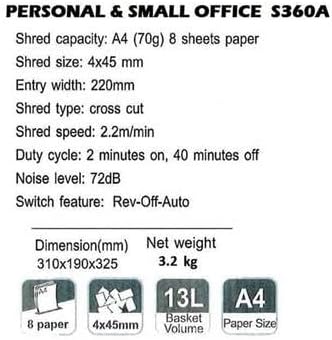
Image: Technical specifications sheet for the Comix S360A, detailing performance metrics and physical attributes.
- Model: S360A
- Snijtype: Cross Cut
- Shred grutte: 4 x 45 mm
- Shred Capacity (A4, 70g): 8 blêden
- Yngong Breedte: 220 mm
- Snijsnelheid: 2.2 m/min
- Kapasiteit fan ôffalbak: 13 liter
- Duty Cycle: 2 minuten oan / 40 minuten út
- Noise Level: 72 dB
- Switch Feature: Rev-Off-Auto
- Produkt Ofmjittings: 310 x 190 x 325 mm (L x B x H)
- Netto gewicht: 3.2 kg
- Spesjale eigenskippen: Energy Saving Mode, Jam Pro, Quiet Operation
9. Garânsje en stipe
For warranty information or technical support, please refer to the warranty card included with your product or contact Comix customer service through their official website or the retailer where the product was purchased. Please have your model number (S360A) and purchase date available when contacting support.