
Perixx PERIBOARD-332
Perixx PERIBOARD-332 Bedraad efterljochte USB-toetseboerd brûkershantlieding
Ynlieding
This manual provides detailed instructions for the setup, operation, maintenance, and troubleshooting of your Perixx PERIBOARD-332 Wired Backlit USB Keyboard. Please read this manual thoroughly before using the product to ensure optimal performance and longevity.

Image: The Perixx PERIBOARD-332 Wired Backlit USB Keyboard, showcasing syn kompakte ûntwerp.
Pakketynhâld
Kontrolearje oft alle items yn it pakket oanwêzich binne:
- Perixx PERIBOARD-332 Wired Backlit USB Keyboard
- Yntegrearre USB Kabel
- User Manual (dit dokumint)

Image: The Perixx PERIBOARD-332 keyboard, its integrated USB cable, the user manual, and the product packaging.
Setup Ynstruksjes
Ferbine it toetseboerd: Locate an available USB port on your computer (PC, laptop, tablet, or smartphone with appropriate adapter). Insert the USB cable from the PERIBOARD-332 into the USB port.
Driver ynstallaasje: The keyboard is plug-and-play and typically does not require additional drivers for basic functionality on Windows, macOS, Linux, or Chrome OS. Your operating system should automatically detect and configure the device.
Pleatsing: Place the keyboard on a stable, flat surface. The compact design is ideal for small workspaces.

Image: A user typing on the Perixx PERIBOARD-332 keyboard, demonstrating its compact size and wired connection on a desk.
Operating Instructions
Algemien gebrûk
The Perixx PERIBOARD-332 features a standard US English QWERTY layout with 84 keys. Its low-profile scissor keys provide a quiet and comfortable typing experience, similar to laptop keyboards. The compact design helps optimize desk space.

Image: A user typing on the Perixx PERIBOARD-332 keyboard, highlighting its compact size and ergonomic placement in a workspace.

Ofbylding: Close-up view of the sculpted, low-profile scissor keys of the Perixx PERIBOARD-332, highlighting their design.
Function Keys (Fn Hotkeys)
The keyboard includes integrated Fn hotkeys for quick access to multimedia and system functions. These functions are primarily designed for Windows operating systems. For other operating systems (macOS, Linux, Chrome OS), their functionality may vary or require specific system settings/configurations.
- Fn+F1: Fn Slot
- Fn+F2: Backlight Brightness Adjustment (Cycle through levels)
- Fn+F3: Mute
- Fn+F4: Volume del
- Fn+F5: Volume omheech
- Fn+F6: Foarige Track
- Fn+F7: Play / Pause
- Fn+F8: Folgjende Track
- Fn+F9: Skoftsje
- Fn+F10: Scroll Lock
- Fn+F11: Ynfoegje
- Fn+F12: Print skerm

Image: Diagram illustrating the integrated Fn hotkeys on the Perixx PERIBOARD-332, showing the function of each F-key when pressed with the Fn key.
Backlight Control
The PERIBOARD-332 features white LED backlighting with adjustable brightness. To adjust the backlight brightness, press the Fn + F2 keys simultaneously. Repeatedly pressing this combination will cycle through different brightness levels (including off).
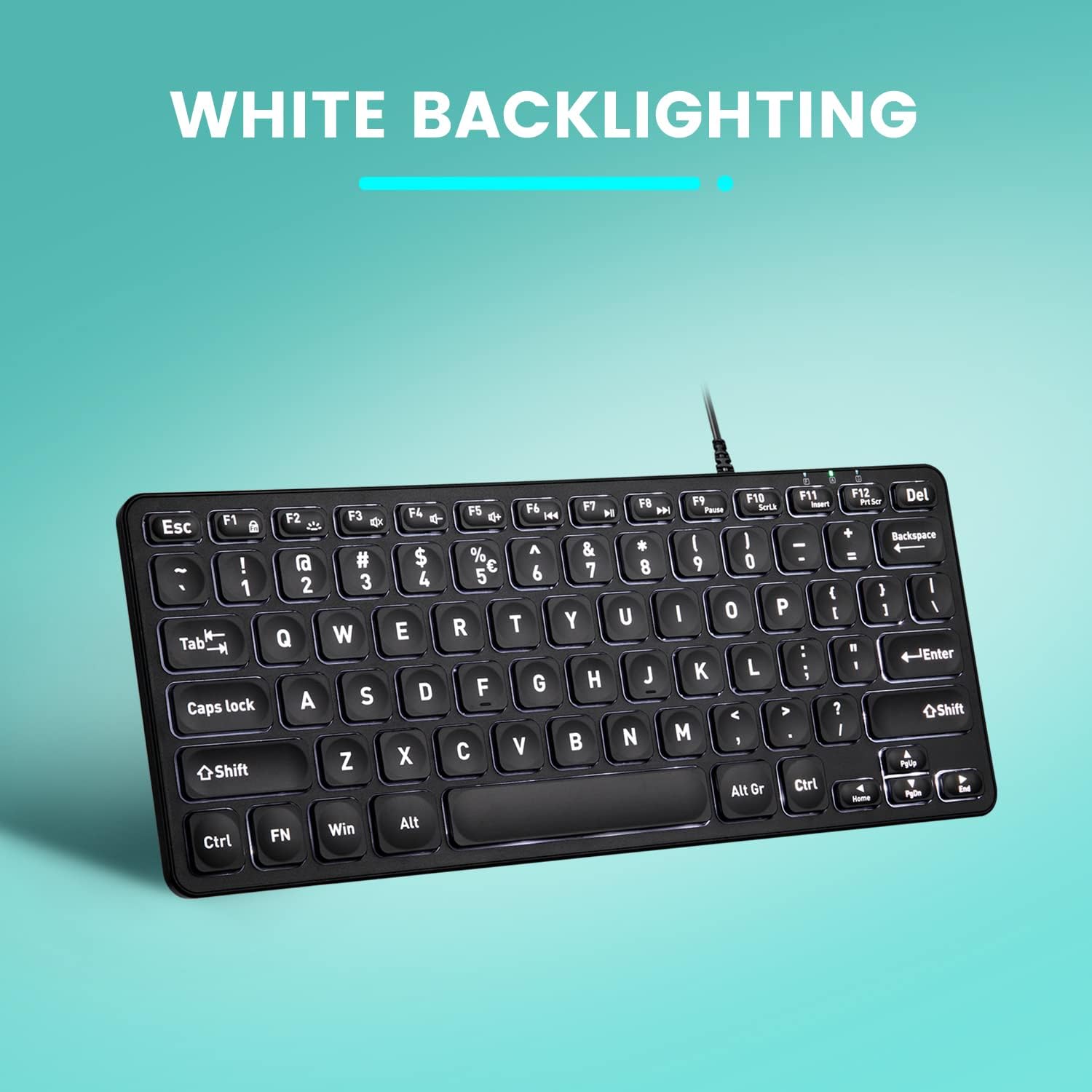
Ofbylding: Boppe-nei-ûnderen view of the Perixx PERIBOARD-332 keyboard with its white LED backlighting illuminated, showcasing the clear, large font on the keys.
Ûnderhâld
To ensure the longevity and proper functioning of your keyboard, follow these maintenance guidelines:
- Reiniging: Brûk in sêft, pluisfrij doek wat dampened with water or a mild cleaning solution to wipe the surface of the keyboard. Avoid excessive moisture. Do not spray cleaners directly onto the keyboard.
- Stof fuortsmite: Brûk komprimearre lucht om stof en pún tusken de toetsen te ferwiderjen.
- Avoid spills: Keep liquids away from the keyboard to prevent damage. The keyboard is not water-resistant.
- Opslach: As it net yn gebrûk is, bewarje it toetseboerd dan yn in skjinne, droege omjouwing, fuort fan ekstreme temperatueren.
Troubleshooting
If you encounter issues with your Perixx PERIBOARD-332, refer to the following common solutions:
Toetseboerd reagearret net
- Kontrolearje USB-ferbining: Ensure the USB cable is securely plugged into both the keyboard and the computer's USB port. Try a different USB port.
- Computer opnij starte: Sometimes, a simple computer restart can resolve connectivity issues.
- Test op in oar apparaat: Connect the keyboard to another computer or device to determine if the issue is with the keyboard or the original computer.
Backlight Not Working or Adjusting
- Check Brightness Setting: Parse Fn + F2 repeatedly to cycle through all brightness levels, including off. Ensure it's not set to the lowest or off setting.
- Power Boarne: Ensure the keyboard is properly connected to a powered USB port.
Toetsen wurkje net goed
- Skjinne toetsen: Kontrolearje op pún of obstakels ûnder de troffen toetsen. Brûk perslucht om se te ferwiderjen.
- Software konflikten: If specific keys are not working, check for any software or driver conflicts on your computer.
Multimedia Keys Not Working on macOS/Linux/Chrome OS
- Bestjoeringssysteemkompatibiliteit: The multimedia shortcut keys are primarily designed for Windows. On other operating systems, their functionality may vary or require specific system settings/configurations.
Spesifikaasjes
| Eigenskip | Detail |
|---|---|
| Merk | Perixx |
| Model Number | PERIBOARD-332 |
| Konnektivität Technology | USB (Wired) |
| Toetseboerdbeskriuwing | US English QWERTY |
| Special Feature | Backlit (White LED) |
| Switch Type | Scissor Switches |
| Oantal Keys | 84 |
| Produkt Ofmjittings (L x B x H) | 11.22" x 4.57" x 0.83" (28.5 sm x 11.6 sm x 2.1 sm) |
| Item Gewicht | 0.79 lbs (12.3 Ounces / 350 grams approx.) |
| Kompatibele apparaten | PC, Laptop, Tablet, Smartphone (with compatible USB port/adapter) |
| Kompatibiliteit fan bestjoeringssysteem | Windows 7, 8, 10, 11; macOS; Linux; Chrome OS |
| Materiaal | Plestik |
Garânsje en stipe
Warranty Information
Your Perixx PERIBOARD-332 keyboard comes with a 12-moanne beheinde garânsje from the date of purchase. This warranty covers manufacturing defects and workmanship under normal use. It does not cover damage caused by misuse, accidents, unauthorized modifications, or external factors.
Bewarje asjebleaft jo oankeapbewiis foar garânsjeclaims.
Klant Support
For technical assistance, warranty claims, or any questions regarding your Perixx product, please visit the official Perixx website or contact their customer support team. Contact information can typically be found on the Perixx webside of yn 'e produktferpakking.
Jo kinne ek besykje de Perixx Store on Amazon foar mear ynformaasje en stipe boarnen.