
Ynlieding
This manual provides essential information for the safe and efficient operation of your Audiolab Omnia All-in-One Music System. Please read these instructions carefully before use and retain them for future reference. The Audiolab Omnia is designed to deliver high-fidelity audio performance from various sources, including CD, streaming, and external devices.
Wichtige feiligens ynformaasje
- Streamtafier: Connect the unit only to an AC power source of the type marked on the rear panel. Ensure the power cord is securely plugged into the unit and the wall outlet.
- Ventilaasje: Blokkearje gjin fentilaasje-iepeningen. Soargje foar foldwaande luchtstream om it apparaat hinne om oerferhitting te foarkommen.
- Wetter en focht: Do not expose the unit to rain, moisture, or excessive humidity. Do not place objects filled with liquids, such as vases, on the unit.
- Heat boarnen: Hâld it apparaat fuort fan waarmteboarnen lykas radiatoren, waarmteregisters, kachels of oare apparaten dy't waarmte produsearje.
- Betsjinning: Besykje net dit produkt sels te tsjinjen. Ferwize alle service oan kwalifisearre servicepersoniel.
- Reiniging: Doch it apparaat earst út it stopkontakt foardat jo it skjinmeitsje. Brûk in sêfte, droege doek foar it skjinmeitsjen. Brûk gjin floeibere reinigingsmiddels of spuitbussen.
Pakketynhâld
Kontrolearje oft alle items yn it pakket oanwêzich binne:
- Audiolab Omnia All-in-One Music System
- Power Kabel
- Remote Control
- Wi-Fi Antennas (x2)
- User Manual (dit dokumint)
Opsette
1. Unpacking en pleatsing
Carefully remove the Audiolab Omnia from its packaging. Place the unit on a stable, level surface with adequate ventilation. Avoid placing it near strong magnetic fields or direct sunlight.
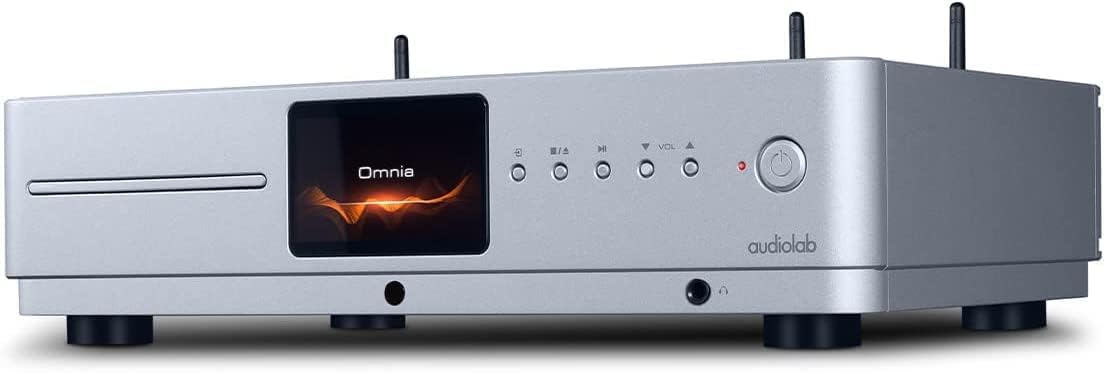
Front view of the Audiolab Omnia All-in-One Music System, showcasing its silver finish, central display, CD slot, and control buttons.
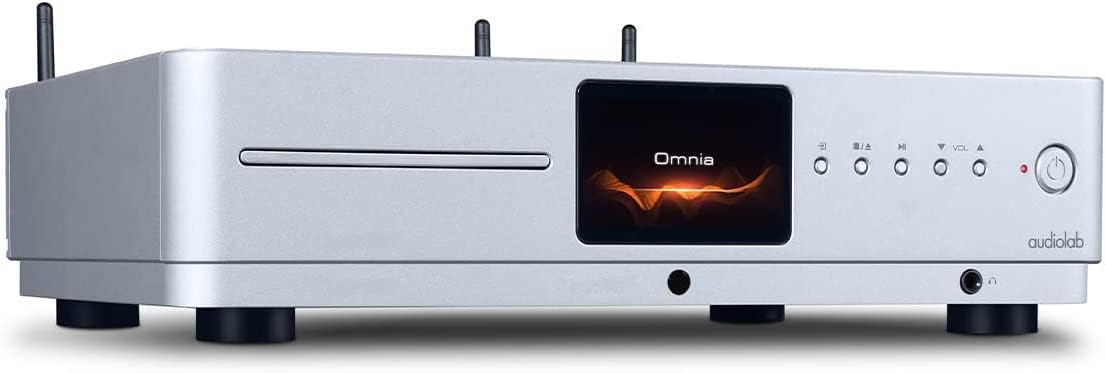
Hoeke foarkant view of the Audiolab Omnia, highlighting its sleek design and integrated display.
2. Sprekkers ferbine
Connect your passive speakers to the speaker terminals on the rear panel of the Omnia. Ensure correct polarity (+ to + and - to -) for optimal sound quality. Use high-quality speaker cables.

The rear panel of the Audiolab Omnia, displaying speaker terminals, digital and analog inputs, network ports, and power input.
3. Netwurk Ferbining
For network streaming features, connect the supplied Wi-Fi antennas to the rear panel. Alternatively, connect an Ethernet cable from your router to the LAN port on the Omnia for a wired connection.
Detail of the rear panel, indicating the locations for Wi-Fi antenna attachment and the Ethernet port for network connectivity.
4. Power Connection
Connect the power cable to the AC inlet on the rear panel and then to a suitable wall outlet. Ensure the power switch is in the OFF position before connecting.
Operating Instructions
1. Oan- / útskeakelje
Press the power button on the front panel or the remote control to turn the unit on or off. The display will illuminate upon power-on.
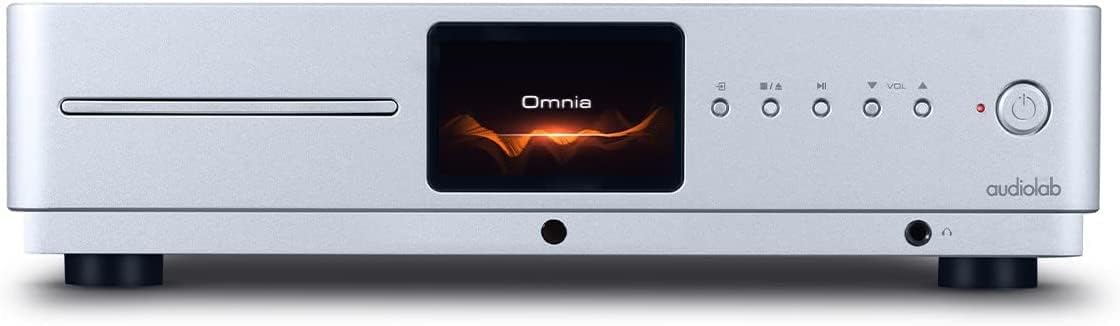
Front panel of the Omnia, showing the power button on the right and the central display.
2. Boarne Seleksje
Use the 'Input' button on the front panel or the remote control to cycle through available input sources (e.g., CD, Optical, Coaxial, USB, Network, Bluetooth, Analog).
3. CD Wiedergabe
Insert a CD into the slot on the front panel. The unit will automatically detect the CD and begin playback. Use the play/pause, stop, and track skip buttons on the front panel or remote control.
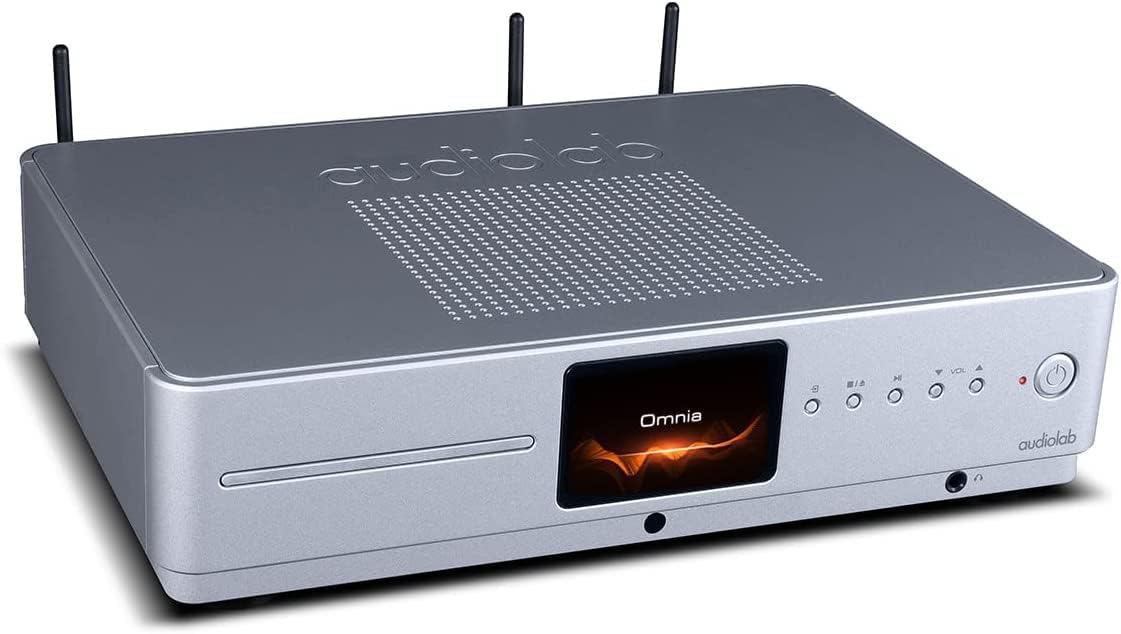
The CD slot on the front left of the Audiolab Omnia, ready for disc insertion.
4. Network Streaming
Once connected to your network, use the dedicated Audiolab app (available for iOS and Android) to control streaming services, internet radio, and local network music files. Follow the in-app instructions for setup and control.
5. Bluetooth Konnektivität
Select Bluetooth as the input source. On your mobile device, search for "Audiolab Omnia" in the Bluetooth settings and pair. The unit supports aptX Bluetooth for high-quality wireless audio.
Ûnderhâld
- Reiniging: Use a soft, dry, lint-free cloth to clean the unit's exterior. Do not use abrasive cleaners, waxes, or solvents.
- Ventilaasje: Regularly check that the ventilation openings are clear of dust and debris to ensure proper airflow.
- CD lade: Keep the CD slot clean and free from foreign objects.
Troubleshooting
| Probleem | Mooglike oarsaak | Oplossing |
|---|---|---|
| Gjin macht | Power cable not connected; Power switch off; Wall outlet faulty. | Ensure power cable is securely connected; Turn power switch on; Test wall outlet with another device. |
| Gjin lûdútfier | Speakers not connected; Incorrect input source selected; Volume too low; Mute activated. | Check speaker connections; Select correct input source; Increase volume; Deactivate mute. |
| CD spilet net ôf | CD inserted incorrectly; CD dirty or scratched; Incorrect source selected. | Re-insert CD correctly; Clean or replace CD; Select CD input source. |
| Problemen mei netwurkferbining | Wi-Fi antennas not connected; Router issues; Incorrect network settings. | Ensure antennas are connected; Restart router; Check network settings via the app. |
Spesifikaasjes
- Model: Omnia
- Merk: Audiolab
- Konnektivität technology: Wi-Fi, Bluetooth, Ethernet
- Kleur: Sulver
- Speaker Type: Stereo (Integrated Amplibbener)
- Power Boarne: Corded elektryske
- Item Gewicht: 26.1 pûn (sawat 11.84 kg)
- Ofmjittings fan it pakket: 21 x 16.7 x 8.3 inch (sawat 53.34 x 42.42 x 21.08 sm)
- Datum earst beskikber: 21 oktober 2021
Warranty Information
Audiolab products are manufactured to the highest standards and undergo rigorous quality control. This product is covered by a limited warranty against manufacturing defects. The specific terms and duration of the warranty may vary by region. Please retain your proof of purchase for warranty claims. For detailed warranty information, please refer to the warranty card included with your product or visit the official Audiolab website.
Klant Support
If you encounter any issues not covered in the troubleshooting section or require further assistance, please contact Audiolab customer support. You can find contact details on the official Audiolab website or through your local dealer. Please have your product model and serial number ready when contacting support.
Online boarnen: Besite www.audiolab.co.uk for product registration, FAQs, and additional support materials.