
Ynlieding
This manual provides essential instructions for setting up, operating, and maintaining your Epson EcoTank L121 A4 Ink Tank Printer. Please read this guide thoroughly before using the printer to ensure correct operation and to maximize its lifespan.

Ofbylding: Front view of the Epson EcoTank L121 A4 Ink Tank Printer. This image shows the compact design and the front paper output tray.
1. Opsette
1.1 Útpakke
Carefully remove the printer from its packaging. Ensure all protective tapes and materials are removed from the exterior and interior of the printer. Keep the packaging materials for future transport if needed.
1.2 Filling Ink Tanks
The EcoTank L121 uses refillable ink tanks. Use only genuine Epson 664 series ink bottles (6641 Black, 6642 Cyan, 6643 Magenta, 6644 Yellow) for optimal performance and to prevent damage.
- Iepenje de deksel fan 'e inkettank-ienheid oan' e kant fan 'e printer.
- Open the cap for the corresponding color ink tank you wish to fill.
- Carefully uncap the ink bottle and insert it into the filling port. The ink will automatically start to fill the tank. Do not squeeze the bottle.
- Sadree't de tank fol is, ferwiderje de inketfleske en meitsje de dop fan 'e inkettank goed ticht.
- Werhelje foar alle oare kleuren.
- Slút de deksel fan 'e inkettank-ienheid.
After filling, press and hold the Ûnderhâld button (often depicted as a droplet or triangle with a lightning bolt) for 3 seconds to initiate ink charging. This process takes approximately 20 minutes. Do not turn off the printer during ink charging.
1.3 Ferbine mei in kompjûter
The Epson EcoTank L121 connects via USB 2.0.
- Ensure the printer is powered on and ink charging is complete.
- Ferbine it iene ein fan 'e USB-kabel mei de USB-poarte fan 'e printer.
- Ferbine it oare ein fan 'e USB-kabel oan in beskikbere USB-poarte op jo kompjûter.
1.4 Software Ynstallaasje
Insert the provided software CD into your computer's CD-ROM drive. If the installer does not start automatically, browse the CD and run the setup file. Follow the on-screen instructions to install the printer drivers and utility software. If you do not have a CD drive, download the latest drivers from the official Epson support website.
2. De printer betsjinje
2.1 Papier laden
The printer supports A4 paper size.
- Open the paper support and pull it up.
- Skuif de rânegidsen nei de breedte fan jo papier.
- Load paper print-side up into the rear paper feeder. Ensure the stack is even and does not exceed the maximum load line.
- Adjust the edge guides against the sides of the paper.
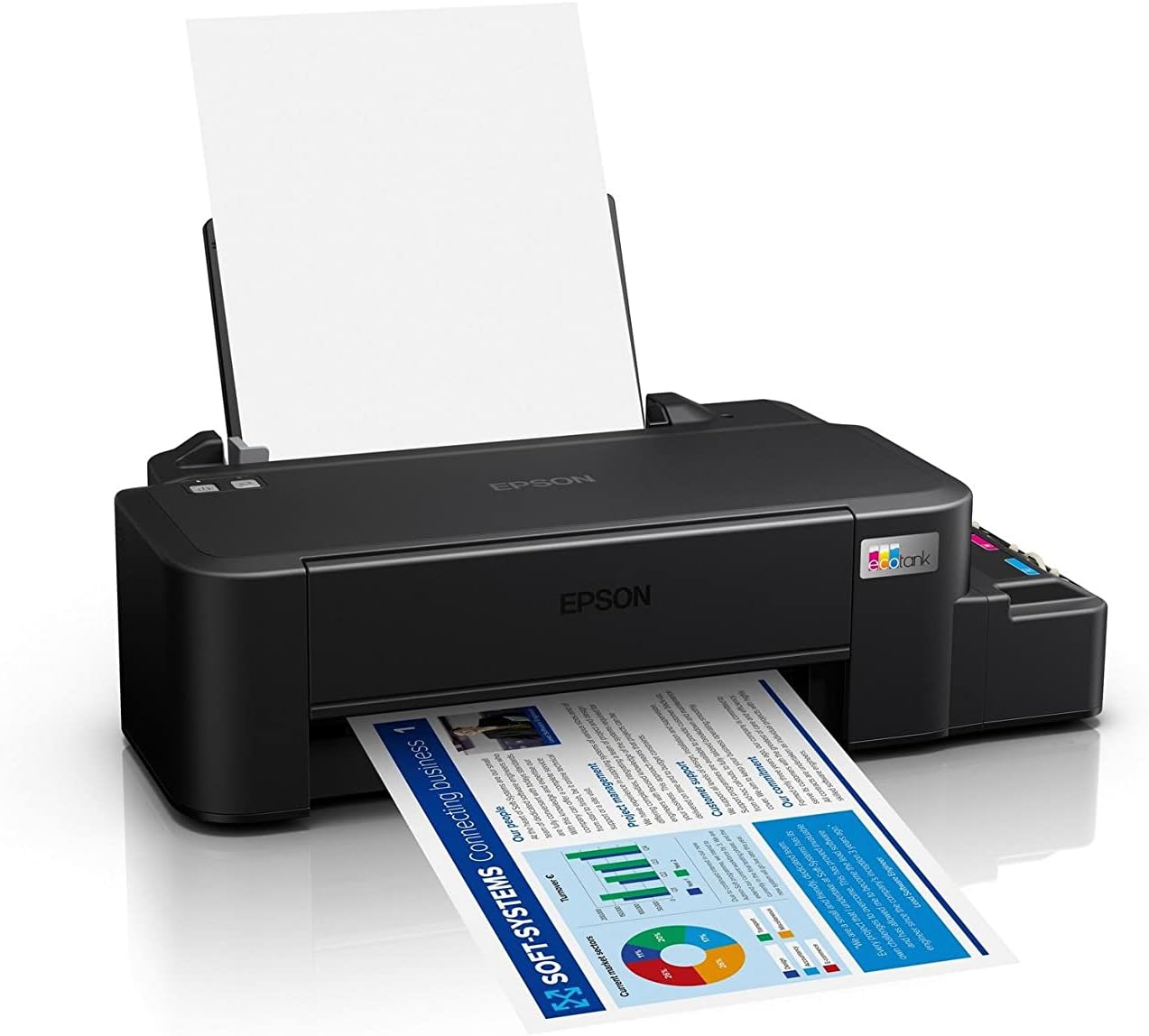
Image: The Epson EcoTank L121 printer actively printing a document. This illustrates paper being fed from the rear tray and exiting the front output tray.
2.2 Basisprintsjen
To print a document or image from your computer:
- Iepenje it dokumint of de ôfbylding dy't jo printsje wolle.
- Selektearje Ôfdrukke út it menu fan 'e applikaasje (bygelyks, File > Printsje).
- Choose your Epson EcoTank L121 printer from the list of available printers.
- Adjust print settings such as paper size, print quality, and number of copies as needed.
- Klikje Ôfdrukke.
3. Underhâld
3.1 Kontrolearjen fan inketnivo's
Visually inspect the ink tanks on the side of the printer. The transparent tanks allow you to monitor ink levels. Refill ink when levels approach the lower line to prevent air from entering the system, which can affect print quality.

Ofbylding: Hoekich view of the Epson EcoTank L121 printer, highlighting the external ink tanks. This view clearly shows the four color ink reservoirs.
3.2 Reiniging fan printkop
If print quality declines (e.g., missing lines, incorrect colors), perform a print head cleaning. This can be done through the printer utility software on your computer:
- Open the Epson printer utility on your computer.
- Navigearje nei de Ûnderhâld or Utility tab.
- Selektearje Head Cleaning en folgje de ynstruksjes op it skerm.
Alternatively, you can perform a head cleaning by holding down the Ûnderhâld button on the printer for 3 seconds until the power light starts flashing. Release the button and wait for the cleaning cycle to complete.
3.3 Nozzlekontrôle
After a head cleaning, or if you suspect print quality issues, perform a nozzle check to verify if all nozzles are firing correctly. This can also be done via the printer utility software or by holding the Ûnderhâld button for a shorter duration (e.g., 1 second) to print a nozzle check pattern.
4. Probleemoplossing
Dit diel behannelet faak foarkommende problemen dy't jo tsjinkomme kinne mei jo Epson EcoTank L121-printer.
- Printer reagearret net:
- Ensure the printer is powered on and connected securely via USB.
- Check if the printer drivers are correctly installed on your computer.
- Start sawol de printer as jo kompjûter opnij op.
- Slechte printkwaliteit:
- Fier in nozzle-kontrôle út om ferstoppe nozzles te identifisearjen.
- Run a print head cleaning cycle if nozzles are clogged.
- Kontrolearje de inketnivo's en folje se by as it nedich is.
- Soargje derfoar dat jo echte Epson-inkt brûke.
- Papierstops:
- Skeakelje de printer út en ferwiderje foarsichtich alle fêstsitten papier út 'e ynfierlade, útfierlade of yn 'e printer.
- Soargje derfoar dat it papier goed ynladen is en net kreukt of kurled.
- Oerlêst de papierlade net.
- Ink Light Flashing:
- This usually indicates low ink. Check the ink tanks and refill any low colors.
- After refilling, press the Ûnderhâld button to reset the ink level indicator.
Foar mear detaillearre probleemoplossing, sjoch de Epson-stipe website or the full electronic manual.
5. Spesifikaasjes
| Eigenskip | Detail |
|---|---|
| Merk | Epson |
| Model Namme | EcoTank L121 |
| Printing Technology | Inkjet |
| Konnektivität Technology | USB 2.0 |
| Printer útfier | Kleur |
| Maksimale printresolúsje (kleur) | 720 x 720 dpi |
| Maksimale printsnelheid (swart) | 9 ppm (ISO) |
| Maksimum printsnelheid (kleur) | 4.8 ppm (ISO) |
| Special Features | Refillable Ink Tank |
| Item Gewicht | 2.4 kilogram |
| Item Ofmjittings (D x B x H) | 21.5D x 46.1W x 13H sintimeter |
| Maksimale mediagrutte | A4 |
| Kompatibele inkt | Epson 664 series (6641/6642/6643/6644) |
| Duplex printsjen | Hantlieding |
6. Warranty Information
The Epson EcoTank L121 printer comes with a warranty of 2-years or 20,000 pages, whichever comes first. Please retain your proof of purchase for warranty claims. For full terms and conditions, refer to the official Epson warranty documentation included with your product or visit the Epson support website.
7. Stipe
For further assistance, driver downloads, FAQs, and additional support resources, please visit the official Epson support website:
Hâld jo printermodel (L121) en serienûmer by de hân as jo kontakt opnimme mei de stipe.