
1. Ynlieding
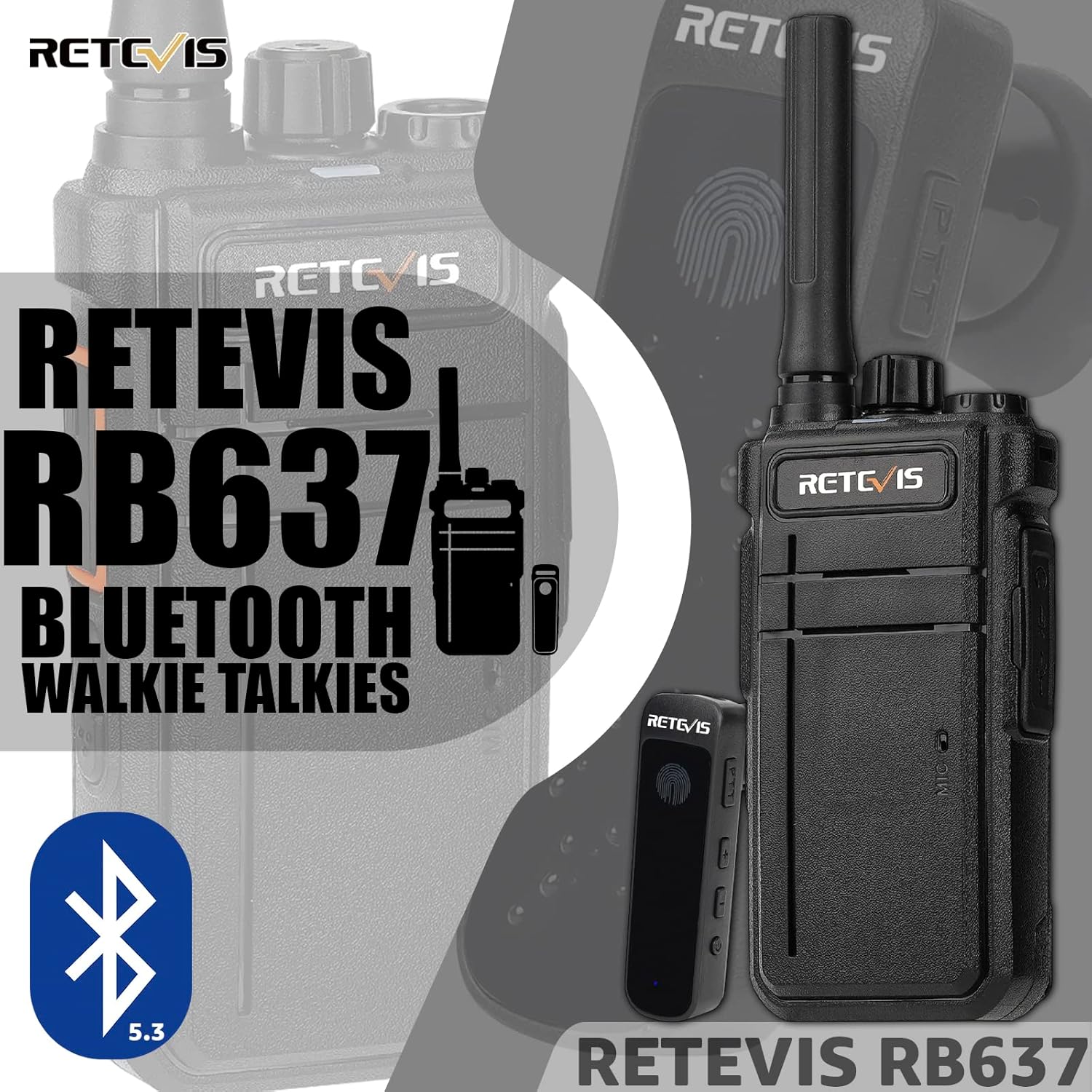
This manual provides detailed instructions for the safe and efficient operation of your Retevis RB637 Bluetooth Two-Way Radio. Please read this manual thoroughly before using the device to ensure proper function and to prevent damage.
2. Package Ynhâld
Kontrolearje oft alle hjirûnder neamde items yn jo pakket oanwêzich binne:
- 1 x Retevis RB637 Two-Way Radio
- 1 x Bluetooth-headset
- 1 x oplaadbasis
- 1 x Snoekje
- 1 x Riemklem
- 1 x Ear Hook for Bluetooth Headset
- 1 x Silicone Gel Cover for Bluetooth Headset
- 1 x USB Type-C oplaadkabel
- 1 x brûkershantlieding (dit dokumint)

3. Produktfunksjes
- Bluetooth 5.3-ferbining: Supports seamless pairing with the included Bluetooth headset for hands-free communication.
- Lang duorjende batterij: The radio is equipped with a 2000mAh battery, providing over 15 hours of continuous talk time. The Bluetooth headset has a 180mAh battery, offering up to 12 hours of continuous use.
- USB Type-C opladen: Convenient and universal charging interface for the radio.
- Yntegreare zaklamp: A high-caliber flashlight for emergency illumination in low-light conditions.
- VOX Funksje: Voice-activated transmission for hands-free operation without pressing the PTT button.
- Squelch funksje: Automatically mutes the speaker when no signal is received, reducing background noise.
- Wireless Clone Function: Allows for easy copying of settings between compatible radios.
- Multi-Model Compatibility: Compatible with other Retevis PMR radios by setting the same frequency and sub-audio codes.

4. Opsette
4.1 Charging the Radio and Headset
- Radio opladen: Insert the USB Type-C charging cable into the radio's charging port or place the radio in its charging base. Connect the other end of the cable to a compatible USB power adapter (not included). The indicator light on the charging base will show charging status.
- Headset opladen: Connect the USB Type-C charging cable to the Bluetooth headset's charging port. Connect the other end to a USB power adapter. The headset's indicator light will show charging status.
Ensure both devices are fully charged before first use. A full charge for the radio typically takes several hours.

4.2 Attaching the Belt Clip and Lanyard
- Riemklem: Align the belt clip with the designated slots on the back of the radio and slide it down until it clicks into place.
- Lanyard: Thread the lanyard through the loop on the top or side of the radio for secure carrying.
4.3 Pairing the Bluetooth Headset
The Bluetooth headset is designed for automatic pairing with the RB637 radio upon power-on. No additional manual pairing steps are typically required. Ensure both devices are powered on and within approximately 6 meters (20 feet) of each other for optimal connection.

5. Bedriuwsinstruksjes
5.1 Power On / Off
- Radio: Rotate the power/volume knob clockwise to power on the radio. Rotate counter-clockwise until a click is heard to power off.
- Bluetooth Headset: Press and hold the power button on the headset until the indicator light illuminates. Repeat to power off.
5.2 Folume oanpasse
Rotate the power/volume knob on the radio to adjust the listening volume. The headset volume is typically controlled by the radio's volume setting.
5.3 Selektearje in kanaal
Use the channel selector knob on the top of the radio to choose one of the 16 available channels. Ensure all radios you wish to communicate with are set to the same channel and sub-audio code.
5.4 Ferstjoere en ûntfange
- Using the Radio PTT: Press and hold the Push-To-Talk (PTT) button on the side of the radio to transmit. Speak clearly into the microphone. Release the PTT button to receive.
- Using the Bluetooth Headset PTT: Lightly touch the PTT button on the Bluetooth headset to transmit. Speak into the headset's microphone. Release the touch PTT to receive.
5.5 VOX-funksje (stimbediene útwikseling)
The VOX function allows for hands-free transmission. When activated, the radio will automatically transmit when it detects your voice, without needing to press the PTT button. Refer to the radio's specific key combination instructions for activating and deactivating VOX.

5.6 Bediening fan 'e zaklamp
To activate the flashlight, locate the dedicated flashlight button or refer to the radio's specific key combination instructions. Press once to turn on, and again to turn off.
5.7 Draadloze kloonfunksje
This feature allows you to copy channel settings from one RB637 radio to another wirelessly. Ensure both radios are compatible and follow the specific instructions for initiating the wireless clone process. This typically involves a specific key sequence on both the source and target radios.

6. Underhâld
- Reiniging: Brûk in sêft, damp cloth to clean the radio and headset. Do not use harsh chemicals or abrasive cleaners.
- Opslach: Store the radio and accessories in a cool, dry place away from direct sunlight and extreme temperatures.
- Batterij soarch: To prolong battery life, avoid fully discharging the battery frequently. Recharge the battery when the low battery indicator appears. If storing for extended periods, charge the battery to approximately 50% every three months.
- Wetter Resistance: De Retevis RB637 is net wettertichte. Avoid exposing the device to water or high humidity.
7. Probleemoplossing
| Probleem | Mooglike oarsaak | Oplossing |
|---|---|---|
| De radio giet net oan. | De batterij is leech of net goed ynstalleare. | Laad de batterij op. Soargje derfoar dat de batterij goed ynfoege is. |
| Kin net ferstjoere of ûntfange. | Incorrect channel or sub-audio code. Out of range. Low battery. | Verify channel and sub-audio settings. Move closer to other radios. Recharge battery. |
| Bluetooth headset not connecting. | Headset is off or out of range. Low headset battery. | Ensure headset is powered on and within 6m of the radio. Charge headset battery. |
| Mine audio kwaliteit. | Weak signal. Obstructions. Volume too low/high. | Move to an open area. Adjust volume. Check antenna connection. |
| Bliksemlampe wurket net. | Low battery. Feature not activated correctly. | Recharge radio battery. Refer to operating instructions for flashlight activation. |
8. Spesifikaasjes
| Eigenskip | Spesifikaasje |
|---|---|
| Model Number | RB637 |
| Merk | Retevis |
| Frekwinsjeberik | 446.00625-446.19375 MHz |
| Oantal kanalen | 16 |
| Maksimum berik | 2 kilometer (ôfhinklik fan terrein en omstannichheden) |
| Radio Battery Capacity | 2000mAh Lithium-ion |
| Headset Batterij Kapasiteit | 180 mAh |
| Gemiddelde Batterielebensdauer | 15 hours (radio), 12 hours (headset) |
| Voltage | 3.7 Volt |
| Konnektivität protokol | Bluetooth 5.3 |
| Wetter Resistance Level | Net wetterdicht |
| Operating Temperatuer | -10 ℃ oant +50 ℃ |
| Produkt Ofmjittings (L x B x H) | 3.6 x 6.1 x 18.3 sm |
| Item Gewicht | 430g wy |
9. Garânsje en stipe
9.1 Warranty Information
Retevis biedt in 2-jierrige garânsje foar it radiolichem en in 1-jierrige garânsje for accessories from the date of purchase. Additionally, a 30-day return policy is provided without requiring a specific reason.
Beyond the warranty period, maintenance services are available. Buyers are responsible for any associated costs for such services.
9.2 Customer Support
For any questions, technical assistance, or warranty claims, please contact Retevis customer support through the Amazon platform. We aim to respond to all inquiries within 12 hours.