
Ynlieding
Thank you for choosing the NOKLEAD Digital Indoor Thermometer Hygrometer. This device provides accurate and real-time monitoring of indoor temperature and humidity, along with a clock display. Designed for ease of use, it helps you maintain a comfortable and healthy living environment. Please read this manual carefully before use to ensure proper operation and longevity of your device.
Key Features
- Fast Refresh & High Accuracy: Updates readings every 10 seconds with temperature accuracy of ±1°C (0-40°C) / ±2°C (40-60°C) and humidity accuracy of ±3%RH.
- Air Comfort Indicator: Displays DRY, COMFORT, or WET conditions at a glance.
- 3.34-inch LCD-skerm: Clear, bold numbers for easy readability from various angles.
- Meardere montageopsjes: Includes desktop stand, magnetic attachment, and adhesive pad for wall mounting.
- Lange batterijlibben: Powered by 2 x CR2032 button cell batteries, lasting 8-12 months.
- Tiid en datum werjefte: Integrated clock function with 12h/24h selection.
- Upgraded Calibration Function: Allows for manual adjustment of temperature and humidity readings for optimal accuracy.
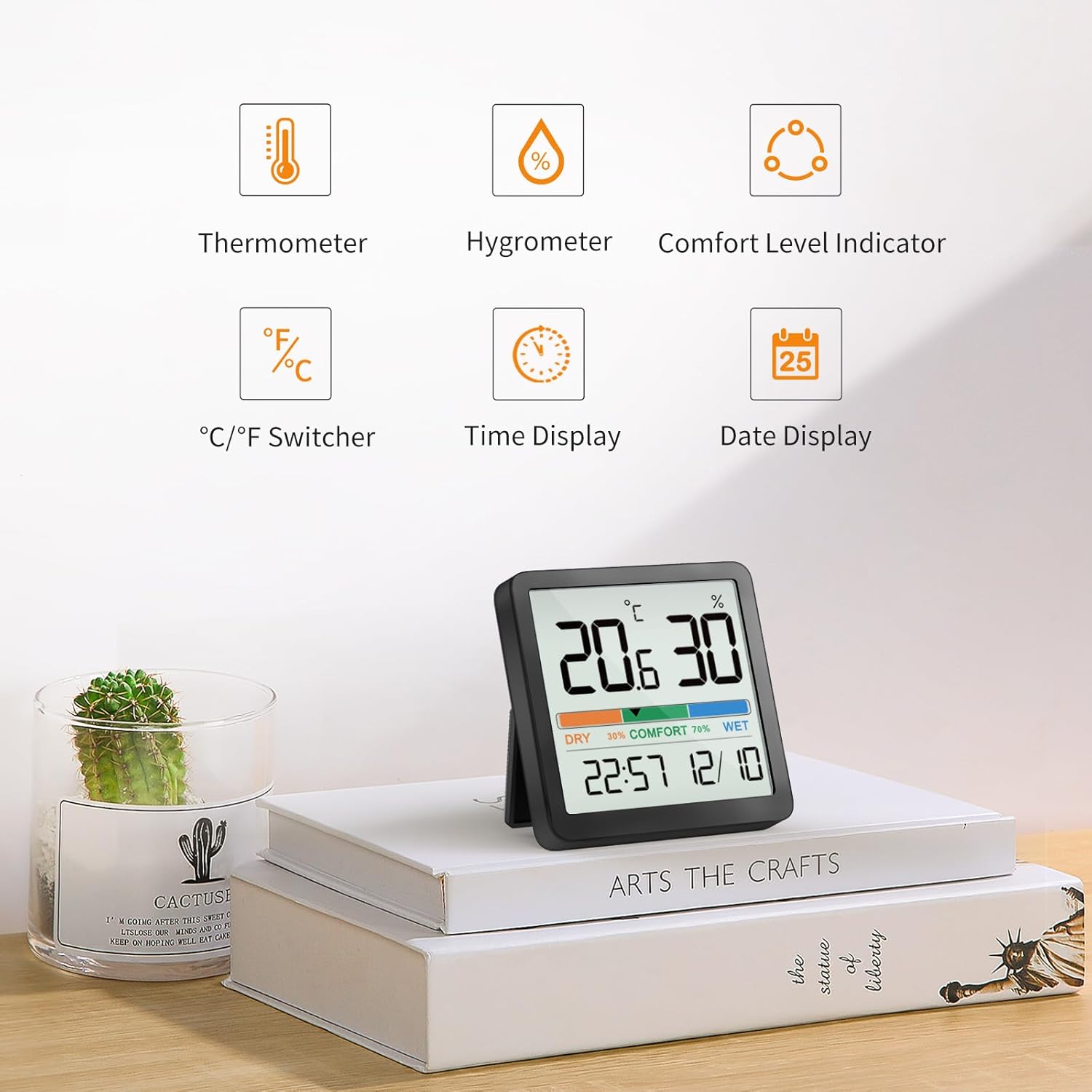
Ofbylding 1: Oerview of device features.
Wat is yn 'e doaze
- NOKLEAD Digital Indoor Thermometer Hygrometer x 1
- CR2032 Button Cell Batteries x 2 (one installed, one spare)
- Kleefplastyk metaal x 1
- Brûkershandleiding x 1
Produkt oerview

Figure 2: Front display of the device.
The device features a large LCD screen displaying temperature (in °C or °F), relative humidity (%), a comfort level indicator (DRY, COMFORT, WET), current time, and date. On the back, you will find the battery compartment and control buttons for settings.
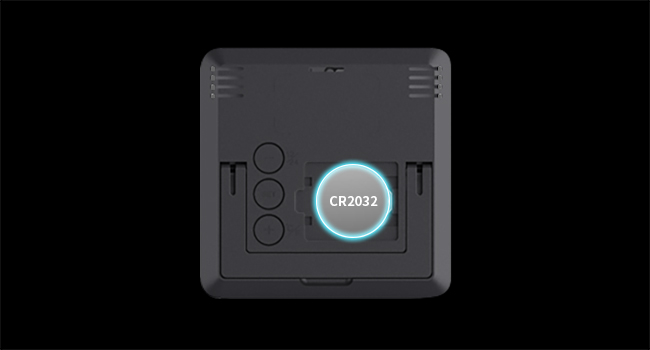
figuer 3: Rear view mei batterijfak en knoppen.
Opsette
Batterij Ynstallaasje
- Sykje it deksel fan it batterijfak oan 'e efterkant fan it apparaat.
- Fuortsmite it omslach.
- Insert two CR2032 button cell batteries, ensuring correct polarity (+/-). One battery is typically pre-installed.
- Replace the battery compartment cover. The device will power on automatically.
Pleatsingsopsjes
The NOKLEAD 5253T offers versatile placement options:
- Buroblêdstân: Utilize the integrated foldable stand on the back to place the device on any flat surface, such as a desk, shelf, or counter.
- Magnetyske taheaksel: It apparaat hat in ynboude magneet, wêrtroch it feilich oan metalen oerflakken lykas kuolkasten fêstmakke wurde kin.
- Wall montage: Use the provided adhesive metal pad to stick the device to a non-metallic wall surface.

Figuer 4: Examples of device placement in different environments.
Operaasje
Power On/Off
The device automatically powers on once batteries are installed. There is no manual power on/off button.
Seleksje fan temperatuerienheid (°C/°F)
To switch between Celsius (°C) and Fahrenheit (°F), press the '+' button located on the back of the device.
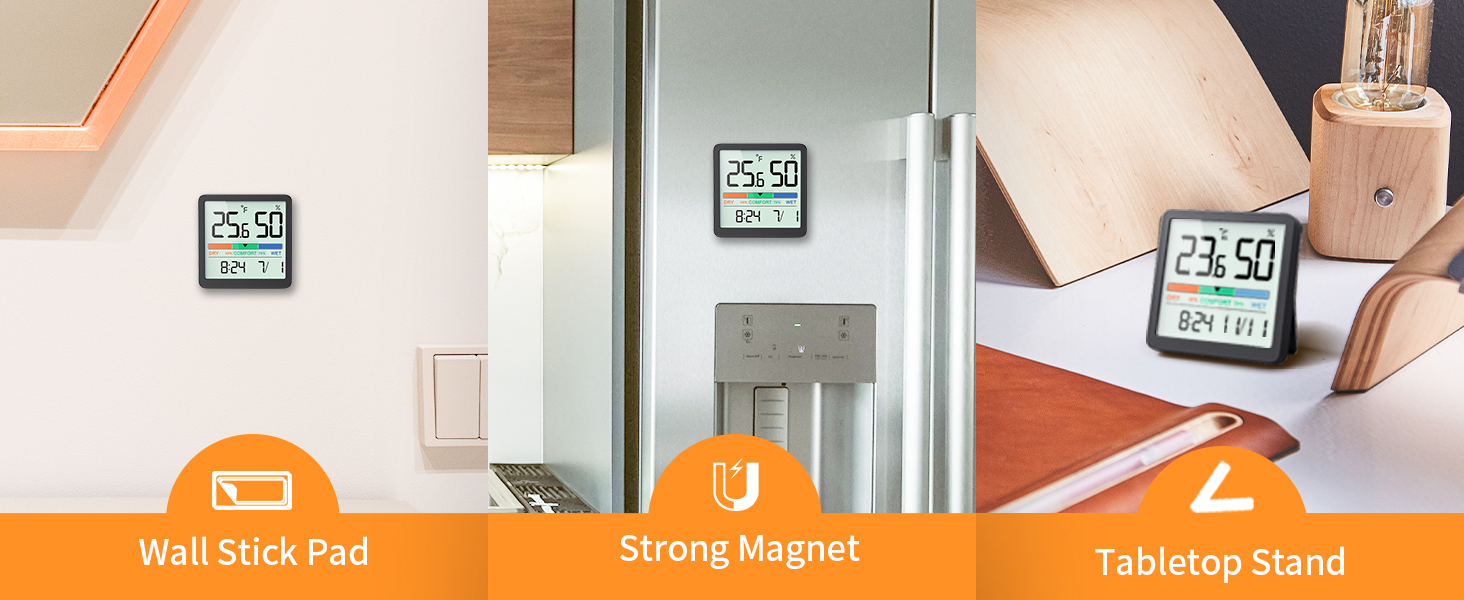
Figure 5: Switching between °C and °F.
Time Format Selection (12h/24h)
To switch between 12-hour and 24-hour time formats, press the '-' button located on the back of the device.
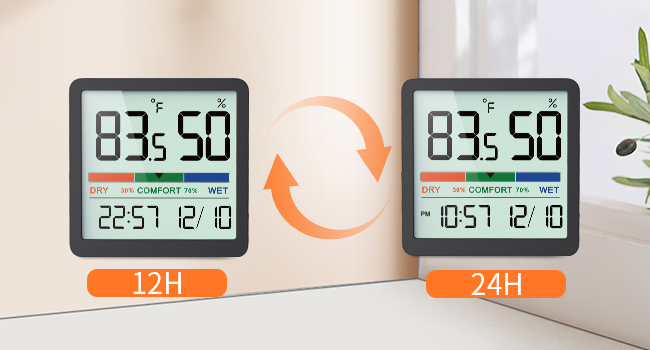
Figure 6: Switching between 12h and 24h time formats.
Air Comfort Indicator
The device features a visual comfort indicator bar that quickly displays the current air conditions:
- DROECH: Feuchte ûnder 30%
- TREAST: Feuchte tusken 30% en 69%
- WIET: Humidity 70% or above
This indicator helps you determine if a humidifier or dehumidifier is needed to maintain optimal indoor air quality.

Figure 7: Air Comfort Indicator ranges.
Kalibraasje Funksje
If you suspect the readings are inaccurate due to placement or environmental factors, you can calibrate the sensor. The calibration allows for adjustments of up to ±5°C/±41°F for temperature and ±10%RH for humidity. Refer to the detailed instructions provided in the full user manual for the specific calibration procedure.
Ûnderhâld
Cleaning
Feie it apparaat ôf mei in sêfte, droege doek. Brûk gjin skuurmiddels en dompel it apparaat net yn wetter.
Batterij ferfanging
When the display becomes dim or the device stops functioning, replace the CR2032 batteries. Follow the battery installation steps outlined in the Setup section.
Troubleshooting
- Gjin werjefte: Ensure batteries are correctly installed with proper polarity. Replace batteries if they are depleted.
- Unkrekte lêzings: Allow the device to stabilize for at least 30 minutes after initial setup or relocation. If discrepancies persist, utilize the calibration function as described in the Operation section.
- Werjefte feroaret net: The device refreshes every 10 seconds. Ensure there are actual changes in temperature or humidity for the display to update.
Spesifikaasjes
| Eigenskip | Spesifikaasje |
|---|---|
| Model Number | 5253T |
| Temperatuerberik | -9.9 °C - 60 °C (14.2 °F - 140 °F) |
| Temperatuer Accuracy | ± 2 ° F (1 ° C) |
| Luftfeuchtichheid Range | 10% - 95% RV |
| Fochtigens Accuracy | ±3% RH |
| Ferfarskje Rate | Elke 10 sekonden |
| Display Grutte | 3.34 ynf |
| Power Boarne | 2 x CR2032 Button Cell Batteries |
| Produkt Ofmjittings | 2.76 x 2.76 x 0.55 inch (70 mm x 70 mm x 14 mm) |
| Item Gewicht | 2.12 ounces (60 gram) |
Garânsje en stipe
NOKLEAD products are designed for reliability and performance. If you encounter any issues or have questions regarding your NOKLEAD Digital Indoor Thermometer Hygrometer, please contact our customer support team. We are committed to providing the best possible solution for you.
For support, please refer to the contact information provided with your purchase or visit the official NOKLEAD website.