
1. Ynlieding
Thank you for choosing the LDNIO SCW1050 WiFi Smart Plug. This manual provides essential information for the safe and efficient use of your smart plug. Please read it thoroughly before installation and operation, and retain it for future reference.
2. Produkt Overview
The LDNIO SCW1050 is a smart electric plug designed to integrate seamlessly into your smart home ecosystem. It features WiFi connectivity for remote control, a timing function for scheduled operations, and multiple safety protections. Its fire-resistant polycarbonate structure ensures durability and safety.
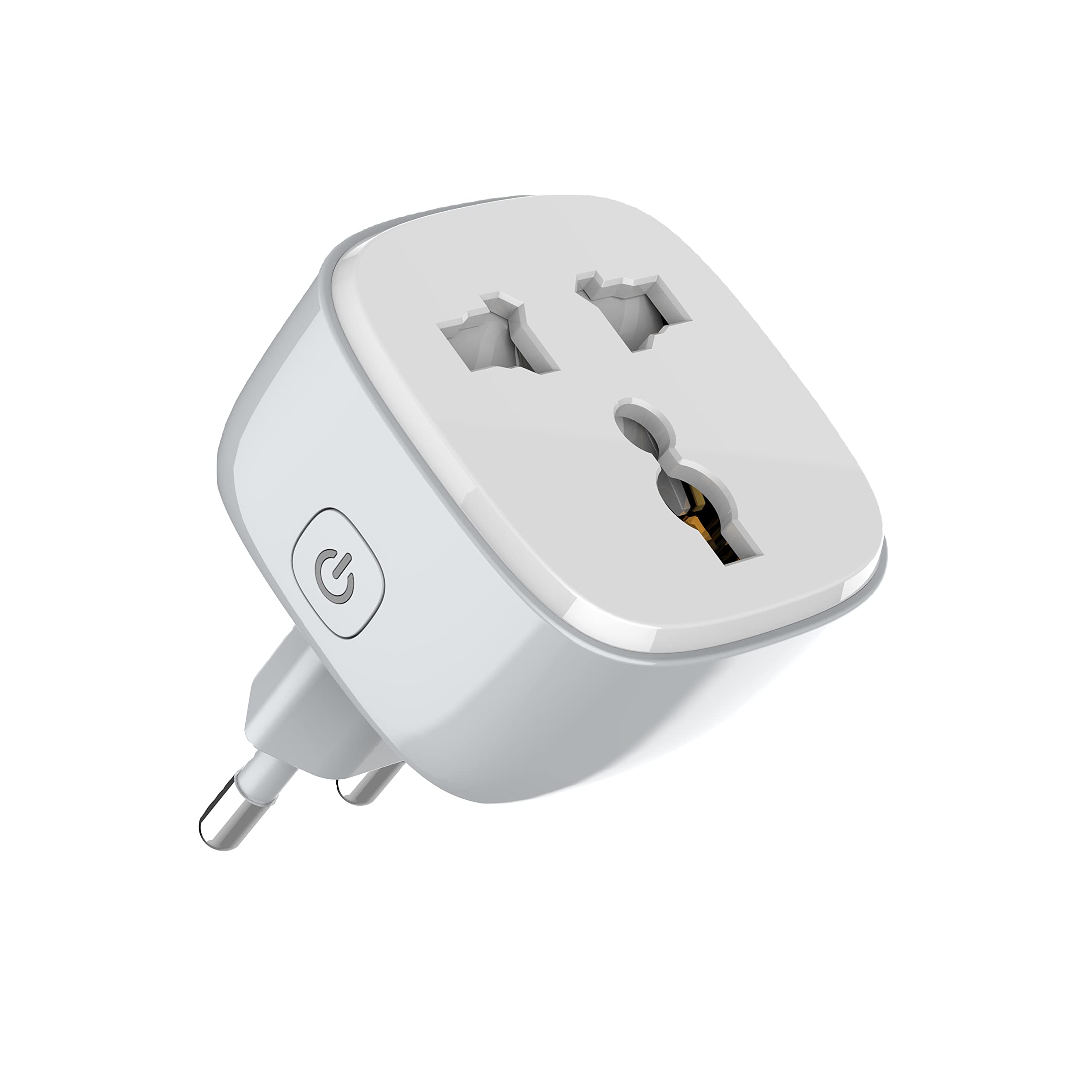
figuer 1: Front view of the LDNIO SCW1050 WiFi Smart Plug.

Figuer 2: Hoekich view of the LDNIO SCW1050 WiFi Smart Plug, highlighting its compact design.
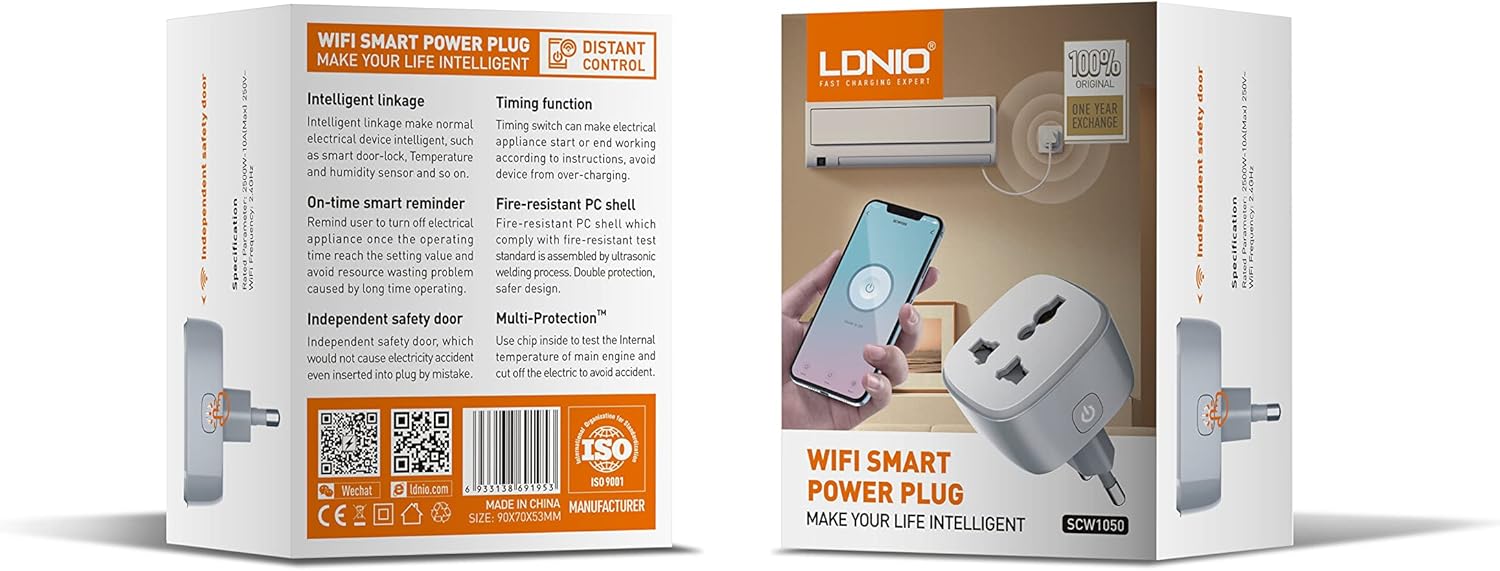
Figure 3: Product packaging illustrating key features such as intelligent linkage, timing function, on-time smart reminder, independent safety door, fire-resistant PC shell, and multi-protection. For more information, visit www.siyoteam.com.
3. Safety Information
- Net disassemble of feroarje it apparaat.
- Ensure the plug is fully inserted into the wall socket.
- Do not overload the smart plug beyond its rated capacity (2500W, 10A).
- Hâld it apparaat fuort fan wetter, focht en hege temperatueren.
- Dit produkt is allinich foar gebrûk binnen.
- If the device is damaged, discontinue use immediately and contact support.
4. Opsette
4.1 Earste ferbining
- Plug the LDNIO SCW1050 Smart Plug into a standard wall outlet.
- Ensure the indicator light on the smart plug is blinking, indicating it is in pairing mode. If not, press and hold the power button for 5-10 seconds until it blinks rapidly.
4.2 App-ynstallaasje en koppeling
- Download the compatible smart home application (e.g., Tuya Smart or Smart Life app) from your mobile device's app store.
- Registrearje of meld jo oan by jo akkount binnen de app.
- Tik op it "+" ikoan of "Apparaat tafoegje" om it koppelingsproses te begjinnen.
- Selektearje "Stopkontakt" of "Smart Plug" út 'e apparaatlist.
- Follow the on-screen instructions to connect the smart plug to your 2.4GHz WiFi network. Ensure your phone is connected to the same 2.4GHz network during setup.
- As it apparaat mei súkses keppele is, kinne jo it omneame en it oan in keamer tawize.

Figure 4: Remote control of the smart plug using a mobile application.
5. Bedriuwsinstruksjes
5.1 Hânlieding
Press the power button on the smart plug to manually turn the connected appliance on or off.
5.2 Appkontrôle
- Oan/út: Tap the power icon next to the device in the app to toggle power.
- Timing funksje: Set schedules for the smart plug to turn on or off automatically at specific times. This is useful for managing lighting or other appliances.
- Slimme herinneringen: Configure smart reminders within the app to receive notifications or automate actions based on usage patterns or set conditions.
- Intelligente ferbining: Connect your smart plug with other smart devices or sensors to create automated scenarios (e.g., turn on a lamp when a motion sensor is triggered).
6. Underhâld
- To clean the smart plug, disconnect it from the power outlet and wipe it with a dry, soft cloth.
- Brûk gjin floeibere of aerosolreinigers.
- Kontrolearje regelmjittich op tekens fan skea of slijtage.
7. Probleemoplossing
- Apparaat ferbynt net mei WiFi: Ensure your WiFi network is 2.4GHz. Check that the smart plug is within range of your router. Restart the smart plug and your router, then try pairing again.
- App-kontrôle wurket net: Verify your phone has an active internet connection. Ensure the smart plug is connected to WiFi and its indicator light is solid. Update the app to the latest version.
- Apparaat giet net oan/út: Check if the appliance is properly plugged into the smart plug and if the appliance itself is functional. Ensure the smart plug is receiving power.
- Gedrach fan yndikatorljocht:
- Snel knipperen: Klear foar pairing.
- Stadich blinkend: Disconnected from WiFi.
- Solid: Connected to WiFi and operating normally.
8. Spesifikaasjes
| Eigenskip | Spesifikaasje |
|---|---|
| Model Number | SCW1050 |
| Rated Power | 2500W |
| Rated Aktueel | 10A (Maks) |
| Rated Voltage | 250V~ |
| WiFi Frequency | 2.4GHz |
| Produkt Ofmjittings | 7.62 x 5.08 x 5.08 sm |
| Produkt Gewicht | 70 gram |
| Shell Materiaal | Fire-resistant Polycarbonate |
9. Garânsje en stipe
LDNIO offers a One Year Exchange warranty for this product, as indicated on the packaging. For technical support, warranty claims, or further inquiries, please visit the official LDNIO website at www.siyoteam.com of nim kontakt op mei jo lokale distributeur.
You may also find additional resources and community support through the WeChat platform by scanning the QR code found on the product packaging (refer to Figure 3).