
1. Ynlieding
Thank you for choosing the JTEMAN Portable Phone Stand with Bluetooth Speaker. This versatile device combines a stable phone stand with a high-quality Bluetooth speaker, offering convenience for media consumption, video calls, and audio playback. This manual will guide you through the setup, operation, and maintenance of your new device.

Figure 1: JTEMAN Portable Phone Stand with Bluetooth Speaker (White)
2. Package Ynhâld
Kontrolearje it fakje foar de folgjende items:
- Phone Stand mei Bluetooth Speaker
- Brûkershânlieding
- USB-A to Type-C charger cable (1)
3. Produkt Overview
The JTEMAN L9 is designed for multi-functional use, serving as both a phone stand and a Bluetooth speaker. It features an adjustable and foldable design for portability and optimal viewyn hoeken.
Figuer 2: Produktôfmjittings en kontrôles
Key Features:
- 2-in-1 funksjonaliteit: Combines a phone stand with a Bluetooth speaker.
- Wide kompatibiliteit: Supports most 4-13 inch smartphones, tablets, and e-readers with Bluetooth.
- Ferstelber en opklapber: Mearfâldich viewing angles and a compact, portable design.
- Stable & Anti-slip: Features anti-slip silicone pads for device protection and stability.
- Ynboude mikrofoan: Maakt dúdlike handsfree petearen mooglik.

Figure 3: Integrated Features
4. Opsette
4.1 It apparaat opladen
- Connect the provided USB-A to Type-C charging cable to the charging port on the side of the JTEMAN L9.
- Ferbine it oare ein fan 'e kabel mei in kompatibel USB-stroomadapter (net ynbegrepen).
- The charging indicator light will show red during charging and turn green when fully charged. A full charge takes approximately 4 hours.
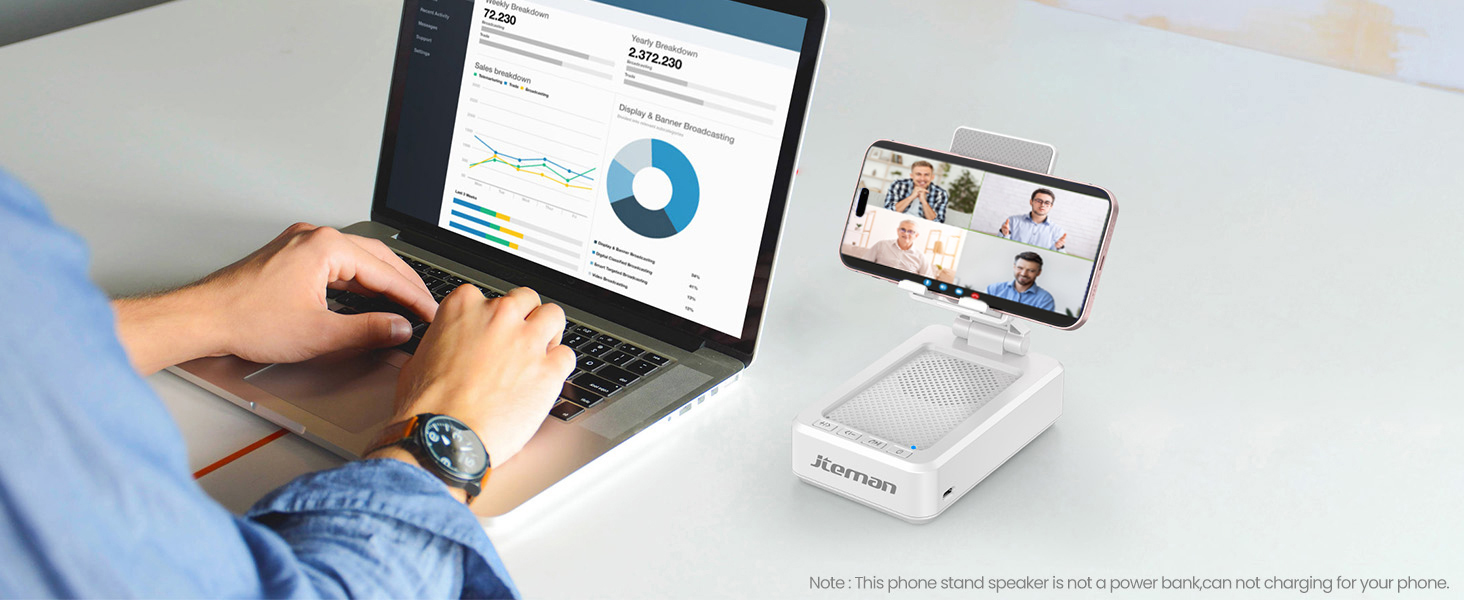
Figure 4: Charging the JTEMAN L9
4.2 Bluetooth -keppeling
- Press and hold the power button on the JTEMAN L9 until you hear an audible prompt indicating it's powered on and in Bluetooth pairing mode. The Bluetooth indicator light will flash.
- On your smartphone, tablet, or e-reader, go to the Bluetooth settings.
- Sykje nei available devices and select "JTEMAN L9" from the list.
- Once connected, you will hear a confirmation tone, and the Bluetooth indicator light will remain solid.
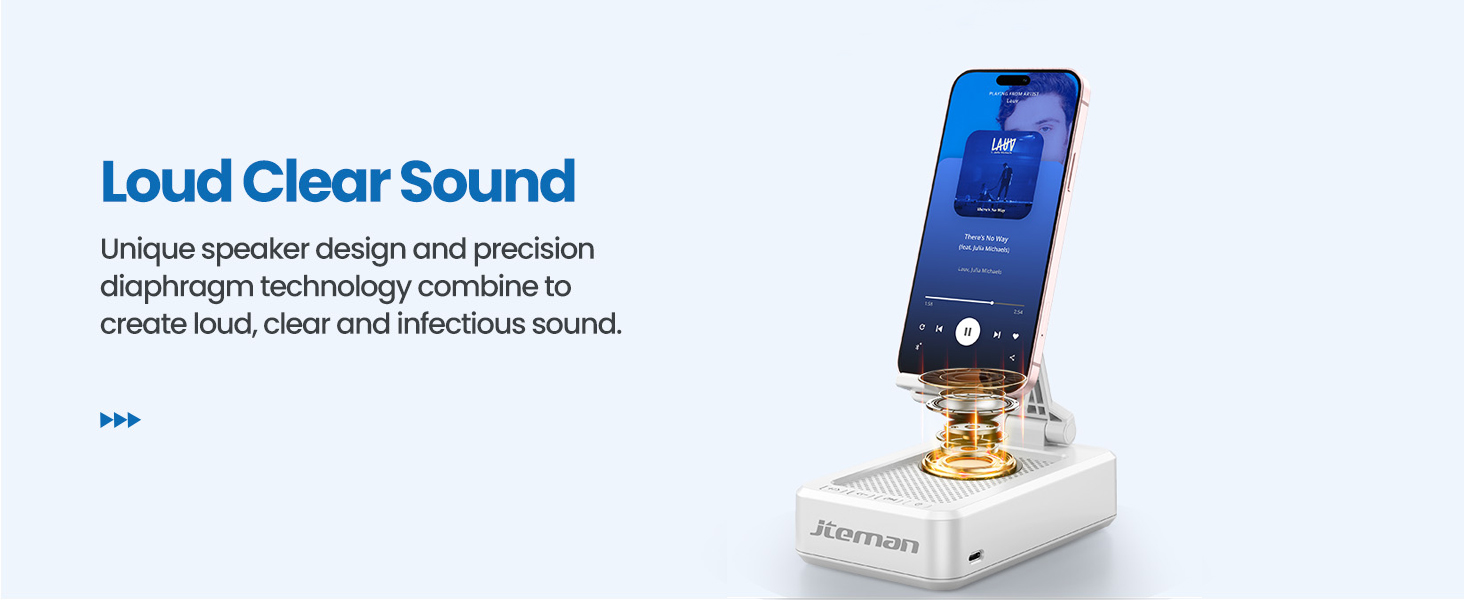
Figure 5: Easy Bluetooth Connection
5. Bedriuwsinstruksjes
5.1 Using as a Phone/Tablet Stand
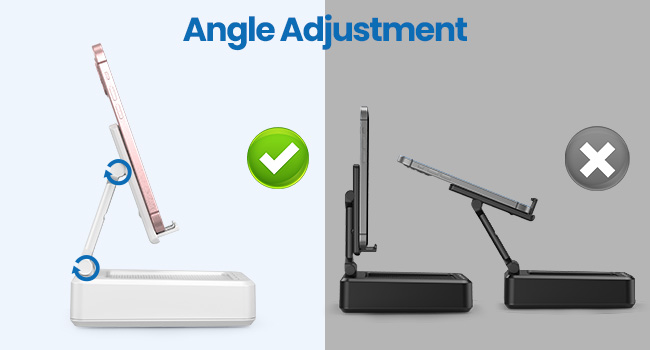
- Gently pull up the phone holder arm from its folded position.
- Adjust the angle of the holder to your preferred viewing position. The stand is designed to be stable at various angles.
- Place your smartphone, tablet, or e-reader onto the holder. The anti-slip silicone pads will secure your device.
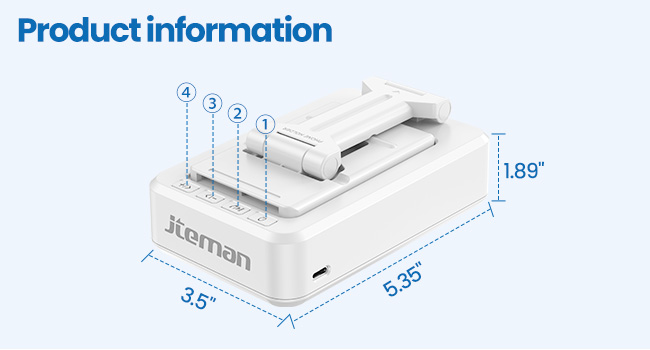
Figure 6: Angle Adjustment for Optimal Viewing
5.2 De Bluetooth-sprekker brûke
Once paired with your device, audio will automatically play through the JTEMAN L9 speaker.
- Spylje / Pauze: Press the Play/Pause button on the speaker to control media playback.
- Volume kontrôle: Use the volume buttons (+/-) on the speaker to adjust the audio level.
- Track Navigaasje: Use the skip buttons (<< / >>) to go to the previous or next track.
- Hânfrije petearen: The built-in microphone allows for clear hands-free communication. Press the phone icon button to answer or end calls.

Figure 7: Loud and Clear Sound Output
5.3 Portabiliteit
When not in use, the phone holder arm can be folded down, making the device compact and easy to carry in a bag.

Figure 8: Foldable and Portable Design
5.4 Offisjele produktfideo's
Video 1: Demonstrates the sound quality and instant pairing of the JTEMAN L9.
Video 2: Showcases the power and versatility of the JTEMAN L9 speaker and stand.
Video 3: Highlights the compact design, clear sound, and anti-slip base of the JTEMAN L9.
6. Underhâld
- Hâld it apparaat skjin troch it te wiskjen mei in sêfte, droege doek.
- Meitsje it apparaat bleatsteld oan ekstreme temperatueren, focht, of direkte sinne.
- Brûk gjin abrasive skjinmakkers of solvents.
7. Probleemoplossing
| Probleem | Mooglike oarsaak | Oplossing |
|---|---|---|
| Apparaat giet net oan | Lege batterij | Laad it apparaat mei de levere USB-C-kabel. |
| Kin net keppele fia Bluetooth | Bluetooth not enabled on source device; device too far; already paired to another device | Ensure Bluetooth is on and within range (approx. 10m). Disconnect from other devices. |
| Gjin lûd of leech folume | Volume too low on speaker or source device; not properly connected | Increase volume on both devices. Re-pair Bluetooth connection. |
| Audio skipping/interruption | Interference; device too far; low battery | Move closer to the source device. Ensure no obstructions. Charge the device. |
8. Spesifikaasjes
| Eigenskip | Detail |
|---|---|
| Produkt Ofmjittings | 5.35 x 3.5 x 1.89 inch |
| Item Gewicht | 11.5 oz |
| Item Model Number | L9 |
| Merk | JTEMAN |
| Kleur | Wyt |
| Form Factor | Phone Stand mei Speaker |
| Kompatibele apparaten | Mobile phone, Tablet |
| Kompatibele tillefoanmodellen | iPhone, Samsung, iPad mini, Samsung Tab, Google Nexus, Kindle |
| Batterij Kapasiteit | 1800mAh (approx. 8-10 hours play time at medium volume) |
9. Garânsje en stipe
JTEMAN products are manufactured with high-quality standards. For any issues or support needs, please refer to the contact information provided with your purchase or visit the official JTEMAN webside. Bewarje jo bewiis fan oankeap foar garânsjeclaims.