
ORIA Bluetooth Receiver 5.0 User Manual
Model: Bluetooth Receiver 5.0
1. Ynlieding
The ORIA Bluetooth Receiver 5.0 is a versatile audio adapter designed to add Bluetooth functionality to non-Bluetooth devices. It supports both receiving (RX) and transmitting (TX) modes, allowing you to wirelessly stream audio from your smartphone to a car stereo or speaker, or from your TV to Bluetooth headphones. Featuring Bluetooth 5.0 technology and CVC noise reduction, it provides stable connections and clear audio quality for music and hands-free calls.
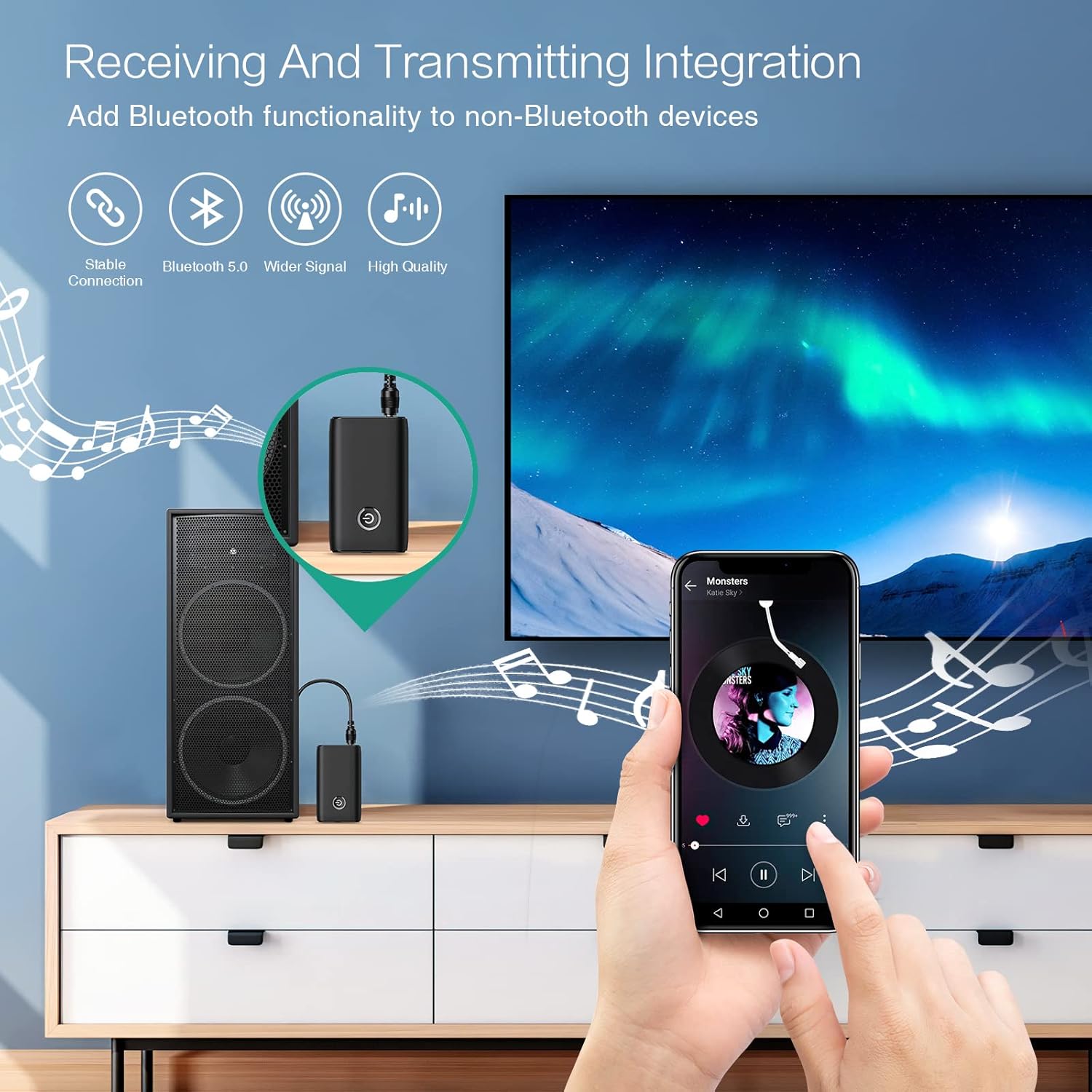
Figure 1.1: The ORIA Bluetooth Receiver 5.0 integrating with various audio systems, showcasing its dual receiving and transmitting functions.
2. Package Ynhâld
Kontrolearje asjebleaft it pakket op de folgjende items:
- ORIA Bluetooth Receiver 5.0 Unit
- 3.5 mm audiokabel
- USB-oplaadkabel (Type-C)
- User Manual

Figure 2.1: All items included in the ORIA Bluetooth Receiver 5.0 package.
3. Produkt Overview
Familiarize yourself with the device's components and indicators:

Figure 3.1: Detailed diagram of the ORIA Bluetooth Receiver 5.0, highlighting its ports, buttons, and LED indicator meanings.
- 3.5mm Audio Port: Connects to audio input/output devices.
- Micro USB -oplaadpoort: Foar it opladen fan it apparaat.
- RX/TX-skeakel: Toggles between Receiver (RX) and Transmitter (TX) modes.
- Multifunksjonele knop: Oan/út, spielje/pauzearje, oproppen beantwurdzje/beëinigje.
- Connection Indicator Light:
- Red & Blue flashing: Pairing State
- Red flashing: Low Battery Warning
- Blue solid: Connected
4. Features
- Bluetooth 5.0: Provides a stable wireless connection up to 10 meters for music streaming and audio calls.
- Intelligent Noise Reduction (CVC): Enhances audio clarity by reducing background noise, supporting A2DP, AVRCP, HFP, HSP protocols.
- Dual Mode (TX/RX): Converts non-Bluetooth devices into Bluetooth-enabled devices for both transmitting and receiving audio.
- Lange batterijlibben: Up to 8 hours of play/talk time, 60 days standby, with a 2-hour full charge time.
- USB opladen: Allows use while charging without interrupting calls or music.
- Maklike operaasje: Simple one-button control for power, play/pause, and call management.
- Portable ûntwerp: Small and lightweight for convenient transport and use anywhere.
5. Opset en operaasje
5.1 It apparaat opladen
Before first use, fully charge the device. Connect the provided USB charging cable to the Micro USB Charging Port on the receiver and the other end to a USB power source (e.g., car charger, wall adapter, computer USB port). The indicator light will show charging status.

Figure 5.1: Battery life and charging duration of the ORIA Bluetooth Receiver 5.0.
5.2 Switching Between Receiver (RX) and Transmitter (TX) Modes
The device features a physical switch to change between RX and TX modes. Belangryk: Always power off the device before switching modes to ensure proper functionality.

Figure 5.2: Instructions for switching between Transmitter (TX) and Receiver (RX) modes.
5.3 Receiver Mode (RX) Setup
Use RX mode to receive audio from a Bluetooth-enabled device (e.g., smartphone, tablet) and play it through a non-Bluetooth audio system (e.g., car stereo, home speaker, wired headphones).
- Switch to RX: Ensure the device is powered off, then slide the switch to the "RX" position.
- Ferbine mei audiosysteem: Plug one end of the 3.5mm audio cable into the receiver's 3.5mm Audio Port and the other end into the AUX input of your car stereo, home speaker, or wired headphones.
- Power On: Press and hold the Multi-function Button to power on the receiver. The indicator light will flash red and blue, indicating pairing mode.
- Koppelje mei tillefoan: On your smartphone or other Bluetooth device, enable Bluetooth and search for "ORIA-B6" (or similar name). Select it to pair. Once connected, the indicator light will turn solid blue.
- Spielje muzyk: Start playing audio on your paired device. The sound will now be transmitted wirelessly to your connected audio system.

Figure 5.3: Easy setup steps for Receiver (RX) mode, typically used in a car.
5.4 Transmitter Mode (TX) Setup
Use TX mode to transmit audio from a non-Bluetooth device (e.g., TV, PC, MP3 player) to a Bluetooth-enabled audio output (e.g., Bluetooth headphones, Bluetooth speaker).
- Switch to TX: Ensure the device is powered off, then slide the switch to the "TX" position.
- Ferbine mei audioboarne: Plug one end of the 3.5mm audio cable into the receiver's 3.5mm Audio Port and the other end into the audio output (e.g., headphone jack) of your TV, PC, or MP3 player.
- Power On: Press and hold the Multi-function Button to power on the transmitter. The indicator light will flash red and blue, indicating pairing mode.
- Pair with Bluetooth Headphones/Speaker: Put your Bluetooth headphones or speaker into pairing mode. The receiver will automatically search for and connect to nearby Bluetooth audio devices. Once connected, the indicator light will turn solid blue.
- Genietsje fan audio: Play audio from your connected source device. The sound will now be transmitted wirelessly to your Bluetooth headphones or speaker.

Figure 5.4: Easy setup steps for Transmitter (TX) mode, typically used with a TV.
5.5 Universele kompatibiliteit
The ORIA Bluetooth Receiver 5.0 is designed for broad compatibility with various devices in both TX and RX modes.
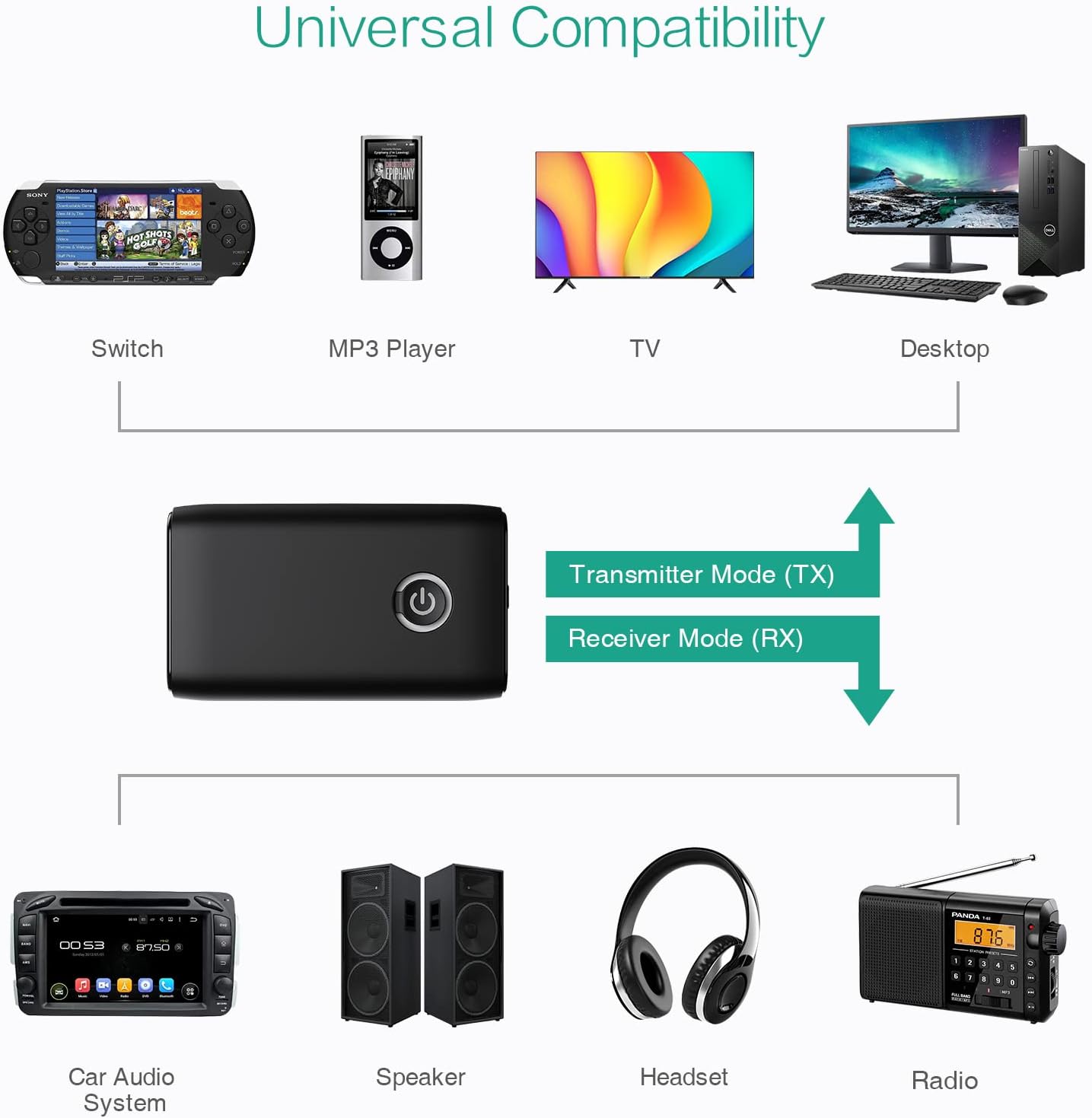
Figuer 5.5: Examples of devices compatible with the ORIA Bluetooth Receiver 5.0 in both TX and RX modes.
6. Bedriuwsinstruksjes
6.1 Kontrôle foar it ôfspyljen fan muzyk
- Spylje / Pauze: Druk koart op de multyfunksjonele knop.
- Folgjende track: (Functionality may vary depending on connected device and mode. Typically controlled via the source device.)
- Foarige spoar: (Functionality may vary depending on connected device and mode. Typically controlled via the source device.)
- Volume kontrôle: Adjust volume directly on your paired device (smartphone, TV, etc.) or the connected audio system.
6.2 Hands-Free Calling (RX Mode Only)
When in Receiver (RX) mode and paired with a smartphone:
- Oprop antwurdzje: Druk koart op de multifunksjeknop as der in oprop binnenkomt.
- Oprop einigje: Druk koart op de multifunksjeknop tidens in oprop.
- Oprop ôfwize: Press and hold the Multi-function Button for 2 seconds when a call comes in.
- Lêste nûmer opnij kieze: Druk twa kear op de multifunksjeknop.
7. Underhâld
- Hâld it apparaat droech. Foarkom bleatstelling oan focht of floeistoffen.
- Besykje it apparaat net útinoar te heljen of te feroarjen. Dit sil de garânsje ûnjildich meitsje.
- Meitsje it apparaat skjin mei in sêfte, droege doek. Brûk gjin agressive gemikaliën of skuurmiddels.
- Bewarje it apparaat op in koel, droech plak as it foar langere perioaden net brûkt wurdt.
8. Probleemoplossing
If you encounter issues with your ORIA Bluetooth Receiver 5.0, please refer to the following common solutions:
| Probleem | Oplossing |
|---|---|
| Apparaat giet net oan. | Ensure the device is fully charged. Connect it to a power source using the USB charging cable. |
| Kin net keppele wurde mei in Bluetooth-apparaat. |
|
| Gjin lûd of minne lûdskwaliteit. |
|
| It apparaat falt faak los. |
|
9. Spesifikaasjes
| Eigenskip | Detail |
|---|---|
| Merk | ORIA |
| Konnektivität Technology | Bluetooth, USB |
| Triedleaze kommunikaasje standert | Bluetooth 5.0 |
| Power Boarne | Batterij Powered, Corded Electric |
| Special Feature | Bluetooth Receiver, Portable |
| Ynstallaasje Type | Ynstekke |
| Hardware ynterface | Bluetooth, USB |
| Noise Reduksje | CVC Technology |
| Battery Life (Play/Talk) | Oant 8 oeren |
| Standby tiid | 60 dagen |
| Oplaadtiid | Likernôch 2 oeren |
10. Garânsje en stipe
This ORIA Bluetooth Receiver 5.0 comes with a 1-jierrige garânsje út de datum fan oankeap.
If you experience any problems with the product's use or function, or if the product is defective or damaged, please contact the seller directly for assistance. They will provide support and solutions to resolve your issue.