
Ynlieding
This manual provides essential information for setting up, operating, maintaining, and troubleshooting your Motorola Moto G84 5G smartphone. Please read this guide thoroughly to ensure proper use and to maximize your device's capabilities.
Opsette
1. Unboxing en earste ynspeksje
Carefully remove all items from the packaging. The box should contain:
- Motorola Moto G84 5G Smartphone
- USB Kabel
- Phone Case
- SIM Eject Tool
Ynspektearje it apparaat op fysike skea foardat jo fierder geane.
2. Ynstallearjen fan SIM-kaart
The Moto G84 5G supports Dual SIM functionality using Nano SIM cards.
- Sykje de SIM-kaartlade oan 'e kant fan jo apparaat.
- Insert the SIM eject tool into the small hole on the SIM tray. Press firmly until the tray pops out.
- Plak jo Nano SIM-kaart(en) yn 'e oanwiisde slots op 'e lade, en soargje derfoar dat de gouden kontakten nei ûnderen wize.
- Druk de SIM-kaartlade foarsichtich werom yn 'e tillefoan oant er fêstklikt.

figuer 1: Side view of the Motorola Moto G84 5G, illustrating the location of the SIM card tray for installation.
3. Earste ynskeakeling
Press and hold the Power button located on the side of the device until the Motorola logo appears. Follow the on-screen prompts to complete the initial setup, including language selection, Wi-Fi connection, and Google account setup.

figuer 2: Side view of the Motorola Moto G84 5G, highlighting the power and volume buttons for device control.
4. It opladen fan it apparaat
Before first use, it is recommended to fully charge your device. The Moto G84 5G features a 5000 mAh battery and supports 30W TurboPower charging.
- Ferbine de USB-kabel mei de USB-C-poarte oan 'e ûnderkant fan jo tillefoan.
- Ferbine it oare ein fan 'e USB-kabel mei in kompatibele stroomadapter (apart ferkocht) en stek it yn in stopkontakt.
- De oplaadindikator sil op it skerm ferskine.
Operating Instructions
1. Display
The Moto G84 5G features a 6.55-inch pOLED FHD+ display with a 120 Hz refresh rate, offering vibrant colors and smooth scrolling.
- Touchscreen-navigaasje: Interact with the device using touch gestures such as tap, swipe, pinch-to-zoom.
- Oanpassing fan helderheid: Adjust screen brightness from the Quick Settings panel or Display settings.
- Ferfarskingsfrekwinsje: The 120 Hz refresh rate provides a fluid visual experience. This can be adjusted in display settings to optimize battery life.
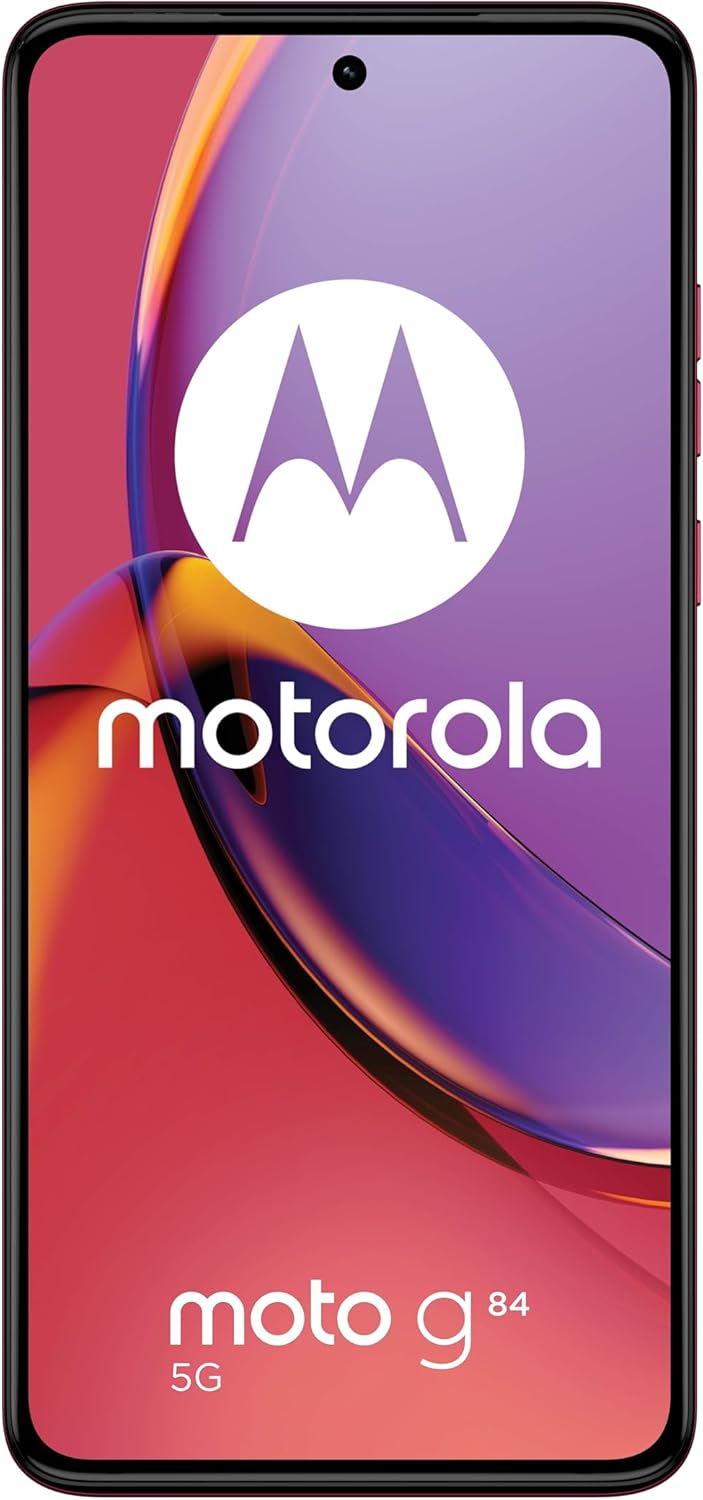
figuer 3: Front view fan 'e Motorola Moto G84 5G, sjen littenasing syn libbene pOLED-display.
2. Kamera
The device is equipped with a 50 MP Ultra Pixel main camera with Optical Image Stabilization (OIS) and an 8 MP ultra-wide/macro lens on the rear, and a front-facing camera for selfies.
- Foto's meitsje: Iepenje de Kamera-app, kadrearje jo opname en tik op de sluterknop.
- Fideo opname: Switch to video mode in the Camera app. The device supports 4K video recording at 30 fps.
- Kameramodi: Explore various modes such as Portrait, Night Vision, Panorama, and Pro mode for advanced controls.

figuer 4: Rear view of the Motorola Moto G84 5G, highlighting the 50MP Ultra Pixel camera system.
3.Audio
Experience immersive audio with Dolby Atmos, Motorola Spatial Audio, and Hi-Res Audio support through stereo speakers.
- Volume kontrôle: Use the volume buttons on the side of the device or the on-screen volume slider.
- Audio ynstellings: Lûdpro oanpassefiles and Dolby Atmos settings in the Sound & Vibration menu.
4. Konnektivität
The Moto G84 5G offers comprehensive connectivity options.
- 5G netwurk: Connect to 5G networks for faster data speeds (requires 5G service plan).
- Wi-Fi: Connect to wireless networks via Wi-Fi settings.
- Bluetooth: Koppelje mei Bluetooth-apparaten lykas koptelefoanen of sprekkers.
- NFC: Brûk Near Field Communication foar kontaktleaze betellingen en rappe koppeling mei kompatibele apparaten.
5. Biometric Features
The device supports biometric identification for enhanced security.
- Fingerprint sensor: Registrearje jo fingerôfdrukken yn 'e Feiligensynstellingen foar fluch en feilich ûntsluten.
- Gesicht ûntskoattelje: Set up face recognition for convenient unlocking.
6. Software
The Moto G84 5G runs on Android 13, offering a clean user interface and access to a wide range of applications via the Google Play Store.
- Systeem updates: Kontrolearje regelmjittich op systeemupdates en ynstallearje se om optimale prestaasjes en feiligens te garandearjen.
- Appbehear: Install, uninstall, and manage applications through the Settings menu or Google Play Store.
Ûnderhâld
1. Jo apparaat skjinmeitsje
To keep your phone clean, gently wipe the screen and body with a soft, lint-free cloth. Avoid using harsh chemicals or abrasive materials.
2. Wetter Resistance
The Moto G84 5G has an IP52 rating, meaning it is resistant to dust and splashing water. It is not waterproof. Avoid submerging the device in water or exposing it to high-pressure water jets.
Troubleshooting
Algemiene problemen en oplossings
- Apparaat giet net oan: Soargje derfoar dat de batterij opladen is. Ferbine de tillefoan mei in lader en wachtsje in pear minuten foardat jo besykje it opnij oan te setten.
- Oplaadproblemen: Check the USB cable and charger for damage. Try a different cable or power outlet. Ensure the charging port is clean and free of debris.
- Slecht netwurksignaal: Move to an area with better network coverage. Check if your SIM card is properly inserted. Restart the device.
- Apps dy't crashje of befrieze: Close and reopen the app. Clear the app's cache and data in Settings > Apps. If the issue persists, uninstall and reinstall the app.
- Skerm reagearret net: Fier in twongen opnij starte út troch de oan/út-knop sawat 10-15 sekonden yn te hâlden.
Spesifikaasjes
| Eigenskip | Spesifikaasje |
|---|---|
| Model Namme | Moto G84 5G |
| Bestjoeringssysteem | Android 13 |
| Prozessor | Snapdragon 695 (up to 2.2 GHz) |
| RAAM | 12 GB |
| Ynterne opslach | 256 GB |
| Skerm | 6.55-inch pOLED FHD+ (1080x2400), 120 Hz |
| Rear Kamera | 50 MP Ultra Pixel (OIS) + 8 MP Ultra-wide/Macro |
| Front Kamera | 1 |
| Batterij Kapasiteit | 5000 mAh |
| Opladen | 30W TurboPower |
| Konnektivität | 5G, Wi-Fi, Bluetooth, NFC |
| SIM Card Type | Dûbele Nano SIM-kaart |
| Wetter Resistance | IP52 (spatbestindich) |
| Ofmjittings | 16 x 7.4 x 0.8 sm |
| Gewicht | 160g wy |
| Opnommen yn Box | USB Cable, Phone Case, SIM Eject Tool |
Garânsje en stipe
Warranty Information
Your Motorola Moto G84 5G comes with a 2-year manufacturer's warranty. Please retain your proof of purchase for warranty claims. The warranty covers manufacturing defects but typically excludes damage caused by misuse, accidents, or unauthorized repairs.
Klant Support
For further assistance, technical support, or warranty service, please visit the official Motorola support website or contact their customer service. Refer to the documentation included with your device for specific contact details in your region.
Wichtige feiligens ynformaasje
Always follow basic safety precautions when using your phone to reduce the risk of fire, electric shock, and injury. Do not disassemble the device. Use only approved accessories. Avoid extreme temperatures. Dispose of the device and battery responsibly according to local regulations.