
1. Ynlieding
This manual provides comprehensive instructions for the installation, operation, and maintenance of your Raymarine Axiom 2 Pro 16 RVM Chartplotter/Fishfinder. The Axiom 2 Pro series offers enhanced performance with an ultra-fast 6-core processor, HybridTouch control, and advanced RealVision MAX sonar capabilities. Its HydroTough display ensures reliable operation in challenging marine environments. This device integrates seamlessly with other marine electronics through the LightHouse 4 operating system.
Lês dizze hantlieding goed troch foardat jo it produkt brûke om feilige en effisjinte wurking te garandearjen.
2. Safety Information
Wichtige feiligensynstruksjes:
- Always ensure proper installation by qualified personnel to prevent damage or injury.
- Skeakelje de stroom út foardat jo ûnderhâlds- of ynstallaasjeprosedueres útfiere.
- Do not expose the unit to extreme temperatures or direct sunlight for prolonged periods when not in use.
- Use only Raymarine approved accessories and parts.
- Observe all local and international maritime regulations when operating this device.
3. Package Ynhâld
Kontrolearje oft alle hjirûnder neamde items oanwêzich binne yn jo produktpakket:
- 1 x Raymarine Axiom 2 Pro 16 RVM Monitor
- Mounting Hardware (screws, gaskets, etc.)
- Power Kabel
- Documentation Pack (including this manual)
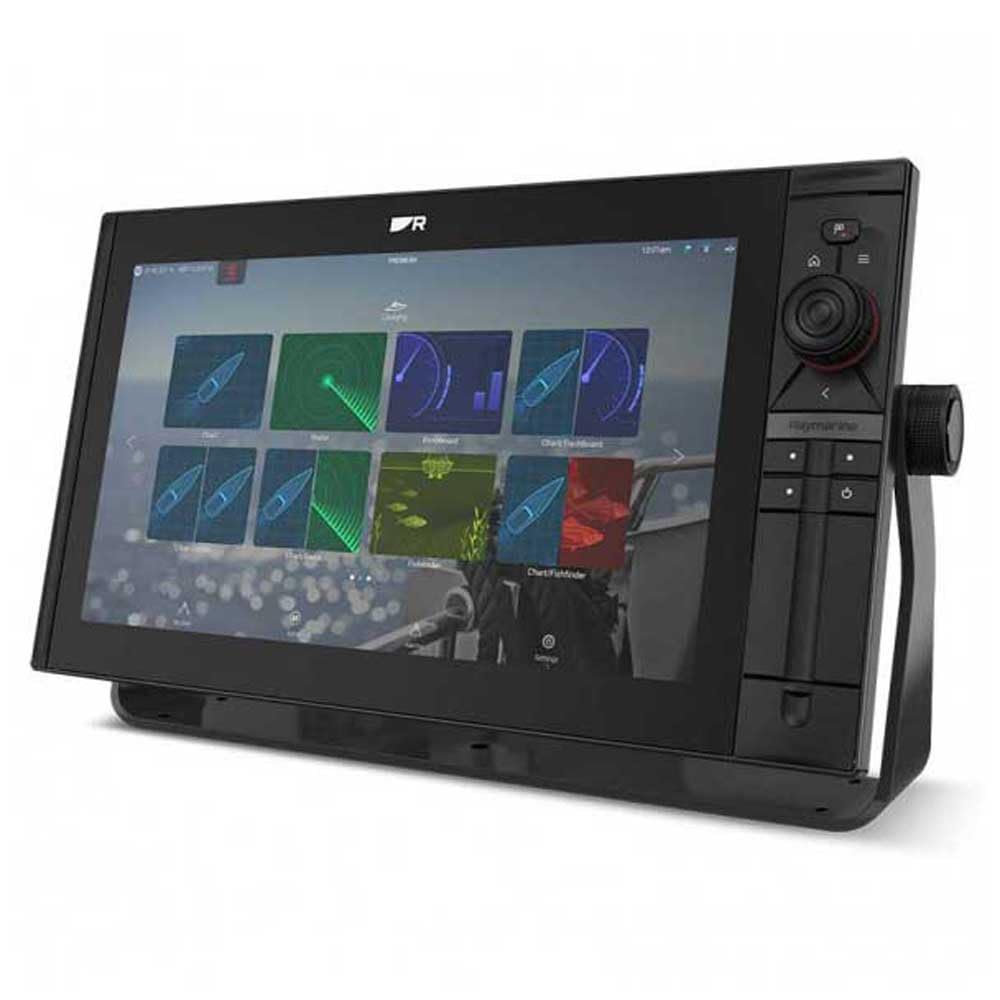
Image 1: Raymarine Axiom 2 Pro 16 RVM Chartplotter/Fishfinder unit. This image shows the main display unit, which is the primary component of the package.
4. Opset en ynstallaasje
The Axiom 2 Pro 16 RVM is designed for panel mount installation. Ensure you have adequate space and access for wiring before beginning.
4.1 It skerm montearje
- Choose a suitable location on your boat's dashboard or panel, ensuring clear visibility and access.
- Use the provided template (if applicable) to cut the mounting hole.
- Secure the display unit into the panel using the supplied mounting hardware.
4.2 Elektryske ferbinings
- Connect the power cable to a suitable 12V DC power source on your vessel. Ensure proper polarity.
- Connect any external sensors or transducers (sold separately) according to their respective manuals.
- For network integration, connect Ethernet cables to other compatible Raymarine devices.
- The unit supports HDMI connectivity for remote displays.
5. Bedriuwsinstruksjes
5.1 Yn-/útskeakelje
- Press and hold the Power button to turn the unit on or off.
- The automatic display brightness sensor adjusts screen illumination based on ambient light conditions.
5.2 HybridTouch Control
The Axiom 2 Pro features HybridTouch, allowing control via the fluid touchscreen or reliable keypad. Use the touchscreen for quick navigation and planning, and the keypad for precise control in rough seas. An interchangeable keypad field offers options for autopilot controls or user-programmable soft keys.
5.3 LightHouse 4 Operating System
Navigate seamlessly through chartplotter, sonar, radar, autopilot, and video functions using the intuitive LightHouse 4 OS. Customize your display with multiple Axiom displays and advanced video options, including HDMI output.
5.4 RealVision MAX Sonar
RealVision MAX optimizes DownVision, SideVision, and 3D sonar for greater range, improved resolution, and sharper target identification. This feature enhances fishfinding capabilities.
5.5 Funksjes fan kaartplotters
The unit supports Navionics/C-Map cartography. Plan and create your course directly on the display. Utilize GPS for accurate positioning and navigation.
6. Underhâld
6.1 It skerm skjinmeitsje
The HydroTough display features nanocoating technology that repels water, ensuring reliable touchscreen operation and vibrant colors. Clean the screen with a soft, damp doek. Brûk gjin abrasive skjinmakkers of solvents.
6.2 Software Updates
Kontrolearje de Raymarine periodyk webside foar software-updates om optimale prestaasjes en tagong ta nije funksjes te garandearjen.
7. Probleemoplossing
| Probleem | Mooglike oarsaak | Oplossing |
|---|---|---|
| Ienheid giet net oan. | Gjin stroomfoarsjenning; ferkearde bedrading; trochbrânde sekering. | Check power connections; verify fuse; ensure battery is charged. |
| No sonar data. | Transducer not connected; transducer faulty; incorrect settings. | Ensure transducer is properly connected; check transducer for damage; verify sonar settings. |
| Touchscreen reageart net. | Screen dirty; temporary software glitch. | Clean screen with a soft cloth; restart the unit. |
8. Spesifikaasjes
| Eigenskip | Detail |
|---|---|
| Merk | Raymarine |
| Model Namme | Axiom 2 Pro |
| Skermgrutte | 16 ynms |
| Display Type | Touch Screen (HydroTough) |
| Control Metoade | Touchscreen, Keypad (HybridTouch) |
| Special Feature | RealVision MAX |
| Konnektivität Technology | HDMI, Ethernet |
| Map Type | Nautical (Navionics/C-Map) |
| Mounting Type | Panel Mount |
| Stipe satellytnavigaasjesysteem | GPS |
| Ynbegrepen komponinten | 1x Monitors |
| UPC | 723193843567 |
| ASIN | B0CFWVQBVC |
9. Garânsje en stipe
Foar detaillearre garânsje-ynformaasje, sjoch de garânsjekaart dy't by jo produkt heart of besykje de offisjele Raymarine-webside. website. Raymarine offers technical support and service for its products.
Kontakt ynformaasje:
- Visit the Raymarine official webside foar stipeboarnen, FAQ's en kontaktgegevens.
- For service inquiries, please contact your authorized Raymarine dealer.