
Ynlieding
The Havit Gamenote KB885L mechanical keyboard is engineered for precision, durability, and customization. It features a gasket structure design, providing a soft and stable typing experience while minimizing noise. The full key rollover with multi-key response ensures fast and accurate input, crucial for gaming. With customizable RGB backlighting, you can personalize your keyboard with various lighting modes and effects. The detachable USB-C cable enhances portability and simplifies cable management. This keyboard is built with mechanical switches rated for 50 million key presses, making it suitable for gamers, typists, and professionals who require long-lasting performance.
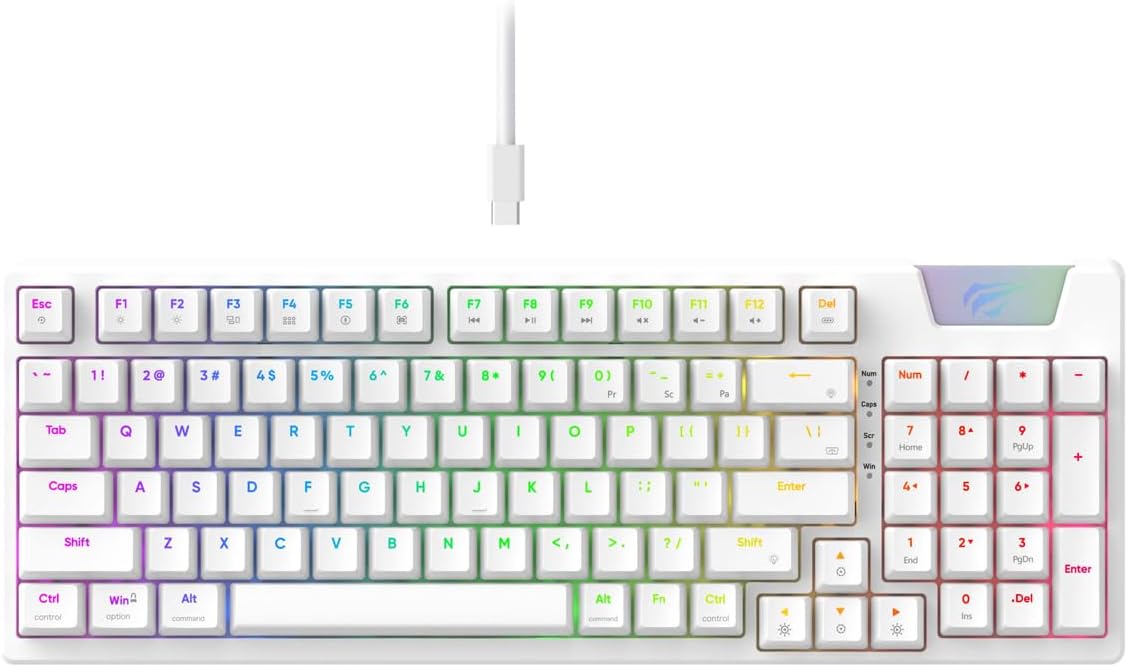
Image: The Havit Gamenote KB885L mechanical keyboard in white, showcasing its full layout and detachable USB-C cable.
Setup Guide
Follow these steps to set up your Havit Gamenote KB885L mechanical keyboard:
- It toetseboerd útpakke: Helje it toetseboerd en de accessoires foarsichtich út 'e ferpakking.
- Ferbine de USB-C-kabel: Insert the detachable USB Type-C cable into the port on the keyboard.
- Ferbine mei kompjûter: Stek it oare ein fan 'e USB-kabel yn in beskikbere USB-poarte op jo kompjûter.
- Driver ynstallaasje: It toetseboerd is plug-and-play en hat normaal gjin ekstra stjoerprogramma's nedich. Jo bestjoeringssysteem moat de nedige stjoerprogramma's automatysk detektearje en ynstallearje.
- Testfunksjonaliteit: Open a text editor or browser to test key presses and ensure all functions are working correctly.

Image: A close-up of the Havit Gamenote KB885L keyboard highlighting its portable design and detachable cable for easy setup and transport.
Operating Instructions
The Havit Gamenote KB885L keyboard offers various features for an enhanced user experience:
RGB-efterljochtkontrôle
It toetseboerd hat oanpasbere RGB-efterljochting. Brûk de folgjende toetskombinaasjes om ljochteffekten oan te passen:
- Fn + [Toets]: Cycle through different RGB lighting modes. (Specific key combinations may vary, refer to on-keyboard legends if available).
- Fn + pylktoetsen: Adjust brightness and speed of lighting effects.

Image: The Havit Gamenote KB885L keyboard displaying its vibrant RGB backlighting, illustrating customizable lighting effects.
Full Key Rollover (NKRO)
This keyboard supports Full Key Rollover, meaning every key press is registered independently, regardless of how many keys are pressed simultaneously. This feature is essential for fast-paced gaming and typing, preventing ghosting or missed inputs.
Ergonomysk ûntwerp
The keyboard is designed with ergonomics in mind to provide comfort during extended use. Its layout and keycap profile aim to reduce strain on your wrists and fingers.

Ofbylding: A view of the Havit Gamenote KB885L keyboard highlighting its ergonomic design for comfortable use.
Ûnderhâld
Goed ûnderhâld soarget foar de lange libbensdoer en optimale prestaasjes fan jo toetseboerd:
- Reiniging: Regularly clean the keyboard with a soft, dry cloth. For deeper cleaning, use compressed air to remove dust and debris from between the keycaps. For stubborn dirt, a slightly damp In doek mei mylde sjippe kin brûkt wurde, sadat der gjin floeistof yn it toetseboerd komt.
- Avoid spills: Hâld floeistoffen fuort fan it toetseboerd om skea oan de ynterne komponinten te foarkommen. Yn gefal fan morsen, koppel it toetseboerd fuortendaliks los en lit it folslein droegje foardat jo it opnij ferbine.
- Kabelsoarch: Behannelje de los te meitsjen USB-C-kabel foarsichtich. Foarkom skerpe bûgingen of tefolle lûken om skea oan 'e kabel of ferbiningen te foarkommen.
- Opslach: As it net yn gebrûk is, bewarje it toetseboerd dan yn in skjinne, droege omjouwing, fuort fan ekstreme temperatueren.
Troubleshooting
If you encounter issues with your Havit Gamenote KB885L keyboard, try the following solutions:
- Toetseboerd reagearret net:
- Soargje derfoar dat de USB-C-kabel feilich ferbûn is mei sawol it toetseboerd as de kompjûter.
- Besykje it toetseboerd yn in oare USB-poarte op jo kompjûter te stekken.
- Test it toetseboerd op in oare kompjûter om te bepalen oft it probleem mei it toetseboerd of jo systeem leit.
- RGB-ljochten wurkje net:
- Check if the lighting is turned off using the Fn key combinations.
- Soargje derfoar dat it toetseboerd goed oandreaun wurdt fia de USB-ferbining.
- Kaaien net registrearje / ghostje:
- Due to full key rollover, this is unlikely. However, ensure no debris is lodged under the keycap.
- If a specific key is consistently failing, it might indicate a switch issue. Contact support if the problem persists.
Spesifikaasjes
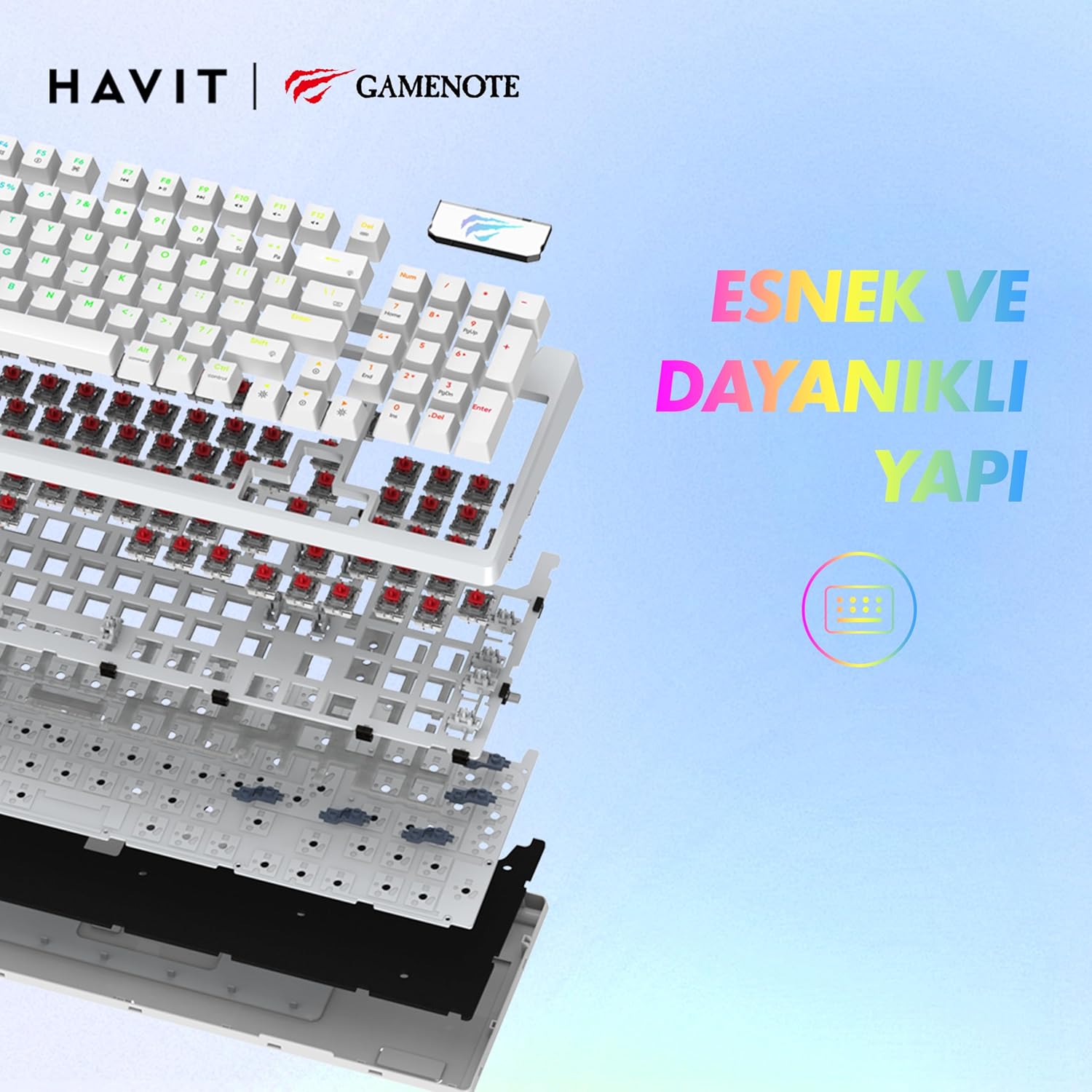
Ofbylding: In eksplodearre view of the Havit Gamenote KB885L keyboard, illustrating its internal gasket structure for enhanced stability and typing feel.
| Eigenskip | Detail |
|---|---|
| Merk | Havit |
| Model Number | KB885L |
| Kompatibele apparaten | Kompjûter |
| Konnektivität Technology | USB |
| Toetseboerdbeskriuwing | Gaming |
| Oanrikkemandearre Uses | Gaming |
| Special Feature | Draachber |
| Kleur | Wyt |
| Stipe foar efterljochtkleur | RGB (Red, Green, Blue model) |
| Styl | Modern |
| Produkt Ofmjittings (L x B x H) | 38.7 x 14 x 4.5 sm |
| Taal | Ingelsk |
| Power Boarne | USB Power |
| Switch Type | Taktile |
| Toetseboerdyndieling | QWERTY |
| Hand Oriïntaasje | Ambidextrous |
| Oantal Keys | 95 |
| Knop Kwantiteit | 104 |
| Ynbegrepen komponinten | USB Kabel |
| Materiaal | Plestik |
| Key Press Lifespan | 50 Million (from description) |

Image: An illustration highlighting the Havit Gamenote KB885L's durable mechanical switches, rated for a 50 million key press lifespan.
Warranty Information
The Havit Gamenote KB885L Mechanical Keyboard comes with a ien jier garânsje from the date of purchase. This warranty covers manufacturing defects and issues arising from normal use. It does not cover damage caused by misuse, accidents, unauthorized modifications, or improper maintenance. Please retain your proof of purchase for warranty claims.
Klant Support
For further assistance, technical support, or warranty inquiries, please contact Havit customer service through their official website or the retailer where you purchased the product. Have your model number (KB885L) and proof of purchase ready when contacting support.