
Deeyaple S207
Deeyaple S207 Cell Phone Stand with Wireless Bluetooth Speaker and 12H Time Display User Manual
Ynlieding
This manual provides comprehensive instructions for the Deeyaple S207 Cell Phone Stand with Wireless Bluetooth Speaker and 12H Time Display. Please read this manual thoroughly before using the product to ensure proper operation and to maximize its features. Keep this manual for future reference.
Ofbylding 1: The Deeyaple S207 multi-functional device.
Produkt oerview
The Deeyaple S207 is a versatile device combining a cell phone stand, a wireless Bluetooth speaker, and a 12-hour time display. It is designed for convenience and enhanced audio experience.

Ofbylding 2: The Deeyaple S207 functions as a stand, speaker, and digital clock.
Key Features:
- Multifunksjoneel ûntwerp: Integrates a Bluetooth speaker, phone stand, and time display.
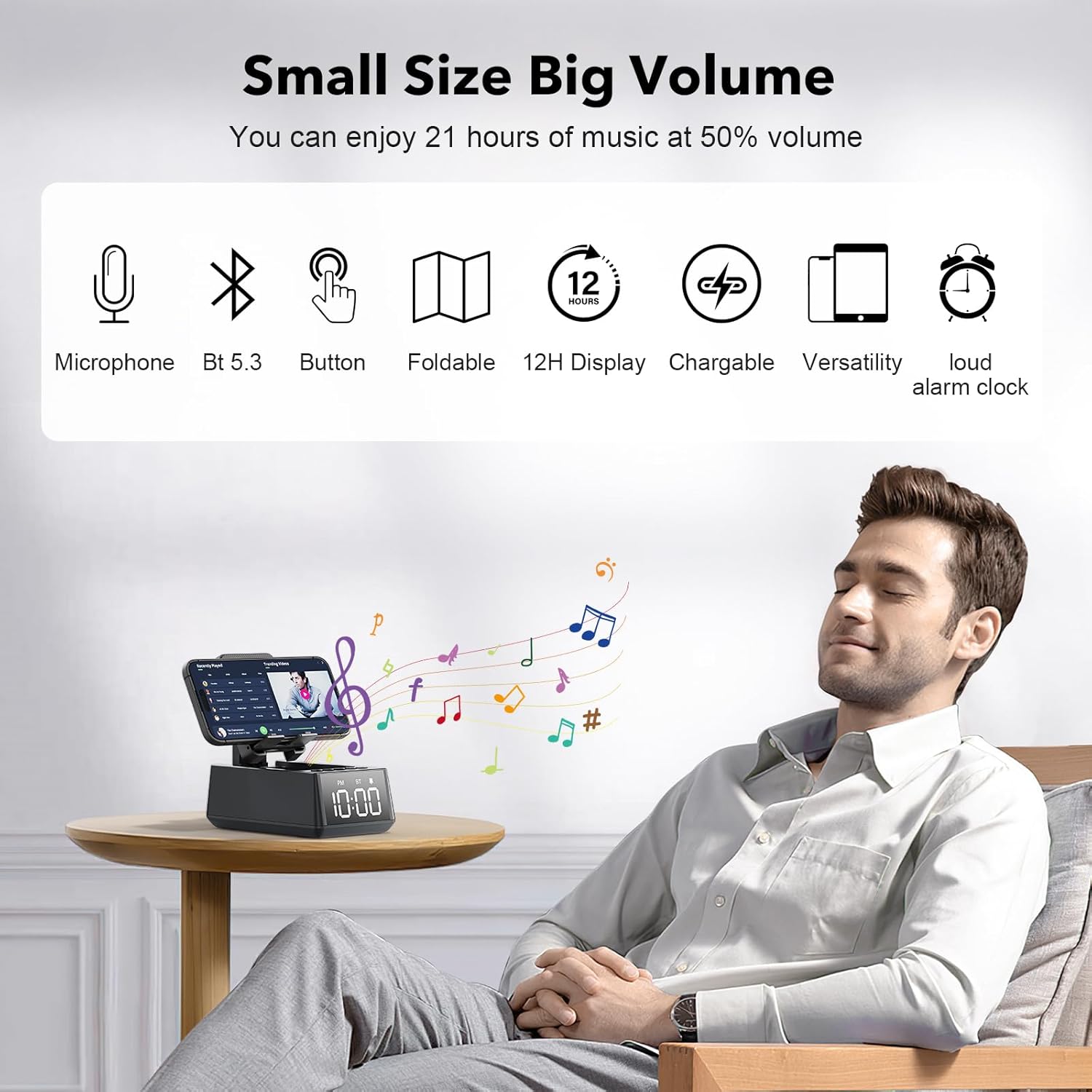
- Bluetooth 5.3-ferbining: Ensures quick and stable connection to smartphones, tablets, and laptops.
- HD Surround Sound: Delivers clear and powerful audio with low distortion across all frequencies.
- Opklapbere stand: Adjustable angle for optimal viewing of mobile phones and tablets.
- 12H Time Display: Clear LED digital display.
- Ynboude mikrofoan: Supports hands-free calling.
- TF-kaartlêzer: Foar it direkt ôfspyljen fan muzyk fan in ûnthâldkaart.
- Loud Alarm Clock: Gradually increases volume up to 100 decibels.
- Oplaadbere batterij: 1200mAh battery provides 12-21 hours of use at 50% volume.
- Type-C oplaadpoarte: Convenient charging for the device.
- USB-útfierpoarte: Allows charging of external devices like mobile phones.

Ofbylding 3: Oerview of Deeyaple S207 features, including battery capacity, charging ports, audio capabilities, and stand design.
Pakketynhâld
Kontrolearje asjebleaft it pakket op de folgjende items:
- Deeyaple S207 Cell Phone Stand with Wireless Bluetooth Speaker
- USB-oplaadkabel
- User Manual
Kontrôles en yndikatoaren
Familiarize yourself with the device's buttons and display:

Ofbylding 4: Detaillearre view of the device's adjustable bracket, base, and non-slip mat.
- Power knop: Press and hold to turn on/off. Short press to switch modes.
- Volume Down / Foarige track: Koart yndrukke foar folume omleech, lang yndrukke foar foarich nûmer.
- Play/Pause / Answer Call: Koart yndrukke om ôf te spyljen/pauzearje, koart yndrukke om in oprop te beantwurdzjen/beëinigjen.
- Volume omheech / folgjende track: Koarte druk foar folume omheech, lange druk foar folgjende spoar.
- Mode knop: Short press to cycle through Bluetooth, TF Card, and AUX modes.
- Tiid werjefte: LED screen shows current time and mode indicators (PM, BT).
Opsette
It apparaat opladen:
- Connect the provided USB charging cable to the Type-C port on the side of the Deeyaple S207.
- Ferbine it oare ein fan 'e USB-kabel mei in kompatibel USB-stroomadapter (net ynbegrepen) of de USB-poarte fan in kompjûter.
- It LED-display sil de oplaadstatus oanjaan. In folsleine lading duorret normaal sawat 2-3 oeren.
Fideo 1: Demonstration of the Deeyaple S207 speaker's display and basic operation, including volume adjustment and mode switching.
Operaasje
Bluetooth-keppeling:
- Turn on the Deeyaple S207 by pressing and holding the Power button. The device will enter Bluetooth pairing mode, indicated by a flashing "BT" on the display.
- Skeakelje Bluetooth yn op jo smartphone, tablet of laptop en sykje nei beskikbere apparaten.
- Select "Deeyaple S207" from the list of devices.
- Once paired, the "BT" indicator will stop flashing and remain solid. You can now play audio through the speaker.

Ofbylding 5: Bluetooth 5.3 technology allows quick and easy connection to smart devices.
De tiid en alarm ynstelle:
- The device features a 12-hour time display. For iPhone users, the clock will automatically sync with your phone's time upon Bluetooth connection.
- To manually adjust the time or set an alarm, refer to the specific button functions described in the "Controls and Indicators" section. (Note: Detailed manual time setting steps are not provided in the product data.)

Ofbylding 6: The LED digital display shows the current time.
Using as a Phone/Tablet Stand:
- The integrated stand is foldable and adjustable. Gently pull the stand upwards to deploy it.
- Place your smartphone or tablet (4-13 inches) onto the stand.
- Adjust the angle of the stand for optimal viewing.
- A small hole at the bottom of the phone holder allows for charging your device while it is on the stand.

Ofbylding 7: The stand is highly adaptable for various mobile phones and tablets.

Ofbylding 8: A small hole at the base of the stand allows for charging your phone while in use.
TF Card Wiedergabe:
- Doch in TF (MicroSD) kaart mei muzyk yn files yn 'e oanwiisde slot.
- Press the Mode button to switch to TF Card mode. The device will automatically begin playing music from the card.
- Use the Volume/Track buttons to control playback.
Hânfrij skilje:
- When connected via Bluetooth to your phone, incoming calls can be answered by pressing the Play/Pause button.
- Speak into the built-in microphone for your conversation.
- Druk nochris op de knop Ofspielje/Pauze om de oprop te beëinigjen.
Spesifikaasjes
| Eigenskip | Detail |
|---|---|
| Model Namme | S207 |
| Merk | Deeyaple |
| Konnektivität Technology | Bluetooth 5.3 |
| Speaker Type | Surround Sound |
| Special Feature | Built-in Microphone, 12H Time Display, Foldable Stand, TF Card Reader |
| Produkt Ofmjittings | 6.61" D x 2.46" W x 3.54" H |
| Item Gewicht | 15.8 ounces (0.45 kilogram) |
| Batterij | 1 Lithium-ionbatterij (ynbegrepen), 1200 mAh |
| Batterij Life | 12-21 oeren op 50% folume |
| Kompatibele apparaten | Smartphones (iPhone 4S to 15 Pro Max), Tablets (iPad, iPad Air, iPad Mini, iPad Pro, Microsoft Surface series), e-readers (Kindle) |
| UPC | 728990656310 |
Troubleshooting
| Probleem | Mooglike oplossing |
|---|---|
| Apparaat docht net oan. | Ensure the device is fully charged. Connect to a power source using the USB charging cable. |
| Kin net keppele fia Bluetooth. | Make sure the device is in Bluetooth pairing mode (flashing "BT"). Ensure your phone's Bluetooth is enabled and within range. Forget previous pairings on your phone and try again. |
| Gjin lûd of leech folume. | Check the volume levels on both the Deeyaple S207 and your connected device. Ensure the device is not muted. |
| De tiidswerjefte is ferkeard. | For iPhones, ensure Bluetooth is connected for automatic sync. Manual adjustment steps are not detailed in product information, refer to device buttons for potential setting options. |
| De Bluetooth-ferbining falt faak út. | Ensure there are no obstructions between the speaker and your device. Move closer to the speaker. Reduce interference from other wireless devices. |
Ûnderhâld
- Meitsje it apparaat skjin mei in sêfte, droege doek. Brûk gjin abrasive reinigingsmiddels of oplosmiddels.
- Hâld it apparaat fuort fan wetter, focht en ekstreme temperatueren.
- Bewarje yn in koel, droech plak as net yn gebrûk foar langere perioaden.
- Foarkom it fallen fan it apparaat of it ûnderwurpen oan sterke ynfloeden.
Garânsje en stipe
For warranty information or technical support, please contact Deeyaple customer service through the retailer where the product was purchased. Please retain your proof of purchase for warranty claims.
Ask a question about this manual
Ask about setup, troubleshooting, compatibility, parts, safety, or missing instructions. Manuals+ will review the question and use this page’s manual context to help answer it.