
Ynlieding
Thank you for choosing the Miracase Bike Phone Holder. This manual provides detailed instructions for the proper installation, operation, and maintenance of your new phone mount. Designed for secure and convenient phone access during various activities, this holder is compatible with a wide range of vehicles and smartphones.
The Miracase Bike Phone Holder features a semi-enclosed design to prevent camera and side button obstruction, allowing for video recording and full phone functionality. Its quick-lock and release mechanism ensures secure phone placement with one-handed operation. Constructed with resistant ABS and non-slip silicone, it provides stable protection for your device.
Wat is yn 'e doaze
- 1 x tillefoanhâlder
- 1 x Handlebar Clamp
- 1 x User Manual
Spesifikaasjes
| Merk | Miracase |
| Model Namme | 9002 |
| Kleur | Read |
| Kompatibele apparaten | All 4" - 7" phones (e.g., iPhone 17 Pro Max to iPhone 4, Galaxy S/Note/A series, Google Pixel series) |
| Mounting Type | Handlebar |
| Compatible Handlebar Diameter | 0.72" - 1.69" (18 - 40mm) |
| Kompatibel Vehicle Type | ATV, Bicycle, Electric Scooter, Indoor Bike, Motorcycle, Shopping Cart, Stroller, Treadmill, UTV |
| Materiaal | Plastic, Silicone |
| Item Gewicht | 0.2 kilogram |
| Wetter Resistance Level | Wetterdicht |
Opset en ynstallaasje
Follow these steps to correctly install your Miracase Bike Phone Holder:
- Assemble the Phone Holder: The phone holder and handlebar clamp come as separate pieces. Loosen the nut on the phone holder to attach it to the ball joint of the handlebar clamp. Tighten the nut to secure the two parts together.
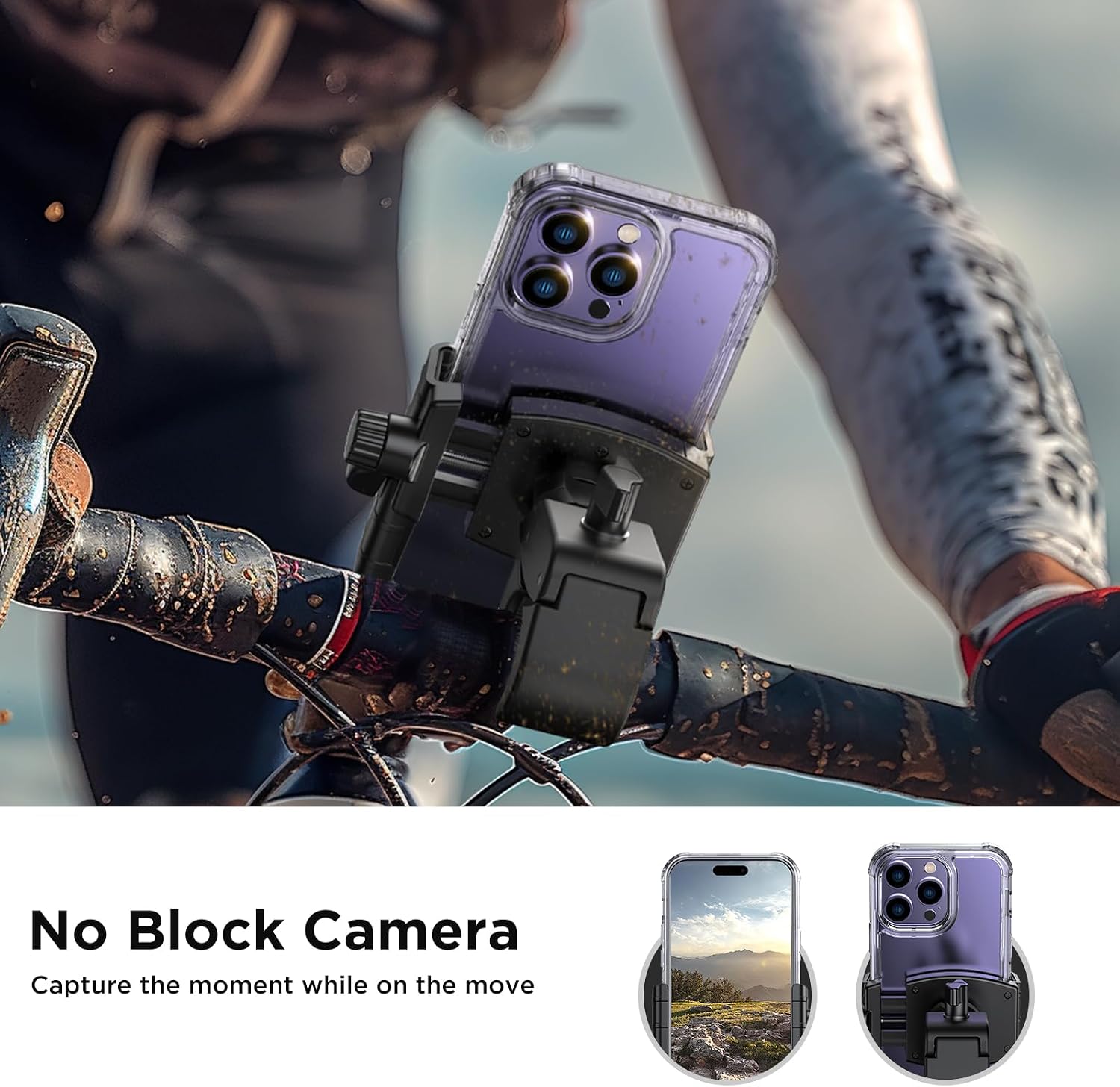
Image: Miracase Bike Phone Holder components showing the phone holder and handlebar clamp skieden.
- Attach to Handlebar: Iepenje it stjoer clamp by turning the knob. Position the clamp on your desired handlebar location. Ensure the clamp fits securely around the handlebar.

Image: Visual guide for installing the phone holder onto a handlebar, showing the assembly and tightening process.
- Draai de Clamp: Turn the knob on the handlebar clamp to tighten it firmly onto the handlebar. Ensure there is no movement or looseness. The clamp is designed for handlebar diameters between 0.72" and 1.69" (18-40mm).

Image: The Miracase Bike Phone Holder securely mounted on a bicycle handlebar, ready for phone placement.
Ynstallaasje Video Guide
Video: A detailed demonstration of installing the Miracase Motorcycle Phone Mount on a bicycle handlebar, showing the assembly and tightening process.
Operating Instructions
Using your Miracase Bike Phone Holder is simple and designed for quick, one-handed operation:
- Adjust Phone Holder Width: Rotate the knob on the side of the phone holder to adjust its width to fit your smartphone. The holder accommodates phones from 4" to 7".
Image: Step-by-step visual showing how to rotate the knob to adjust the phone holder's width.
- Insert and Secure Phone: Place your phone into the holder. The holder's resistant ABS faceplate and non-slip silicone will protect your phone from scratches and provide a secure grip.

Image: A hand demonstrating the one-handed operation to insert a phone into the holder.
- Quick Lock Mechanism: Once the phone is in place, flip down the lever on the side to engage the quick lock mechanism. This securely holds your phone, preventing it from falling off during rides.
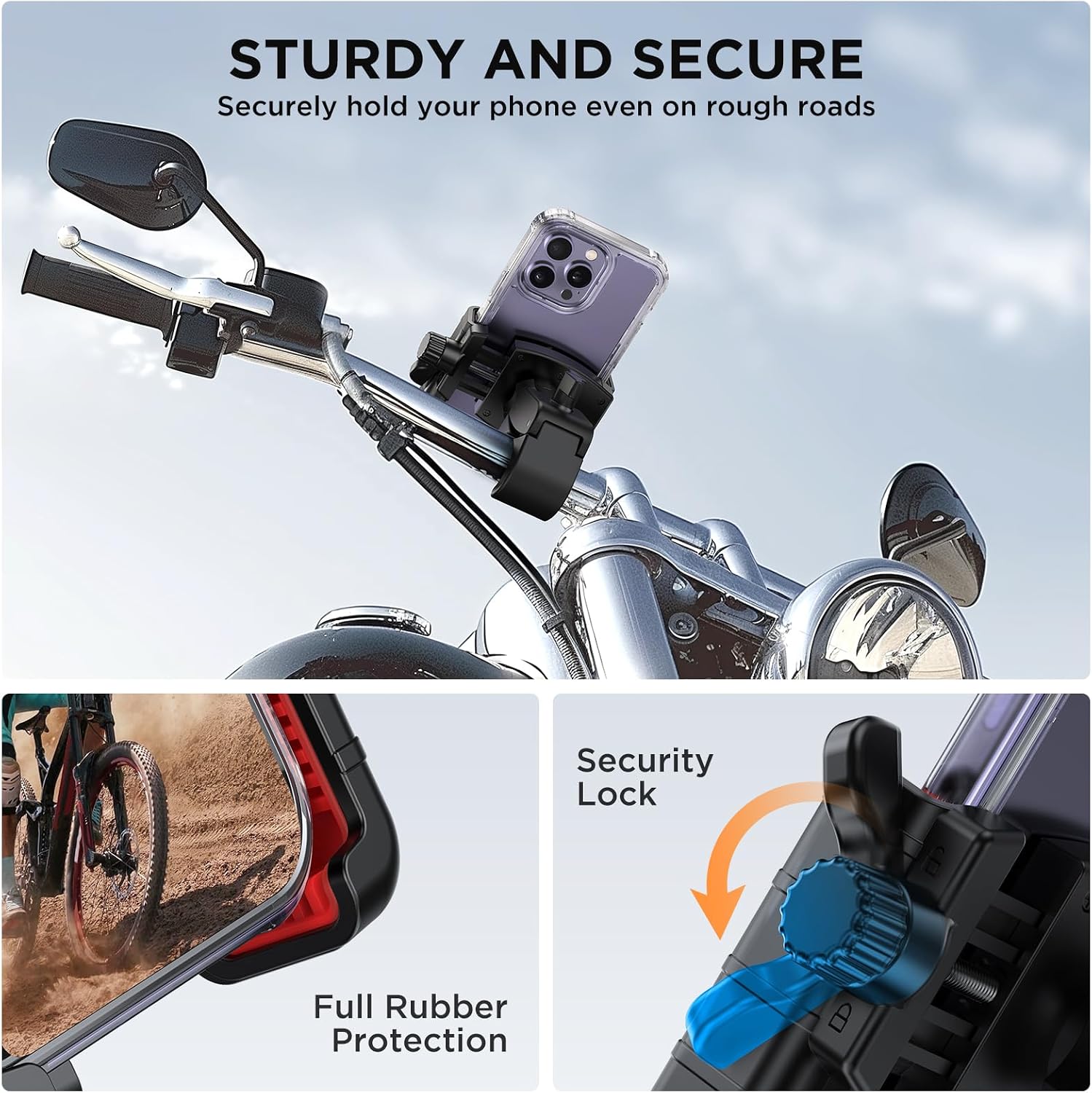
Image: A close-up of the quick lock lever, showing how to engage it to secure the phone.
- Camera and Button Access: The semi-enclosed design ensures that your phone's camera and side buttons are not blocked, allowing you to record videos or use Face ID/fingerprint ID without obstruction.
Image: A phone mounted in the holder, demonstrating that the camera is not blocked, allowing for video recording.
Operaasje Video Guide
Video: A seller demonstrating the ease of installing a phone into the Miracase bike mount and securing it, highlighting the quick lock feature.
Ûnderhâld
To ensure the longevity and optimal performance of your Miracase Bike Phone Holder, follow these simple maintenance tips:
- Regularly check all screws and knobs to ensure they are tight and secure.
- Meitsje de hâlder skjin mei in sêfte, damp cloth. Avoid harsh chemicals that may damage the plastic or silicone components.
- Inspect the silicone pads for any signs of wear or damage. Replace if necessary to maintain optimal grip and phone protection.
- Store the phone holder in a cool, dry place when not in use, especially if exposed to extreme weather conditions.
Troubleshooting
If you encounter any issues with your Miracase Bike Phone Holder, refer to the following common solutions:
- Phone feels loose in the holder: Ensure the width adjustment knob is tightened sufficiently to snugly hold your phone. Also, confirm the quick lock lever is fully engaged.
- Holder slides on the handlebar: Draai de stjoerklem wer oanamp knob. If the issue persists, ensure the handlebar diameter is within the specified range (0.72" - 1.69").
- Difficulty inserting/removing phone: Check that the width adjustment knob is loosened enough before inserting or removing your phone.
Garânsje en stipe
The Miracase Bike Phone Holder comes with a 12 moannen ferfangingsgarânsje. For any warranty claims, product support, or further assistance, please contact Miracase customer service through the retailer where you purchased the product or visit the official Miracase website.