
1. Ynlieding
Thank you for choosing the Zeblaze Crystal 3 Smartwatch. This manual provides essential information for setting up, operating, maintaining, and troubleshooting your device. Please read it carefully to ensure proper use and optimal performance.
2. Produkt Overview
The Zeblaze Crystal 3 is a versatile smartwatch designed for fitness tracking and daily use. It features a vibrant HD color display and high-precision sensors to monitor various health metrics.
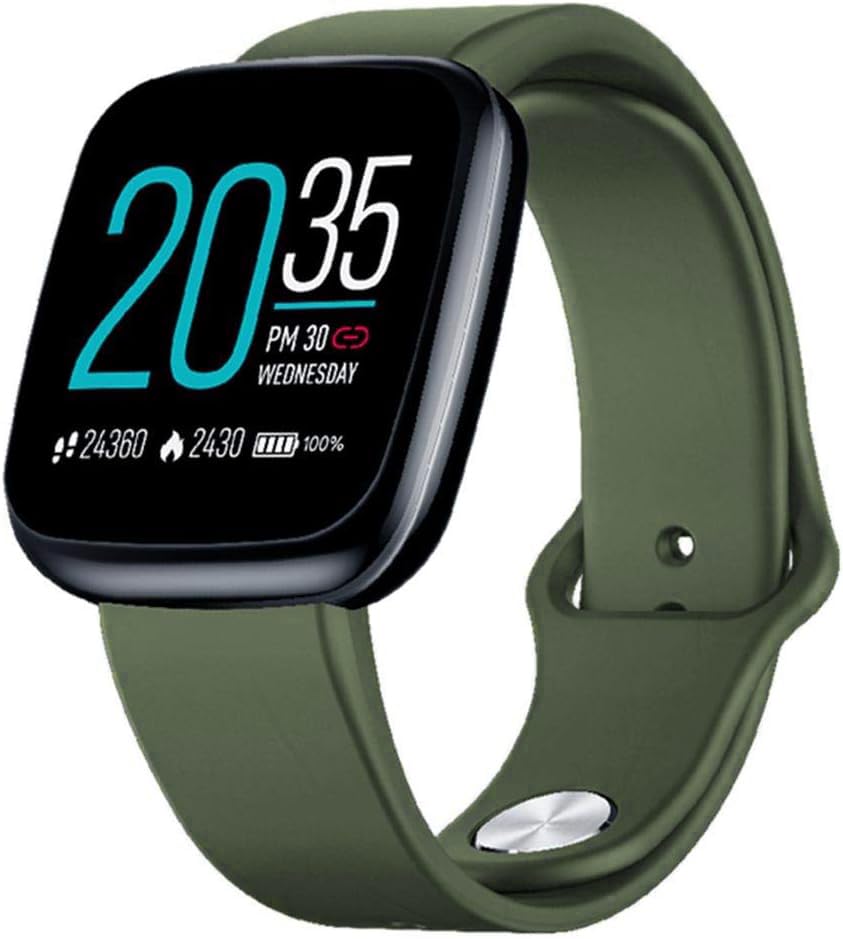
Image: Zeblaze Crystal 3 Smartwatch, showing the main display and green strap.
Key Features:
- 1.3-inch HD Color Screen: A vibrant IPS display with 240x240 pixel resolution for clear visuals.
- Hege presyzje sensoren: Equipped with a heart rate sensor, proximity sensor, and accelerometer for accurate data collection.
- IP67 Wetterbestindichheid: Designed to withstand daily water exposure, such as splashes and rain.
- Lange batterijlibben: Up to 7 days of use on a single 2-hour charge, thanks to its 200 mAh battery.
- Aktiviteit folgjen: Monitors steps, distance, calories burned, and supports various sports modes.
- Sûnensmonitoring: Includes heart rate and sleep tracking.
- Kompatibiliteit foar smartphones: Works with Android 4.4 or newer and iOS 8.0 or newer devices.
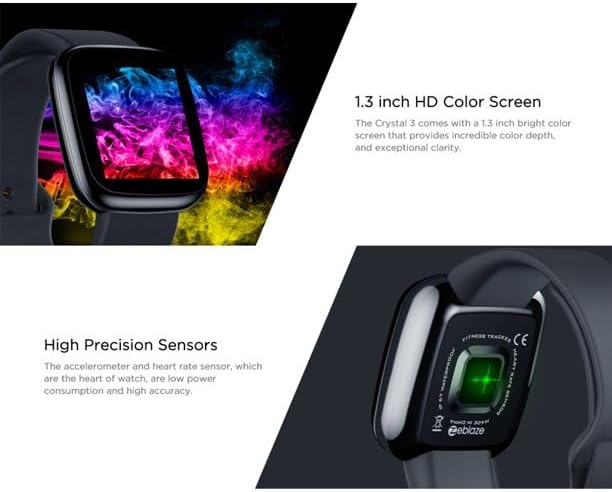
Image: Close-up of the 1.3-inch HD color screen and the high-precision heart rate sensor on the back of the watch.
3. Opsette
3.1 De smartwatch oplade
Before first use, fully charge your Zeblaze Crystal 3. Connect the charging cable to the watch's charging port and a USB power source (e.g., computer USB port or a 5V/1A USB adapter). A full charge typically takes about 2 hours.
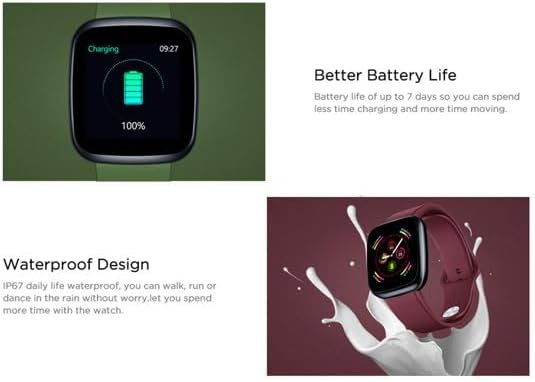
Image: Illustration showing how to connect the smartwatch to a USB port for charging.
3.2 App-ynstallaasje en koppeling
- Download de app: Sykje nei the official Zeblaze companion app on your smartphone's app store (Google Play Store for Android or Apple App Store for iOS).
- Account oanmeitsje: Iepenje de app en folgje de ynstruksjes op it skerm om in akkount te meitsjen of oan te melden.
- Pair-apparaat: Ensure Bluetooth is enabled on your smartphone. In the app, navigate to the device pairing section and select "Zeblaze Crystal 3" from the list of available devices. Confirm the pairing request on both your phone and the smartwatch.
- Profile Opsette: Foltôgje jo persoanlike profile within the app to ensure accurate tracking of health and fitness data.
4. Bedriuwsinstruksjes
4.1 Basisnavigaasje
- Wekker skerm: Til jo pols op of druk op de sydknop om it skerm wekker te meitsjen.
- Swipe omheech / omleech: Access notifications or quick settings.
- Swipe lofts/rjochts: Navigate through different functions and widgets (e.g., heart rate, activity data, weather).
- Tap: Selektearje in item of befêstigje in aksje.
- Lange parse: On the main watch face, long press to change watch faces.
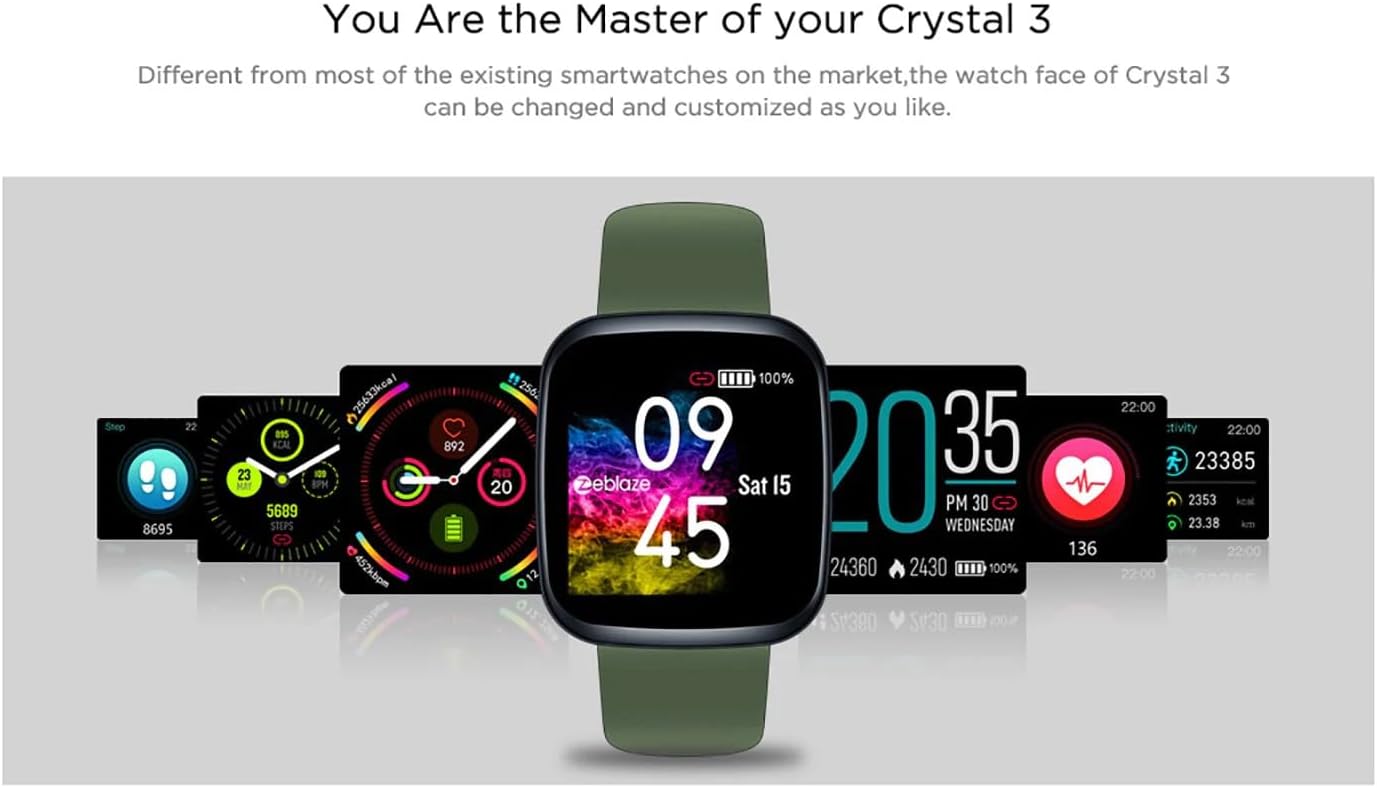
Image: The Zeblaze Crystal 3 displaying different customizable watch faces and data screens.
4.2 Aktiviteitsfolging
The smartwatch automatically tracks your daily steps, distance, and calories burned. You can view this data directly on the watch or in more detail within the companion app.
4.3 Heart Rate Monitoring
The built-in heart rate sensor continuously monitors your heart rate. Ensure the watch is worn snugly on your wrist for accurate readings. View your current and historical heart rate data in the app.
4.4 Sliepmonitoaring
Wear the smartwatch to bed to track your sleep patterns. The device records sleep duration and quality, which can be reviewed in the app to help you understand and improve your sleep habits.
5. Underhâld
5.1 It apparaat skjinmeitsje
Meitsje jo smartwatch en riem regelmjittich skjin om hûdirritaasje te foarkommen en funksjonaliteit te behâlden. Brûk in sêfte, damp doek om it skerm en de riem ôf te feegjen. Foarkom it brûken fan hurde gemikaliën of abrasive materialen.
5.2 Wetterbestindichheid (IP67)
The Zeblaze Crystal 3 is IP67 water-resistant, meaning it is protected against dust and can withstand immersion in water up to 1 meter for up to 30 minutes. It is suitable for daily use, such as washing hands, rain, or light splashes. It is net oan te rieden om te swimmen, te dûsjen mei hyt wetter of te dûken.

Image: Illustration highlighting the waterproof design of the Zeblaze Crystal 3 Smartwatch.
5.3 Batterij Soarch
- Foarkom ekstreme temperatueren, dy't de libbensdoer fan 'e batterij kinne ferleegje.
- Lit it apparaat net foar langere perioaden folslein ûntladen.
- Brûk allinnich de levere oplaadkabel of in sertifisearre lykweardich.
6. Probleemoplossing
6.1 Apparaat giet net oan
- Soargje derfoar dat it apparaat folslein opladen is. Ferbine it teminsten 30 minuten mei de lader.
- Try pressing and holding the side button for 10-15 seconds to force a restart.
6.2 Kin net keppele wurde mei smartphone
- Make sure Bluetooth is enabled on your phone and the smartwatch is within range.
- Start sawol jo smartphone as de smartwatch opnij op.
- Kontrolearje oft de app is bywurke nei de lêste ferzje.
- Ferjit it apparaat út 'e Bluetooth-ynstellingen fan jo tillefoan en besykje it opnij te koppelen fia de app.
6.3 Inaccurate Heart Rate/Activity Data
- Soargje derfoar dat it horloazje strak om jo pols droegen wurdt, net te strak of te los.
- Meitsje de sensor oan 'e efterkant fan it horloazje skjin.
- Update the smartwatch firmware via the companion app if an update is available.
7. Spesifikaasjes
| Eigenskip | Detail |
|---|---|
| Merk | Zeblaze |
| Model Namme | Kristal 3 |
| Skerm | 1.3-inch IPS-kleurenskerm |
| Resolúsje | 240 * 240 piksels |
| Sensors | Heart Rate Sensor, Proximity Sensor, Accelerometer |
| Wetter Resistance | IP67 |
| Batterij Kapasiteit | 200 mAh |
| Oplaadtiid | Ca. 2 oeren |
| Batterij Life | Oant 7 dagen |
| Kompatibiliteit | Android 4.4+ / iOS 8.0+ |
| Ofmjittings | 4.05 x 3.55 x 1.2 sm (1.59 x 1.39 x 0.47 inch) |
| Gewicht | 27 gram (0.95 ounces) |
| Konnektivität | Bluetooth (for app pairing), USB (for charging) |
| Special Features | Activity Tracker, Heart Rate Monitor, Sleep Monitor |
8. Garânsje en stipe
For warranty information and customer support, please refer to the documentation included with your purchase or visit the official Zeblaze website. If you encounter any issues not covered in this manual, please contact Zeblaze customer service for assistance.