
1. Ynlieding
Thank you for choosing the EasySMX T37 Wireless Switch Pro Controller. This manual provides detailed instructions for setting up, operating, maintaining, and troubleshooting your controller. Please read this manual carefully before use to ensure optimal performance and longevity of your device. This controller is compatible with Nintendo Switch, Switch Lite, and Switch OLED consoles.
2. Produkt Overview
The EasySMX T37 is a wireless gamepad designed for an enhanced gaming experience on Nintendo Switch systems. It features an ergonomic design, dual turbo vibration, and 6-axis gyro motion control.

Ofbylding 2.1: Front view of the EasySMX T37 Wireless Switch Pro Controller, showcasing syn ergonomyske foarm en knopyndieling.
3. Opsette
3.1 Koppelje mei Nintendo Switch
- Skeakelje jo Nintendo Switch-konsole oan.
- Selektearje yn it HOME-menu Controllers > Feroarje Grip / Oarder.
- On the EasySMX T37 controller, press and hold the SYNC knop (located on the top edge of the controller) for 3 seconds until the LED indicators start flashing rapidly.
- Once the controller is successfully paired, the player LED(s) on the bottom of the controller will light up solid.
3.2 De controller opladen
Connect the provided USB-C charging cable to the USB-C port on the controller and the other end to a USB power source (e.g., Switch dock, USB wall adapter, computer USB port). The LED indicators will show charging status and turn off when fully charged.
4. Bedriuwsinstruksjes
4.1 Basis kontrôles
The controller features standard button layouts for Nintendo Switch compatibility:
- A/B/X/Y-knoppen: Aksjeknoppen.
- D-Pad: Rjochtingsynfier.
- Links/rjochts analoge stokken: Beweging en kamerakontrôle.
- L/R/ZL/ZR-knoppen: Skouder- en triggerknoppen.
- Thús knop: Returns to the Switch HOME Menu.
- CAPTURE Button: Takes screenshots.
- PLUS (+) / MINUS (-) Buttons: Funksjes starte/selektearje.

Image 4.1: A user holding the EasySMX T37 controller, demonstrating the comfortable grip and accessible button placement during gameplay.
4.2 Turbofunksje
The Turbo function allows for rapid, automatic pressing of a button, useful in action or arcade games.
- Turbo aktivearje: Press and hold the desired action button (A/B/X/Y/L/R/ZL/ZR), then press the Turbo knop (T button). The button will now auto-fire.
- Turbo snelheid oanpasse: Wylst holding de Turbo knop, ferpleatse de Right Analog Stick Up or Down to cycle through three speeds: 5 shots/s, 12 shots/s, and 20 shots/s.
- Turbo deaktivearje: Repeat the activation step (hold the action button, then press the Turbo button) or press and hold the Turbo knop for 5 seconds to clear all Turbo settings.
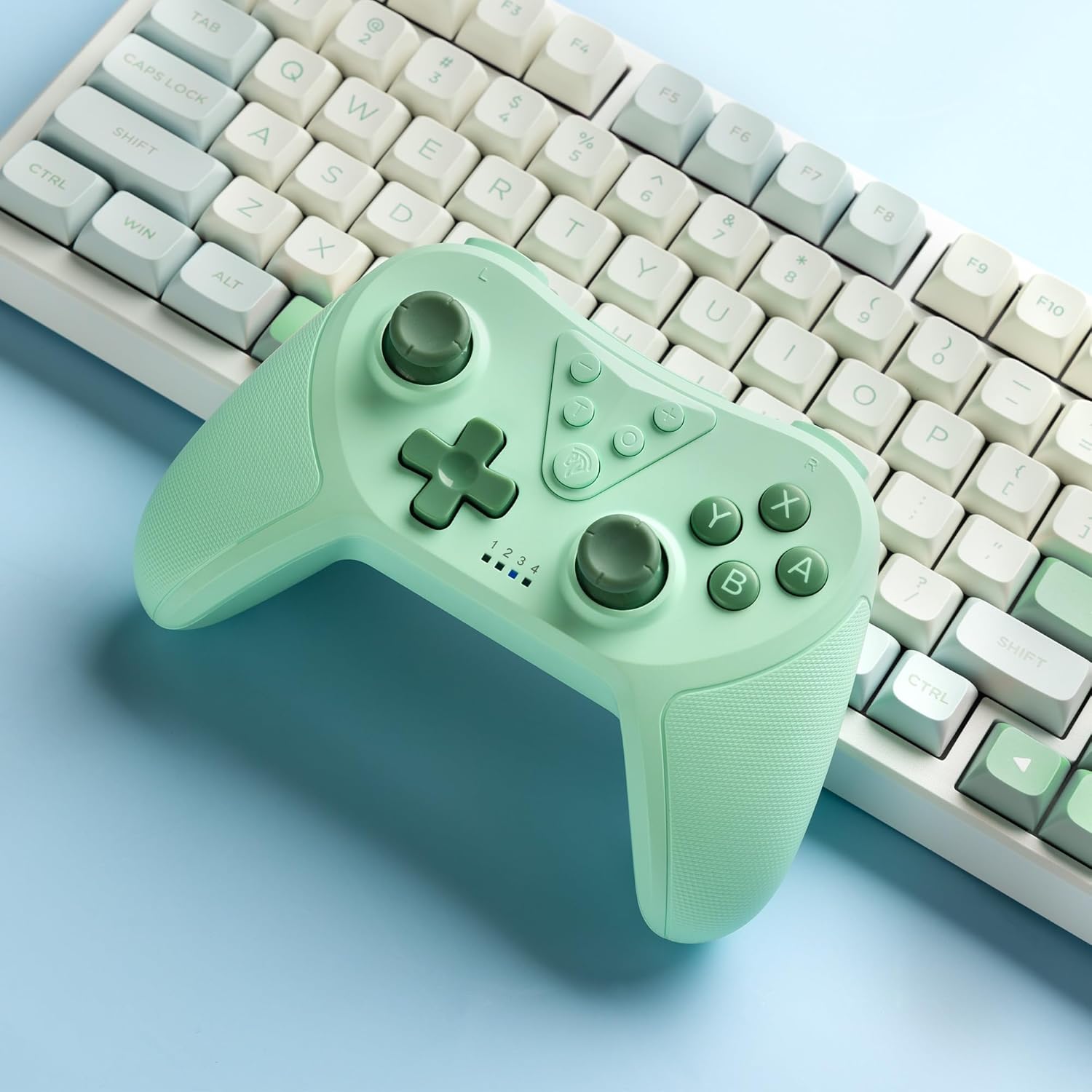
Image 4.2: Illustration of the Turbo function on the EasySMX T37 controller, showing the three adjustable speeds: 5, 12, and 20 shots per second.
4.3 Trillingsoanpassing
The controller features dual motors for adjustable vibration feedback, enhancing immersion in games.
- Vibraasjeintensiteit oanpasse: Druk en hâld de Turbo knop, ferpleatse dan de Left Analog Stick Up or Down to cycle through four vibration levels: 0% (off), 30%, 70%, and 100%.

Image 4.3: Visual representation of the Dual Vibration feature on the EasySMX T37 controller, indicating four intensity levels from 0% to 100%.
4.4 6-Axis Gyro Motion Control
The built-in 6-axis gyroscope provides precise motion sensing, allowing for intuitive control in games that support motion input.

Image 4.4: Illustration depicting the 6-Axis Gyro Motion Control feature of the EasySMX T37 controller, showing how it interacts with a game on the Nintendo Switch screen.
5. Underhâld
- Reiniging: Brûk in sêfte, droege doek om de controller skjin te meitsjen. Foarkom it brûken fan agressive gemikaliën of abrasive materialen.
- Opslach: Bewarje de controller op in koel, droech plak, fuort fan direkt sinneljocht en ekstreme temperatueren.
- Batterij soarch: Om de batterijlibben te ferlingjen, foarkom dat de controller faak folslein ûntladen wurdt. Laad it regelmjittich op, sels as it lange perioaden net brûkt wurdt.
- Drops foarkomme: Beskermje de controller tsjin fallen en stoten, dy't ynterne komponinten beskeadigje kinne.
6. Probleemoplossing
6.1 Kontrôler makket gjin ferbining
- Soargje derfoar dat de controller opladen is.
- Verify the Switch console is updated to the latest system version.
- Besykje de controller opnij te koppelen troch de stappen yn seksje 3.1 te folgjen.
- If issues persist, try resetting the controller by inserting a thin object into the small reset hole (if present, usually on the back) for a few seconds.
6.2 Buttons Unresponsive or Lagging
- Soargje derfoar dat de controller folslein opladen is.
- Move closer to the Switch console to ensure a strong wireless connection.
- Kontrolearje op alle fysike obstakels of pún om 'e knoppen hinne.
- Re-pair the controller.
6.3 Controller Not Charging
- Ensure the USB-C cable is securely connected to both the controller and the power source.
- Besykje in oare USB-C-kabel of stroomadapter te brûken.
- Soargje derfoar dat de stroomboarne funksjoneel is.
7. Spesifikaasjes
- Model: T37
- Konnektivität: Wireless (Bluetooth)
- Kompatibiliteit: Nintendo Switch, Switch Lite, Switch OLED
- Funksjes: Dual Turbo Function, Adjustable Vibration, 6-Axis Gyro Motion Control, Ergonomic Design
- Product Identifier (ASIN): B0CTTWN84L
8. Garânsje en stipe
Foar ynformaasje oer garânsje, technyske stipe of fierdere bystân, ferwize jo nei de offisjele EasySMX webside of nim direkt kontakt op mei harren klanttsjinst. Bewarje jo oankeapbewiis foar garânsjeclaims.