
Ynlieding
Thank you for choosing the Digitek DWM-107 2-in-1 Wireless Microphone System. This manual provides essential information for the proper setup, operation, and maintenance of your device. Please read it thoroughly before use to ensure optimal performance and longevity of the product.
The Digitek DWM-107 is a versatile wireless microphone system designed for high-quality audio capture across various platforms, including smartphones, cameras, and computers. It features dual transmitters, a receiver, TFT card recording, 360-degree sound capture, and advanced noise cancellation.
Wat is yn 'e doaze
Carefully unpack your Digitek DWM-107 system and ensure all components are present:
- 2 x Microphone Transmitters (Tx)
- 1 x Receiver (Rx)
- 1 x Battery Compartment (Charging Box)
- 1 x TRRS to TRRS Audio Cable (for smartphones/tablets)
- 1 x TRRS to TRS Audio Cable (for cameras/laptops)
- 1 x USB-C oplaadkabel
- 1 x USB-C nei USB-C kabel
- 1 x USB-C nei Lightning Kabel
- 1 x Windscreen
- 1 x User Manual

Image: All components included in the Digitek DWM-107 package.
Produkt oerview
Sender (Tx)
- Mikrofoan: Built-in omnidirectional microphone.
- Power knop: Yndrukke en ynhâlde om oan/út te skeakeljen. Koart yndrukke om te dempen/ûndempen.
- Knop foar lûdsûnderdrukking: Activates/deactivates noise reduction.
- TFT Card Slot: For direct audio recording.
- Oplaadpoarte: USB-C for charging.
- Statusindikator: LED lights indicating power, pairing, and recording status.
Untfanger (Rx)
- Utfierpoarte: 3.5mm jack for connecting to recording devices.
- Monitoring Port: 3.5mm jack for real-time audio monitoring.
- Power knop: Druk en hâld om oan / út te skeakeljen.
- Oplaadpoarte: USB-C for charging.
- Display skerm: Shows battery levels, signal strength, and recording status.
Oplaadfak
- Opladen Slots: For two transmitters and one receiver.
- Batterij-yndikator: LED display showing the charging box's battery level.
- USB-C-poarte: For charging the box itself.
Setup Ynstruksjes
- Laad de apparaten op: Before first use, fully charge the transmitters and receiver using the provided charging box and USB-C cable. The charging box itself should also be charged.
- Power On: Press and hold the power button on both the transmitter(s) and the receiver until their screens or indicator lights turn on.
- Automatyske koppeling: The transmitters and receiver are designed to pair automatically upon power-on. A successful connection will be indicated on the receiver's display. If pairing fails, power cycle both devices.
- Ferbine mei opnameapparaat:
- For Smartphones/Tablets (Android/iOS): Use the TRRS to TRRS Audio Cable or the USB-C to Lightning/USB-C cable to connect the receiver's output port to your device's audio input.
- For Cameras/Laptops: Use the TRRS to TRS Audio Cable to connect the receiver's output port to your camera's microphone input or laptop's audio input.
- Stjoerder oanslute: Clip the transmitter to the speaker's clothing, ensuring the microphone is facing towards the mouth for optimal sound capture. Use the included windscreen to reduce wind noise if recording outdoors.

Image: Seamless plug-and-play connectivity with automatic pairing.
Operating Instructions
Audio opnimme
- Once connected, open your recording application on your smartphone, camera, or computer.
- Start recording. The audio from the transmitter(s) will be captured by your device.
- Monitor audio in real-time by plugging headphones into the receiver's monitoring port.

Image: Real-time audio monitoring for optimal sound adjustment.
TFT Card Recording
The DWM-107 transmitters support direct recording to a TFT (microSD) card, providing a backup or standalone recording option.
- Insert a formatted TFT card (up to 32GB, Class 10 recommended) into the TFT card slot on the transmitter.
- Press the dedicated record button on the transmitter to start/stop recording. The transmitter's display will indicate recording status.
- Om tagong opnommen files, connect the transmitter to a computer via USB-C or insert the TFT card into a card reader.

Image: Transmitter with TFT card recording function.
Noise Cancellation
Activate the built-in noise cancellation feature to reduce ambient background noise for clearer audio.
- Press the noise cancellation button on the transmitter to toggle the feature on or off.
- An indicator on the transmitter's display will confirm the status of noise cancellation.

Image: Noise cancellation technology for crystal-clear audio.
360-Degree Sound Capture
The omnidirectional microphone captures sound from all directions, ensuring comprehensive audio coverage.

Image: 360-degree sound capture for comprehensive audio recording.
Mearsidige applikaasjes
The DWM-107 is suitable for various recording scenarios:
- Interviews
- Tutorials
- Podcasts
- Vlogs and Travel Videos
- Live Streaming

Ofbylding: Examples of versatile uses for the Digitek DWM-107 wireless microphone.
Batterij en opladen
The DWM-107 system is designed for extended use with efficient charging.
- Batterijlibben fan stjoerder/ûntfanger: Oant 9 oeren kontinu gebrûk.
- Kapasiteit oplaadbox: 850mAh, capable of recharging the units multiple times.
- Oplaadtiid: Approximately 1.2 to 1.5 hours for a full charge of the units within the charging box.
- Laadmetoade: Use the provided USB-C cable to charge the charging box. The units charge automatically when placed inside the powered charging box.

Image: Battery and charging specifications for the DWM-107 system.
Kompatibiliteit
The Digitek DWM-107 offers wide compatibility with various devices:
- Android-smartphones en tablets
- iOS Smartphones and Tablets (iPhone, iPad)
- DSLR kamera's
- Camcorders
- PCs and Laptops
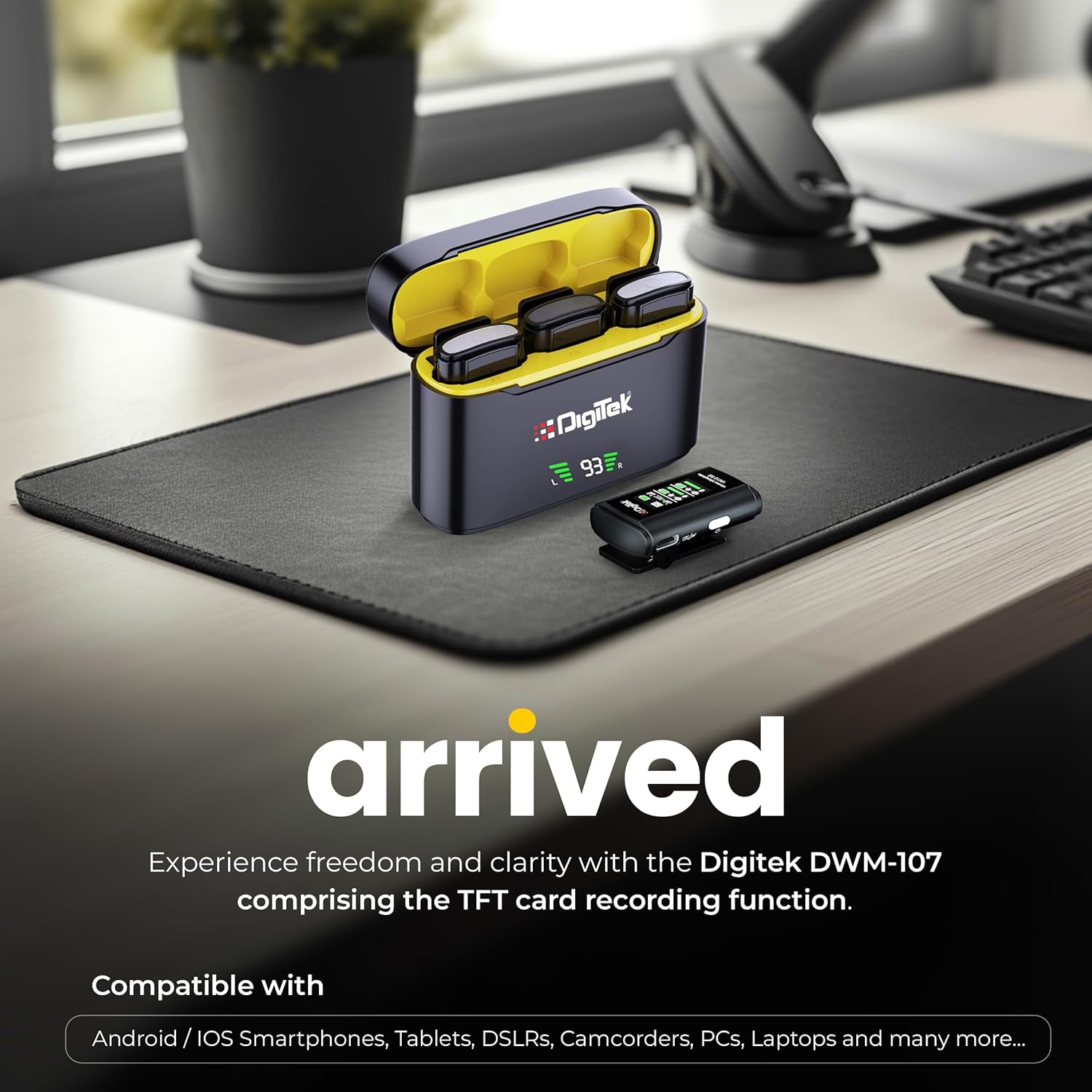
Image: Digitek DWM-107 compatibility with Android, iOS, DSLR, and PC devices.
Ûnderhâld
- Reiniging: Brûk in sêfte, droege doek om de apparaten skjin te meitsjen. Foarkom it brûken fan agressive gemikaliën of abrasive materialen.
- Opslach: Bewarje it mikrofoansysteem op in koel, droech plak, fuort fan direkt sinneljocht en ekstreme temperatueren.
- Batterij soarch: For long-term storage, ensure the batteries are partially charged (around 50%) to preserve battery health. Recharge periodically if stored for extended periods.
- Kabelsoarch: Handle cables gently. Avoid sharp bends or excessive pulling to prevent damage.
Troubleshooting
| Probleem | Mooglike oarsaak | Oplossing |
|---|---|---|
| Gjin audio útfier |
|
|
| Poor audio quality / Distortion |
|
|
| TFT card recording not working |
|
|
| Koarte batterij libben |
|
|
Spesifikaasjes
| Eigenskip | Detail |
|---|---|
| Model Number | DWM-107 |
| Konnektivität Technology | 2.4G Wireless (UHF) |
| Triedleaze berik | Oant 60 meter (iepen gebiet) |
| Frequency Response | 16 KHz (Full frequency audio quality) |
| Ferhâlding sinjaal-nei-lûd | 78 dB |
| Polar patroan | Omnidireksjoneel |
| Impedânsje | 32 ohms |
| Battery Life (Tx/Rx) | Oant 9 oeren |
| Charging Box Kapasiteit | 850 mAh |
| Oplaadtiid | Ongeveer 1.2 - 1.5 oeren |
| TFT Card Support | Yes (up to 32GB, Class 10 recommended) |
| Noise Cancellation | Ynboude |
| Ofmjittings (L x B x H) | 15 x 8 x 6 sm |
| Item Gewicht | 450 g |
| Materiaal | Plestik |
| Kleur | Swart |
Garânsje en stipe
For warranty information and customer support, please refer to the warranty card included in your product packaging or visit the official Digitek website. You may also contact the manufacturer directly:
- Fabrikant: IMS Mercantiles Pvt. Ltd.
- Adres: 704, 7th floor, Ring Road Mall, Sec-3, Rohini, Delhi 110085
- Toll-Free Support: 1800-123-544-444
Bewarje jo oankeapbewiis foar alle garânsjeclaims.


