
T300
Generic T300 LED Mini Projector User Manual
Model: T300
1. Ynlieding
Tankewol foar de oankeapasing the Generic T300 LED Mini Projector. This compact and portable projector is designed for home theater use, offering a clear viewing experience with its short-focus optical lens and diffuse reflection imaging technology, which helps reduce eye strain. This manual provides essential information for setting up, operating, maintaining, and troubleshooting your projector.

Ofbylding 1.1: The T300 Mini Projector's compact size allows for easy portability, fitting conveniently into a bag.
2. Package Ynhâld
Kontrolearje asjebleaft de ynhâld fan it pakket by it útpakken om der wis fan te wêzen dat alle items oanwêzich binne:
- 1x T300 Projector
- 1x Stromadapter (EU-stekker)
- 1x Remote Control
- 1x AV kabel
- 1x brûkershantlieding (dit dokumint)
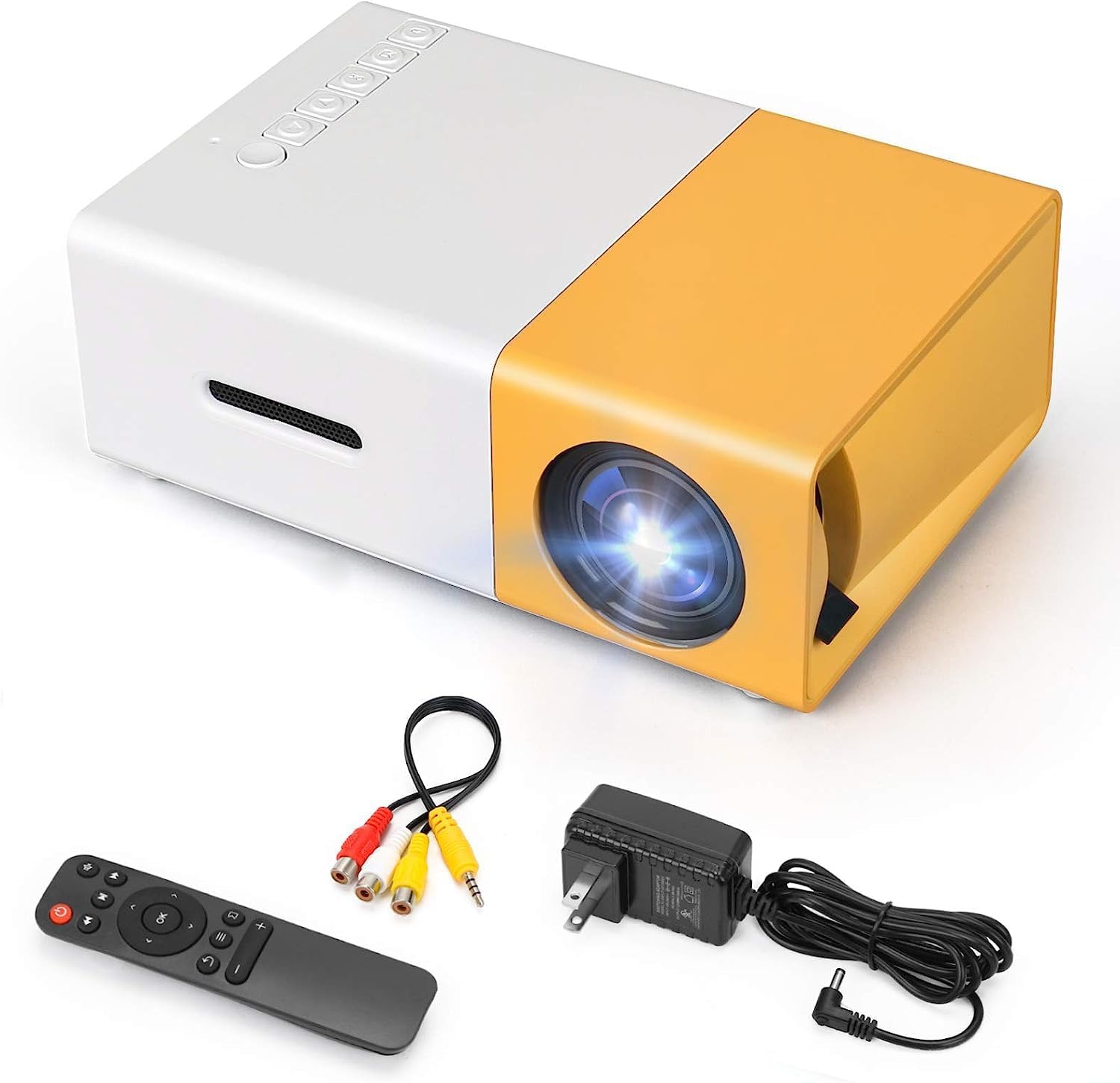
Ofbylding 2.1: The T300 Mini Projector and its included accessories.
3. Produkt Overview
Familiarize yourself with the various ports and controls on your T300 Mini Projector:

Ofbylding 3.1: Foar- en efterkant views of the T300 Mini Projector, detailing its input/output ports and control buttons.
3.1. Ports en Schnittstellen
- HDMI -ynfier: Connect to laptops, TV boxes, gaming consoles, and other HDMI-enabled devices.
- USB-ynfier: Foar it direkt ôfspyljen fan media fan USB-skiven.
- Micro SD Card Slot: For playing media directly from Micro SD cards.
- AV-ynfier: Connect to older devices using the included AV cable.
- Micro USB (5V/2A): Power input option, compatible with power banks or car chargers.
- Earphone Slot: Foar it oansluten fan eksterne koptelefoanen of sprekkers.
- DC Power Ynfier: Main power input using the provided power adapter.
3.2. Kontrôles
- Power Switch: Om de projektor oan of út te skeakeljen.
- Navigation Buttons (Left, Right, OK): Foar menu-navigaasje en seleksje.
- Ynfierknop: Om de ynfierboarne te selektearjen.
- Knop werom: To go back in menus.
4. Opsette
4.1. Power Connection
- Connect the provided power adapter to the DC Power Input port on the projector.
- Stek de macht adapter yn in muorre outlet.
- Alternatively, for portable use, connect a 5V/2A power bank or car charger to the Micro USB (5V/2A) port.
4.2. Apparaat Ferbining
The T300 projector supports various input sources:
- HDMI: Connect your laptop, TV box, gaming console (PS4/PS3), or other HDMI devices using an HDMI cable (not included).
- USB: Stek in USB-flashdrive yn 'e USB-poarte om media ôf te spyljen files direkt.
- Micro SD-kaart: Insert a Micro SD card into the Micro SD card slot to play media files.
- FAN: Use the included AV cable to connect to devices with AV output (e.g., DVD players).

Ofbylding 4.1: Multimedia connectivity options for the T300 Mini Projector.
4.3. Placement and Focus
- Plak de projektor op in stabyl, flak oerflak.
- Position the projector at a distance between 2 to 5 meters from the projection surface to achieve an optimal image size of 60 to 150 inches.
- Adjust the focus ring on the projector lens until the image appears clear and sharp. The short-focus optical lens allows focusing at a distance of 50cm.
5. Bedriuwsinstruksjes
5.1. Oan- / útskeakelje
Press the Power Switch on the projector or the power button on the remote control to turn the projector on or off.
5.2. Ynfierboarne selektearje
After powering on, use the 'Input' button on the projector or the remote control to cycle through available input sources (HDMI, USB, TF Card, AV) until your desired source is displayed.
5.3. Multimedia-ôfspieljen
The projector supports multi-format video, audio, picture, and e-book playback. Navigate through your media files using the navigation buttons on the projector or remote control and press 'OK' to select.
5.4. Audioútfier
The projector has a built-in miniature speaker. For enhanced audio, connect external speakers or headphones to the Earphone Slot.

Ofbylding 5.1: Versatile applications of the T300 Mini Projector for entertainment.
6. Underhâld
6.1. De lens skjinmeitsje
Use a soft, lint-free cloth or lens cleaning paper to gently wipe the projector lens. Avoid using abrasive materials or harsh chemicals that could scratch the lens.
6.2. Ventilaasje
Ensure the projector's ventilation openings are not blocked during operation to prevent overheating. Keep the projector in a well-ventilated area.
6.3. Opslach
When not in use, store the projector in a cool, dry place, away from direct sunlight and excessive dust. It is recommended to use the original packaging or a protective case.
6.4. Lamp Libben
LED lamp in your T300 projector has an estimated life of 20,000 hours, providing long-term use without frequent lamp ferfanging.
7. Probleemoplossing
As jo problemen hawwe mei jo projektor, sjoch dan nei de folgjende faak foarkommende problemen en oplossingen:
- Gjin ôfbylding werjûn:
- Soargje derfoar dat de projektor oan is en dat de stroomadapter goed oansletten is.
- Verify the input source is correctly selected (HDMI, USB, AV, etc.).
- Kontrolearje de ferbiningskabel tusken de projektor en it boarneapparaat.
- Ofbylding is wazig:
- Pas de fokusring op 'e projektorlens oan oant it byld dúdlik is.
- Ensure the projection distance is within the recommended range (2-5 meters).
- Gjin lûd:
- Kontrolearje de folume-ynstellingen op sawol de projektor as it boarne-apparaat.
- If using external speakers/headphones, ensure they are properly connected to the Earphone Slot.
- Kontrolearje de ynstellings foar audio-útfier op jo boarneapparaat.
- Remote Control wurket net:
- Soargje derfoar dat der gjin obstakels binne tusken de ôfstânsbetsjinning en de IR-ûntfanger fan 'e projektor.
- Replace the batteries in the remote control if necessary.
8. Spesifikaasjes
| Eigenskip | Spesifikaasje |
|---|---|
| Model | T300 |
| Support Resolúsje | 1920 x 1080 (folsleine HD) |
| Native Resolúsje | 1920 x 1080 |
| Display Type | LCD, DLP |
| Schnittstellen | HDMI, USB, TF Card Slot, AV, Micro USB (5V-2A) |
| Ynboude sprekker | Ja |
| Lamp Libben | 20,000 oeren |
| Produkt Grutte | 114 x 87 x 50 mm |
| Oanrikkemandearre Uses | Home Cinema |
| Special Feature | Draachber |
| Maksimum ôfbylding Grutte | 150 ynms |
| Minimum ôfbylding Grutte | 60 ynms |
| Maksimum smyt ôfstân | 5m |
| Minimum Throw Ofstân | 2m |
| Power Ynfier | 5V/2A |
9. Garânsje en stipe
9.1. Warranty Information
Dit produkt komt typysk mei in 10-dagen ferfangingsbelied from the date of purchase. Please refer to your retailer's specific warranty terms and conditions for detailed information. The LED lamp is designed for a long life of 20,000 hours, which is not typically covered by short-term replacement policies.
9.2. Klant Support
For technical assistance, troubleshooting beyond this manual, or warranty claims, please contact your original retailer or the manufacturer, SHUBH LABH ENTERPRISES. Keep your purchase receipt or proof of purchase handy when contacting support.
Ask a question about this manual
Ask about setup, troubleshooting, compatibility, parts, safety, or missing instructions. Manuals+ will review the question and use this page’s manual context to help answer it.