
Ynlieding
Welcome to the user manual for your new Redmi Xiaomi 13 4G LTE smartphone. This guide provides essential information on setting up, operating, maintaining, and troubleshooting your device to ensure optimal performance and user experience. Please read this manual thoroughly before using your phone.
Wat is yn 'e doaze
Upon unboxing your Redmi Xiaomi 13, verify that all the following items are included:
- Redmi Xiaomi 13 Smartphone
- 33W Wall Charger
- Adapter
- Fluch autolader
- SIM Tray Ejector
Opsette
1. Ynstallearjen fan SIM-kaart en MicroSD-kaart
Your Redmi 13 supports Dual Nano SIM cards or one Nano SIM and one MicroSD card in a hybrid slot. Ensure your SIM card is activated by your carrier before installation.
- Sykje de SIM-kaartlade oan 'e kant fan jo tillefoan.
- Stek it útwerpark fan 'e SIM-lade yn it lytse gat neist de lade en druk stevich oant de lade derút springt.
- Carefully place your Nano SIM card(s) and/or MicroSD card into the designated slots on the tray. Ensure the gold contacts face downwards.
- Gently push the tray back into the phone until it is flush with the device.
Ofbylding: Side view of the Redmi Xiaomi 13, illustrating the location of the SIM tray and camera module.
2. Earste ynskeakeljen en ynstelling
Om jo apparaat foar it earst oan te setten:
- Press and hold the Power button (located on the right side of the phone) until the Redmi logo appears on the screen.
- Follow the on-screen instructions to select your language, region, connect to a Wi-Fi network, and set up your Google account.
- You will be prompted to set up security features such as a PIN, pattern, password, fingerprint, or face unlock.

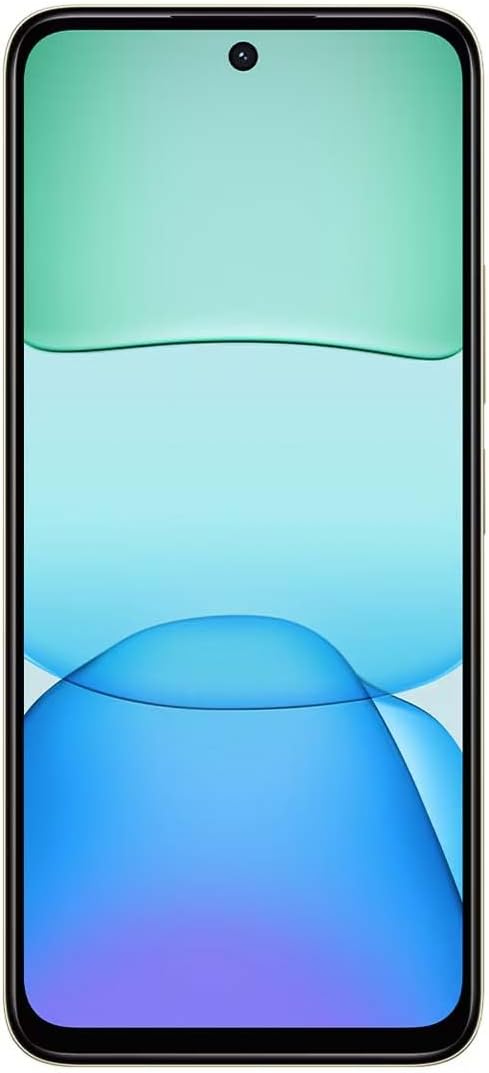
Ofbylding: Front view of the Redmi Xiaomi 13, showing the display and front camera.
3. Netwurkkonfiguraasje
Your device is designed for 4G LTE connectivity. For USA users, it is compatible with Tello and Mint Mobile. For global users, it supports various GSM carriers. Ensure your APN settings are correctly configured if you experience network issues. These settings are usually automatically detected upon SIM insertion.
It operearjen fan jo apparaat
1. Werjeftefunksjes
The Redmi 13 features a 6.79-inch Dot Drop HD+ display with a resolution of 1650 x 720. It supports Sunlight display for better visibility in bright conditions and Reading mode to reduce eye strain. You can adjust color temperature in the display settings.
2. Kameragebrûk
Your phone is equipped with a powerful camera system:
- Efterkamera: 108MP main camera (f/1.8 with 4-in-1 pixel binning) and a 2MP depth camera (f/2.4).
- Foarste kamera: 13MP foar selfies en fideoproppen.
Om in foto te meitsjen:
- Iepenje de kamera-applikaasje.
- Selektearje jo winske modus (Foto, Portret, Fideo, ensfh.).
- Tik op de sluterknop om in ôfbylding te meitsjen.
The camera features HDR mode for improved dynamic range and quick snap functionality for capturing moving moments efficiently.

Ofbylding: Efterkant view of the Redmi Xiaomi 13, highlighting the 108MP dual camera system.
3. Konnektivität
The device supports Wi-Fi for internet access, GPS for navigation (including AGPS, GLONASS, Beidou, Galileo), and Bluetooth for connecting wireless accessories. It also includes a 3.5mm headphone jack for wired audio.
4. Feiligens Features
Protect your device and data using the following security options:
- Fingerprintsensor efter: Registrearje jo fingerôfdrukken foar fluch en feilich ûntsluten.
- AI-gesichtsûntsluting: Brûk dyn gesicht om it apparaat te ûntsluten.
- PIN/Patroan/Wachtwurd: Standard lock screen security methods.
Ûnderhâld
1. Batterij Soarch
The Redmi 13 is equipped with a 5030mAh (typ) battery. To prolong battery life:
- Avoid ekstreme temperatueren.
- Brûk de meilevere 33W-lader foar optimale oplaadsnelheid en feiligens.
- Lit de batterij net faak hielendal leechrinne.
2. Software Updates
Kontrolearje regelmjittich op software-updates en ynstallearje se om te soargjen dat jo apparaat de lêste funksjes, feiligenspatches en prestaasjeferbetteringen hat. Navigearje nei Ynstellings > Oer tillefoan > Systeemupdate om te kontrolearjen op updates.
3. Jo apparaat skjinmeitsje
Use a soft, lint-free cloth to clean your phone. Avoid using harsh chemicals or abrasive materials that could damage the screen or finish.
Troubleshooting
If you encounter issues with your Redmi 13, try the following common troubleshooting steps:
- Apparaat reagearret net: Druk en hâld de oan/út-knop sawat 10-15 sekonden yn om in opnij starte te forsearjen.
- Netwurkproblemen: Check if your SIM card is properly inserted. Toggle Airplane Mode on and off. Reset network settings via Ynstellings > Ferbining en dielen > Wi-Fi, mobile netwurken en Bluetooth weromsette.
- App crasht: Wiskje de cache en gegevens fan 'e app fia Ynstellings > Apps > Apps beheare > [Appnamme] > Gegevens wiskjeAs it probleem oanhâldt, deynstallearje en ynstallearje de app opnij.
- Batterij drain fluch: Review batterijgebrûk yn Ynstellings> Batterij om apps dy't enerzjy ferbrûke te identifisearjen. Ferminderje de helderheid fan it skerm en skeakelje ûnnedige funksjes lykas GPS of Bluetooth út as se net yn gebrûk binne.
- Opslach fol: Wiskje net nedich files, photos, and videos. Uninstall unused apps. Consider moving media to a MicroSD card if installed.
- Reset nei begjin ynstellingen: As lêste rêdingsmiddel foar oanhâldende softwareproblemen kinne jo in fabryksreset útfiere. Warskôging: Dit sil alle gegevens op jo tillefoan wiskje. Meitsje in reservekopy fan wichtige gegevens foardat jo trochgean. Gean nei Ynstellings> Oer telefoan> Fabriek weromsette.
Spesifikaasjes
Below are the key technical specifications for the Redmi Xiaomi 13 4G LTE:
| Model Namme | Redmy 13 |
| Bestjoeringssysteem | Android 14 HyperOS |
| Prozessor | MediaTek Helio G91 Ultra Octa-core (2x2.0 GHz Cortex-A75 & 6x1.8 GHz Cortex-A55) |
| GPU | Mali-G52 MC2 |
| Skerm | 6.79 Inches Dot Drop HD+ (1650 x 720) |
| RAAM | 6 GB |
| Ynterne opslach | 128 GB |
| Rear Kamera | 108MP (main) + 2MP (depth) |
| Front Kamera | 13 MP |
| Batterij Kapasiteit | 5030 mAh (typysk) |
| Opladen | 33W fluch opladen (USB Type-C) |
| Konnektivität | 4G LTE, Wi-Fi, Bluetooth, GPS (AGPS, GLONASS, Beidou, Galileo) |
| Audio Jack | 3.5 mm |
| Feiligens | Fingerprintsensor efter, AI-gesichtsûntsluting |
| Package Ofmjittings | 7 x 4 x 2 inch |
| Gewicht | 6 oz |
Note: Specifications are subject to change without prior notice. Please refer to the official Redmi webside foar de meast aktuele ynformaasje.
Garânsje en stipe
For warranty information, please refer to the warranty card included with your product or visit the official Redmi/Xiaomi website. For technical support, software updates, or service inquiries, please contact Xiaomi customer service or visit their official support channels. Keep your proof of purchase for warranty claims.
Official Redmi/Xiaomi Support: https://www.mi.com/global/support