
AFEXOA ZH083K
AFEXOA ZH083K Digital Sunrise Alarm Clock User Manual
Model: ZH083K
Ynlieding
Tankewol foar de oankeapasing the AFEXOA ZH083K Digital Sunrise Alarm Clock. This device is designed to enhance your waking and sleeping experience with its natural sunrise simulation, customizable alarm sounds, multi-color night light, and sleep aid features. Please read this manual carefully to ensure proper use and optimal performance of your new alarm clock.
Pakketynhâld
- AFEXOA ZH083K Digital Sunrise Alarm Clock
- USB macht kabel
- User Manual
Produkt oerview
Familiarize yourself with the components and controls of your AFEXOA ZH083K alarm clock.

Ofbylding 1: Front view of the AFEXOA ZH083K Digital Sunrise Alarm Clock, showing the digital time display and control buttons on the top panel. The light dome is visible above the fabric-covered speaker base.
Kontrôle knoppen:
- DIMMER: Adjusts the brightness of the clock display.
- TIID: Brûkt foar it ynstellen fan de aktuele tiid.
- ALARM: Used for setting and activating the alarm.
- ALARM AAN / UIT: Skeakelt de alarmfunksje yn.
- SLEEP TIMER: Activates and adjusts the sleep timer function.
- , Adjusts values (time, brightness, volume) up or down.
- Gloeilampe-ikoan: Controls the night light/mood light.
- Snooze knop: Located on the bottom, activated by pressing down the clock.
Opsette
1. Power Connection
Connect the provided USB power cable to the alarm clock and plug it into a suitable USB power adapter (not included) or a USB port. The clock display will illuminate.
2. De aktuele tiid ynstelle
- Druk en hâld de TIID button until the hour display starts flashing.
- Brûk de +/- knoppen om it oere oan te passen.
- Druk op de TIID knop nochris om it oere te befêstigjen en nei de minuten-oanpassing te gean.
- Brûk de +/- knoppen om de minuten oan te passen.
- Druk op de TIID button once more to save the time setting.
Operating Instructions
1. Setting the Alarm and Sunrise Simulation
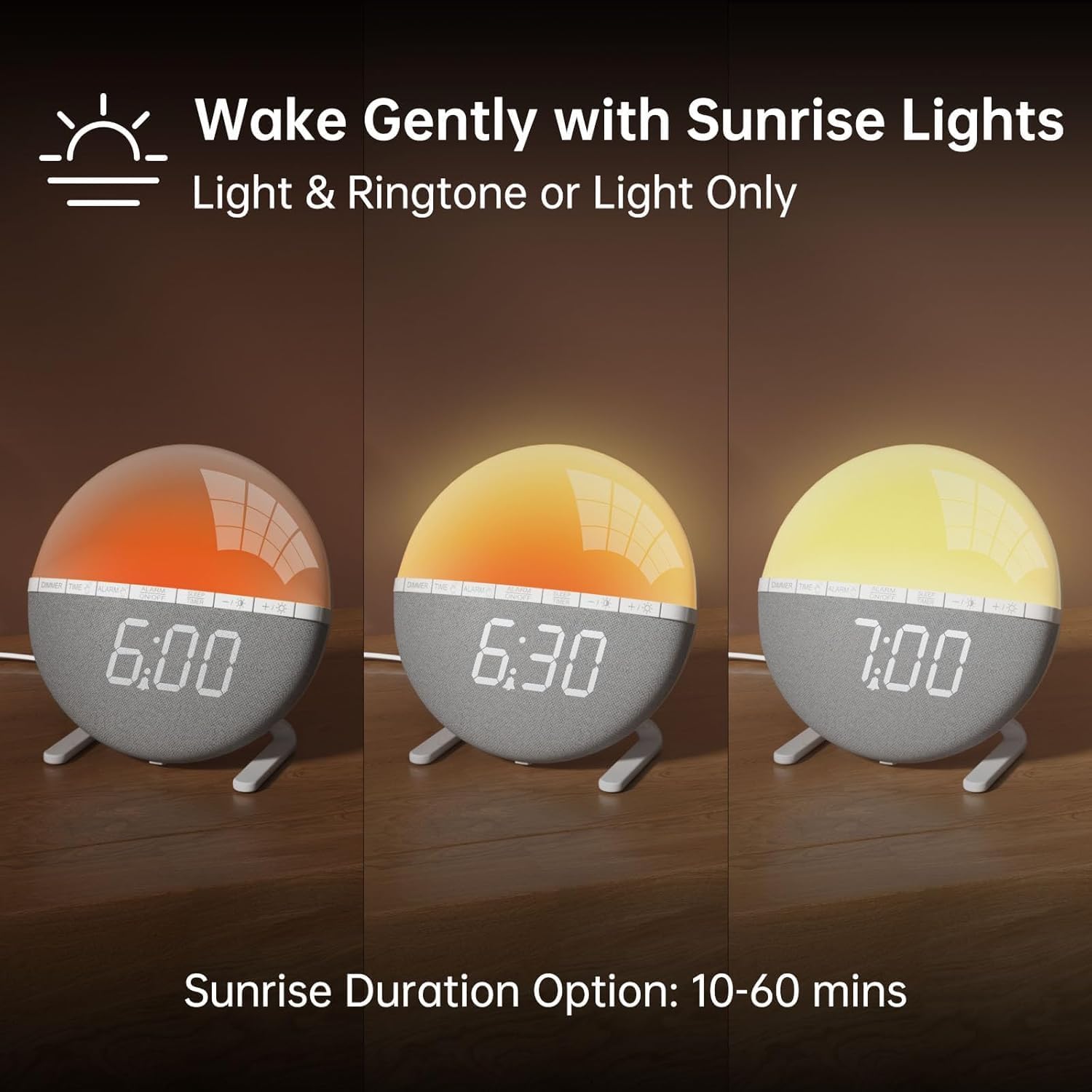
Ofbylding 2: Illustration of the sunrise simulation feature, showing the light gradually changing from dim red to bright yellow over a period, with time indications of 6:00, 6:30, and 7:00.
- Druk en hâld de ALARM button until the alarm time display starts flashing.
- Brûk de +/- knoppen om it winske alarmoere yn te stellen.
- Druk op de ALARM button to confirm the hour and move to minute adjustment.
- Brûk de +/- knoppen om de winske alarmminuten yn te stellen.
- Druk op de ALARM button to confirm the minutes and proceed to sunrise duration setting.
- Brûk de +/- buttons to select the sunrise simulation duration (10-60 minutes). This is the period before your set alarm time when the light will gradually brighten.
- Druk op de ALARM button to confirm the duration and proceed to alarm sound selection.
- Brûk de +/- buttons to cycle through the 7 available alarm sounds or select "OFF" for light-only alarm.
- Druk op de ALARM button to confirm the sound and proceed to volume adjustment.
- Brûk de +/- buttons to set the alarm volume (10 levels).
- Druk op de ALARM button once more to save all alarm settings.
Om it alarm te aktivearjen of te deaktivearjen, druk op de ALARM AAN / UIT knop. In alarmikoan sil op it skerm ferskine as it aktivearre is.

Ofbylding 3: A visual representation of the seven built-in wake-up ringtones, including icons for Beep, Bell, Birds, and four types of Soft Music. It also shows a 10-level volume adjustment bar.
2. Snooze-funksje
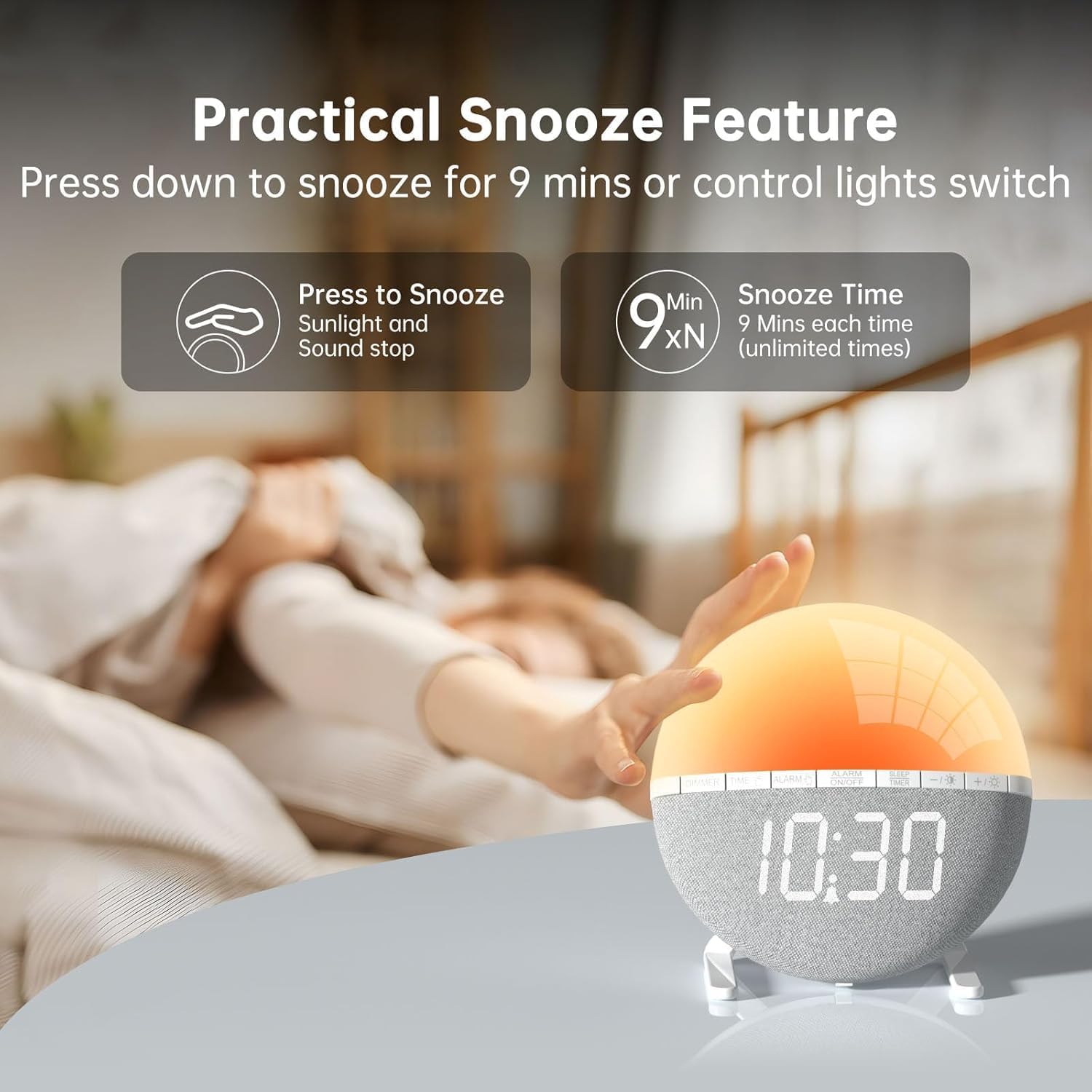
Ofbylding 4: A hand pressing down on the top of the alarm clock to activate the snooze function. Text indicates that pressing down snoozes for 9 minutes and can also control the light switch.
When the alarm sounds, gently press down on the top of the alarm clock to activate the snooze function. The alarm will pause for 9 minutes and then sound again. This can be repeated an unlimited number of times.
3. Nachtljocht / Sfearljocht

Ofbylding 5: A display of the various solid color and RGB mood light options available on the alarm clock, shown as a spectrum of colors from light blue to purple, with the clock displaying each color.
- Druk op de Gloeilampe-ikoan knop om it nachtljocht yn te skeakeljen.
- Druk op de Gloeilampe-ikoan button repeatedly to cycle through the 7 solid colors and 2 mixed RGB mood light options.
- Brûk de +/- buttons to adjust the brightness of the selected light (10 levels).
- Druk en hâld de Gloeilampe-ikoan knop om it nachtljocht út te skeakeljen.
4. Slieptimer

Ofbylding 6: An image illustrating the sleep aid function with an auto-off timer, showing options for 15m, 30m, 60m, 90m, and 120m. The alarm clock is shown emitting a soft, warm light.
The sleep timer allows the light to gradually dim and turn off after a set period, aiding in sleep.
- Druk op de SLEEP TIMER knop.
- Brûk de +/- buttons to select the desired sleep timer duration (15, 30, 60, 90, or 120 minutes). The light will gradually dim and turn off after the selected time.
- Om de slieptimer te annulearjen, druk op de SLEEP TIMER button repeatedly until the timer is off, or press and hold the button.
5. Display Brightness Oanpassing

Ofbylding 7: Four images of the alarm clock demonstrating different display brightness levels, from off to full brightness, highlighting the dimmable and eye-caring features.
Druk op de DIMMER button to cycle through the 4 display brightness levels: 0% (off), 5%, 50%, and 100%. This allows you to adjust the display visibility according to your preference, especially at night.
Ûnderhâld
- Meitsje it apparaat skjin mei in sêfte, droege doek. Brûk gjin abrasive reinigingsmiddels of oplosmiddels.
- Hâld it apparaat fuort fan wetter en hege vochtigheid.
- Foarkom it fallen fan it apparaat of it ûnderwurpen oan sterke ynfloeden.
- Besykje it apparaat net sels útinoar te heljen of te reparearjen. Nim kontakt op mei klanttsjinst as der problemen ûntsteane.
Troubleshooting
| Probleem | Mooglike oarsaak | Oplossing |
|---|---|---|
| De klokwerjefte is út of wurket net. | No power connection or power adapter issue. Display brightness set to 0%. | Ensure the USB cable is securely connected and the power adapter is working. Press the DIMMER button to increase display brightness. |
| It alarm giet net ôf. | Alarm not activated. Alarm volume set to 0 or sound option set to "OFF". | Parse ALARM AAN / UIT to activate. Check alarm settings to ensure a sound is selected and volume is not 0. |
| Sunrise simulation does not work. | Sunrise duration not set or set to 0. | Verify the sunrise duration is set to a value between 10-60 minutes in the alarm settings. |
| Night light is not turning on. | Ljochtfunksje net aktivearre. | Druk op de Gloeilampe-ikoan knop om it ljocht yn te skeakeljen. |
Spesifikaasjes
- Model: ZH083K
- Merk: AFEXOA
- Ofmjittings: 9.5 x 3.81 x 9.5 sm
- Gewicht: 400 g
- Materiaal: Plestik
- Display Type: Digitaal
- Power Boarne: Electric Cable (USB)
- Spesjale eigenskippen: Sunrise Simulation, Mood Light, Color-Changing Night Light, Loud Alarm, Snooze, Sleep Timer, Dimmable Display
Garânsje en stipe
The AFEXOA ZH083K Digital Sunrise Alarm Clock comes with a standard manufacturer's warranty. For detailed warranty information, please refer to the product packaging or contact your retailer. If you encounter any issues or have questions regarding your product, please contact AFEXOA customer support through the retailer's platform or the official brand website foar help.
Bewarje jo oankeapbewiis as bewiis fan oankeap foar garânsjeclaims.
Ask a question about this manual
Ask about setup, troubleshooting, compatibility, parts, safety, or missing instructions. Manuals+ will review the question and use this page’s manual context to help answer it.