
1. Ynlieding
Thank you for choosing the Intenso Buds Plus TWS T313AE Wireless Earbuds. These earbuds are designed to provide a superior audio experience with advanced features such as Active Noise Cancellation (ANC), Environmental Noise Cancellation (ENC), and Bluetooth 5.4 connectivity. This manual provides essential information for setting up, operating, and maintaining your earbuds.
2. Package Ynhâld
Kontrolearje asjebleaft it pakket op de folgjende items:
- Intenso Buds Plus TWS Earbuds (Left and Right)
- Opladen Case
- USB-oplaadkabel
- Meardere maten fan ear tips
- User Manual
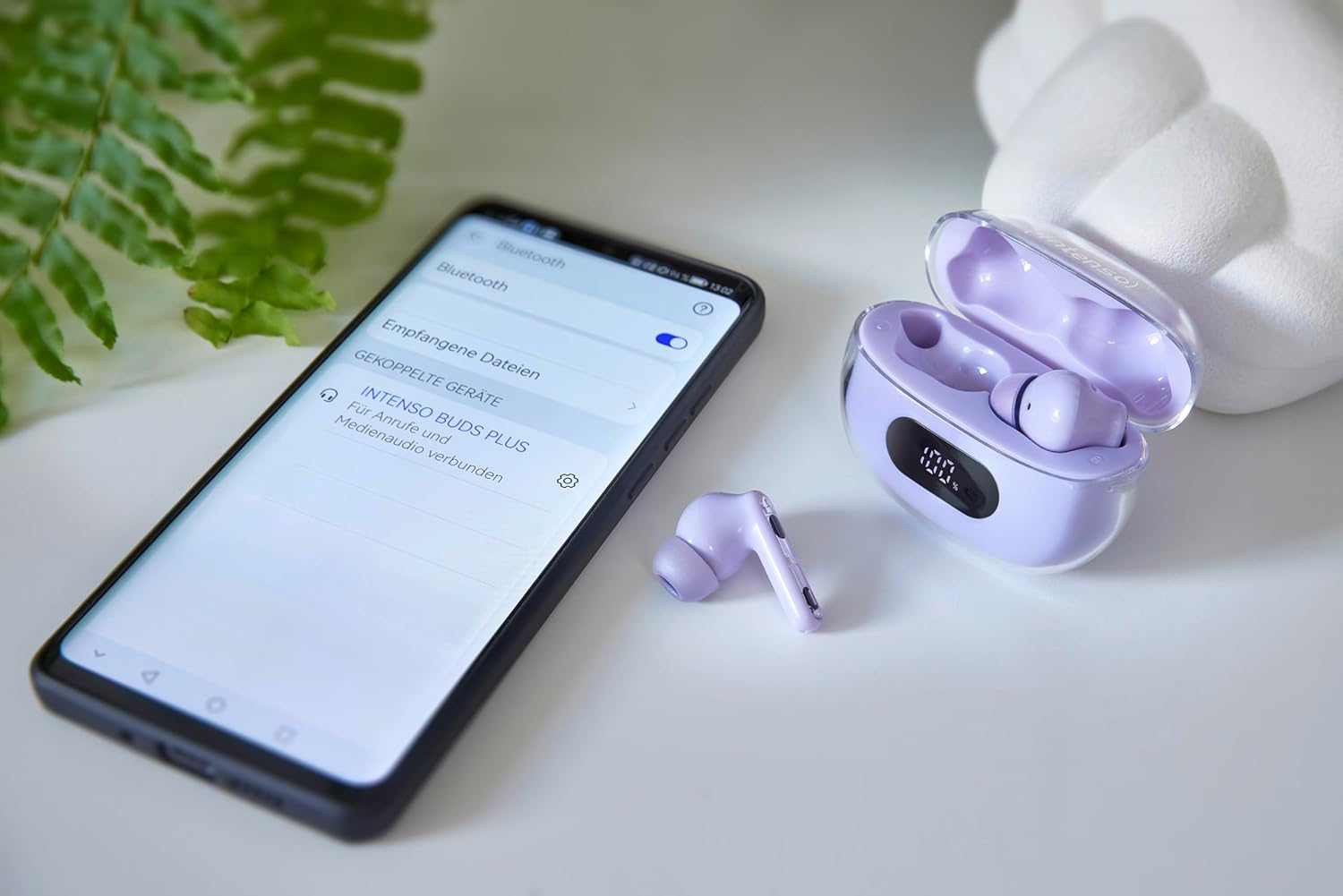
Image: Intenso Buds Plus TWS earbuds, charging case, and a smartphone displaying Bluetooth pairing settings.
3. Produkt Overview
The Intenso Buds Plus TWS earbuds feature a compact design with a transparent charging case. The earbuds are equipped with touch controls and integrated microphones for clear communication.

Image: Earbuds in open charging case with digital display.

Image: Features highlighted: ANC, ENC, and LED display.

Image: Charging case with 100% battery display.

Image: Close-up of individual earbuds.
4. Opsette
4.1 De earbuds en it hoeske oplade
Before first use, fully charge the earbuds and the charging case. The charging case features an LED display to indicate the battery level.
- Plak de earbuds yn 'e oplaadkoffer.
- Ferbine de oplaadkoffer mei in USB-stroomboarne mei de levere USB-kabel.
- The LED display on the case will show the charging status.
- A full charge typically takes approximately 1.5 to 2 hours for the case and earbuds.

Image: LED status display on the charging case.
4.2 Bluetooth -keppeling
The Intenso Buds Plus earbuds utilize Bluetooth 5.4 for a stable and fast connection.
- Soargje derfoar dat de earplugs opladen binne en yn it oplaaddoaske sitte.
- Iepenje it oplaadkoffer. De earplugs sille automatysk yn koppelingsmodus gean.
- Gean op jo apparaat (smartphone, tablet, laptop) nei Bluetooth-ynstellingen.
- Sykje nei available devices and select "Intenso Buds Plus" from the list.
- Sadree't de ferbining is foltôge, hearre jo in befêstigingstoan en binne de earbuds klear foar gebrûk.

Image: Earbuds and case next to a smartphone.
5. Bedriuwsinstruksjes
5.1 Touchkontrôles
De earbuds hawwe yntuïtive touchkontrôles foar it behearen fan audioôfspieljen, oproppen en lûdsûnderdrukkingsmodi.
- Spylje / Pauze: Ien tik op ien fan beide earbuds.
- Folgjende track: Dûbeltik op 'e rjochter earbud.
- Foarige spoar: Dûbeltik op 'e linker earbud.
- Oprop beantwurdzje / einigje: Ien tik op ien fan beide earbuds.
- Oprop ôfwize: Druk en hâld beide earbuds foar 2 sekonden.
- Folume omheech: Trije kear tikje op 'e rjochter earbud.
- Folume omleech: Trije kear tikje op 'e linker earbud.
- Voice Assistant aktivearje: Druk ien fan beide earbuds 3 sekonden yn en hâld se yndrukt (as jo net oan it petear binne).
5.2 Noise Cancellation Modes (ANC, ENC, Transparency)
The earbuds offer various modes to control your listening environment:
- Aktive Noise Cancellation (ANC): Ferminderet omjouwingslûd, wêrtroch jo jo kinne rjochtsje op jo audio.
- Environmental Noise Cancellation (ENC): Enhances voice clarity during calls by filtering out background noise.
- Transparânsjemodus: Lit jo jo omjouwing hearre wylst jo noch genietsje fan jo audio, nuttich foar bewustwêzen yn drokke omjouwings.
To switch between ANC, Transparency, and Normal modes, press and hold the touch area on the left earbud for 2 seconds. ENC is automatically active during calls.
5.3 Batterijlibben
The earbuds provide up to 7 hours of playback on a single charge. The charging case extends the total playtime to approximately 25 hours, allowing for multiple recharges on the go.

Image: Illustration of battery life with and without charging case.
6. Underhâld
To ensure the longevity and optimal performance of your Intenso Buds Plus earbuds, follow these maintenance guidelines:
- Reiniging: Meitsje de earbuds en it oplaadkoffer regelmjittich skjin mei in sêfte, droege, pluisfrije doek. Brûk gjin skurende skjinmakkers of oplosmiddels.
- Ear Tips: Ferwiderje de eartips geregeldwei en meitsje se skjin mei wetter en mylde sjippe. Soargje derfoar dat se folslein droech binne foardat jo se wer oanbringe.
- Oplaadkontakten: Keep the charging contacts on both the earbuds and inside the case clean and free of debris to ensure proper charging.
- Opslach: As se net yn gebrûk binne, bewarje de earplugs dan yn har oplaaddoaze om se te beskermjen tsjin stof en skea.
- Wetter Resistance: The earbuds are water-resistant. Avoid submerging them in water or exposing them to excessive moisture. Dry them thoroughly if they get wet.
7. Probleemoplossing
If you encounter any issues with your earbuds, refer to the following common solutions:
| Probleem | Mooglike oarsaak | Oplossing |
|---|---|---|
| Earbuds net keppelje | Low battery; Bluetooth off; Earbuds not in pairing mode; Device already connected to another Bluetooth device. | Charge earbuds and case; Ensure Bluetooth is enabled on your device; Place earbuds in case, close, then open to re-enter pairing mode; Disconnect from other devices. |
| Gjin lûd | Volume too low; Earbuds not connected; Audio source paused. | Increase volume on earbuds and device; Reconnect earbuds; Check audio playback on your device. |
| Min lûd kwaliteit | Ear tips not properly sealed; Earbuds dirty; Interference. | Try different size ear tips for a better fit; Clean earbuds and ear tips; Move closer to your device or away from sources of interference. |
| Earbuds wurde net opladen | Charging cable faulty; Charging contacts dirty; Power source issue. | Try a different USB cable; Clean charging contacts; Use a different USB port or power adapter. |
8. Spesifikaasjes
| Model Namme | Buds Plus |
| Model Number | 3720313 |
| Merk | Intenso |
| Konnektivität Technology | Draadloos (Bluetooth 5.4) |
| Ear Placement | In-ear |
| Form Factor | In-Ear |
| Noise Cancellation | Aktive lûdsûnderdrukking (ANC), miljeulûdsûnderdrukking (ENC) |
| Control Type | Touch Control |
| Special Features | Noise Cancellation, Volume Control, Touch Control, Noise Isolation, Lightweight |
| Batterij Gearstalling | Lithium-polymer |
| Rechargeable Batterij | Ja |
| Playtime (Earbuds) | Oant 7 oeren |
| Totale spieltiid (mei koffer) | Oant 25 oeren |
| Wetter Resistance Level | Wetterbestindich |
| Materiaal | Plestik |
| Kompatibele apparaten | Mobile phone, Tablet, Laptop, Game console, Car audio system |
9. Garânsje en stipe
Intenso products are designed for reliability and performance. For warranty information, technical support, or customer service inquiries, please refer to the contact details provided on the Intenso official webside of jo oankeapdokumintaasje.
Bewarje jo oankeapbewiis foar alle garânsjeclaims.