
Ynlieding
Thank you for choosing the Vieta Pro Way 4 Headband Headphones. These headphones are designed to provide a superior audio experience with advanced features such as Bluetooth 5.4 connectivity, an integrated microphone, a dedicated gaming mode, and dual pairing capabilities. This manual will guide you through the setup, operation, and maintenance of your new headphones.
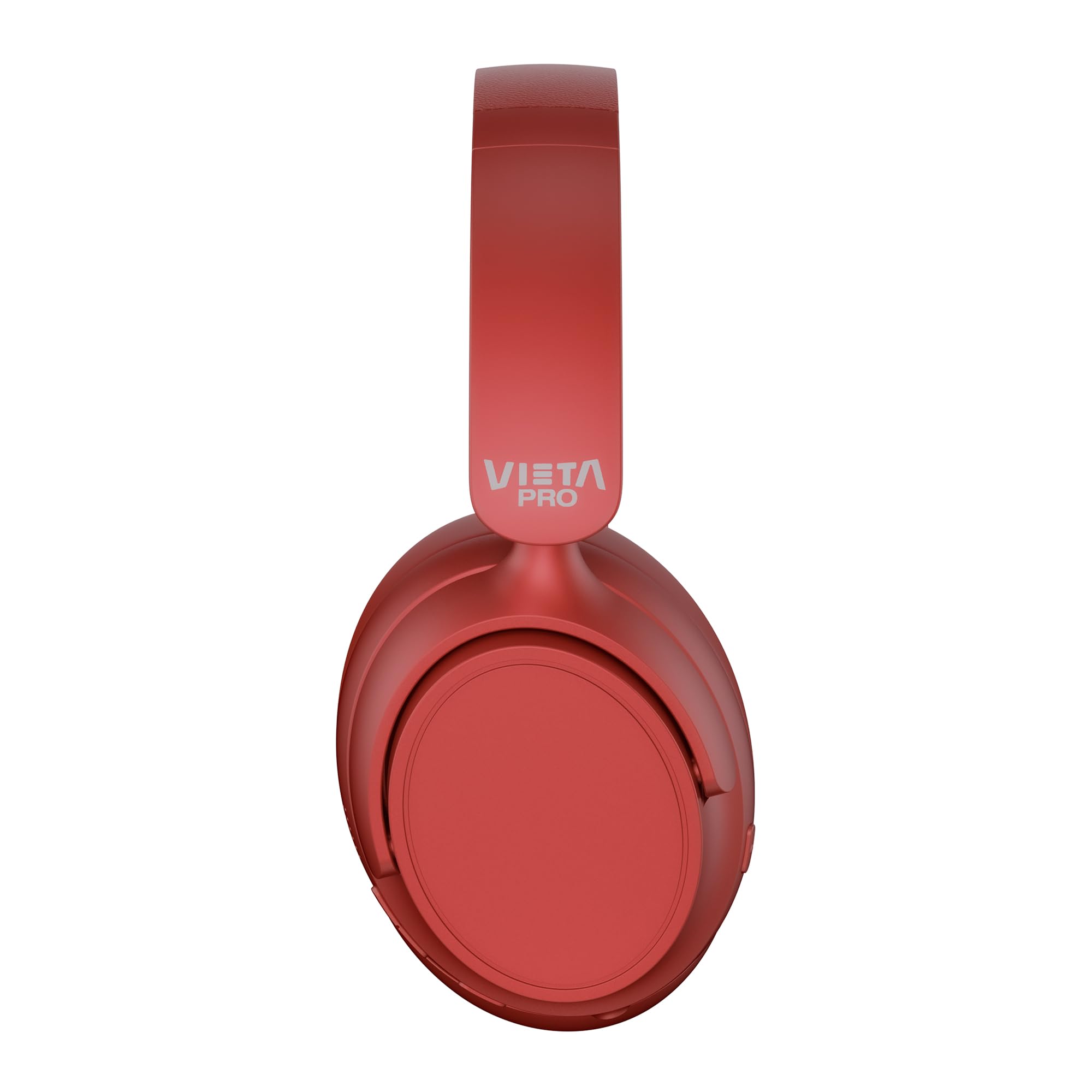
Ofbylding: Front view of the Vieta Pro Way 4 Headband Headphones in red.
Pakketynhâld
Kontrolearje asjebleaft oft alle items yn it pakket oanwêzich binne:
- Vieta Pro Way 4 Headband Headphones
- USB-oplaadkabel
- 3.5mm Audio Cable with integrated microphone
- User Manual (dit dokumint)
Produkt oerview
Meitsje josels fertroud mei de ferskate ûnderdielen en kontrôles fan jo koptelefoan.

Image: Right earcup with power button, volume controls, USB-C charging port, and 3.5mm audio jack.
- Power knop: Brûkt om oan/út te skeakeljen en Bluetooth-koppeling te begjinnen.
- Knop Folume omheech/Folgjende nûmer: Press briefly to increase volume, press and hold for next track.
- Knop Folume omleech/Foarige nûmer: Press briefly to decrease volume, press and hold for previous track.
- Multifunksjonele knop: For play/pause, answer/end calls, activate voice assistant.
- USB-C oplaadpoarte: Foar it opladen fan de koptelefoan.
- 3.5mm Audio Jack: Foar bedrade ferbining mei de ynbegrepen audiokabel.
- Yntegreare mikrofoan: Foar opropkes en stimassistintkommando's.

Image: Left earcup and adjustable headband of the Vieta Pro Way 4 headphones.
Opsette
1. De koptelefoan opladen
Laad jo koptelefoan folslein op foar it earste gebrûk.
- Ferbine de USB-oplaadkabel mei de USB-C-poarte op 'e koptelefoan.
- Ferbine it oare ein fan 'e kabel mei in USB-stroomadapter (net ynbegrepen) of de USB-poarte fan in kompjûter.
- De LED-yndikator sil de oplaadstatus sjen litte (bygelyks, read foar opladen, blau/út foar folslein opladen).
- In folsleine lading soarget foar oant 50 oeren ôfspieltiid.
2. Oan- / útskeakelje
- Om oan te setten: Druk de oan/út-knop sawat 3 sekonden yn en hâld dy yndrukt oant de LED-yndikator knippert.
- Om út te skeakeljen: Druk en hâld de oan/út-knop sawat 3 sekonden yndrukt oant de LED-yndikator útgiet.
3. Bluetooth-keppeling
Koppel jo koptelefoan mei jo apparaat foar draadloze audio.
- Soargje derfoar dat de koptelefoanen útskeakele binne.
- Druk de oan/út-knop sawat 5-7 sekonden yn oant de LED-yndikator om beurten read en blau knippert, wat de koppelingsmodus oanjout.
- Skeakelje Bluetooth yn op jo apparaat (smartphone, tablet, kompjûter) en sykje nei beskikbere apparaten.
- Select "Vieta Pro Way 4" from the list of found devices.
- Sadree't it ferbûn is, sil de LED-yndikator stadich blau knipperje of kontinu blau wurde.
4. Dual Pairing
The Vieta Pro Way 4 headphones support dual pairing, allowing simultaneous connection to two devices (e.g., phone and computer).
- Pair the headphones with the first device as described in "Bluetooth Pairing".
- Skeakelje Bluetooth út op it earste apparaat. De koptelefoan sil opnij yn koppelingsmodus gean.
- Koppelje de koptelefoan mei it twadde apparaat.
- Skeakelje Bluetooth opnij yn op it earste apparaat. De koptelefoan moat automatysk ferbine mei beide apparaten.
- Audio will play from the device that is actively transmitting.
5. Wired Connection (Aux-in)
Use the included 3.5mm audio cable for a wired connection. This is useful when the battery is low or for devices without Bluetooth.
- Connect one end of the 3.5mm audio cable to the Aux-in port on the headphones.
- Ferbine it oare ein mei de 3.5mm audio-jack fan jo apparaat.
- The headphones will automatically switch to wired mode. The integrated microphone on the cable can be used for calls in this mode.
Operating Instructions
Muzyk Playback
- Spylje / Pauze: Druk ien kear op de multyfunksjonele knop.
- Folume omheech: Druk ien kear op de knop Volume omheech.
- Folume omleech: Druk ien kear op de knop Volume Down.
- Folgjende track: Druk en hâld de knop Folume omheech.
- Foarige spoar: Druk en hâld de Volume Down knop.
Call Management
- Oprop beantwurdzje / einigje: Druk ien kear op de multyfunksjonele knop.
- Oprop ôfwize: Druk en hâld de Multi-funksje knop foar 2 sekonden.
- Lêste nûmer opnij kieze: Druk dûbel op de knop Multyfunksje.
Voice Assistant
- Aktivearje de stimassistint (Siri, Google Assistant, ensfh.): Druk trije kear op de knop Multyfunksje.
Gaming Mode
Activate Gaming Mode to reduce Bluetooth latency for an optimized gaming experience.
- Activate/Deactivate Gaming Mode: Press the Power button twice quickly. The headphones will provide an audio cue.
Ûnderhâld
- Reiniging: Feie de koptelefoan ôf mei in sêfte, droege doek. Brûk gjin abrasive reinigingsmiddels of oplosmiddels.
- Opslach: Store the headphones in a cool, dry place. The foldable design allows for compact storage.
- Batterij soarch: Om de batterijlibben te ferlingjen, foarkom it faak folslein ûntladen fan 'e koptelefoan. Laad se regelmjittich op.
- Wetter Resistance: Dizze koptelefoanen binne net wetterdicht. Foarkom bleatstelling oan wetter of tefolle focht.

Image: The Vieta Pro Way 4 headphones in their foldable configuration, demonstrating portability.
Troubleshooting
| Probleem | Mooglike oarsaak | Oplossing |
|---|---|---|
| Koptelefoanen geane net oan. | Lege batterij. | Laad de koptelefoan folslein op. |
| Kin net keppele fia Bluetooth. | Koptelefoan net yn koppelingsmodus; Bluetooth útskeakele op apparaat; te fier fan apparaat. | Ensure headphones are in pairing mode (flashing red/blue). Enable Bluetooth on your device. Move headphones closer to the device (within 10 meters). |
| Gjin lûd of leech folume. | Folume te leech op koptelefoan of apparaat; ferkearde audioboarne selektearre; koptelefoan net oansletten. | Increase volume on both headphones and device. Check Bluetooth connection or 3.5mm cable connection. Ensure the correct audio output is selected on your device. |
| Mikrofoan wurket net. | Microphone muted on device; incorrect input device selected; issue with 3.5mm cable microphone. | Check device settings to ensure microphone is not muted and "Vieta Pro Way 4" is selected as input. If using wired connection, ensure the cable's microphone is enabled/functional. |
| Audio delay in games. | Gaming Mode is not activated. | Activate Gaming Mode by double-pressing the Power button. |
Spesifikaasjes
| Model Namme | Vieta Pro Way 4 |
| Model Number | Stilte 3 |
| Konnektivität | Bluetooth 5.4, 3.5mm Aux-in |
| Batterij Life | Oant 50 oeren |
| Mikrofoan | Integrated (for Bluetooth), In-line (for 3.5mm cable) |
| Special Features | Gaming Mode, Dual Pairing, Foldable Design, Passive Noise Reduction |
| Impedânsje | 32 ohms |
| Ear Placement | Oer-ear (Circumaural) |
| Materiaal | Plestik |
| Wetter Resistance | Net wetterdicht |
| Kompatibele apparaten | Mobile devices, computers, game consoles |
Garânsje en stipe
For warranty information and technical support, please refer to the warranty card included in your product packaging or visit the official Vieta Pro website.
Bewarje jo oankeapbewiis foar alle garânsjeclaims.