
1. Ynlieding
This manual provides essential instructions for the safe and efficient use of your DALI IO-8 Wireless/Wired Hi-Fi Headphones. Please read this manual thoroughly before using the product and retain it for future reference. The DALI IO-8 headphones are designed to deliver a high-fidelity audio experience with advanced features such as Active Noise Cancellation (ANC), Bluetooth AptX Adaptive connectivity, and a long-lasting battery.
2. Produkt Overview
Meitsje josels fertroud mei de komponinten en kontrôles fan jo DALI IO-8 koptelefoan.

Ofbylding 2.1: Front view of the DALI IO-8 headphones, showcasing the caramel and white color scheme and overall design.

Ofbylding 2.2: Top-down view of the DALI IO-8 headphones, highlighting the earcups and visible control buttons on the side.
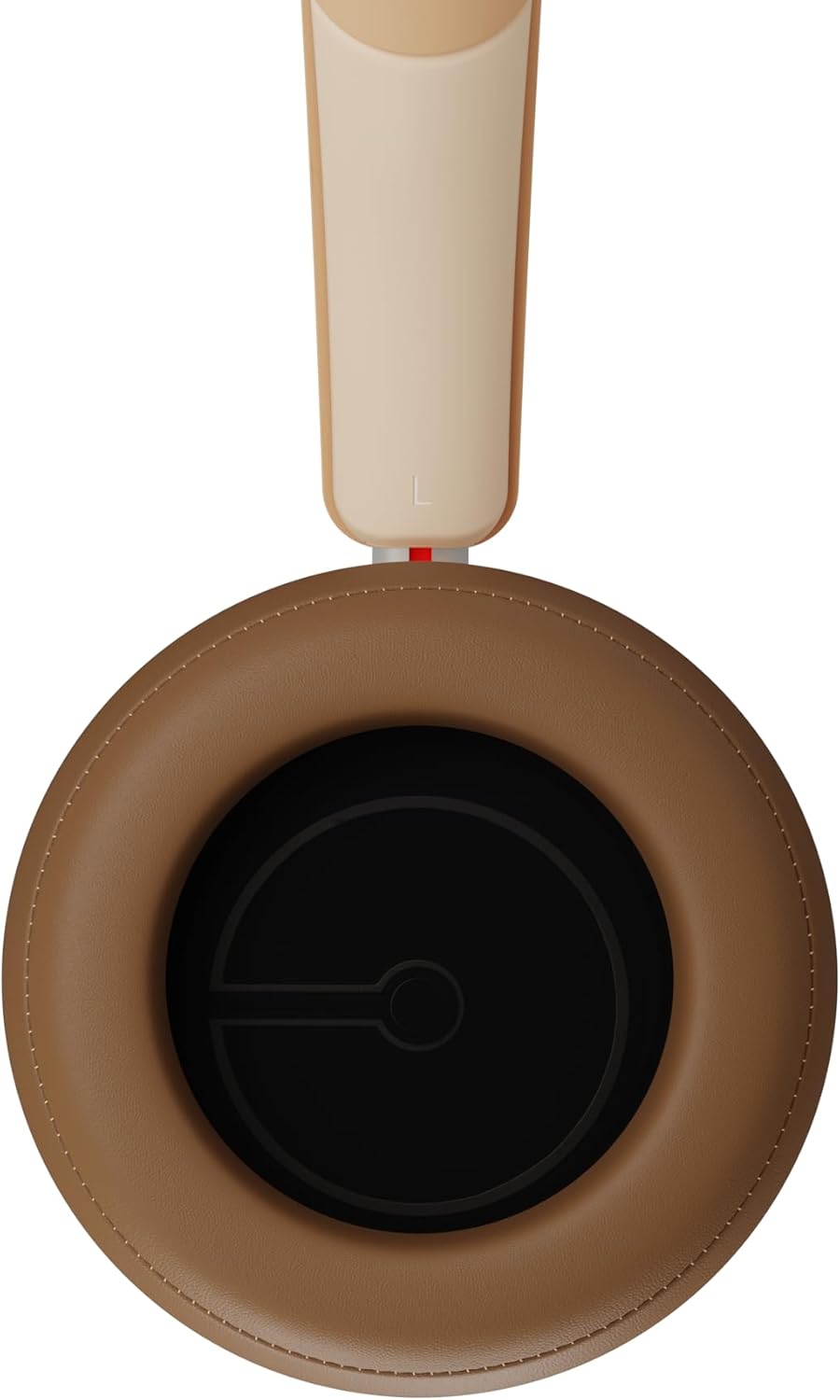
Ofbylding 2.3: Binnenkant view of a DALI IO-8 earcup, showing the soft padding and driver grille, designed for comfort and sound delivery.

Ofbylding 2.4: Close-up view of the DALI IO-8 earcup, showing the USB-C charging port and other control buttons.
2.1 Pakketynhâld
- DALI IO-8 koptelefoan
- USB-C oplaadkabel
- 3.5 mm audiokabel
- Travel Case (if included)
- User Manual (dit dokumint)
2.2 Koptelefoankomponinten

Ofbylding 2.5: Exploded view illustrating the internal components of the DALI IO-8 headphones, including the 50mm driver, circuitry, and earcup structure.
- Headband (Adjustable)
- Earcups (Over-ear design with genuine leather)
- 50mm Driver (SMC Driver Technology)
- Control Buttons (Power, Volume, ANC, Multifunction)
- USB-C Port (Charging and Wired Audio)
- 3.5mm Audio Jack (Wired Audio)
- Microphones (for ANC and calls)
3. Opsette
3.1 De koptelefoan oplade
Before initial use, fully charge your DALI IO-8 headphones.
- Connect the supplied USB-C cable to the USB-C port on the headphone earcup.
- Ferbine it oare ein fan 'e USB-C-kabel mei in kompatibel USB-stroomboarne (bygelyks, in USB-poarte fan 'e kompjûter, of in USB-muorreadapter).
- De LED-yndikator sil de oplaadstatus sjen litte. In folsleine lading jout oant 35 oeren ôfspieltiid mei ANC ynskeakele.
- Ien kear folslein opladen, losmeitsje de kabel.
3.2 Power On / Off
- Om oan te setten: Press and hold the Power button for approximately 2 seconds until the LED indicator illuminates.
- Om út te skeakeljen: Druk en hâld de oan/út-knop sawat 3 sekonden yndrukt oant de LED-yndikator útgiet.
3.3 Bluetooth -keppeling
The DALI IO-8 supports Bluetooth AptX Adaptive for high-quality wireless audio.
- Soargje derfoar dat de koptelefoanen útskeakele binne.
- Druk de oan/út-knop sawat 5 sekonden yn oant de LED-yndikator rap blau knippert. Dit jout oan dat de koppelingsmodus ynsteld is.
- Skeakelje Bluetooth yn op jo audioapparaat (smartphone, tablet, kompjûter) en sykje nei beskikbere apparaten.
- Select "DALI IO-8" from the list of found devices.
- Once paired, the LED indicator will glow solid blue or flash slowly.
- De koptelefoan sil automatysk besykje opnij te ferbinen mei it lêst keppele apparaat as se oanset wurde.
3.4 Bedrade ferbining
The DALI IO-8 can be used with a wired connection via the 3.5mm audio jack or USB-C.
- 3.5mm Audio Kabel: Connect one end of the supplied 3.5mm audio cable to the headphone's 3.5mm jack and the other end to your audio source's headphone output. The headphones can be used passively in this mode, or actively with ANC and amplification if powered on.
- USB-C-audio: Connect the supplied USB-C cable to the headphone's USB-C port and the other end to a compatible USB audio output on your computer or device. This mode allows for digital audio transmission and charging simultaneously.
4. De koptelefoan betsjinje
4.1 Aktive Noise Cancellation (ANC)
The DALI IO-8 features three distinct ANC modes and wind noise suppression.
- Press the dedicated ANC button to cycle through the available modes:
- ANC op: Maximum noise cancellation.
- Transparânsjemodus: Allows ambient sounds to pass through for situational awareness.
- ANC út: Active noise cancellation is disabled.
- Wind noise suppression is automatically engaged in ANC modes to reduce interference from wind.
4.2 Sound Modes
Customize your listening experience with two sound profiles.
- Press the Sound Mode button (if available, or refer to specific button on device) to switch between:
- Hi-Fi-modus: Delivers a balanced and neutral sound signature.
- Bass Mode: Enhances low-frequency response for a more impactful bass.
4.3 Playback and Volume Control
Use the control buttons on the earcup for media playback and volume adjustments.
- Folume omheech: Druk op de knop '+'.
- Folume omleech: Druk op de knop '-'.
- Spylje / Pauze: Druk ien kear op de multyfunksjonele knop.
- Folgjende track: Double-press the Multifunction button.
- Foarige spoar: Triple-press the Multifunction button.
4.4 Opropbehear
Manage phone calls when connected via Bluetooth.
- Oprop beantwurdzje / einigje: Druk ien kear op de multyfunksjonele knop.
- Oprop ôfwize: Druk en hâld de Multifunction knop foar 2 sekonden.
- Voice Assistant aktivearje: Press and hold the Multifunction button for 2 seconds (when not on a call).
5. Underhâld
5.1 Cleaning
- Feie de koptelefoan ôf mei in sêfte, droege, pluisfrije doek.
- Brûk gjin abrasive reinigingsmiddels, oplosmiddels of gemyske sprays.
- Foar earskelpen, feie sêft mei in bytsje damp doek as it nedich is, en droegje dan fuortendaliks.
- Soargje derfoar dat der gjin focht yn 'e poarten of iepeningen komt.
5.2 Opslach
- When not in use, store the headphones in their protective travel case to prevent damage.
- Foarkom dat de koptelefoan bleatsteld wurdt oan ekstreme temperatueren, fochtigens of direkt sinneljocht.
6. Probleemoplossing
| Probleem | Mooglike oarsaak | Oplossing |
|---|---|---|
| Gjin macht | Batterij is leech. | Charge the headphones using the supplied USB-C cable. |
| Kin net keppele fia Bluetooth | Koptelefoan net yn koppelingsmodus; apparaat Bluetooth út; te fier fan apparaat. | Ensure headphones are in pairing mode (rapid blue LED flash). Turn on Bluetooth on your device. Move headphones closer to the device. Forget "DALI IO-8" on your device and re-pair. |
| Gjin lûd | Volume too low; incorrect input source; headphones not connected. | Increase volume on headphones and source device. Check Bluetooth connection or wired cable. Ensure the correct audio output is selected on your device. |
| ANC wurket net effektyf | ANC mode off; poor earcup seal. | Ensure ANC is enabled. Adjust headphones for a proper seal around your ears. |
7. Spesifikaasjes
| Eigenskip | Detail |
|---|---|
| Model Namme | DALI IO-8 |
| Merk | DALI |
| Konnektivität Technology | Bedraad, Draadloos (Bluetooth) |
| Wireless Communication Technology | Bluetooth (AptX Adaptive) |
| Noise Cancellation | Active Noise Suppression (ANC) with Wind Noise Suppression |
| Ear Placement | Oer-ear |
| Driver Grutte | 50mm (SMC Driver Technology) |
| Impedânsje | 25 ohm |
| Headphone Jack | 3.5 mm |
| Batterij Life | Oant 35 oeren (mei ANC) |
| Materialen | Genuine Leather (earcups) |
8. Safety Information
Please observe the following safety guidelines to ensure safe operation and prevent damage to your headphones or injury to yourself.
- Do not expose the headphones to water, rain, or moisture.
- Avoid ekstreme temperatueren.
- Do not disassemble, repair, or modify the headphones. This voids the warranty.
- Harkje op matige folumenivo's om gehoarskea te foarkommen.
- Hâld bûten it berik fan bern.
- Ferwiderje it produkt ferantwurde neffens lokale regeljouwing.
9. Garânsje en stipe
DALI products are manufactured to high standards and are covered by a limited warranty. For specific warranty terms and conditions, please refer to the warranty card included with your product or visit the official DALI website. For technical support, troubleshooting assistance, or service inquiries, please contact your authorized DALI dealer or DALI customer support.

Ofbylding 9.1: A person wearing the DALI IO-8 headphones, demonstrating their comfortable fit and use in a real-world environment.