
1. Ynlieding
Thank you for choosing the FOFUN T-Fun NC95 Hybrid Active Noise Cancelling Headphones. This manual provides essential information for the safe and efficient use of your headphones. Please read it thoroughly before use and retain it for future reference.

Image 1.1: T-Fun NC95 Hybrid Active Noise Cancelling Headphones.
2. Package Ynhâld
Kontrolearje oft alle items yn it pakket oanwêzich binne:
- NC95 ANC Headphones
- 3.5 mm audiokabel
- Type A-C Charging Cable
- PU Bag (Carrying Case)
- Quick Start Guide
- Digital Manual (Downloadable)

Image 2.1: Included accessories and headphones.
3. Produkt Overview
3.1 Koptelefoankomponinten

Ofbylding 3.1: oerview of headphone ports and buttons.
3.2 Fit and Adjustability
- Ferstelbere Headband: The headband can be extended or retracted to fit various head sizes, ensuring a personalized and comfortable fit.
- 90° Rotatable Earcups: The earcups rotate more than 90 degrees, allowing for a comfortable fit and easy storage when not in use.
- Sêfte earkussens: Made with quality protein memory foam for extended comfort.
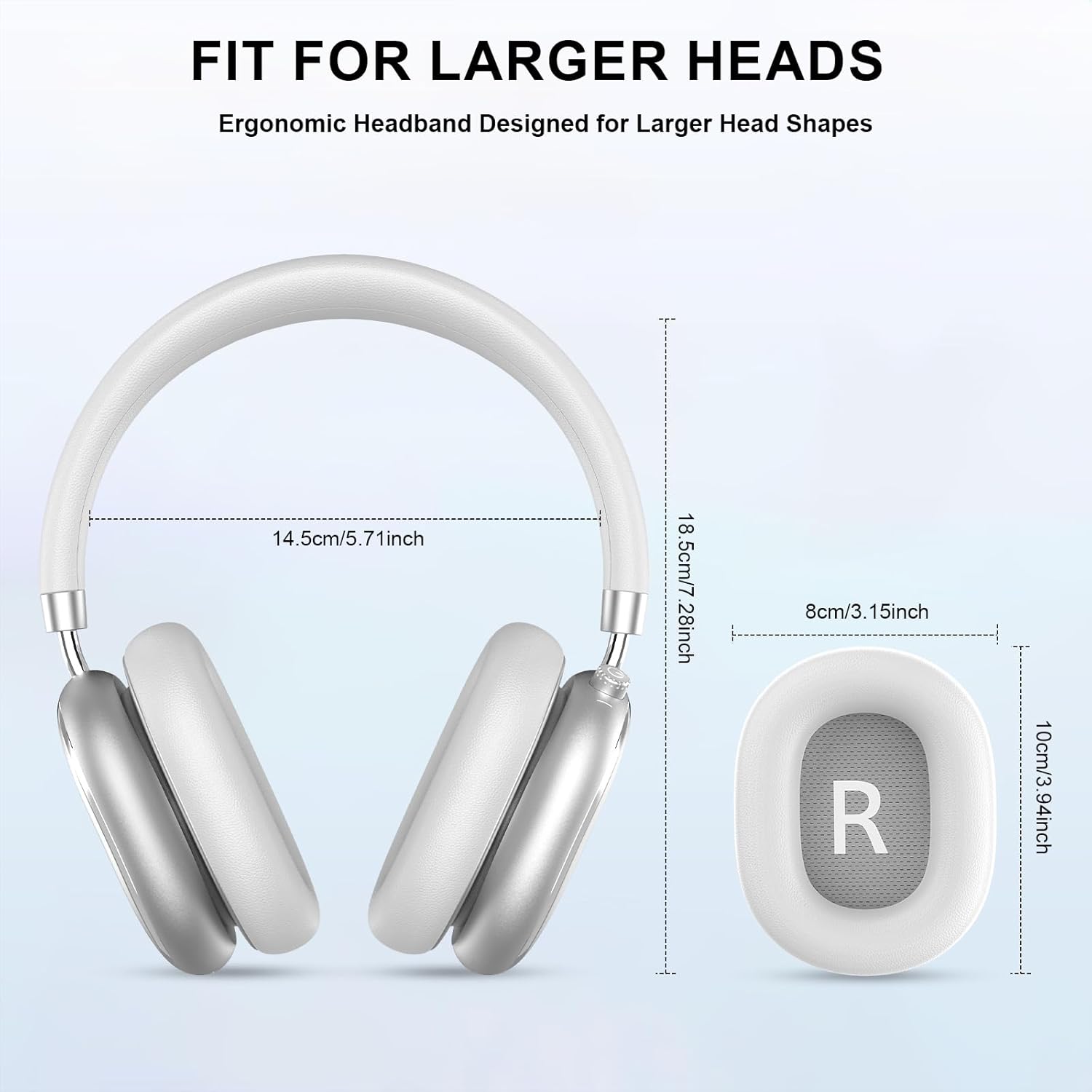
Image 3.2: Headphone dimensions for fit reference.
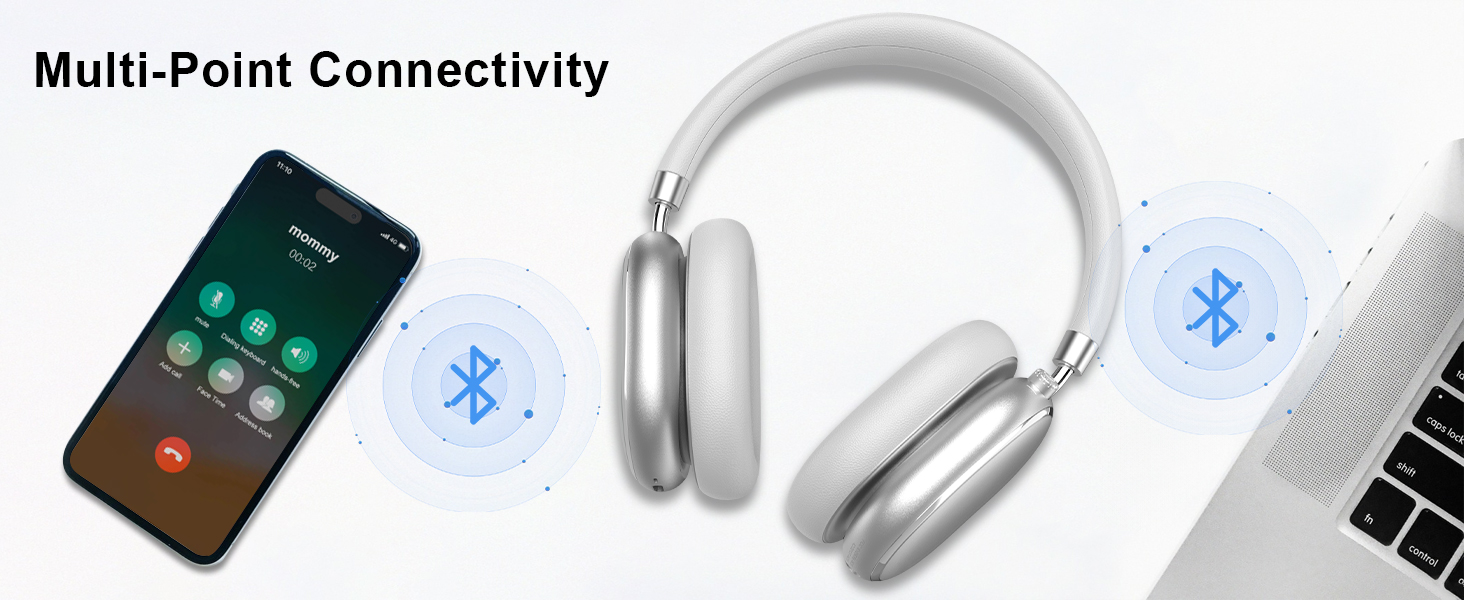
Image 3.3: Adjustable headband for personalized comfort.
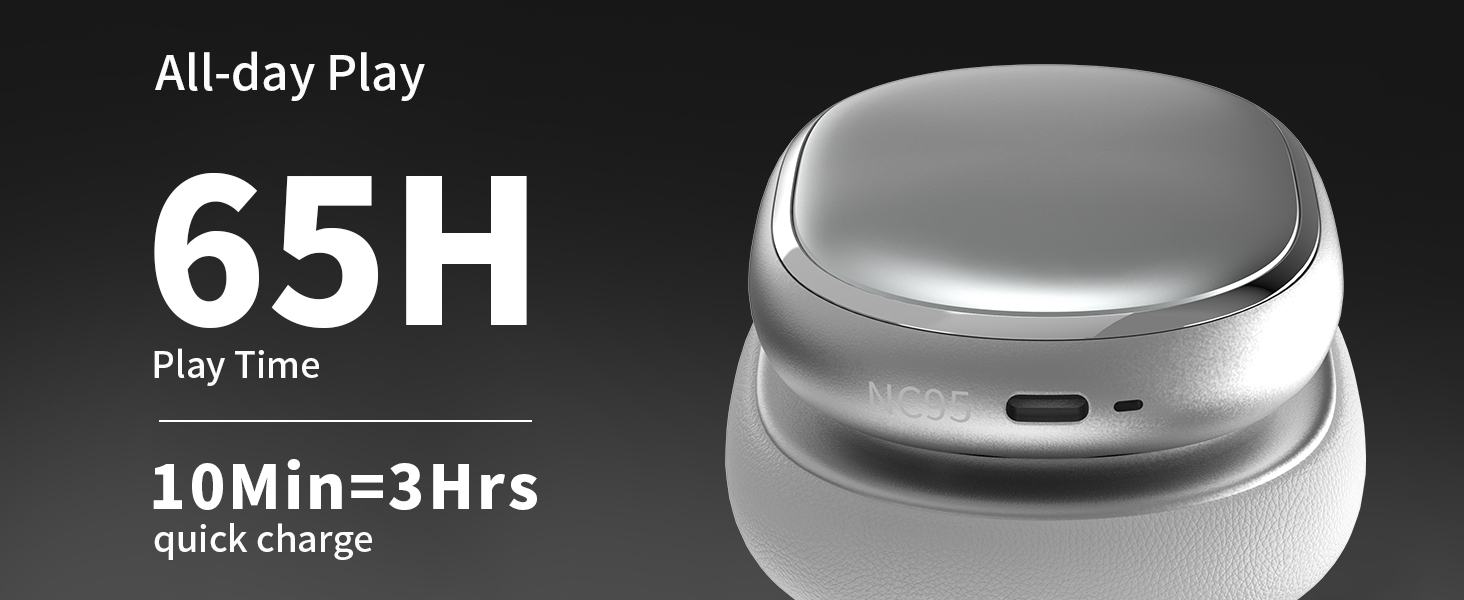
Image 3.4: Earcups rotate for comfort and storage.

Image 3.5: Ultra-soft protein leather ear cushions for comfort.
4. Opsette
4.1 Initial Tarieding
- Remove Protective Sticker: Before first use, gently remove the protective sticker from the sides of the headphones. You may warm the area with a hairdryer (low heat) for easier removal. Peel slowly and remove any sticky residue with warm water or rubbing alcohol.

Image 4.1: Steps for removing the protective sticker.
4.2 De koptelefoan oplade
Before initial use, fully charge the headphones. Use the provided Type A-C charging cable.
- Ferbine it USB-C-ein fan 'e kabel mei de oplaadpoarte op 'e koptelefoan.
- Ferbine it USB-A-ein mei in kompatibel USB-stroomboarne (bygelyks, muorreadapter, USB-poarte fan 'e kompjûter).
- De LED-yndikator sil de oplaadstatus oanjaan. In folsleine lading duorret sawat 2.5 oeren.
- In snelle lading fan 10 minuten soarget foar sawat 3 oeren ôfspieltiid.

Image 4.2: Battery life and charging information.
4.3 Bluetooth -keppeling
- Soargje derfoar dat de koptelefoanen opladen en útskeakele binne.
- Press and hold the power button (located on the knob control) for 3-5 seconds until the LED indicator flashes, indicating pairing mode.
- Skeakelje Bluetooth yn op jo apparaat (smartphone, tablet, laptop) en sykje nei beskikbere apparaten.
- Select "T-Fun NC95" from the list of devices.
- Sadree't it ferbûn is, sil de LED-yndikator feroarje nei in fêst ljocht of stadich knipperje.
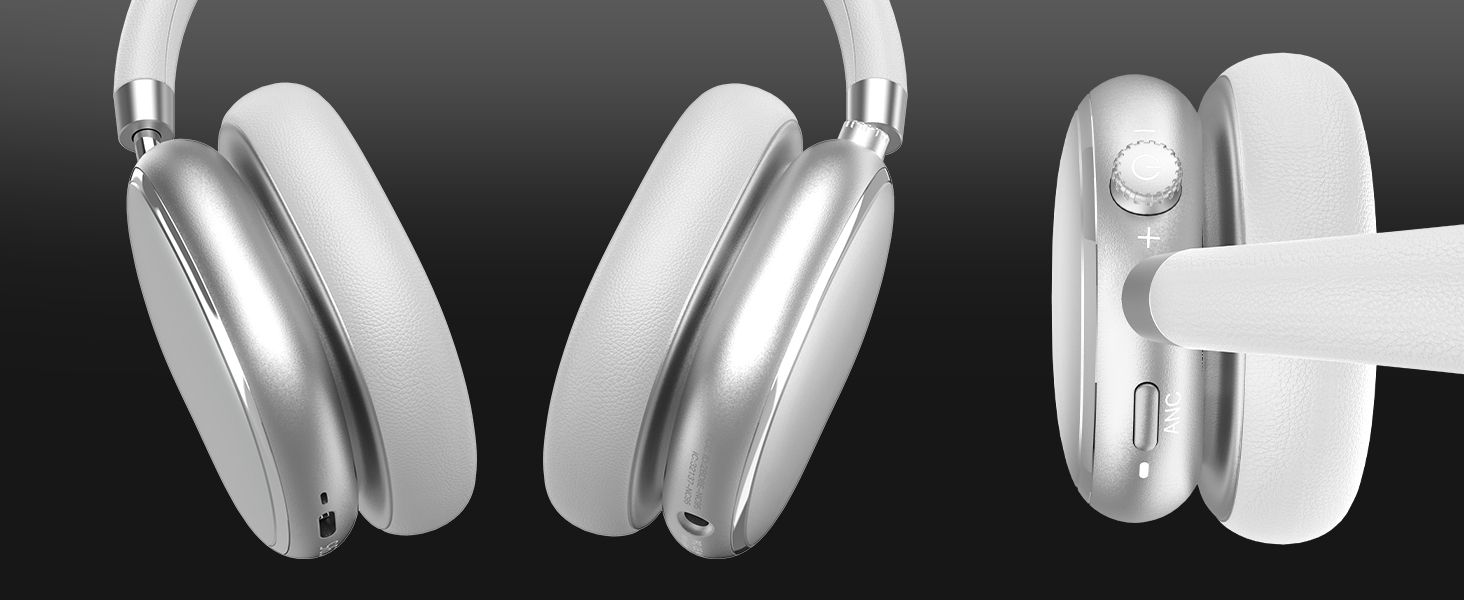
Image 4.3: Multipoint Bluetooth connectivity.
4.4 T-Fun App Installation
For enhanced control and customization, download the official "T-fun" app.
- Sykje nei "T-fun" on the Apple App Store or Google Play Store.
- Download en ynstallearje de app.
- Open the app and follow the on-screen instructions to connect your NC95 headphones.

Image 4.4: T-Fun app customization features.

Image 4.5: App download and connection process.
5. Bedriuwsinstruksjes
5.1 Power On / Off
- Power On: Press and hold the power button (on the knob) for 3-5 seconds.
- Útskeakelje: Press and hold the power button (on the knob) for 3-5 seconds.
5.2 Knob Control Functions
The multi-functional knob control allows for intuitive operation:
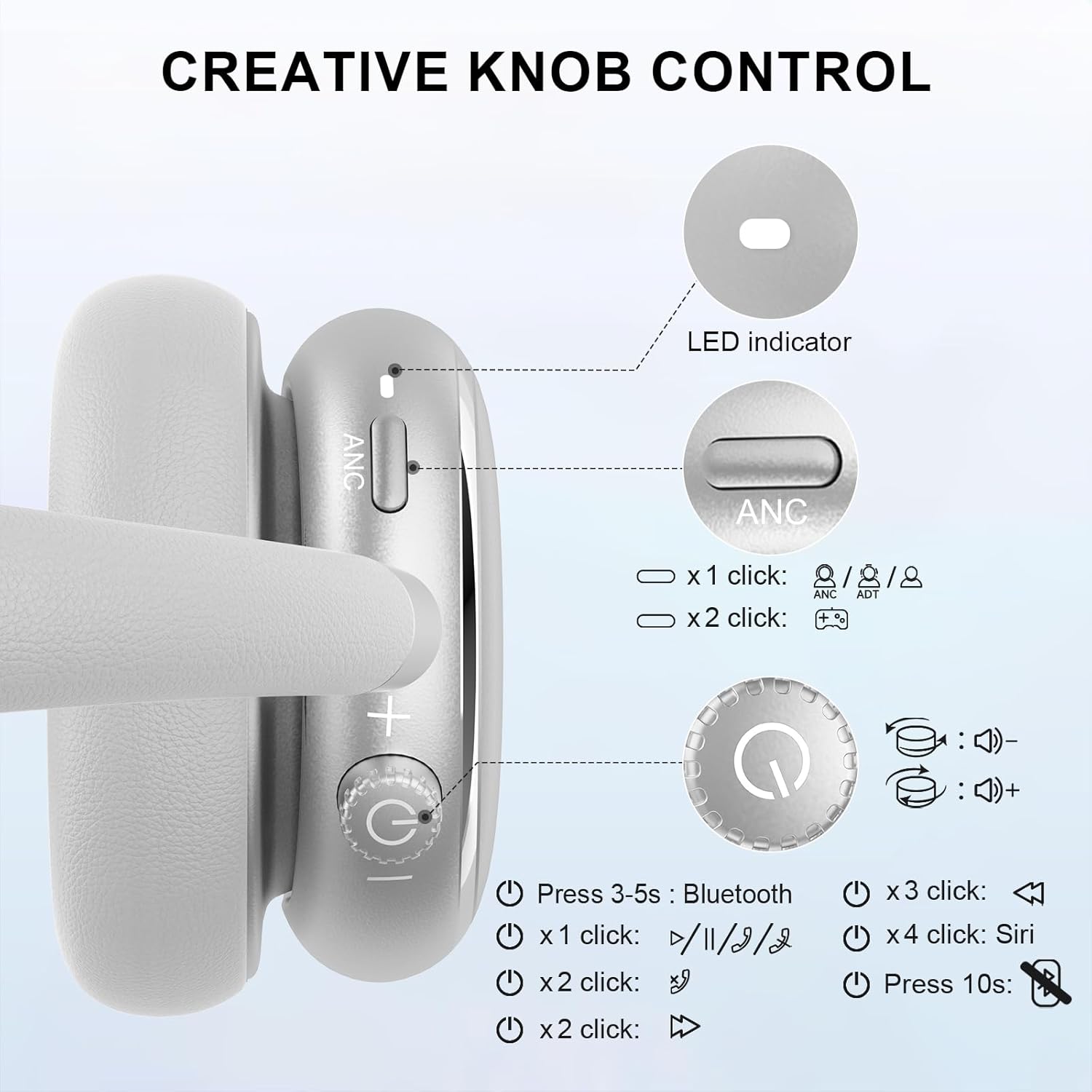
Image 5.1: Creative Knob Control functions.
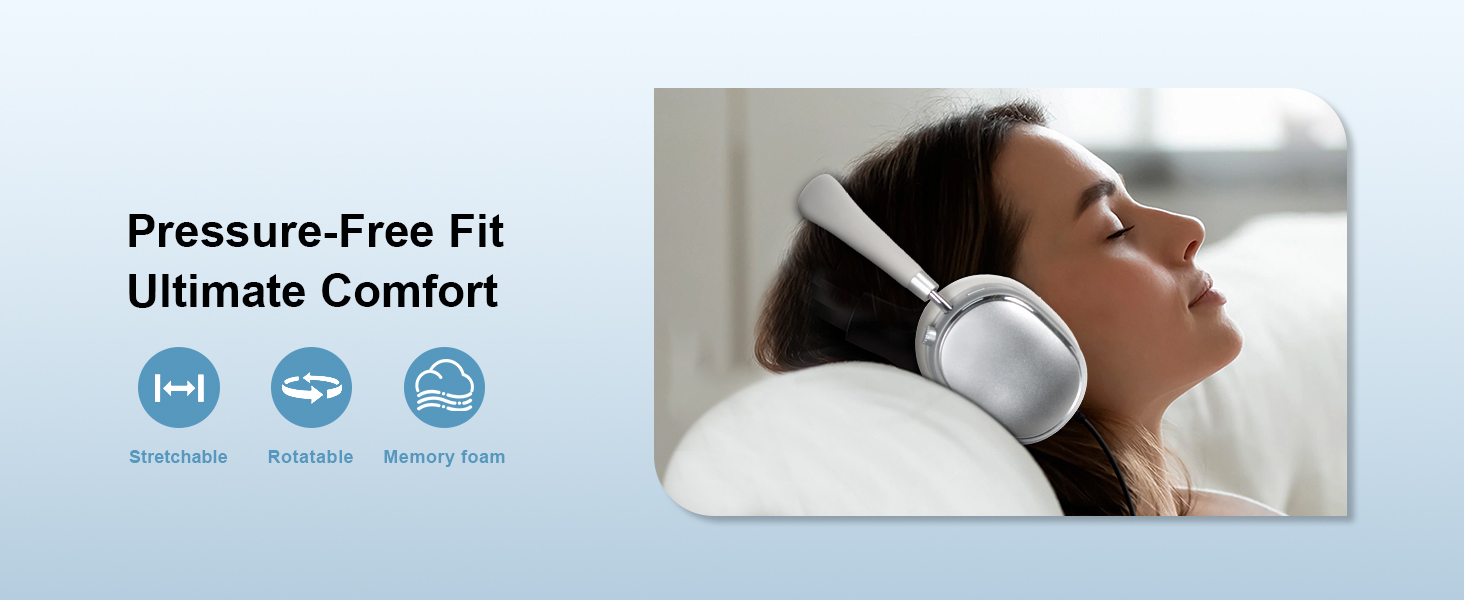
Image 5.2: Multi-functional Knob Control for volume adjustment.
- Volume oanpassing: Draai de knop mei de klok mei om it folume te ferheegjen, tsjin de klok yn om it folume te ferminderjen.
- Spylje / Pauze: Druk ien kear op de knop.
- Oprop beantwurdzje / einigje: Druk ien kear op de knop.
- Folgjende track: Druk twa kear op de knop.
- Foarige spoar: Press the knob three times.
- Stimassistint (Siri) aktivearje: Press the knob four times.
- Reset: Druk en hâld de knop foar 10 sekonden.
Note: Knob functions are only available in wireless connection mode.
5.3 Aktive lûdsûnderdrukking (ANC) en transparânsjemodus
The NC95 headphones feature Hybrid Active Noise Cancellation and Transparency Mode, controlled by a dedicated button.
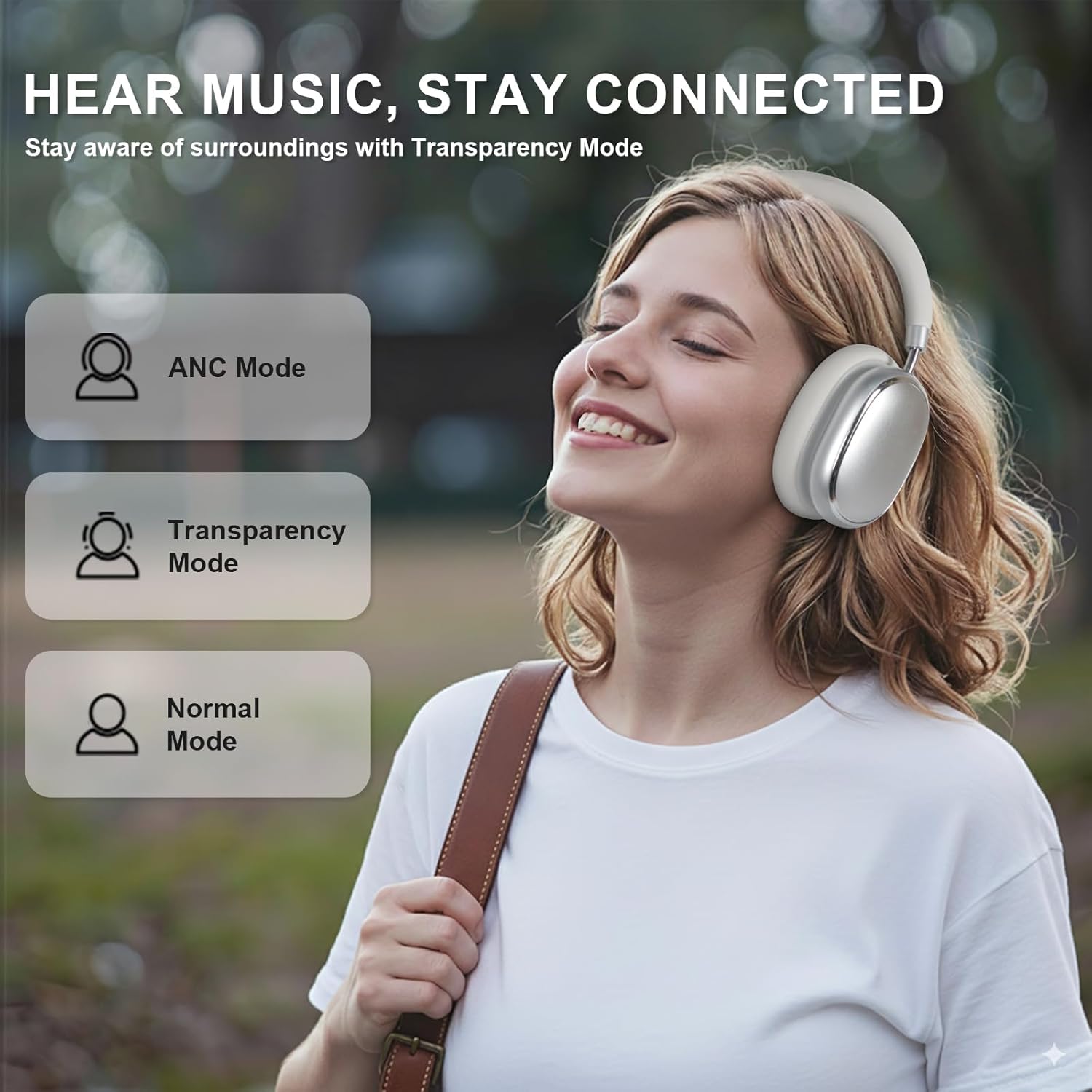
Image 5.3: ANC, Transparency, and Normal modes.

Image 5.4: Noise reduction effectiveness.
- ANC modus: Press the ANC button once to activate Hybrid Active Noise Cancellation, reducing ambient noise by up to 35dB.
- Transparânsjemodus: Press the ANC button again to switch to Transparency Mode, allowing you to hear your surroundings without removing the headphones.
- Normale modus: Press the ANC button a third time to return to Normal Mode, with ANC and Transparency off.
Note: ANC mode is only available in wireless connection mode.
5.4 Bedrade ferbining
For a wired audio experience or when battery is low, use the 3.5mm audio cable.
- Ferbine it iene ein fan 'e 3.5mm audiokabel mei de audio-jack op 'e koptelefoan.
- Ferbine it oare ein mei de 3.5mm audio-útfier fan jo apparaat.
- In wired mode, the knob control functions for volume, playback, and calls are not available.
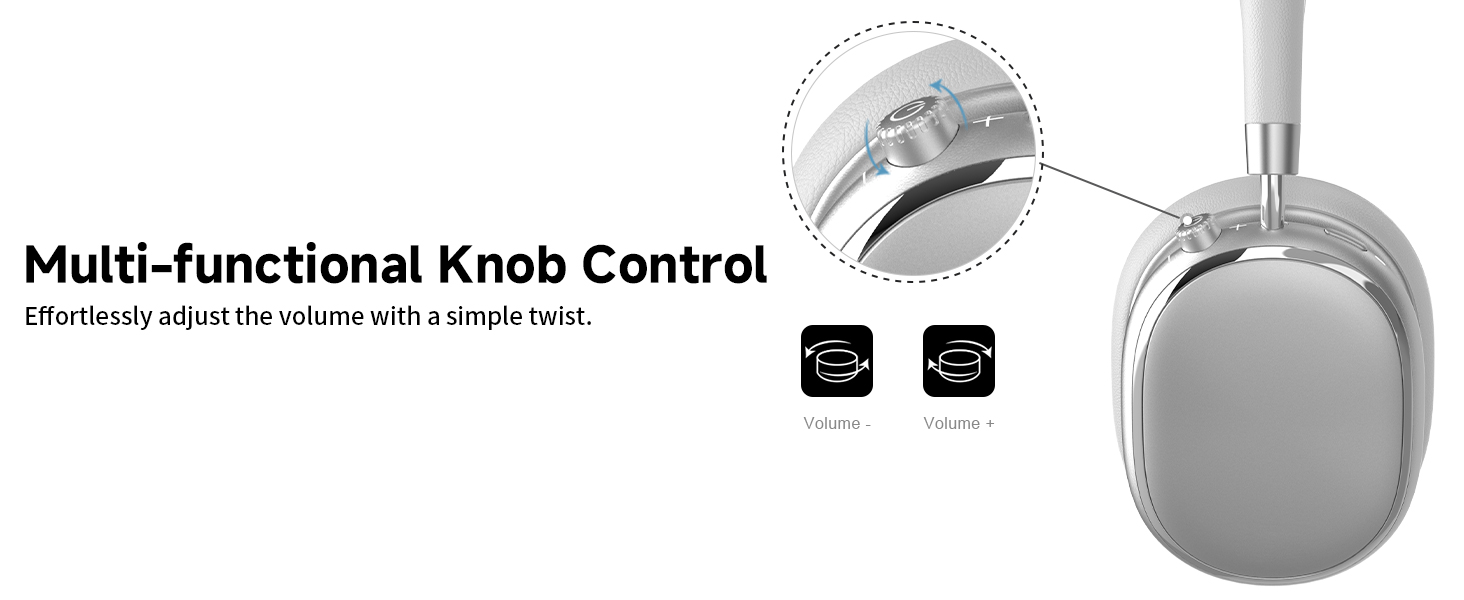
Image 5.5: Wired connection with 3.5mm audio cable.
5.5 Opropbehear
When connected via Bluetooth, you can manage calls using the knob control.
- Oprop beantwurdzje / einigje: Druk ien kear op de knop.
- Oprop ôfwize: Druk en hâld de knop foar 2 sekonden.

Image 5.6: Clear hands-free calls with built-in microphones.
6. Underhâld
6.1 Cleaning
- Feie de koptelefoan ôf mei in sêfte, droege doek.
- Brûk gjin hurde gemikaliën of abrasive materialen.
- Foarkom dat focht yn alle iepeningen komt.
6.2 Opslach
- Store the headphones in the provided PU bag when not in use to protect them from dust and scratches.
- Foarkom opslach yn ekstreme temperatueren of hege vochtigheid.
6.3 Detachable Ear Cushions
The ear cushions are detachable for easy cleaning and replacement, ensuring long-term use.

Image 6.1: Detachable ear cushions for easy care.
7. Probleemoplossing
If you encounter issues with your NC95 headphones, refer to the following common solutions:
| Probleem | Mooglike oarsaak | Oplossing |
|---|---|---|
| Koptelefoanen geane net oan | Lege batterij | Laad de koptelefoan folslein op. |
| Kin net keppele fia Bluetooth | Koptelefoan net yn koppelingsmodus; Bluetooth fan apparaat út; Ynterferinsje | Ensure headphones are in pairing mode (flashing LED). Turn device Bluetooth off and on. Move closer to the device. |
| Gjin lûd | Volume too low; Incorrect audio source; Loose wired connection | Increase volume on headphones and device. Check audio output settings on your device. Re-insert 3.5mm cable firmly. |
| ANC wurket net effektyf | ANC not activated; Environmental noise too high | Press the ANC button to cycle through modes. ANC is most effective against low-frequency noise. |
| App ferbining problemen | Bluetooth not connected; App glitch | Ensure headphones are connected via Bluetooth. Restart the app or your phone. |
As it probleem oanhâldt, nim dan kontakt op mei de klanttsjinst.
8. Spesifikaasjes
| Eigenskip | Detail |
|---|---|
| Model Namme | NC95 |
| Noise Control | Hybride lûdsûnderdrukking |
| Frequency Response | 20 Hz - 20 kHz |
| Gefoelichheid | 105 dB |
| Impedânsje | 32 omt |
| Koptelefoon Jack | 3.5 mm jack |
| Konnektivität Technology | Wireless (Bluetooth), Wired |
| Wireless Communication Technology | Bluetooth 5.3 |
| Bluetooth berik | 15m |
| Audio Wachttiid | 50 millisekonden |
| Audio Driver Grutte | 40 millimeter |
| Control Type | App Control, Push Button, Knob |
| Batterij Life | Up to 65 Hours (ANC playback) |
| Oplaadtiid | 2.5 oeren |
| Wetter Resistance Level | Net wetterbestindich |
| Item Gewicht | 1.28 pyk |
| Fabrikant | FOFUN |
9. Garânsje en stipe
9.1 Warranty Information
For detailed warranty information, please refer to the documentation included with your purchase or contact FOFUN customer service directly. Warranty terms may vary by region and retailer.
9.2 Customer Support
If you require further assistance or have questions not covered in this manual, please contact FOFUN customer support through their official channels. You can also visit the T-Fun Store on Amazon foar ekstra middels.