
1. Ynlieding
The Audizio Avola is a comprehensive audio system designed to provide a wide range of listening options. It integrates Internet Radio, DAB+, FM radio, a CD player, and Bluetooth connectivity into a single, elegant unit. This manual will guide you through the setup, operation, and maintenance of your Avola system, ensuring you can fully utilize its features for an optimal audio experience.
2. Safety Ynstruksjes
- Streamtafier: Brûk allinnich de levere stroomadapter. Soargje derfoar dat it folumetage komt oerien mei de easken fan jo regio.
- Wetter en focht: Stel it apparaat net bleat oan rein, focht of floeistoffen. Set foarkom dat jo objekten fol mei floeistoffen, lykas fazen, op it apparaat pleatse.
- Ventilaasje: Soargje foar foldwaande fentilaasje om it apparaat hinne. Blokkearje gjin fentilaasje-iepeningen.
- Heat boarnen: Hâld it apparaat fuort fan waarmteboarnen lykas radiatoren, waarmteregisters, kachels of oare apparaten dy't waarmte produsearje.
- Reiniging: Disconnect the unit from the power supply before cleaning. Use a soft, dry cloth. Do not use liquid cleaners or aerosol cleaners.
- Betsjinning: Besykje it apparaat net sels te ûnderhâlden. Lit alle ûnderhâldswurk oer oan kwalifisearre servicepersoniel.
- Cd-spiler: Do not insert foreign objects into the CD tray. Handle CDs by their edges to avoid scratches.
3. Package Ynhâld
Kontrolearje oft alle items yn 'e ferpakking oanwêzich binne:
- 1x Audizio Avola Internet Radio
- 1x Remote Control
- 1x Stromadapter
- 1x User Manual (Quick Start Guide)

Image: Audizio Avola unit shown with its remote control and power adapter.
4. Produkt Overview
4.1 Foarpaniel

Ofbylding: Front view of the Audizio Avola with the CD tray closed.
The front panel features the main display, control buttons, a CD tray, and input ports.
- Skerm: Color display for navigation and information.
- Kontrôle knoppen: MENU, INFO, REC/DEL, PRESET/REPEAT, STANDBY, I/R, Play/Pause, Stop, Skip/Fast Forward/Rewind.
- CD lade: Foar it ynfoegjen fan audio-cd's.
- TUNE/SELECT Knob: Rotate to navigate menus, press to select.
- VOLUME knop: Past it audio-útfiernivo oan.
- USB-poarte: Foar it ferbinen fan USB-opslachapparaten.
- SD Card Slot: Foar it ynfoegjen fan SD-ûnthâldkaarten.
- AUX-ynfier: 3.5mm-jack foar eksterne audioboarnen.
- Jack foar koptelefoan: 3.5mm-jack foar privee harkjen.

Image: Close-up of the Audizio Avola front panel showing USB, SD, AUX, and headphone ports.
4.2 Rear Panel
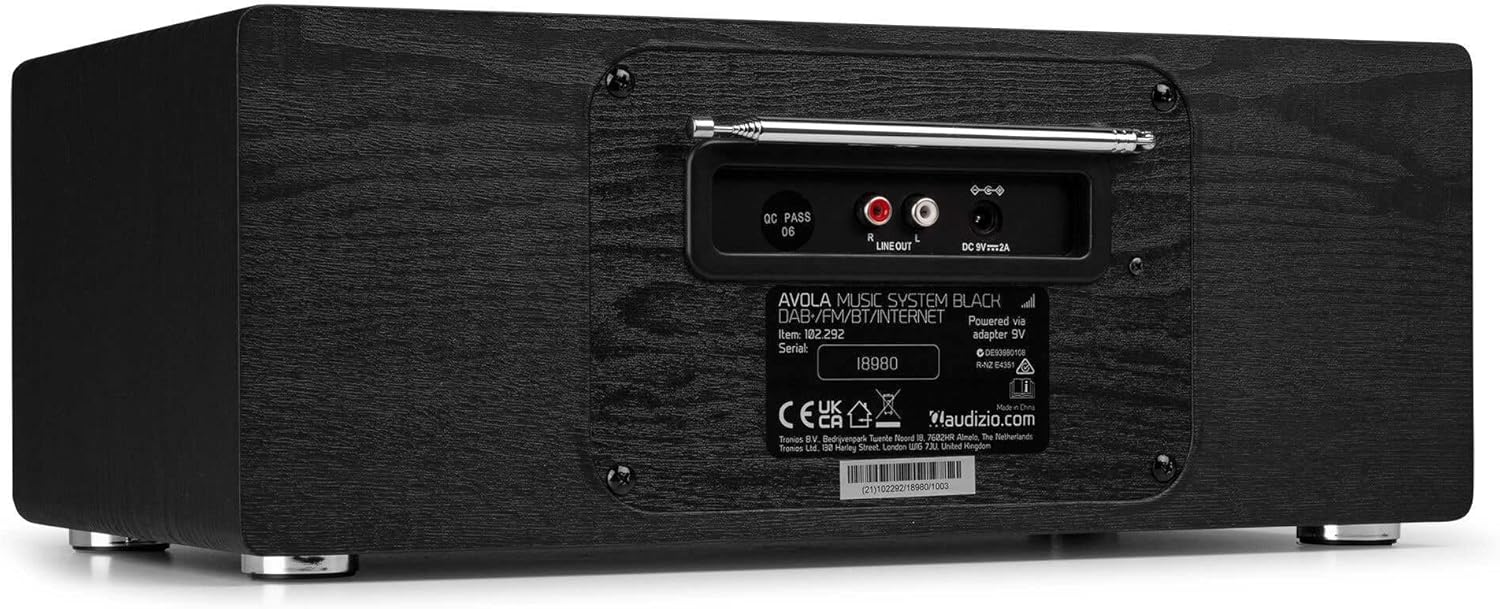
Ofbylding: Efterkant view of the Audizio Avola, highlighting the antenna and connection ports.
The rear panel houses essential connections:
- Teleskopyske antenne: For DAB+ and FM radio reception. Extend fully for best signal.
- LINE OUT (RCA): Foar it ferbinen mei eksterne amplifters of sprekkers.
- DC 9V 2A Power Input: Foar it oansluten fan 'e stroomadapter.
5. Opsette
5.1 Stromferbining
- Connect the power adapter to the DC 9V 2A input on the rear of the Avola unit.
- Stek de stroomadapter yn in gaadlik stopkontakt.
- The unit will enter standby mode. Press the STANDBY button on the unit or remote control to power on.
5.2 Antenne opset
For optimal DAB+ and FM radio reception, fully extend the telescopic antenna located on the rear panel. Adjust its position for the best signal quality.
5.3 Initial Setup (WLAN Connection)
To access Internet Radio features, the Avola must be connected to a Wi-Fi network.
- Upon first power-on, the unit may prompt you to set up the network connection. If not, press MENU, navigate to 'System Settings' and then 'Network'.
- Select 'Wi-Fi Network' and choose 'Scan' to find available networks.
- Selektearje jo Wi-Fi-netwurk út 'e list.
- Enter your Wi-Fi password using the TUNE/SELECT knob to navigate characters and press to confirm each character.
- Once connected, the display will show a Wi-Fi icon.
6. Operating Modes
6.1 Ynternetradio
Access thousands of radio stations worldwide via your Wi-Fi connection.
- Press the MENU button and select 'Internet Radio'.
- Jo kinne stasjons blêdzje op lokaasje, sjenre, of sykje nei spesifike stasjons.
- Use the TUNE/SELECT knob to navigate and select.
- To save a station as a preset, press and hold the PRESET/REPEAT button until the preset menu appears, then select a preset number.

Image: The Audizio Avola display showing the Internet Radio interface.
6.2 DAB+ radio
Digital Audio Broadcasting Plus offers high-quality digital radio.
- Press the MENU button and select 'DAB Radio'.
- The unit will automatically scan for available DAB+ stations.
- Use the TUNE/SELECT knob to browse and select stations.
- Save presets as described for Internet Radio.
6.3 FM -radio
Listen to traditional analog FM radio broadcasts.
- Press the MENU button and select 'FM Radio'.
- Use the TUNE/SELECT knob to manually tune or press and hold to auto-scan for stations.
- Save presets as described for Internet Radio.
6.4 CD Spiler
Play your favorite audio CDs.
- Press the MENU button and select 'CD Player'.
- Press the 'Open' button next to the CD tray to open it.
- Carefully place an audio CD onto the tray with the label side facing up.
- Press the 'Open' button again to close the tray. The unit will begin playing the CD automatically.
- Use the Play/Pause, Stop, and Skip buttons for playback control.
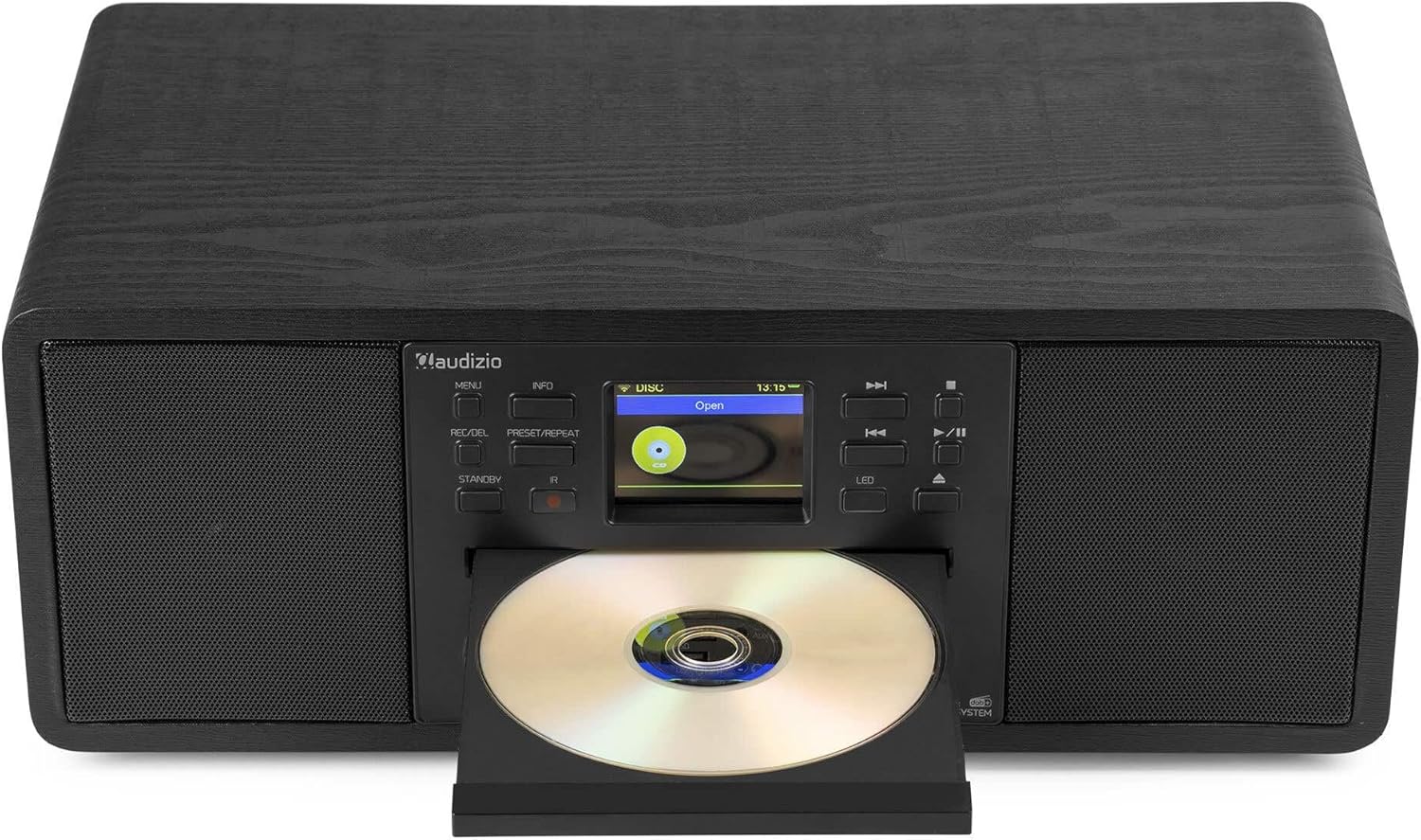
Image: The Audizio Avola with its CD tray open, ready for disc insertion.
6.5 Bluetooth-ferbining
Stream audio draadloos fan jo smartphone, tablet of oare Bluetooth-ynskeakele apparaten.
- Press the MENU button and select 'Bluetooth'.
- The Avola will enter pairing mode and become discoverable.
- On your Bluetooth device, search for 'Audizio Avola' in the Bluetooth settings and select it to pair.
- Once connected, the display will show 'BT Connected'. You can now play audio from your device through the Avola.

Image: The Audizio Avola display indicating a successful Bluetooth connection.
6.6 USB/SD-ôfspieljen
Spylje audio files fan USB-skiven of SD-kaarten.
- Insert a USB drive into the USB port or an SD card into the SD card slot on the front panel.
- Press the MENU button and select 'USB' or 'SD' (the unit may automatically switch to the correct mode).
- Navigearje troch jo files and folders using the TUNE/SELECT knob.
- Press the TUNE/SELECT knob to play a selected track.
7. Underhâld
- Reiniging fan de ienheid: Brûk in sêfte, droege, pluisfrije doek om de bûtenkant fan it apparaat skjin te meitsjen. Brûk gjin skurende reinigingsmiddels, waaks of oplosmiddels.
- CD-lensreiniging: If CD playback becomes erratic, use a commercially available CD lens cleaner disc to clean the laser lens.
- Opslach: As jo it apparaat foar in langere perioade opslaan, koppelje it dan los fan 'e stroomfoarsjenning en bewarje it op in koel, droech plak.
8. Probleemoplossing
| Probleem | Mooglike oarsaak | Oplossing |
|---|---|---|
| Gjin macht | Stroomadapter net oansletten of defekt stopkontakt. | Kontrolearje de stroomferbiningen. Besykje in oar stopkontakt. |
| Gjin lûd | Folume te leech, mute aktivearre, of ferkearde boarne selektearre. | Increase volume. Check if mute is active. Ensure correct input source is selected. |
| Ynternetradio ferbynt net | Ferkeard Wi-Fi-wachtwurd, swak sinjaal of netwurkprobleem. | Re-enter Wi-Fi password. Move unit closer to router. Check router status. |
| DAB+/FM reception poor | Antenne net útwreide of gebiet mei swak sinjaal. | Slút de teleskopyske antenne folslein út en ferstel dy. Besykje it apparaat te ferpleatsen. |
| CD spilet net ôf | CD inserted incorrectly, dirty/scratched CD, or unsupported format. | Ensure CD is inserted label-side up. Clean or replace CD. Verify CD format (supports CD-DA, MP3). |
| Bluetooth net keppelje | Device not in pairing mode, or Avola not discoverable. | Ensure both devices are in pairing mode. Check Bluetooth settings on your device. |
9. Spesifikaasjes
| Eigenskip | Spesifikaasje |
|---|---|
| Model Namme | Avola |
| Item nûmer | 102.292 |
| Ofmjittings (LxWxH) | 45.8 x 25.8 x 19.7 sm |
| Gewicht | 4 kg |
| Power Ynfier | 220 Volt (via power adapter) |
| Speaker Output Power (Max) | 60 watt |
| Audioútfiermodus | Stereo |
| Stipe audioformaten | CD-DA, MP3 |
| Konnektivität Technology | WLAN, Bluetooth, AUX, RCA |
| Kompatibele apparaten | MP3 Player, PC, Smartphone, Tablet |
| Kleur | Swart |
10. Garânsje en stipe
Audizio products are designed and manufactured to the highest standards. In the unlikely event of a problem with your product, please contact your retailer for assistance. Keep your proof of purchase for warranty claims. For further support or inquiries, please refer to the official Audizio website of nim kontakt op mei harren klanteservice.