
1. Ynlieding
The CrossBeats Hawk Gaming TWS in-Ear Buds are designed to provide an immersive audio experience for gaming and music. Featuring ultra-low latency, dynamic RGB lighting, and environmental noise cancellation, these earbuds offer high-performance audio and clear communication. This manual provides detailed instructions for setup, operation, and maintenance to ensure optimal use of your device.
2. Wat sit der yn 'e doaze
- CrossBeats Hawk Gaming TWS Earbuds
- Charging Case with Type-C Dongle
- USB-oplaadkabel
- User Manual
- Earkussens (ferskate maten)
- Warranty Card
3. Produkt Overview
Familiarize yourself with the components and features of your CrossBeats Hawk earbuds.
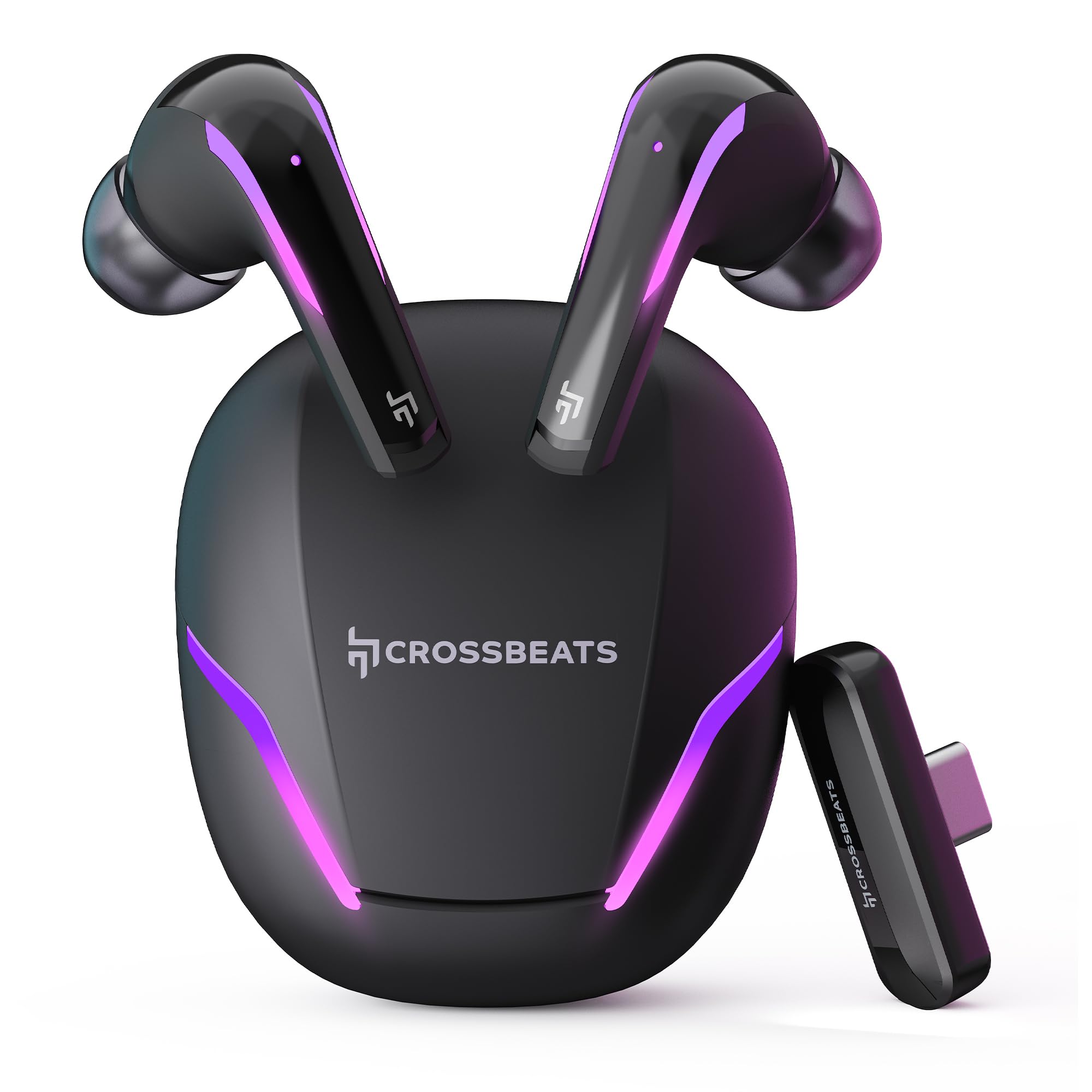
Figure 1: CrossBeats Hawk Gaming TWS Earbuds and Charging Case with highlighted features.
3.1 Charging Case and Dongle

Figure 2: The 2.4G Type C Dongle for direct connection to compatible devices.
3.2 Earbud Design and Features

Figuer 3: Ynterne view of an earbud showcasing the 14mm Titanium Driver.

Figure 4: Earbud with Dedicated Gaming DSP for optimized audio processing.

Figure 5: Earbud with AI Environmental Noise Cancellation (ENC) for clear calls.

Figure 6: Illustration of Music Mode and Gaming Mode.
4. Opsette
4.1 Inisjele Bluetooth-koppeling
- Soargje derfoar dat de earbuds wurde opladen.
- Open the charging case. The earbuds will automatically enter pairing mode, indicated by flashing RGB lights.
- Gean op jo apparaat (smartphone, tablet, laptop) nei Bluetooth-ynstellingen en skeakelje Bluetooth yn.
- Sykje nei available devices and select "CrossBeats Hawk" from the list.
- Sadree't de ferbining is foltôge, sille de earbuds oanjaan dat de koppeling slagge is.
4.2 Connecting via Type-C Dongle (2.4GHz Wireless)
For ultra-low latency gaming, use the included Type-C dongle.
- Remove the Type-C dongle from its slot in the charging case.
- Plug the dongle into the Type-C port of your compatible gaming device (smartphone, tablet, PC, console).
- The earbuds will automatically connect to the dongle, entering dedicated Game Mode.
- Ensure your device's audio output is set to the dongle if necessary.
Video 1: Demonstration of connecting the Type-C dongle to a smartphone and launching a mobile game, showcasing the seamless integration for gaming.
5. Bedriuwsinstruksjes
5.1 Power On / Off
- Power On: Iepenje it oplaadhoeske, of nim de earplugs út it hoeske. Se sille automatysk oangean.
- Útskeakelje: Doch de earplugs werom yn it oplaadfakje en doch it deksel ticht. Se sille automatysk útskeakelje.
Video 2: Visual guide on opening the CrossBeats Hawk charging case, removing the earbuds, and observing the dynamic RGB lighting effects.
5.2 Touchkontrôles
The CrossBeats Hawk earbuds feature touch controls for various functions:
- Spylje / Pauze: Ien tik op ien fan beide earbuds.
- Folgjende track: Dûbeltik op 'e rjochter earbud.
- Foarige spoar: Dûbeltik op 'e linker earbud.
- Oprop beantwurdzje / einigje: Ien tik op ien fan beide earbuds.
- Oprop ôfwize: Druk en hâld beide earbuds foar 2 sekonden.
- Voice Assistant aktivearje: Trije kear tikje op ien fan beide earbuds.
- Switch EQ Mode (Music/Gaming): Druk en hâld de rjochter earbud foar 2 sekonden.
5.3 Switching EQ Modes
The earbuds support two Equalizer (EQ) modes: E-Sports (Gaming) and Music. To switch between modes, press and hold the right earbud for 2 seconds. A voice prompt will confirm the mode change.
6. Gaming Mode with Dongle
The dedicated Game Mode, activated via the Type-C dongle, provides ultra-low latency (under 10ms) for a synchronized audio and video experience, crucial for competitive gaming.

Figure 7: Ultra-low latency for instant action in gaming.

Figure 8: Sonic-Link Technology for high-speed wireless connection.
When the dongle is connected, the earbuds prioritize the 2.4GHz wireless connection for minimal audio delay. This mode is ideal for fast-paced games where audio cues are critical.
7. Opladen
To charge the CrossBeats Hawk earbuds and charging case:
- Doch beide earplugs yn it oplaaddoaske. Soargje derfoar dat se goed ynfoege binne.
- Ferbine de meilevere USB Type-C-oplaadkabel mei de oplaadpoarte op 'e kast en mei in stroomboarne.
- The RGB lights on the case will indicate charging status. A full charge takes approximately 2 hours.
- The earbuds offer up to 10 hours of listening time on a single charge, with the charging case extending total playtime to 100 hours.

Figure 9: Charging case and earbuds illustrating extended battery life.
8. Underhâld
To ensure the longevity and performance of your earbuds:
- Reiniging: Meitsje de earbuds en it oplaadkoffer regelmjittich skjin mei in sêfte, droege, pluisfrije doek. Brûk gjin agressive gemikaliën of skurende materialen.
- Ear Tips: Ferwiderje en meitsje de eartips geregeld skjin. Soargje derfoar dat se folslein droech binne foardat jo se wer oanbringe.
- Oplaadkontakten: Hâld de oplaadkontakten op sawol de earbuds as it hoeske skjin en frij fan smoargens.
- Opslach: As se net yn gebrûk binne, bewarje de earplugs dan yn har oplaaddoaze om se te beskermjen en opladen te hâlden.
- Wetter Resistance: The earbuds are water-resistant, but not waterproof. Avoid submerging them in water or exposing them to heavy rain. Dry them thoroughly if they get wet.
9. Probleemoplossing
If you encounter issues with your CrossBeats Hawk earbuds, refer to the following common solutions:
- No Sound/Connection:
- Soargje derfoar dat earbuds wurde opladen en ynskeakele.
- Check Bluetooth settings on your device and ensure "CrossBeats Hawk" is connected.
- If using the dongle, ensure it is securely plugged in and your device's audio output is directed to the dongle.
- Try resetting the earbuds by placing them in the case, closing the lid for 10 seconds, then reopening.
- Earbuds net opladen:
- Soargje derfoar dat de oplaadkabel feilich ferbûn is mei sawol de kast as de stroomboarne.
- Verify the charging contacts on the earbuds and case are clean.
- Besykje in oare oplaadkabel of stroomadapter.
- Low Latency Issues:
- Ensure you are using the Type-C dongle for Game Mode. Bluetooth connection will have higher latency.
- Minimize interference by staying close to your device.
- Mikrofoanproblemen:
- Soargje derfoar dat de mikrofoans net blokkearre wurde.
- Check your device's audio input settings to confirm the earbuds are selected.
10. Spesifikaasjes
| Eigenskip | Spesifikaasje |
|---|---|
| Model Namme | Hawk (CB-Hawk) |
| Konnektivität Technology | Wireless (Bluetooth 5.4, 2.4GHz Dongle) |
| Bluetooth Ferzje | 5.4 |
| Bluetooth berik | 10 Meter |
| Audio Driver Type | 14mm Titanium Dynamyske Driver |
| Wachttiid | Ultra Low <10ms (with Dongle) |
| Mikrofoans | 6 (4 with AI ENC) |
| Batterij Life | Oant 100 oeren (mei oplaadkoffer) |
| Oplaadtiid | 2 oeren |
| Noise Control | Sound Isolation, AI ENC |
| Control Type | Touch Control |
| Wetter Resistance Level | Wetter Resistant |
| Item Gewicht | 48g wy |
| Materiaal | Plestik |
| Special Features | RGB Lights, AI ENC, Ultra-Low Latency Gaming Mode, Water Resistance |
11. Garânsje en stipe
Your CrossBeats Hawk Gaming TWS in-Ear Buds come with a manufacturer's warranty. Please refer to the included Warranty Card for detailed terms and conditions. For technical support, product inquiries, or warranty claims, please contact CrossBeats customer service through their official webside of de kontaktgegevens dy't op 'e garânsjekaart steane.