
1. Ynlieding
Tankewol foar de oankeapasing the Deeyaple G4 60W Gaming Soundbar. This manual provides essential information for setting up, operating, and maintaining your soundbar to ensure optimal performance and longevity. Please read this manual thoroughly before use and retain it for future reference.
2. Safety Information
- Do not expose the soundbar to extreme temperatures, humidity, or direct sunlight.
- Meitsje it apparaat te fallen of te ûnderwerpen oan sterke ynfloeden.
- Keep the soundbar away from water and other liquids. The IPX5 rating indicates resistance to splashes, but it is not fully submersible.
- Do not attempt to disassemble, repair, or modify the soundbar yourself. Contact qualified service personnel for assistance.
- Brûk allinnich de meilevere stroomkabel en accessoires.
- Ensure proper ventilation around the soundbar during operation.
3. Package Ynhâld
Kontrolearje asjebleaft it pakket op de folgjende items:
- Deeyaple G4 60W Gaming Soundbar
- Power Kabel
- User Manual (dit dokumint)
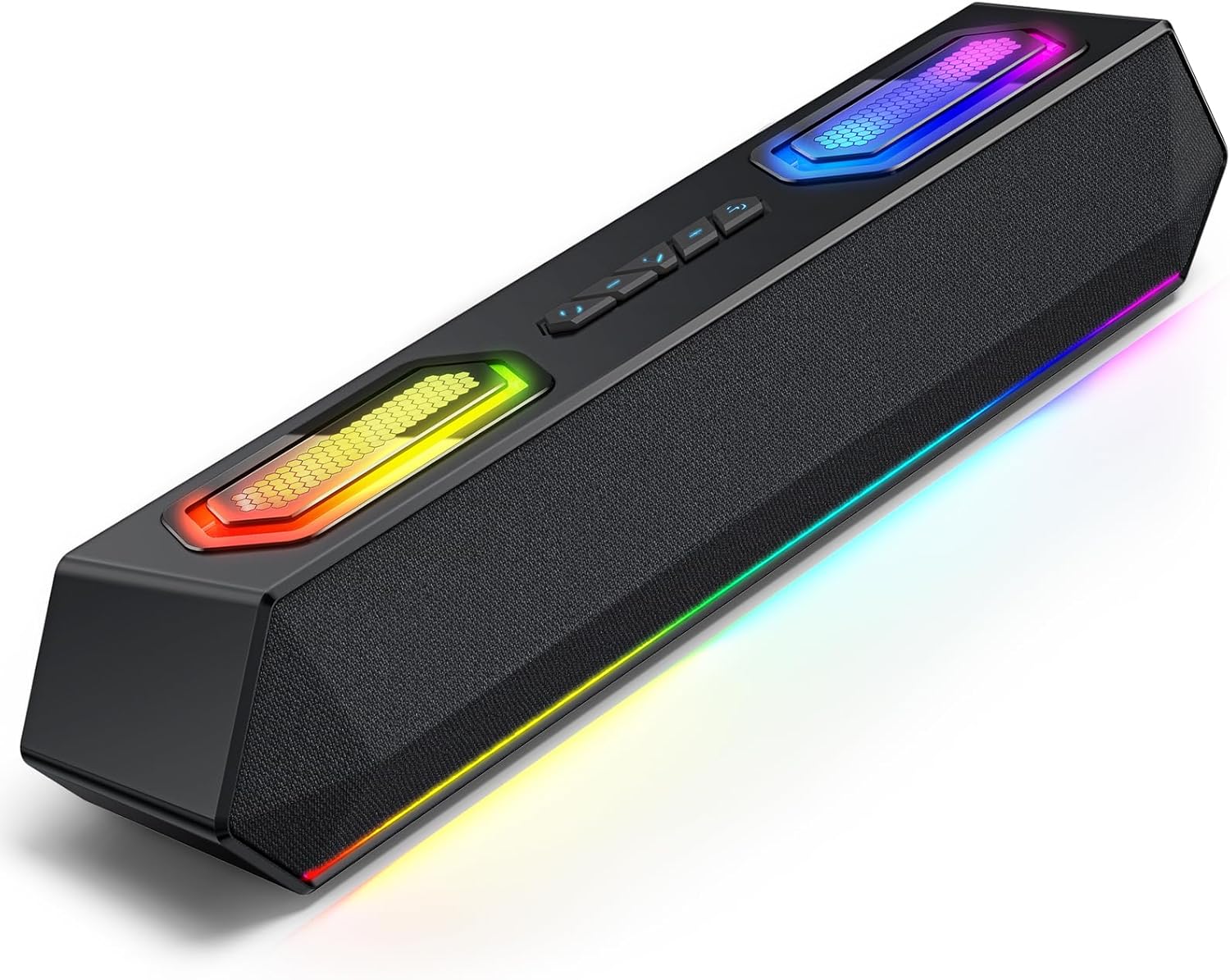
Image: Deeyaple G4 Soundbar, showcasing syn ûntwerp en RGB-ferljochting.
4. Produkt Overview
Key Features:
- 60W Dual Speakers: Delivers rich bass, clear mids, and crisp highs.
- RGB ferljochting: Dynamic lights that pulse in sync with music, offering multiple atmosphere modes.
- Bluetooth 5.3: Stable wireless connectivity with a 66-foot range.
- Extended 20-Hour Battery: 2500mAh battery for long playback (at 50% volume with lights off).
- Waterproof IPX5: Resistant to splashes and rain.
- Draadloze stereokoppeling (TWS): Connect two soundbars for immersive stereo sound.
- Precision Audio Positioning: Enhanced stereo sound effects for gaming.
Kontrôles en havens:
The soundbar features intuitive controls for power, volume, and RGB lighting modes. Connection options include Bluetooth, USB, and 3.5mm AUX.

Ofbylding: Boppe view of the Deeyaple G4 Soundbar highlighting the control buttons and RGB lighting panels.

Image: Diagram illustrating the internal speaker components of the 60W soundbar.
5. Opsette
Ynskeakelje:
- Connect the provided power cable to the soundbar's power input.
- Stek it oare ein fan 'e macht kabel yn in geskikt stopkontakt.
- Press and hold the power button on the soundbar until the RGB lights illuminate, indicating the device is on.
Ferbine fia Bluetooth:
- Ensure the soundbar is powered on and in Bluetooth pairing mode (indicated by a flashing blue light, if applicable).
- Skeakelje Bluetooth yn op jo apparaat (smartphone, tablet, kompjûter) en sykje nei beskikbere apparaten.
- Select "Deeyaple G4" from the list of devices.
- Once connected, the soundbar will indicate a successful pairing (e.g., a solid blue light or an audible prompt).
Video: Demonstrates connecting a soundbar via Bluetooth and other modes. While not the exact Deeyaple G4, the connection process is similar.
Connecting via AUX (3.5mm Audio Cable):
- Connect one end of a 3.5mm AUX audio cable (not included) to the AUX input port on the soundbar.
- Connect the other end of the AUX cable to the audio output jack of your device (e.g., computer, TV, smartphone).
- The soundbar should automatically switch to AUX mode. If not, use the mode button (if available) to select AUX.
Ferbine fia USB:
- Connect the soundbar to your computer's USB port using a compatible USB cable (not included).
- The soundbar should be recognized as an audio output device by your computer. Select it from your computer's sound settings.
- Some soundbars may also support USB drives for direct music playback. Insert a USB drive into the designated USB port.
Video: Shows a soundbar connecting via USB and demonstrating RGB lighting. This video is for a related product (LENRUE E-1103) but illustrates similar functionality.
6. Bedriuwsinstruksjes
Volume kontrôle:
- Rotate the main knob on the soundbar to adjust the volume.
- Alternatively, adjust the volume directly from your connected device.
RGB-ljochtmodi:
- The soundbar features dynamic RGB lighting. Use the dedicated light effect button (if available) or a short press on the main knob to cycle through different lighting modes.
- Long press the light effect button or main knob to turn the lights on/off.

Image: Visual representation of different RGB pulse light modes available on the soundbar.
Playback Control (Bluetooth/USB Mode):
- Use the Play/Pause button to start or pause audio playback.
- Use the Next Track and Previous Track buttons to skip between songs.
Draadloze stereokoppeling (TWS):
To connect two Deeyaple G4 soundbars for a true stereo experience:
- Ensure both soundbars are powered on and in Bluetooth pairing mode.
- On one soundbar, long press the TWS pairing button (refer to product diagram if available, otherwise assume a dedicated button or combination).
- The soundbars will attempt to connect to each other. Once paired, they will function as a stereo pair.
- Connect your device to one of the paired soundbars via Bluetooth.
7. Underhâld
- Clean the soundbar with a soft, dry cloth. Do not use abrasive cleaners or solvents.
- Hâld de havens frij fan stof en pún.
- Store the soundbar in a cool, dry place when not in use for extended periods.
8. Probleemoplossing
| Probleem | Mooglike oplossing |
|---|---|
| Gjin macht | Ensure the power cable is securely connected to both the soundbar and the power outlet. Check if the outlet is functional. |
| Gjin lûd | Check volume levels on both the soundbar and the connected device. Ensure the correct input mode (Bluetooth, AUX, USB) is selected. Verify audio cable connections. |
| Bluetooth-kearing mislearret | Ensure the soundbar is in pairing mode. Turn off and on Bluetooth on your device. Move closer to the soundbar. Clear previous Bluetooth connections on your device and try again. |
| Sound ferfoarming | Reduce the volume on both the soundbar and the connected device. Check audio source quality. Ensure cables are not damaged. |
| RGB-ljochten wurkje net | Press the light effect button to cycle through modes or turn them on/off. Ensure the soundbar is powered on. |
9. Spesifikaasjes
- Model Namme: G4
- Speaker Type: Draachbere sprekker
- Speaker Maksimum útfier Power: 60 watt
- Konnektivität technology: Bluetooth
- Wireless kommunikaasje technology: Bluetooth 5.3
- Maksimum berik: 66 Foet
- Audioútfiermodus: Stereo
- Spesjale funksje: Wetterdicht (IPX5)
- Power Boarne: Corded Electric (Internal 2500mAh battery for portable use)
- Produkt Ofmjittings: 13D x 8B x 41.3H Sintimeter
- Item Gewicht: 1.18 kg
- Kontrôlemetoade: App, Touch (Physical buttons/knob)
- Fabrikant: Deeyaple
10. Garânsje en stipe
The Deeyaple G4 Soundbar comes with a limited warranty. For detailed warranty information, product support, or technical assistance, please refer to the official Deeyaple webside of nim direkt kontakt op mei harren klanttsjinst. Bewarje jo oankeapbewiis as bewiis fan oankeap.
Foar fierdere help, besykje asjebleaft de Deeyaple Store on Amazon.