
1. Ynlieding
Thank you for choosing the CREATE WIND CLEAR STUDIO S Ceiling Fan with Light. This manual provides essential information for the safe installation, operation, and maintenance of your new ceiling fan. Please read it thoroughly before use and retain it for future reference.
The WIND CLEAR STUDIO S is a silent ceiling fan featuring a 40W DC motor, a summer/winter function, and 6 speed settings. It includes retractable blades and an integrated LED light with 3 adjustable color temperatures. A programmable timer allows for automatic shut-off.

Image 1.1: The CREATE WIND CLEAR STUDIO S Ceiling Fan with Light, featuring a white body and light wood trim, with its remote control.
2. Safety Ynstruksjes
- Soargje derfoar dat de stroomfoarsjenning loskeppele is foardat jo ynstallaasje, ûnderhâld of skjinmeitsjen dogge.
- Ynstallaasje moat útfierd wurde troch in kwalifisearre elektricien yn oerienstimming mei lokale bedradingsregeljouwing.
- The mounting structure must be capable of supporting the weight of the fan (minimum 15 kg).
- Hâld in minimale ôfstân fan 2.3 meter (7.5 foet) fan 'e flier oant de fentilatorblêden.
- Stek gjin objekten yn it paad fan 'e rotearjende messen.
- Dit apparaat is allinich foar gebrûk binnen.
- Hâld de ôfstânsbetsjinning bûten berik fan bern.
3. Package Ynhâld
Kontrolearje oft alle ûnderdielen oanwêzich en net beskeadige binne foardat jo trochgean mei de ynstallaasje. As der ûnderdielen ûntbrekke of beskeadige binne, nim dan kontakt op mei de klanttsjinst.
- Ceiling Fan Motor Unit with Integrated LED Light
- Retractable Fan Blades (3 units)
- Remote Control
- Befestigingsbeugel
- Downrods (2 lengths for adjustable height)
- Hardware Kit (screws, washers, wire nuts)
- Brûkershânlieding en gearstallingsgids
4. Opset en ynstallaasje
Detailed installation instructions are provided in the separate assembly guide included with your product. Please follow those instructions carefully. This fan includes two suspension rods, allowing for flexible installation height to suit your space.
Ensure the fan is securely mounted to a ceiling joist or a suitable support structure. All electrical connections must be made correctly and safely.

Image 4.1: The ceiling fan installed in a room, demonstrating its aesthetic integration.

Ofbylding 4.2: In oar view of the ceiling fan installed, highlighting its design and lighting capabilities.
5. Bedriuwsinstruksjes
Your CREATE WIND CLEAR STUDIO S fan is controlled via the included remote control. Ensure batteries are correctly inserted into the remote.
5.1 Remote Control Funksjes
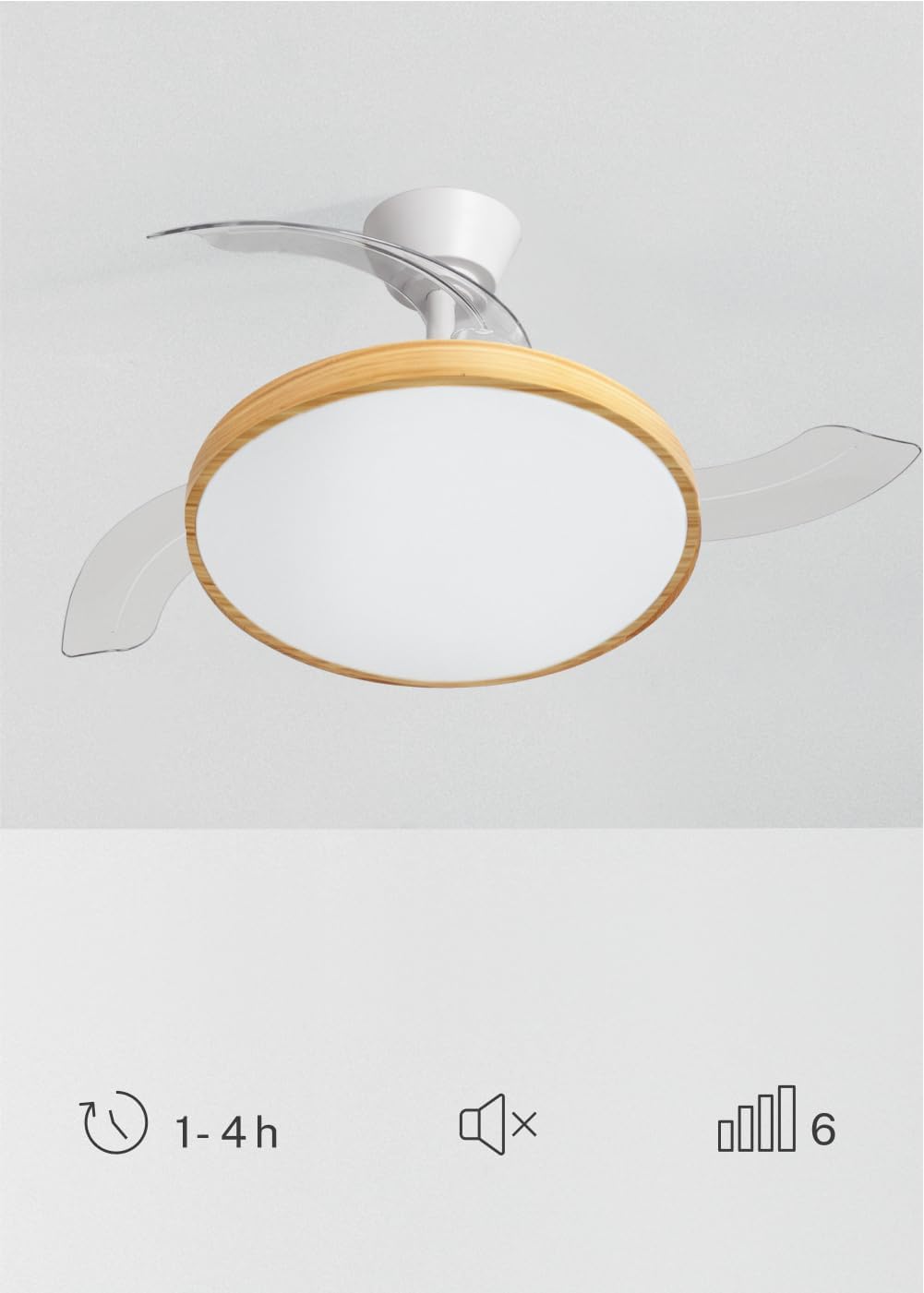
Image 5.1: The remote control for the ceiling fan, illustrating buttons for light control, fan speed adjustment (1-6), timer settings (1H, 2H, 4H), and a mute function.
- Power On/Off: Druk op de oan/út-knop om de fentilator en it ljocht oan of út te skeakeljen.
- Fan snelheid: Use the speed buttons (1-6) to adjust the fan's rotation speed. There are 6 available speeds.
- Ljochtkontrôle: Druk op de ljochtknop om it LED-ljocht oan of út te skeakeljen.
- Ljochtkleurtemperatuer: Cycle through the 3 available light color temperatures (Warm White 2700K, Natural White 3300K, Cool White 4000K) by pressing the light temperature button.
- Timer funksje: Set the fan to automatically turn off after 1, 2, or 4 hours using the respective timer buttons.
- Mute funksje: Press the mute button to silence operational beeps.
5.2 Simmer/Winterfunksje
The fan features a reversible motor for year-round use. This function helps optimize air circulation for both cooling and heating.

Image 5.2: Diagram showing air circulation for summer mode (downward airflow for cooling) and winter mode (upward airflow to redistribute warm air).
- Simmermodus (rotaasje tsjin de klok yn): Makket in nei ûnderen gerichte luchtstream, wêrtroch in koeljende wyn ûntstiet.
- Wintermodus (rotaasje mei de klok mei): Creates an upward airflow, circulating warm air trapped near the ceiling throughout the room.
Refer to your assembly guide for instructions on how to switch between summer and winter modes, typically via a switch on the fan body or remote control.
5.3 Light Color Temperature Adjustment
The integrated LED light offers three distinct color temperatures to suit different moods and activities.

Image 5.3: Illustration of the three adjustable light color temperatures: 2700K for warm light, 3300K for natural light, and 4000K for cool light.
- 2700K (Waarm wyt): Ideaal foar ûntspanning en it kreëarjen fan in gesellige sfear.
- 3300K (Natural White): Suitable for general illumination and daily activities.
- 4000K (Kâld wyt): Best for tasks requiring clear visibility and concentration.
6. Underhâld
Regelmjittich ûnderhâld soarget foar optimale prestaasjes en ferlingt de libbensdoer fan jo plafondventilator.
- Reiniging: Stofje de fentilatorblêden en motorhúsfesting regelmjittich ôf mei in sêfte, damp doek. Brûk gjin skurende skjinmakkers of oplosmiddels. Soargje derfoar dat de fentilator útskeakele is en de stroom útskeakele is foardat jo skjinmeitsje.
- Blade ynspeksje: Kontrolearje de fentilatorblêden periodyk op tekens fan skea of ûnbalâns.
- Tightness of Screws: Over time, screws may loosen. Check and tighten all screws on the mounting bracket and blade attachments annually.
- Ljocht boarne: The integrated LED light source is designed for long life and is generally not user-replaceable. If the light fails, contact customer support.
7. Probleemoplossing
If you encounter issues with your fan, refer to the following common problems and solutions before contacting customer support.
| Probleem | Mooglike oarsaak | Oplossing |
|---|---|---|
| Fan start net | Gjin stroomfoarsjenning; losse bedrading; batterij ôfstânsbetsjinning leech. | Check circuit breaker; ensure all connections are secure; replace remote control batteries. |
| Ljocht wurket net | No power supply; loose wiring; LED failure. | Check power; ensure connections are secure; contact support if LED is faulty. |
| De fan trilt tefolle | Loose mounting screws; unbalanced blades; incorrect installation. | Tighten all mounting screws; ensure blades are securely attached and balanced; re-check installation steps. |
| Remote control wurket net | Low or dead batteries; remote not paired (if applicable); obstruction. | Replace batteries; ensure clear line of sight to receiver; refer to assembly guide for pairing instructions. |
8. Spesifikaasjes
| Eigenskip | Detail |
|---|---|
| Merk | MEITSJE |
| Model | WIND CLEAR STUDIO S |
| Kleur | Blanco Y Madera Clara (White and Light Wood) |
| Diameter | 91 sintimeter |
| Krêft | 40 Watts (DC Motor) |
| Voltage | 240 Volt |
| Oantal snelheden | 6 |
| Enerzjy-effisjinsje | A oant G |
| Noise Level | 40 Desibel |
| Ljocht boarne Type | LED (3 Color Temperatures) |
| Control Metoade | Remote Control |
| Ynstallaasje Type | Semi-flush mount |
| Binnen / bûtengebrûk | Binnen |
| Timer | 1 H, 2 H, 4 H |
| Special Features | Retractable Blades, Summer/Winter Function |

Image 8.1: The fan is suitable for rooms up to approximately 13 square meters.
9. Garânsje en stipe
Your CREATE WIND CLEAR STUDIO S Ceiling Fan with Light comes with a manufacturer's warranty. Please refer to the warranty card included in your package for specific terms and conditions.
For technical assistance, troubleshooting beyond this manual, or to inquire about replacement parts, please contact CREATE customer support. You can find more information and contact details on the official CREATE brand store: